Developer Tools app screenshots that lead with a problem
The headline names what is wrong before the app. Naming the problem first lets the reader recognise their own situation before being shown the app.
From the top 100 free Developer Tools apps on the US App Store, read on October 9, 2026. Screenshots are the developers’ own, shown from Apple’s servers with a link to each app.
The numbers
2 of the 507 Developer Tools screenshots read (under 1%) do this, across 2 of the top 100 apps (2%). 0 of the top ten do it (0%), against 2 of the other 90 (2%): the top ten do it about as often as the rest. Of the 23 categories read so far, Developer Tools is 12th for this. It is most common in Food & Drink (7% of apps) and least common in Shopping (0%).
All 2 examples from the chart.
Every one of the Developer Tools app screenshots that lead with a problem on the chart, the highest app first.
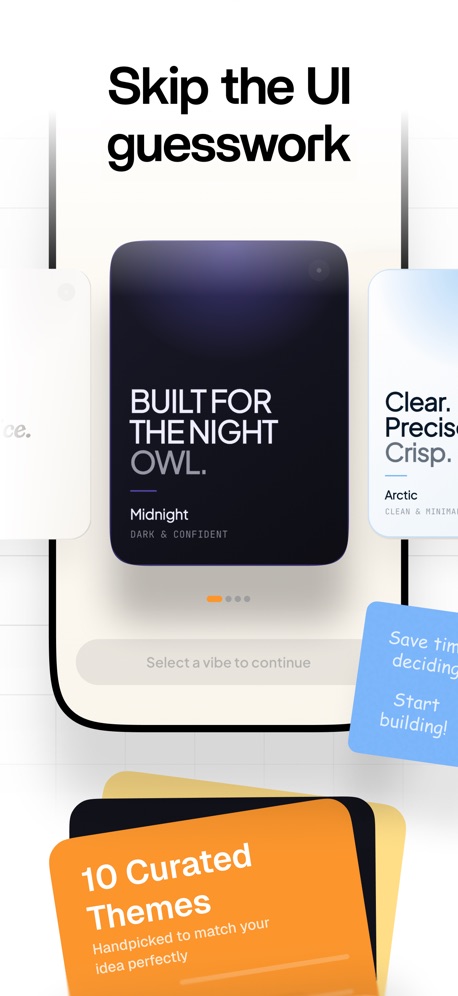
“Skip the UI guesswork”

“Don't forget your running tasks”
Real headline examples, word for word.
The words on all 2 that carry any, as each app wrote them.
“Skip the UI guesswork”
AI App Builder Architect · #54 · screenshot 4- Quick Response
“Don't forget your running tasks”
OpenCode Mobile App · #57 · screenshot 3
Top ten Developer Tools apps that do it.
None of the top ten do. The highest app on the chart that does is AI App Builder Architect, at #54.
The same tactic in other categories.
| Category | Apps that do it | Screenshots | Top ten |
|---|---|---|---|
| Food & Drink | 7% 7 of 100 | 1% 7 of 540 | 1 of 10 |
| Business | 5% 5 of 100 | 1% 6 of 554 | 0 of 10 |
| Reference | 5% 5 of 100 | 1% 5 of 566 | 0 of 10 |
| Social Networking | 5% 5 of 100 | 1% 6 of 554 | 1 of 10 |
| Travel | 5% 5 of 100 | 1% 6 of 561 | 0 of 10 |
| Finance | 4% 4 of 100 | 1% 4 of 581 | 0 of 10 |
| Lifestyle | 4% 4 of 100 | 1% 5 of 556 | 0 of 10 |
| News | 3% 3 of 98 | 1% 3 of 517 | 1 of 10 |
| Games | 3% 3 of 100 | 1% 3 of 567 | 0 of 10 |
| Health & Fitness | 3% 3 of 100 | 1% 4 of 574 | 0 of 10 |
| Productivity | 2% 2 of 99 | under 1% 2 of 551 | 0 of 10 |
| Developer Tools | 2% 2 of 100 | under 1% 2 of 507 | 0 of 10 |
| Navigation | 1% 1 of 99 | under 1% 2 of 566 | 0 of 10 |
| Education | 1% 1 of 100 | under 1% 1 of 555 | 0 of 10 |
| Entertainment | 1% 1 of 100 | under 1% 1 of 544 | 0 of 10 |
| Medical | 1% 1 of 100 | under 1% 1 of 548 | 0 of 10 |
| Photo & Video | 1% 1 of 100 | under 1% 1 of 566 | 0 of 10 |
| Sports | 1% 1 of 100 | under 1% 1 of 558 | 0 of 10 |
| Utilities | 1% 1 of 100 | under 1% 1 of 549 | 0 of 10 |
| Weather | 1% 1 of 100 | under 1% 1 of 555 | 0 of 10 |
| Graphics & Design | 0% 0 of 99 | 0% 0 of 564 | 0 of 10 |
| Music | 0% 0 of 100 | 0% 0 of 550 | 0 of 10 |
| Shopping | 0% 0 of 100 | 0% 0 of 562 | 0 of 10 |
Related tactics.
More in meaning
- Plain tone73%
- Leads with a feature71%
- States a benefit58%
- Subline explains the headline36%
- Technical tone21%
- Playful tone10%
- Subline adds a second benefit10%
- Leads with trust9%
- Asks for an action8%
- Names its audience7%
- Leads with an outcome5%
- Premium tone4%
- Compares with something3%
- Urgent tone3%
- Leads with what is new2%
- Leads with price1%
Questions, answered from the chart.
How many top Developer Tools apps have App Store screenshots that lead with a problem?
Which Developer Tools apps have App Store screenshots that lead with a problem?
Should my Developer Tools app have App Store screenshots that lead with a problem?
See your own app against this.
Pagefully reads your screenshots the same way, and makes a custom product page for each search people type, from your real screens.
Preview your pages