Explanatory Developer Tools app screenshot subheadlines
The second line says how. The headline makes the promise and the smaller line says how the app keeps it.
From the top 100 free Developer Tools apps on the US App Store, read on October 9, 2026. Screenshots are the developers’ own, shown from Apple’s servers with a link to each app.
The numbers
104 of the 507 Developer Tools screenshots read (21%) do this, across 36 of the top 100 apps (36%). 3 of the top ten do it (30%), against 33 of the other 90 (37%): the top ten do it about as often as the rest. Of the 23 categories read so far, Developer Tools is 9th for this. It is most common in Finance (56% of apps) and least common in Games (9%).
12 examples from the chart.
12 of the 104 explanatory Developer Tools app screenshot subheadlines, one from each app, the highest on the chart first.
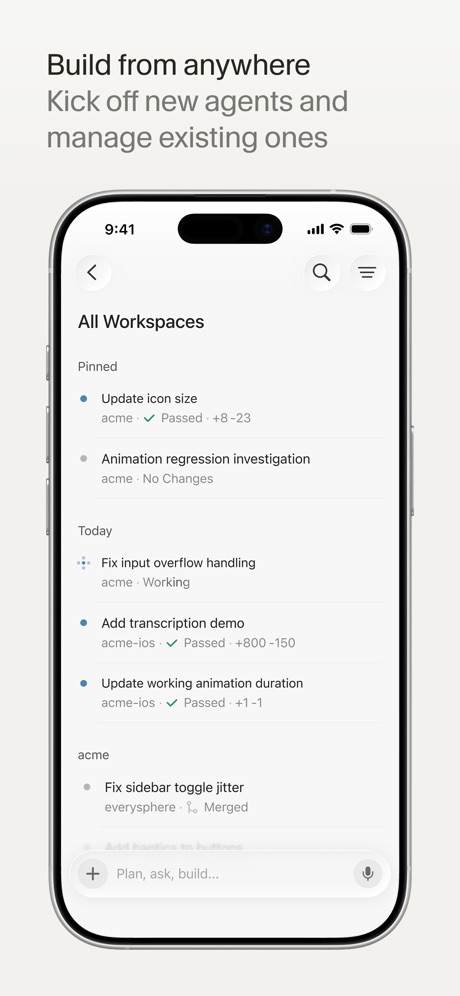
“Build from anywhere”

“Learn”

“Home Efficient Management”

“One click connection”

“Connect”

“Catch mistakes instantly”
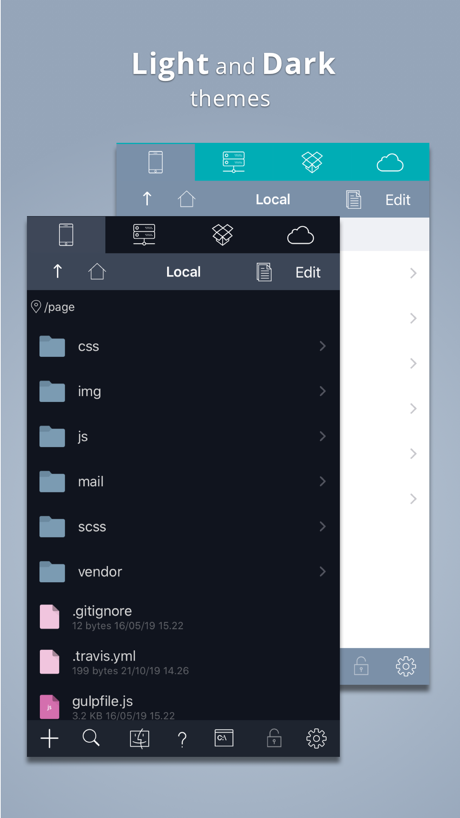
“Light and Dark”

“temporary phone numbers”

“Meet your bots”

“Collect What You Love”

“BUILD FOR ANY PLATFORM FROM”

“Shortcuts PRO to scan and interrogate”
Real headline examples, word for word.
The words on 40 of the 104 that carry any, as each app wrote them.
“Build from anywhere”
Kick off new agents and manage existing onesCursor · #6 · screenshot 1“Learn”
Learn the basics with bite-sized interactive lessons.Expo Go · #8 · screenshot 2“Home Efficient Management”
Unified management of multiple devices, clear status at a glanceO-KAM Pro · #9 · screenshot 1“One click connection”
No re-entering IP addresses, ports, and passwords.Termius - Modern SSH Client · #11 · screenshot 1“Connect”
with the panel to useApps Connect · #14 · screenshot 1“Catch mistakes instantly”
Error checking as you typePython Coding Editor & IDE App · #16 · screenshot 4“Light and Dark”
themesKoder Code Editor · #26 · screenshot 1- Receive SMS
“temporary phone numbers”
Receive SMS & verification codes online. No SIM. No sign up. Ready in seconds.Temp Number | Receive SMS · #28 · screenshot 6 “Meet your bots”
Give each one a face, a model and a jobHermex · #30 · screenshot 2“Collect What You Love”
A collector community where every figure, model, and collectible has a story worth sharing.Goiey - Collect, Share, Chat · #32 · screenshot 4“BUILD FOR ANY PLATFORM FROM”
YOUR PHONEVibecode Apps IDE - LastApp · #36 · screenshot 2“Shortcuts PRO to scan and interrogate”
Enumerate and read values.Bluetooth Inspector · #38 · screenshot 4“A WORLD”
of quirky, joyful indie gamesGDevelop - Create & Play Games · #39 · screenshot 1“Multi Sessions”
Connect to servers and switch anywhere anytimexTerminal - SSH Terminal Shell · #40 · screenshot 1“Keep agents running”
Reconnect without losing workMoshi: herdr/tmux on SSH/MOSH · #44 · screenshot 1“DEVICE and SENSOR Information”
View detailed information about your DEVICE.Device Monitor² · #45 · screenshot 1“Your Hermes agent, anywhere.”
Start tasks, monitor progress, and stay in sync from your phone.Hermes Conduit · #46 · screenshot 1“Read Peripherals”
Services & CharacteristicsBluetoothAssistant · #47 · screenshot 2“Mobile IDE”
File based IDE with code editor, suggestions,and local execution. Includes a Python 3.10 interpreter, with the standard libraries, Cython and more than 100 third party pre-installed packages.Pyto IDE · #49 · screenshot 1“Upload and Download”
Remote FilesTextastic Code Editor · #53 · screenshot 3“From Idea to App”
In minutes“Every retry costs, plan smart build once.”AI App Builder Architect · #54 · screenshot 1“Termiux”
Linux in your pocketTermiux · #55 · screenshot 1“Capture HTTPS on your iPhone”
See every request your apps make, right on your device. No Mac needed.Proxyman - Capture HTTPS · #63 · screenshot 1“Bluetooth Connect”
Wire-free pairing made simpleBluetooth Auto Connect · #64 · screenshot 2“Edit Text File”
From your device or any cloud serviceText Editor. · #70 · screenshot 1“Build Your Own Portfolio”
Organize and manage all of your game projects in one place.GameForge AI: Code & Build · #71 · screenshot 1- FEICHI · PRIVATE PASSAGE
“Feichi Passage Light Launch”
Secure exits, connection time and membership benefits live in one clean pan...VPN - Feichi · #73 · screenshot 1 “Guest Overview”
Monitor and manage your VMs and CTs with just a few tapsProxmox VE Companion · #76 · screenshot 5“Pyroid”
IDE for Python 3Pyroid · #80 · screenshot 1“Manage Access”
Your console is connected via a Personal Access Token (PAT) for secure management.Supabase Go · #82 · screenshot 4“Netlify in your pocket”
Monitor and control every deploy, build, and domain, from your phone, with push alerts and home-screen widgets.Netli.fyi: Netlify Client · #83 · screenshot 1“C知道定时任务”
你的AI自动化技术情报助理CSDN-技术开发者社区 · #87 · screenshot 2“Full privacy”
No logs. No tracking. No provider lock-inavoGate · #93 · screenshot 3“Command Prompt For iOS”
Command Prompt CMD is the ultimate network diagnostic tool for iOS.CMD: SSH, Terminal, DOS, Ping · #95 · screenshot 1“More than SSH”
Your All-in-One Sysadmin ToolboxWebSSH - Sysadmin Toolbox · #97 · screenshot 4“Keep Your Models in One Place”
Access your files anytime from your librarySTL & 3D Model Viewer - Mes3D · #98 · screenshot 1“Talk to Cursor”
Use voice mode to describe ideas and changesCursor · #6 · screenshot 2“AI intelligent service”
AI has sharp eyes and a keen understanding of security protectionO-KAM Pro · #9 · screenshot 3“AI Widget”
Smart terminal assistantTermius - Modern SSH Client · #11 · screenshot 2“Code Smarter and Faster”
Built in AI for generating codePython Coding Editor & IDE App · #16 · screenshot 6
Top ten Developer Tools apps that do it.
The same tactic in other categories.
| Category | Apps that do it | Screenshots | Top ten |
|---|---|---|---|
| Finance | 56% 56 of 100 | 29% 170 of 581 | 7 of 10 |
| Food & Drink | 52% 52 of 100 | 27% 146 of 540 | 7 of 10 |
| Shopping | 52% 52 of 100 | 30% 169 of 562 | 4 of 10 |
| Sports | 47% 47 of 100 | 23% 128 of 558 | 7 of 10 |
| Social Networking | 41% 41 of 100 | 19% 108 of 554 | 5 of 10 |
| Reference | 40% 40 of 100 | 23% 128 of 566 | 5 of 10 |
| Travel | 40% 40 of 100 | 19% 104 of 561 | 0 of 10 |
| Utilities | 38% 38 of 100 | 18% 101 of 549 | 3 of 10 |
| Business | 36% 36 of 100 | 15% 82 of 554 | 3 of 10 |
| Developer Tools | 36% 36 of 100 | 21% 104 of 507 | 3 of 10 |
| Lifestyle | 36% 36 of 100 | 16% 91 of 556 | 6 of 10 |
| Photo & Video | 36% 36 of 100 | 15% 86 of 566 | 5 of 10 |
| Navigation | 35% 35 of 99 | 17% 94 of 566 | 2 of 10 |
| Graphics & Design | 34% 34 of 99 | 14% 81 of 564 | 5 of 10 |
| Entertainment | 32% 32 of 100 | 15% 84 of 544 | 3 of 10 |
| News | 31% 30 of 98 | 17% 90 of 517 | 0 of 10 |
| Music | 29% 29 of 100 | 9% 52 of 550 | 3 of 10 |
| Health & Fitness | 28% 28 of 100 | 12% 70 of 574 | 2 of 10 |
| Productivity | 27% 27 of 99 | 13% 71 of 551 | 1 of 10 |
| Education | 27% 27 of 100 | 11% 59 of 555 | 4 of 10 |
| Medical | 27% 27 of 100 | 13% 69 of 548 | 1 of 10 |
| Weather | 27% 27 of 100 | 14% 80 of 555 | 3 of 10 |
| Games | 9% 9 of 100 | 5% 31 of 567 | 1 of 10 |
Related tactics.
Often on the same screenshot
- Has a subline100% of these screenshots, against 27% of all Developer Tools screenshots
- Headline under five words89% of these screenshots, against 50% of all Developer Tools screenshots
- Gradient background74% of these screenshots, against 46% of all Developer Tools screenshots
- Headline readable at thumbnail size56% of these screenshots, against 28% of all Developer Tools screenshots
- Has a headline100% of these screenshots, against 74% of all Developer Tools screenshots
- Words at the top93% of these screenshots, against 68% of all Developer Tools screenshots
More in meaning
- Plain tone73%
- Leads with a feature71%
- States a benefit58%
- Technical tone21%
- Playful tone10%
- Subline adds a second benefit10%
- Leads with trust9%
- Asks for an action8%
- Names its audience7%
- Leads with an outcome5%
- Premium tone4%
- Compares with something3%
- Urgent tone3%
- Leads with a problem2%
- Leads with what is new2%
- Leads with price1%
Questions, answered from the chart.
How many top Developer Tools apps have explanatory App Store screenshot subheadlines?
Which Developer Tools apps have explanatory App Store screenshot subheadlines?
Should my Developer Tools app have explanatory App Store screenshot subheadlines?
See your own app against this.
Pagefully reads your screenshots the same way, and makes a custom product page for each search people type, from your real screens.
Preview your pages