Custom product pages: the complete guide
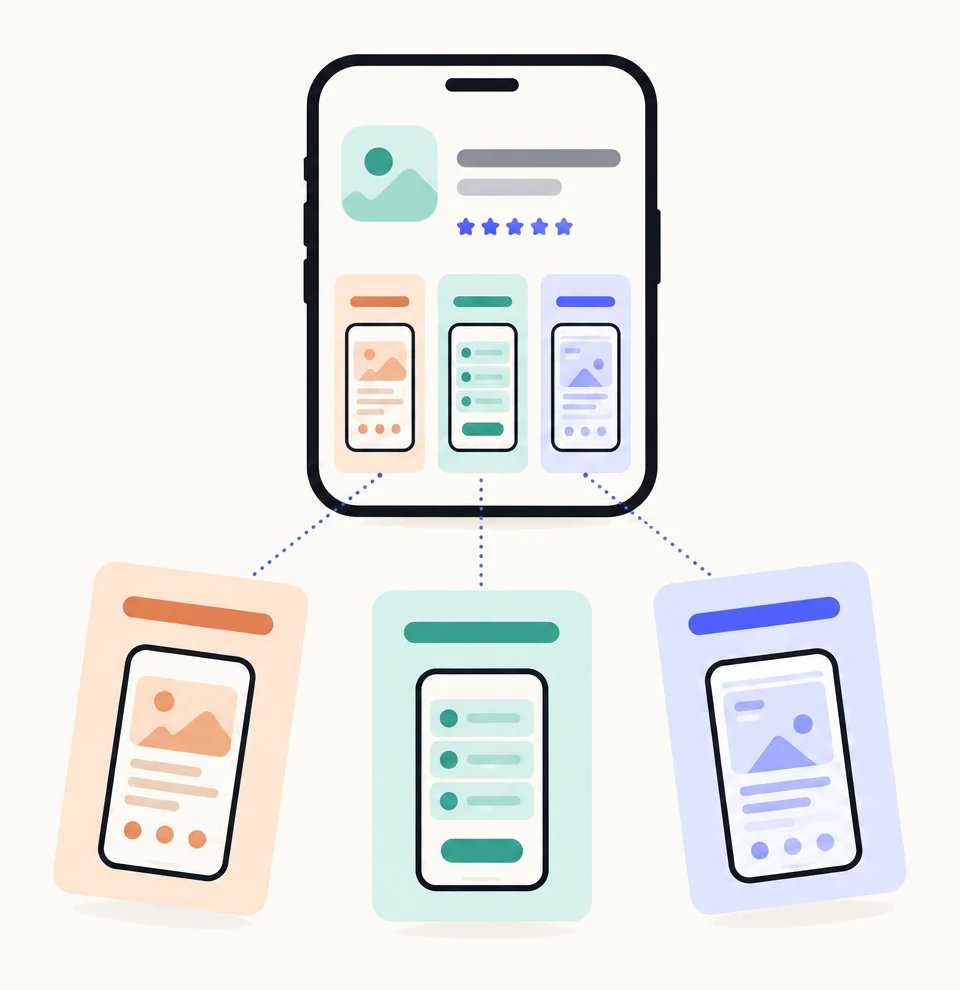
Custom product pages are extra versions of your app’s App Store page. Each one has its own screenshots, app previews and promotional text, and its own link. Apple allows up to 70 per app. You use them to show different audiences the part of your app they came for, while your default page stays as it is for everyone else.
| Maximum per app | 70, raised from 35 in October 2025 |
|---|---|
| What you can change | Screenshots, app previews, promotional text, and the keywords and deep link assigned to the page |
| What stays the same | App name, icon, subtitle, description, price, ratings and reviews |
| Who sees a page | People who follow its link, tap an Apple Ads ad that uses it, or search a keyword you have assigned to it |
| Review | Each page is reviewed by Apple. Once your app is approved, a page can be submitted with or without an app version |
| Devices | iPhone and iPad. Deep links need iOS 18 or iPadOS 18 or later |
| Where to measure | App Analytics in App Store Connect, once a page has five first-time downloads |
What is a custom product page?
A custom product page is an alternative App Store page for the same app. Apple describes it as an additional version of your product page, with different screenshots, promotional text and app previews, that you can publish for iPhone and iPad.1 Someone searching for a budgeting app to split bills and someone saving for a house can each land on a page that leads with the feature they want. Your default page stays as it is for everyone else.
Everything else about the listing is shared. The page sits under your app in the App Store, with the same name, icon, subtitle, description, price, ratings and reviews. What changes is the first look: which screens appear first and what the headlines say. That first look is where most people decide, which is why a page made for one audience converts differently from a page made for everyone.
Each page has its own URL, generated when you create it, and each page can be localized.2 A page is not a website and not an A/B test: for a controlled test of your default page, Apple has a separate feature, product page optimization.
How do you create a custom product page?
You create a custom product page in App Store Connect, under your app, and submit it to Apple for review. Your app needs the Ready for Distribution status in at least one country or region first, and you need the Account Holder, Admin, App Manager or Marketing role.2 These are Apple’s steps:
- Open App Store Connect and select your app.In Apps, pick the app the page is for.
- In the left sidebar, click Custom Product Pages.If the app already has a page, you add another with the + button.
- Click Create Custom Product Page and give it a reference name.The name is for you. It is how the page is labelled in App Analytics, so name it after the audience: “Baby white noise”, not “Page 2”.
- Start with a blank page or a copy of an existing product page.A copy takes the screenshots, previews and promotional text of a version in the Ready for Distribution or Prepare for Submission state, for your primary localization only.
- Click Create.Apple generates the page’s unique URL at this point and shows it on the page.
- Add screenshots, app previews and promotional text for each localization.Up to 10 screenshots and 3 app previews per device size, and up to 170 characters of promotional text. Approved images from your Asset Library can be reused with Browse Assets.
- Optionally assign keywords and add a deep link.Keywords come from your latest approved app version and are chosen per localization. A deep link sends people who tap Open to a specific place in your app, on iOS 18 or iPadOS 18 or later.
- Click Add for Review, then Submit for Review.The page can go in an existing draft submission or a new one. Its status moves to Waiting for Review, then In Review, and the page becomes visible once approved.
Steps 1 to 5 and 7 to 8 are from Apple’s App Store Connect Help.23 The limits in step 6 are from Apple’s screenshot, app preview and metadata references.789 The full list of sizes and rules is in custom product page requirements.
How many custom product pages can you have?
Up to 70 custom product pages per app, on iPhone and iPad.1 The limit was 35 until October 29, 2025, when Apple doubled it.5 Many articles still quote 35.
Seventy is a ceiling, not a target. A page needs a reason to exist and a way for people to reach it. The right number for your app is the number of distinct keyword groups and use cases it serves, one page each, made in the order of the traffic behind them. How to list them, and when the next one is worth it, is in how many custom product pages does your app need?
What can you change on a page, and what can’t you?
You can change the screenshots, app previews and promotional text, per localization, and you can give the page its own keywords and deep link. Everything else is your app’s listing and stays the same on every page.12
| Element | On a custom product page | Limit |
|---|---|---|
| Screenshots | Different per page | Up to 10 per device size |
| App previews | Different per page | Up to 3 per device size, 15 to 30 seconds each |
| Promotional text | Different per page | 170 characters |
| Keywords for search | A selection assigned to the page | Only keywords from your latest approved app version |
| Deep link | One per page, optional | iOS 18 and iPadOS 18 or later |
| Localizations | Each page is localizable | Assets are added per localization |
| App name, subtitle, icon | Same as your default page | Cannot change |
| Description | Same as your default page | Cannot change |
| Price and in-app purchases | Same as your default page | Cannot change |
| Ratings and reviews | Same as your default page | Cannot change |
The practical consequence: a page is made of screenshots. If the only thing you change is the promotional text, nobody will notice. The page earns its keep when its first two or three screenshots show the thing its audience came for, with headlines that say so.
Who sees a custom product page?
Only people who arrive by one of three routes. Apple is explicit that a custom product page is visible only to people who follow its link or search a keyword you have assigned to it; everyone else sees your default product page.2 Apple Ads is the third route, since an ad can lead to a particular page.1
- Its link. Every page has a unique URL. Put it in a newsletter, a tutorial, a creator’s post or a social ad, and readers land on the page that matches what they just saw.1
- Apple Ads. In a search results ad group you can make an ad variation from a custom product page, so the ad and the page after the tap make the same promise.6
- App Store search. Assign keywords from your latest approved version to a page, and when your app appears in search for those keywords, the page is shown instead of your default page.2
None of the three needs an ad budget. A page with no link shared, no ad and no keywords assigned is seen by nobody, which is the first thing to check when a page shows no data.
How do custom product pages appear in App Store search?
By keywords you assign to the page. Apple lets you choose keywords from your latest approved app version for each custom product page, and that page is then shown in search results for those keywords instead of your default product page.25 Keywords are selected per localization, and you can disable them individually later.2
Three rules shape how you use it. The page only appears in search after it has been approved and set to visible.2 The keywords must already be in your app’s keyword field, so a page cannot make you rank for anything new; it changes what people see once your app is in the results. And Apple asks that each keyword combination be unique to a single page, so the most relevant page is the one that appears.12
The step-by-step, with how to split your keyword field into page-sized groups, is in custom product pages in App Store search.
How do custom product pages work with Apple Ads?
As the landing page of an ad. Apple Ads supports custom product pages, so an ad in search results, on the Search tab or on the Today tab can lead to a particular page rather than your default one.1 In a search results ad group, you create an ad variation based on a custom product page you have set up in App Store Connect; each ad group can have one active custom ad.6
The point is to keep the promise consistent. An ad that says “track your sleep on Apple Watch” should land on a page whose first screenshot is the watch, not a general tour. Apple reports that developers see a 2.5 percentage point increase in conversion on average when referring people to a custom product page, against a 1.6 percent average on default pages; that figure comes mostly from ads and links, so read it as support for focused destinations, not a forecast for search.1 A deep link on the page works in ad variations too, on iOS 18 and iPadOS 18 or later.6
How to match ad groups to pages, and what to look at in the ad group’s results, is in custom product pages for Apple Ads.
What are deep links on custom product pages?
A deep link sends people who open your app from a custom product page to a specific place inside it. Apple added the option so that someone who taps Open on a page about one feature lands on that feature rather than your home screen. It is optional, one per page, and works on devices running iOS 18 or iPadOS 18 or later; older devices open the app as usual.12
Use it when the page’s promise has an obvious destination: a page for “scan receipts” should open the scanner. Skip it for a page that sells the whole app. The link is set in App Store Connect on the page itself, and the same deep link carries into an Apple Ads ad variation that uses the page.6
How long does review take?
Apple does not say. What Apple does say is that a custom product page must be approved before it is visible, that it is reviewed by App Review like other metadata, and that once your app is approved you can submit a page with or without an app version, so a page never has to wait for your next release.123
Developers commonly report that a page is reviewed within about a day, but that is reported experience, not Apple’s statement, and it varies. Two things to plan around: while a page is under review you cannot change its screenshots, previews, promotional text or keywords, though you can withdraw the submission, edit and resubmit; and if your app has never been approved, the first page goes in the same submission as your first version.3 After approval, edits go through the same route, and the new version replaces the live one without changing the page’s URL.2
How do you measure a custom product page?
In App Analytics in App Store Connect. Apple reports each custom product page’s impressions, product page views, downloads and conversion rate, and lets you compare pages with your default product page and with each other.14 You can filter by territory, source type and device, and the same dashboard carries proceeds, retention and average proceeds per paying user for people who came through each page.4
Data for a page appears once it has at least five first-time downloads, so a page with little traffic shows nothing for a while.24 Read the numbers with care: each page sees a different audience, so a page converting better than your default page is useful context, not proof that it brought extra installs. If you want a controlled comparison of your default page, that is what product page optimization is for; it splits the same traffic at random between up to three treatments for up to 90 days.10
What changed in 2025 and 2026?
Two things in 2025 changed what the feature is for. Until then a page was only reachable by its link or through Apple Ads. Now it can also be found in search, and you can have twice as many.
- Keywords for search. App Store Connect gained the option to assign keywords from your latest approved version to a custom product page, so the page appears in search results for those keywords instead of your default page.2 The option was shown at WWDC 2025 and, according to secondary sources, became available in App Store Connect on July 30, 2025.11 Apple included it in its announcement of October 29, 2025.5
- 70 pages, not 35. On October 29, 2025 Apple doubled the limit to 70 custom product pages per app.5
- Deep links. A page can carry a deep link into the app, on iOS 18 and iPadOS 18 or later, and the deep link carries into Apple Ads ad variations.16
- Submissions without an app version. Apple’s October 2025 announcement also covered submitting content while an app is in review. For pages, the rule is that an approved app can submit a page with or without a version.35
So far in 2026 Apple has not changed the limits or the three routes. This guide is checked against Apple’s pages on the date shown under the title, and the changelog lists each change we find.
Common mistakes
- A page nobody can reach. No link shared, no ad, no keywords assigned. The page exists in App Store Connect and nowhere else.
- A copy of the default page with new promotional text. People decide from the first screenshots. If those are unchanged, the page changes nothing.
- The same keywords on several pages. Apple asks for a unique keyword combination per page so the most relevant one appears.1 Overlap leaves the choice to Apple.
- Keywords that are not in your approved version. A page can only use keywords from your latest approved app version, so add them to the keyword field first and wait for that version to be approved.2
- Judging a page in its first week. Data appears after five first-time downloads, and a small page takes time to say anything.4 Judge one page properly before you make ten.
- Reading a higher conversion rate as proof. A page’s audience is different from your default page’s. Compare, but do not conclude.
- Letting pages go stale. Your app changes; a page’s screenshots do not change with it. After each redesign, check every live page still shows the app as it is.
- Naming pages “Page 1” and “Page 2”. The reference name is how App Analytics labels the page. Name it after the audience.
Sources
- 1Apple, Custom product pages
- 2Apple, Configure multiple product page versions (App Store Connect Help)
- 3Apple, Submit a custom product page (App Store Connect Help)
- 4Apple, Custom product page analytics (App Store Connect Help)
- 5Apple, Enhancements to help you submit and market your apps and games (news, October 29, 2025)
- 6Apple Ads, Create ad variations
- 7Apple, Screenshot specifications
- 8Apple, App preview specifications
- 9Apple, Platform version information Promotional text: 170 characters.
- 10Apple, Product page optimization
- 11Adapty, App Store custom product pages: how to use them in 2026 A secondary source for the July 30, 2025 date of the keyword option.
Questions people ask
Do custom product pages cost anything?
Do custom product pages improve App Store ranking?
Can a custom product page have a different app name or icon?
Do I need a new app version to add a custom product page?
Can I change a page after it is live?
What happens if I disable a page?
Do custom product pages work on Mac or Apple Watch?
How many custom product pages should I make?
See your first page.
Look up your app. In about a minute you see three pages planned for it and one designed on your own screenshots, before you sign up.