Custom product pages in App Store search
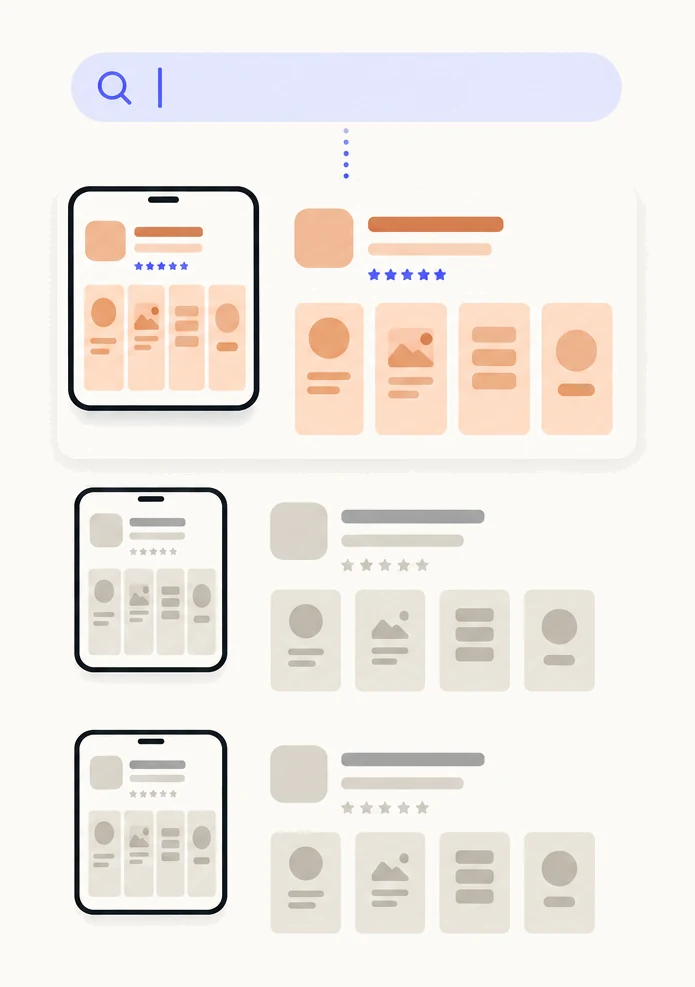
Since July 2025 you can assign keywords from your latest approved app version to a custom product page, and people who search those keywords see that page instead of your default page. The page must be approved and set to visible, and Apple asks that each keyword set be unique to one page. It does not add keywords or lift your ranking; it changes what a searcher sees first.
| Available since | July 2025, in App Store Connect |
|---|---|
| Where keywords come from | The keyword field of your latest approved app version |
| When a page is searchable | Once it is approved and set to visible |
| Keyword sets | A unique set per page, chosen per localization |
| Effect on ranking | None. It changes which page is shown, not where your app ranks |
| Results | App Analytics, per page, after 5 first-time downloads |
How do custom product pages appear in search?
A custom product page appears in search when you assign keywords to it. Apple’s words: you can assign keywords from your latest approved app version to a custom product page, and this directs customers to your custom product page when they search those keywords, rather than your default product page.1
Before July 2025 a custom page was reached only from its link or from an Apple Ads ad. Now there is a third route, and it is the one that needs no budget and no referrer: the searches your app already shows up for. Someone who searches “white noise for baby” and taps your sleep app sees the page you made for parents, with the baby sounds in the first screenshot. Someone who searches your app’s name still sees your default page. The complete guide covers all three routes.
Apple says a custom product page is visible only to people who follow its link or who search keywords you have assigned to it.1 It is never shown at random.
How do you assign keywords to a page?
You assign keywords in App Store Connect, on the page itself, one localization at a time. These are Apple’s steps.1
- In Apps, select your app.You need a role that can edit the app’s product pages.
- In the sidebar, click Custom Product Pages.If you have not made the page yet, create it first: a reference name, then screenshots, app previews and promotional text for each localization.
- Click the page you want to assign keywords to.
- Open a localization and, in the Keywords section, select the keywords for this page.The list is your approved version’s keywords for that language. There is no free text; you pick from what is there.
- Repeat for each localization.Each language has its own keyword field, so each needs its own selection.
- Publish, or submit the page for review if it is new.You can assign keywords at any time, but the page is searchable only after it is approved and set to visible.
Once a page is live you can disable its keywords individually without touching the page, its link or the ads that use it.1
Which keywords can you assign?
Only keywords that are already in the keyword field of your latest approved app version.1 The keyword field is part of the version’s metadata, holds up to 100 bytes per localization, and is required.4 A custom product page draws from that pool; it cannot add to it.
That is the rule to plan around. If the search you want to target is not in your keyword field, the page cannot be shown for it until a version with that keyword is approved. Put the keyword in the next version first, then make the page. And since the pool is small, treat each keyword as a decision: assigning it to a page pulls that search away from your default page.
Apple asks for one more thing: that each keyword set be unique to a single page, so that the most relevant page appears.12 Two pages with overlapping keywords leave the choice to Apple, and Apple does not say how it chooses.
Does a custom product page improve ranking?
No. A custom product page does not add keywords and does not improve where your app ranks. It gives the people who already find you a more relevant first look. The ranking is decided before the tap, by your name, subtitle, keyword field and the rest; the custom page takes over after it. Apple describes the feature in exactly those terms.1
What a search page can change is conversion: the share of people who view the page and download. If more of the same searchers download, you get more installs from the same ranking. Over time that may feed back into ranking, but Apple does not document any such effect and you should not count on one.
What makes a good search page?
A good search page answers the search in the first screenshot. The person has typed what they want; the page should show it before they scroll.
| Default page | Search page | |
|---|---|---|
| Who sees it | Everyone, whatever they searched | People who searched its keywords |
| First screenshot | The app’s broadest story | The feature the search is about |
| Promotional text | General | The same promise as the search, in one line |
| Keywords | Ranks for the whole keyword field | Shown for a unique subset of it |
| Good first candidate | Your name and brand searches | A feature search you rank for that the default page does not lead with |
Three habits make the difference. Match the search: a page for “receipt scanner” should look like a receipt scanner, not a documents app with a receipt feature in screenshot four. Lead with the feature in the first screenshot and name it in the headline. Keep keyword sets unique: one page per search theme, no keyword on two pages. Each keyword group you can separate cleanly is one page, with its own keywords.
How do you measure it?
In App Analytics, under Acquisition, Product Pages. Apple reports each custom product page’s product page views, total downloads, conversion rate and proceeds, with filters for territory, device and source type, once the page has at least five first-time downloads.3 Filter a keyword page by the App Store search source type and you see how that page does for searchers.
What Apple does not document is impressions for a keyword page. Impressions are counted when your icon appears in a list such as search results; whether one that led to a custom page is attributed to that page is not stated. So read a search page by its views and downloads, and treat its conversion rate beside the default page’s as context, not proof: the two pages see different searchers.
The one published organic result we know of is Bolt’s. It made a page for travellers searching for airport transfers, instead of its general ride-hailing story, and AppTweak reported an 8.6% increase in net-new installs from organic custom product pages.5 That is AppTweak’s own incrementality analysis of one app and one search theme, not a forecast for yours. More results, each with what it does and does not show, are on the why page.
What are the limits and unknowns?
The documented limits are few, and some things Apple does not say.
- Locked during review. You cannot change a page’s screenshots, previews, promotional text or keywords while it is under review. Withdrawing the submission makes it editable again.1
- Keywords per localization. The pool is each language’s keyword field, up to 100 bytes, from the latest approved version, and a page’s keywords are selected per localization.14
- No maximum per page is documented. Apple does not state a limit on how many keywords one page can carry. In practice the keyword field itself is the limit.
- Uniqueness is a request, not a documented rule. Apple asks for a unique set per page and does not say what happens when sets overlap, or which page is shown then.12
- Impressions are not documented per page. Views and downloads are. Plan to measure with those.3
- Up to 70 pages per app, for iPhone and iPad on iOS 15 or later, for every use together: links, Apple Ads and search.1
Sources
- 1Apple, App Store Connect Help: Configure multiple product page versions
- 2Apple, Custom product pages
- 3Apple, App Store Connect Help: Custom product page analytics
- 4Apple, App Store Connect Help: Platform version information (the keywords field)
- 5AppTweak, Bolt case study AppTweak’s own incrementality analysis. Bolt is not a Pagefully customer.
Questions people ask
Can I add new keywords to a custom product page?
Does assigning keywords to a page change my ranking for them?
Can the same keyword be on two pages?
Does a keyword page need its own review?
Do keyword pages work in every language?
See your first page.
Look up your app. In about a minute you see three pages planned for it and one designed on your own screenshots, before you sign up.