Explanatory Productivity app screenshot subheadlines
The second line says how. The headline makes the promise and the smaller line says how the app keeps it.
From the top 99 free Productivity apps on the US App Store, read on October 9, 2026. Screenshots are the developers’ own, shown from Apple’s servers with a link to each app.
The numbers
71 of the 551 Productivity screenshots read (13%) do this, across 27 of the top 99 apps (27%). 1 of the top ten do it (10%), against 26 of the other 89 (29%): the top ten do it less than the rest. Of the 23 categories read so far, Productivity is 19th for this. It is most common in Finance (56% of apps) and least common in Games (9%).
12 examples from the chart.
12 of the 71 explanatory Productivity app screenshot subheadlines, one from each app, the highest on the chart first.

“Sort your mail”

“SCAN”

“Accelerate”

“Never take notes again”
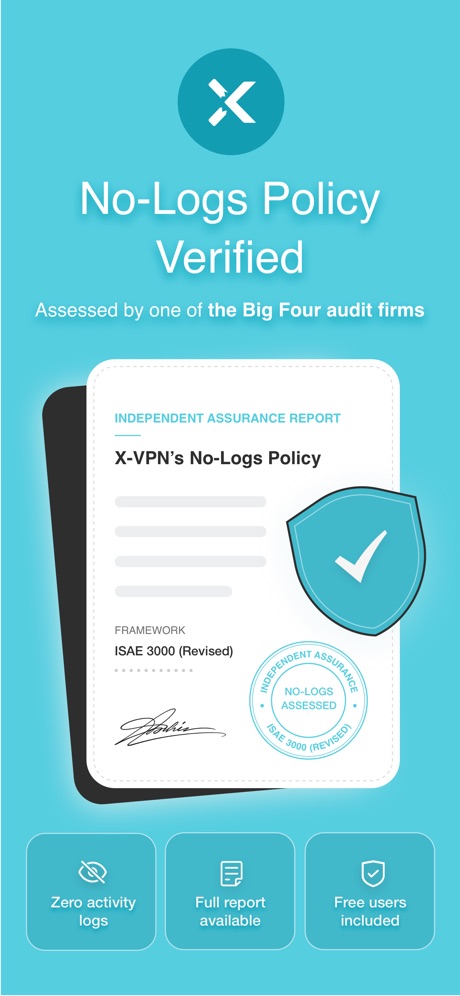
“No-Logs Policy Verified”

“We protect what matters most, your privacy and safety.”

“No computer required”

“Text Translate”

“Get extra member benefits like access to Gemini Pro and more.”

“SWIPE TO”

“ButterflyMX”

“Connect”
Real headline examples, word for word.
The words on 40 of the 71 that carry any, as each app wrote them.
“Sort your mail”
with a tabbed inboxGmail - Email by Google · #5 · screenshot 2“SCAN”
with your PhoneCamScanner - PDF Scanner App · #25 · screenshot 1“Accelerate”
Your Gaming ExperienceVPN - Fast & Secure VPN ™ · #26 · screenshot 4“Never take notes again”
When recording with (mic icon) Summary AISummary - AI Note Taker · #35 · screenshot 1“No-Logs Policy Verified”
Assessed by one of the Big Four audit firmsX-VPN: VPN Fast & Secure · #41 · screenshot 1“We protect what matters most, your privacy and safety.”
Cloaked finds your exposure, removes it, and guards what matters - for you and your family.Cloaked: Protect your privacy · #42 · screenshot 1“No computer required”
iPhone directly makes ringtonesRingtones Maker - the ring app · #44 · screenshot 1“Text Translate”
Instantly Understand Any TextTranslateAll: Live Translator · #49 · screenshot 2“Get extra member benefits like access to Gemini Pro and more.”
Benefits may vary and are not guaranteedGoogle One · #52 · screenshot 4“SWIPE TO”
Clean GalleryPhoto Recovery: Deleted Files · #54 · screenshot 4“ButterflyMX”
Property access made simpleButterflyMX · #57 · screenshot 1“Connect”
With One TapSurfshark VPN: Fast & Secure · #60 · screenshot 2“Leave your notebook at home”
Granola transcribes and takes notes while you focus on the conversationGranola - AI Meeting Notes · #65 · screenshot 1“Easily keep your inbox clean”
with one-click unsubscribeProton Mail - Encrypted Email · #66 · screenshot 2“Audit Your Oline Presence”
Get full details about [name]OneSearch: DeepSearch Finder · #68 · screenshot 4“Recommended”
for popular services and social mediaAuthenticator App · #70 · screenshot 2“Spreadsheet”
Analyze, Visualise and edit dataOffice Word:Edit Word Document · #73 · screenshot 2“#1 AI Chat”
Built on:AI Chat Assistant – ChatNow · #74 · screenshot 1“0 Data Consumed”
No internet neededSHAREit: Transfer, Share Files · #75 · screenshot 3“Word”
Read, Edit, and ShareOffice Word: Edit Document · #78 · screenshot 1“Securely share anything”
you've stored in 1Password with anyone1Password: Password Manager · #81 · screenshot 4“Made for real life”
Support for everyday questions and bigger moments.Dola AI: Smart Personal Helper · #90 · screenshot 2“Brick distractions”
You stay in control of what's off limitsBrick - Ditch Distractions · #91 · screenshot 2“Digitize”
IDs & PassportsMobile Scanner App - Scan PDF · #92 · screenshot 4“Unlimited Devices, One VPN”
Protect every phone, laptop, and tablet, no restrictionsVPN Windscribe: Fast & Secure · #95 · screenshot 1“stories for every mood”
Pick from 30+ genresElevenReader: Read Books Aloud · #96 · screenshot 4“Delivery Built By Drivers”
You work hard enough, so we’ve made finding local opportunities and extra income easy.FRAYT Driver (next) · #97 · screenshot 1“Save time”
with smart repliesGmail - Email by Google · #5 · screenshot 3“SAVE”
as PDF,Word,TXT,JPG or ExcelCamScanner - PDF Scanner App · #25 · screenshot 2“See who's selling your data.”
We scan broker sites for your home address, SSN and other personal information.Cloaked: Protect your privacy · #42 · screenshot 2“Popular ringtones”
Easily download top ringtonesRingtones Maker - the ring app · #44 · screenshot 2“Share your membership with your whole family.”
Certain features can only be accessed by the plan managerGoogle One · #52 · screenshot 5“CLEAN”
Inbox & Delete SpamsPhoto Recovery: Deleted Files · #54 · screenshot 6“Get notified”
whenever you have a visitor or deliveryButterflyMX · #57 · screenshot 2“Take your notes anywhere”
Sync across phone, watch and desktopGranola - AI Meeting Notes · #65 · screenshot 6“Avoid scams and phishing”
with Proton’s advanced protectionProton Mail - Encrypted Email · #66 · screenshot 4“Presentation”
Design & Communicate your ideasOffice Word:Edit Word Document · #73 · screenshot 3“Snap & Solve”
Find the volume of the coneAI Chat Assistant – ChatNow · #74 · screenshot 4“Easy to Share”
Radar Scan & QR CodeSHAREit: Transfer, Share Files · #75 · screenshot 4“Spreadsheet”
Analyze and Edit DataOffice Word: Edit Document · #78 · screenshot 2
Top ten Productivity apps that do it.
- #5Gmail - Email by Google5 of its 6 screenshots
The same tactic in other categories.
| Category | Apps that do it | Screenshots | Top ten |
|---|---|---|---|
| Finance | 56% 56 of 100 | 29% 170 of 581 | 7 of 10 |
| Food & Drink | 52% 52 of 100 | 27% 146 of 540 | 7 of 10 |
| Shopping | 52% 52 of 100 | 30% 169 of 562 | 4 of 10 |
| Sports | 47% 47 of 100 | 23% 128 of 558 | 7 of 10 |
| Social Networking | 41% 41 of 100 | 19% 108 of 554 | 5 of 10 |
| Reference | 40% 40 of 100 | 23% 128 of 566 | 5 of 10 |
| Travel | 40% 40 of 100 | 19% 104 of 561 | 0 of 10 |
| Utilities | 38% 38 of 100 | 18% 101 of 549 | 3 of 10 |
| Business | 36% 36 of 100 | 15% 82 of 554 | 3 of 10 |
| Developer Tools | 36% 36 of 100 | 21% 104 of 507 | 3 of 10 |
| Lifestyle | 36% 36 of 100 | 16% 91 of 556 | 6 of 10 |
| Photo & Video | 36% 36 of 100 | 15% 86 of 566 | 5 of 10 |
| Navigation | 35% 35 of 99 | 17% 94 of 566 | 2 of 10 |
| Graphics & Design | 34% 34 of 99 | 14% 81 of 564 | 5 of 10 |
| Entertainment | 32% 32 of 100 | 15% 84 of 544 | 3 of 10 |
| News | 31% 30 of 98 | 17% 90 of 517 | 0 of 10 |
| Music | 29% 29 of 100 | 9% 52 of 550 | 3 of 10 |
| Health & Fitness | 28% 28 of 100 | 12% 70 of 574 | 2 of 10 |
| Productivity | 27% 27 of 99 | 13% 71 of 551 | 1 of 10 |
| Education | 27% 27 of 100 | 11% 59 of 555 | 4 of 10 |
| Medical | 27% 27 of 100 | 13% 69 of 548 | 1 of 10 |
| Weather | 27% 27 of 100 | 14% 80 of 555 | 3 of 10 |
| Games | 9% 9 of 100 | 5% 31 of 567 | 1 of 10 |
Related tactics.
Often on the same screenshot
- Has a subline100% of these screenshots, against 20% of all Productivity screenshots
- Headline under five words79% of these screenshots, against 49% of all Productivity screenshots
- Headline readable at thumbnail size46% of these screenshots, against 28% of all Productivity screenshots
- Says “you” or “your”48% of these screenshots, against 30% of all Productivity screenshots
- Phone cut off at the foot37% of these screenshots, against 22% of all Productivity screenshots
- States a benefit62% of these screenshots, against 48% of all Productivity screenshots
More in meaning
- Plain tone99%
- Leads with a feature97%
- States a benefit92%
- Leads with an outcome29%
- Leads with trust21%
- Subline adds a second benefit17%
- Playful tone11%
- Asks for an action10%
- Compares with something9%
- Names its audience9%
- Premium tone6%
- Technical tone4%
- Leads with what is new3%
- Leads with who it is for3%
- Leads with a problem2%
- Urgent tone2%
Questions, answered from the chart.
How many top Productivity apps have explanatory App Store screenshot subheadlines?
Which Productivity apps have explanatory App Store screenshot subheadlines?
Should my Productivity app have explanatory App Store screenshot subheadlines?
See your own app against this.
Pagefully reads your screenshots the same way, and makes a custom product page for each search people type, from your real screens.
Preview your pages