Productivity app screenshots with a subheadline
A second, smaller line under the headline. The headline can stay short while the smaller line carries the detail.
From the top 99 free Productivity apps on the US App Store, read on October 9, 2026. Screenshots are the developers’ own, shown from Apple’s servers with a link to each app.
The numbers
108 of the 551 Productivity screenshots read (20%) do this, across 38 of the top 99 apps (38%). 1 of the top ten do it (10%), against 37 of the other 89 (42%): the top ten do it less than the rest. Of the 23 categories read so far, Productivity is 20th for this. It is most common in Finance (69% of apps) and least common in Games (18%).
12 examples from the chart.
12 of the 108 Productivity app screenshots with a subheadline, one from each app, the highest on the chart first.

“Sort your mail”

“SCAN”

“One Tap”

“Do more with PowerPoint”

“Doomscroll Again”

“Create podcast-style overviews with your AI research assistant 🤖”

“Never take notes again”

“YOUR AI ASSISTANT”
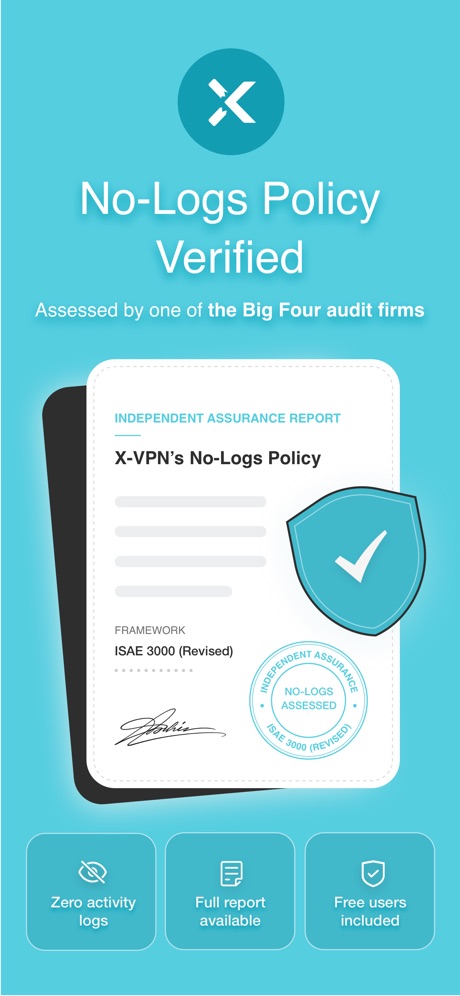
“No-Logs Policy Verified”

“We protect what matters most, your privacy and safety.”

“No computer required”

“Snap & Solve”
Real headline examples, word for word.
The words on 40 of the 108 that carry any, as each app wrote them.
“Sort your mail”
with a tabbed inboxGmail - Email by Google · #5 · screenshot 2“SCAN”
with your PhoneCamScanner - PDF Scanner App · #25 · screenshot 1“One Tap”
Secure Your PrivacyVPN - Fast & Secure VPN ™ · #26 · screenshot 1“Do more with PowerPoint”
on iPhoneMicrosoft PowerPoint · #27 · screenshot 5- NEVER
“Doomscroll Again”
With RemindersBePresent: Screen Time Control · #33 · screenshot 3 “Create podcast-style overviews with your AI research assistant 🤖”
The new app is hereGemini Notebook · #34 · screenshot 1“Never take notes again”
When recording with (mic icon) Summary AISummary - AI Note Taker · #35 · screenshot 1“YOUR AI ASSISTANT”
INTO THE UNKNOWNDeepSeek - AI Assistant · #36 · screenshot 1“No-Logs Policy Verified”
Assessed by one of the Big Four audit firmsX-VPN: VPN Fast & Secure · #41 · screenshot 1“We protect what matters most, your privacy and safety.”
Cloaked finds your exposure, removes it, and guards what matters - for you and your family.Cloaked: Protect your privacy · #42 · screenshot 1“No computer required”
iPhone directly makes ringtonesRingtones Maker - the ring app · #44 · screenshot 1“Snap & Solve”
Find the volume of the hollow cylinder in terms of r and h.Chatbot AI Assistant - Genie · #47 · screenshot 4“Text Translate”
Instantly Understand Any TextTranslateAll: Live Translator · #49 · screenshot 2“SocialLite”
Trusted by 1M+ peopleSocialLite-Block Reels&Shorts · #50 · screenshot 1“SMART PRINTER APP”
App Store App of the DaySmart Printer App℠ for HP · · #51 · screenshot 1“Get extra member benefits like access to Gemini Pro and more.”
Benefits may vary and are not guaranteedGoogle One · #52 · screenshot 4"The most awesome snack we've ever tried."
Chicago Tribune“The most awesome snack we've ever tried.”Double Good · #53 · screenshot 6“RESCUE”
Lost DataPhoto Recovery: Deleted Files · #54 · screenshot 3“ButterflyMX”
Property access made simpleButterflyMX · #57 · screenshot 1“Connect”
With One TapSurfshark VPN: Fast & Secure · #60 · screenshot 2“Leave your notebook at home”
Granola transcribes and takes notes while you focus on the conversationGranola - AI Meeting Notes · #65 · screenshot 1“Secure email that protects your privacy”
Trusted by over 100 million peopleProton Mail - Encrypted Email · #66 · screenshot 1“Audit Your Oline Presence”
Get full details about [name]OneSearch: DeepSearch Finder · #68 · screenshot 4“Recommended”
for popular services and social mediaAuthenticator App · #70 · screenshot 2“Word”
Read, Edit and Share On MobileOffice Word:Edit Word Document · #73 · screenshot 1“#1 AI Chat”
Built on:AI Chat Assistant – ChatNow · #74 · screenshot 1“Fantastic File Transfer App”
Friends around you are using itSHAREit: Transfer, Share Files · #75 · screenshot 1“PARK SMARTER”
powered by · IPS groupPark Smarter · #77 · screenshot 1“Word”
Read, Edit, and ShareOffice Word: Edit Document · #78 · screenshot 1“Securely share anything”
you've stored in 1Password with anyone1Password: Password Manager · #81 · screenshot 4“#1 AI Assistant”
Loved by over 20 million usersDola AI: Smart Personal Helper · #90 · screenshot 1“Brick distractions”
You stay in control of what's off limitsBrick - Ditch Distractions · #91 · screenshot 2“Digitize”
IDs & PassportsMobile Scanner App - Scan PDF · #92 · screenshot 4“With WasteConnect+, never miss your collection day again!”
View Schedule Pay Your Bill WasteWise Disposal GuideWasteConnect+ · #93 · screenshot 1“Unlimited Devices, One VPN”
Protect every phone, laptop, and tablet, no restrictionsVPN Windscribe: Fast & Secure · #95 · screenshot 1- Read aloud
“200K+ audiobooks”
& ebooks“Gives me the feeeels”ElevenReader: Read Books Aloud · #96 · screenshot 3 “Delivery Built By Drivers”
You work hard enough, so we’ve made finding local opportunities and extra income easy.FRAYT Driver (next) · #97 · screenshot 1“stay focused with widgets”
& get notificationsStructured: Daily Planner Todo · #98 · screenshot 5“Save time”
with smart repliesGmail - Email by Google · #5 · screenshot 3“SAVE”
as PDF,Word,TXT,JPG or ExcelCamScanner - PDF Scanner App · #25 · screenshot 2
Top ten Productivity apps that do it.
- #5Gmail - Email by Google5 of its 6 screenshots
The same tactic in other categories.
| Category | Apps that do it | Screenshots | Top ten |
|---|---|---|---|
| Finance | 69% 69 of 100 | 42% 246 of 581 | 8 of 10 |
| Shopping | 67% 67 of 100 | 43% 242 of 562 | 6 of 10 |
| Food & Drink | 63% 63 of 100 | 36% 196 of 540 | 7 of 10 |
| Social Networking | 53% 53 of 100 | 29% 163 of 554 | 5 of 10 |
| Sports | 53% 53 of 100 | 28% 158 of 558 | 7 of 10 |
| Utilities | 53% 53 of 100 | 28% 153 of 549 | 5 of 10 |
| Graphics & Design | 51% 50 of 99 | 23% 130 of 564 | 6 of 10 |
| Photo & Video | 49% 49 of 100 | 25% 141 of 566 | 6 of 10 |
| Reference | 48% 48 of 100 | 32% 181 of 566 | 6 of 10 |
| Travel | 48% 48 of 100 | 25% 143 of 561 | 1 of 10 |
| Music | 47% 47 of 100 | 18% 101 of 550 | 3 of 10 |
| Business | 46% 46 of 100 | 21% 116 of 554 | 5 of 10 |
| Entertainment | 46% 46 of 100 | 26% 139 of 544 | 5 of 10 |
| Lifestyle | 45% 45 of 100 | 21% 115 of 556 | 7 of 10 |
| News | 45% 44 of 98 | 26% 133 of 517 | 1 of 10 |
| Navigation | 42% 42 of 99 | 20% 115 of 566 | 2 of 10 |
| Education | 42% 42 of 100 | 17% 97 of 555 | 4 of 10 |
| Developer Tools | 40% 40 of 100 | 27% 138 of 507 | 3 of 10 |
| Health & Fitness | 39% 39 of 100 | 18% 105 of 574 | 3 of 10 |
| Productivity | 38% 38 of 99 | 20% 108 of 551 | 1 of 10 |
| Weather | 37% 37 of 100 | 21% 115 of 555 | 4 of 10 |
| Medical | 35% 35 of 100 | 17% 93 of 548 | 1 of 10 |
| Games | 18% 18 of 100 | 10% 54 of 567 | 1 of 10 |
Related tactics.
Often on the same screenshot
- Subline explains the headline66% of these screenshots, against 13% of all Productivity screenshots
- Headline under five words81% of these screenshots, against 49% of all Productivity screenshots
- Headline readable at thumbnail size49% of these screenshots, against 28% of all Productivity screenshots
- Subline adds a second benefit21% of these screenshots, against 4% of all Productivity screenshots
- Arrows or callouts29% of these screenshots, against 15% of all Productivity screenshots
- A word in a different colour38% of these screenshots, against 26% of all Productivity screenshots
More in words
- Has a headline99%
- Tells you to do something93%
- Headline under five words79%
- Says “you” or “your”78%
- Headline in Title Case32%
- Uses a number24%
- Headline on one line22%
- Names the app19%
- Headline over eight words16%
- Says “I” or “my”10%
- No words at all9%
- Headline in capitals8%
- Has a kicker6%
- Names another app5%
- Exclaims2%
- Uses an emoji1%
Questions, answered from the chart.
How many top Productivity apps have App Store screenshots with a subheadline?
Which Productivity apps have App Store screenshots with a subheadline?
Should my Productivity app have App Store screenshots with a subheadline?
See your own app against this.
Pagefully reads your screenshots the same way, and makes a custom product page for each search people type, from your real screens.
Preview your pages