Productivity app screenshots with arrows or callouts
Arrows, circles or notes drawn to point at something. A callout points the eye at the one control or number the headline is about.
From the top 99 free Productivity apps on the US App Store, read on October 9, 2026. Screenshots are the developers’ own, shown from Apple’s servers with a link to each app.
The numbers
82 of the 551 Productivity screenshots read (15%) do this, across 45 of the top 99 apps (45%). 2 of the top ten do it (20%), against 43 of the other 89 (48%): the top ten do it less than the rest. Of the 23 categories read so far, Productivity is 10th for this. It is most common in Graphics & Design (70% of apps) and least common in Developer Tools (21%).
12 examples from the chart.
12 of the 82 Productivity app screenshots with arrows or callouts, one from each app, the highest on the chart first.

“Dive deep into any topic”

“Get the best of Gmail on iPhone”

“Generate a new draft quickly”

“Create anywhere, anytime, even offline”
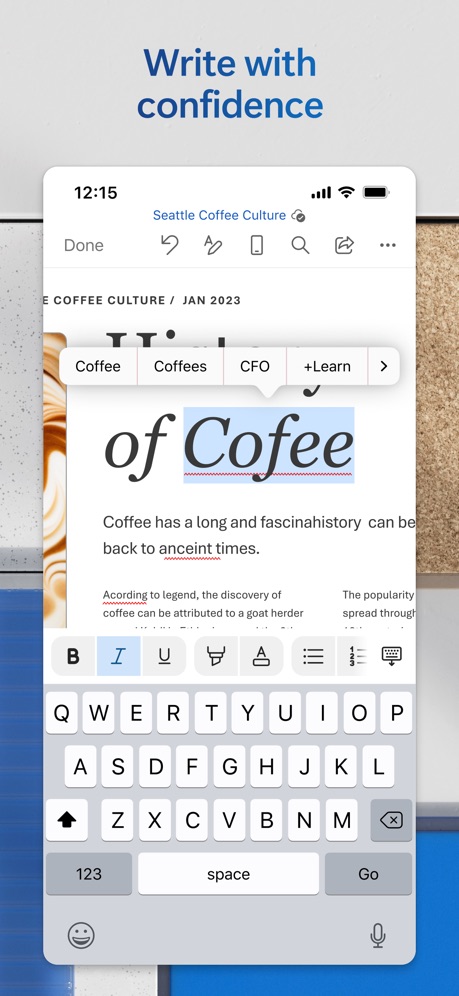
“Write with confidence”

“Do more with Excel on iPhone”

“Bulk-delete emails by sender”

“SAVE”

“Collaborate in real-time”

“Sync documents seamlessly from anywhere”

“the Digital Detox Leaderboard!”

“Send sources to Gemini Notebook from anywhere on your device 📱”
What these screenshots say, word for word.
The words on 40 of the 82 that carry any, as each app wrote them.
“Dive deep into any topic”
Google Gemini · #3 · screenshot 4“Get the best of Gmail on iPhone”
Gmail - Email by Google · #5 · screenshot 1“Generate a new draft quickly”
Microsoft Outlook · #11 · screenshot 4“Create anywhere, anytime, even offline”
Google Sheets · #13 · screenshot 2“Write with confidence”
Microsoft Word · #14 · screenshot 4“Do more with Excel on iPhone”
Microsoft Excel · #19 · screenshot 5“Bulk-delete emails by sender”
Yahoo Mail: Your Email & Inbox · #21 · screenshot 2“SAVE”
as PDF,Word,TXT,JPG or ExcelCamScanner - PDF Scanner App · #25 · screenshot 2“Collaborate in real-time”
Microsoft PowerPoint · #27 · screenshot 6“Sync documents seamlessly from anywhere”
Dropbox: Cloud Storage Backup · #28 · screenshot 6- CLIMB
“the Digital Detox Leaderboard!”
BePresent: Screen Time Control · #33 · screenshot 5 “Send sources to Gemini Notebook from anywhere on your device 📱”
Gemini Notebook · #34 · screenshot 6“Tap to Record Get Instant Summaries”
Summary - AI Note Taker · #35 · screenshot 2“Read 3x Faster by Listening”
Speechify – Text to Speech PDF · #39 · screenshot 1“Trusted by 40 million people every day”
Grammarly: AI Keyboard & Voice · #40 · screenshot 1“No-Logs Policy Verified”
Assessed by one of the Big Four audit firmsX-VPN: VPN Fast & Secure · #41 · screenshot 1“We protect what matters most, your privacy and safety.”
Cloaked finds your exposure, removes it, and guards what matters - for you and your family.Cloaked: Protect your privacy · #42 · screenshot 1“All AI Assistants in one app”
Chatbot AI Assistant - Genie · #47 · screenshot 1- TranslateAll: Live Translator
“Translate All Languages, Connect the World”
TranslateAll: Live Translator · #49 · screenshot 1 “SocialLite”
Trusted by 1M+ peopleSocialLite-Block Reels&Shorts · #50 · screenshot 1“Print Docs Photos”
Smart Printer App℠ for HP · · #51 · screenshot 2“Join and create Fundraisers”
Double Good · #53 · screenshot 2“RESCUE”
Lost DataPhoto Recovery: Deleted Files · #54 · screenshot 3“Google Form with Friend Group”
Forms for Google Docs · #55 · screenshot 2“Connect”
With One TapSurfshark VPN: Fast & Secure · #60 · screenshot 2“Write & Edit Anything”
Chatbot App: AI Assistant · #63 · screenshot 6“Top-Rated VPN App”
VPN Hotspot Shield: Wifi Proxy · #64 · screenshot 2“Secure email that protects your privacy”
Trusted by over 100 million peopleProton Mail - Encrypted Email · #66 · screenshot 1“Deep Search Know More”
OneSearch: DeepSearch Finder · #68 · screenshot 1“Shared Calendar App”
TimeTree: Shared Calendar · #69 · screenshot 1“Spreadsheet”
Analyze, Visualise and edit dataOffice Word:Edit Word Document · #73 · screenshot 2“Generate Images”
AI Chat Assistant – ChatNow · #74 · screenshot 3“Ultimate transfer Speed”
An amazing speed of 42M/sSHAREit: Transfer, Share Files · #75 · screenshot 2“Word”
Read, Edit, and ShareOffice Word: Edit Document · #78 · screenshot 1“1Password will remember every last detail for you.”
1Password: Password Manager · #81 · screenshot 2“Servers around the world”
VPN - FREE VPN Fast Ⓡ · #82 · screenshot 2“Runs automatically when you need it.”
Opal: Screen Time Control · #85 · screenshot 3“The power of privacy in your pocket”
MEGA: Encrypted Cloud Storage · #87 · screenshot 1“Faster Dedicated Lines”
Turbo VPN Private Browser · #88 · screenshot 3“Snap & Solve”
ChatOn AI - Chat Bot Assistant · #89 · screenshot 4
Top ten Productivity apps that do it.
- #3Google Gemini1 of its 6 screenshots
- #5Gmail - Email by Google1 of its 6 screenshots
The same tactic in other categories.
| Category | Apps that do it | Screenshots | Top ten |
|---|---|---|---|
| Graphics & Design | 70% 69 of 99 | 33% 186 of 564 | 5 of 10 |
| Photo & Video | 58% 58 of 100 | 25% 140 of 566 | 6 of 10 |
| Reference | 53% 53 of 100 | 22% 122 of 566 | 7 of 10 |
| Health & Fitness | 52% 52 of 100 | 19% 108 of 574 | 8 of 10 |
| Education | 50% 50 of 100 | 18% 98 of 555 | 5 of 10 |
| Social Networking | 49% 49 of 100 | 17% 96 of 554 | 5 of 10 |
| Utilities | 48% 48 of 100 | 18% 100 of 549 | 3 of 10 |
| Finance | 47% 47 of 100 | 14% 80 of 581 | 7 of 10 |
| Lifestyle | 46% 46 of 100 | 15% 86 of 556 | 5 of 10 |
| Navigation | 45% 45 of 99 | 17% 96 of 566 | 4 of 10 |
| Productivity | 45% 45 of 99 | 15% 82 of 551 | 2 of 10 |
| Entertainment | 39% 39 of 100 | 11% 61 of 544 | 4 of 10 |
| Travel | 39% 39 of 100 | 12% 69 of 561 | 2 of 10 |
| Music | 38% 38 of 100 | 14% 75 of 550 | 2 of 10 |
| Shopping | 38% 38 of 100 | 15% 85 of 562 | 6 of 10 |
| Food & Drink | 37% 37 of 100 | 12% 67 of 540 | 5 of 10 |
| Sports | 36% 36 of 100 | 11% 63 of 558 | 3 of 10 |
| Business | 35% 35 of 100 | 12% 69 of 554 | 2 of 10 |
| Games | 35% 35 of 100 | 8% 48 of 567 | 2 of 10 |
| Weather | 35% 35 of 100 | 12% 67 of 555 | 3 of 10 |
| Medical | 30% 30 of 100 | 9% 47 of 548 | 2 of 10 |
| News | 23% 23 of 98 | 7% 38 of 517 | 2 of 10 |
| Developer Tools | 21% 21 of 100 | 7% 35 of 507 | 2 of 10 |
Related tactics.
Often on the same screenshot
- A word in a different colour50% of these screenshots, against 26% of all Productivity screenshots
- Has a subline38% of these screenshots, against 20% of all Productivity screenshots
- Headline under five words65% of these screenshots, against 49% of all Productivity screenshots
- Gradient background63% of these screenshots, against 49% of all Productivity screenshots
- Badge20% of these screenshots, against 6% of all Productivity screenshots
- Subline explains the headline24% of these screenshots, against 13% of all Productivity screenshots
More in layout
- Screen fills the picture100%
- Phone drawn99%
- Words at the top98%
- Whole phone shown91%
- A photograph76%
- Illustration or mascot73%
- Headline readable at thumbnail size72%
- A person in the picture63%
- Headline too small to read59%
- Phone cut off at the foot53%
- App icon shown52%
- Words aligned left26%
- No app screen at all23%
- No phone, bare screen20%
- Two or more screens20%
- Phone cut off at the head19%
- Zoomed detail of the UI17%
- Screen is small15%
- Watch, iPad or Mac beside it13%
- A hand holds the phone12%
- Words at the bottom12%
- Phone at an angle11%
- Words over the screen7%
Questions, answered from the chart.
How many top Productivity apps have App Store screenshots with arrows or callouts?
Which Productivity apps have App Store screenshots with arrows or callouts?
Should my Productivity app have App Store screenshots with arrows or callouts?
See your own app against this.
Pagefully reads your screenshots the same way, and makes a custom product page for each search people type, from your real screens.
Preview your pages