Utilities app screenshots with arrows or callouts
Arrows, circles or notes drawn to point at something. A callout points the eye at the one control or number the headline is about.
From the top 100 free Utilities apps on the US App Store, read on October 9, 2026. Screenshots are the developers’ own, shown from Apple’s servers with a link to each app.
The numbers
100 of the 549 Utilities screenshots read (18%) do this, across 48 of the top 100 apps (48%). 3 of the top ten do it (30%), against 45 of the other 90 (50%): the top ten do it less than the rest. Of the 23 categories read so far, Utilities is 7th for this. It is most common in Graphics & Design (70% of apps) and least common in Developer Tools (21%).
12 examples from the chart.
12 of the 100 Utilities app screenshots with arrows or callouts, one from each app, the highest on the chart first.

“Convert Live Photos to Stills”

“Discover More Smart Home Possibilities with Govee Users”

“Keyboard For Search”

“Authenticator App”

“Privacy. mind.”

“Avoid”

“Ability to add hidden servers or encrypted subscriptions”
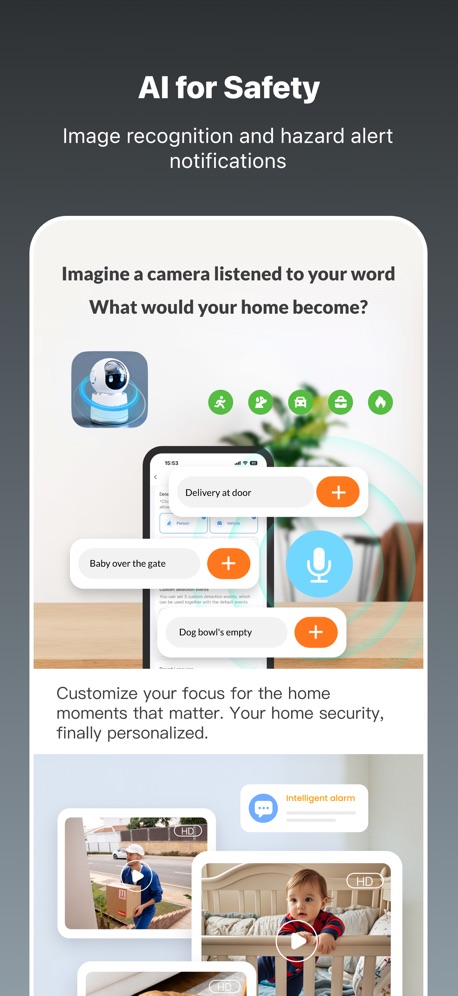
“AI for Safety”

“Stay safe”

“Search for any number”

“All in One”
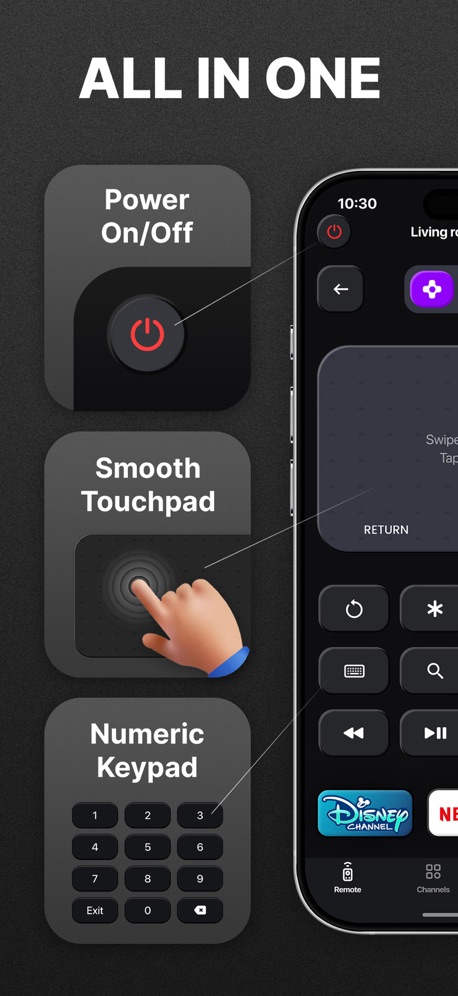
“ALL IN ONE”
What these screenshots say, word for word.
The words on 40 of the 99 that carry any, as each app wrote them.
“Convert Live Photos to Stills”
Cleanup: Phone Storage Cleaner · #5 · screenshot 6“Discover More Smart Home Possibilities with Govee Users”
Govee Home · #6 · screenshot 5“Keyboard For Search”
TV Remote - Universal Control · #9 · screenshot 4- EASY QR CODE SET UP
“Authenticator App”
Authenticator ℠ App · #16 · screenshot 1 “Privacy. mind.”
DuckDuckGo, optional Duck.ai · #19 · screenshot 2“Avoid”
snoopersNordVPN: VPN Fast & Secure · #24 · screenshot 6“Ability to add hidden servers or encrypted subscriptions”
Happ - Proxy Utility · #25 · screenshot 3“AI for Safety”
Image recognition and hazard alert notificationsTuya: Smart Life, Smart Living · #26 · screenshot 3“Stay safe”
on any networkExpressVPN · Secure & Fast VPN · #28 · screenshot 4“Search for any number”
Truecaller: Premium Caller ID · #29 · screenshot 3“All in One”
Universal TV Remote Control・ · #31 · screenshot 2“ALL IN ONE”
Universal Remote TV Control · · #33 · screenshot 2“Customize Keyboard”
Facemoji AI Emoji Keyboard · #37 · screenshot 1“HISTORY”
Save scanned data in your device history. You can print, share, or save previous scans.Brother Mobile Connect · #38 · screenshot 5- JumpJump
“Trusted by 79,000,000+Users”
JumpJumpVPN: Fast & Secure · #39 · screenshot 1 “SCREEN MIRRORING”
FOR ANY TVScreen Mirroring App: Smart TV · #40 · screenshot 1“Massive High-quality Models”
Multi-color 3D printing journey with models of diverse categories.Bambu Handy · #42 · screenshot 1“Endless Widgets”
Fast InstallmyCar: Car Widgets & Dashboard · #43 · screenshot 6“Touchpad & Cursor”
Remote for Samsung TV Smart · #46 · screenshot 2“All-in-One”
Universal TV Remote™ Control · #47 · screenshot 3“Never lose devices again”
4.6 users favourite star rating with 1.7M+ downloadsFind Air - My Device Tracker · #50 · screenshot 1“UNIVERSAL TV Remote”
Universal Remote・TV Control · #51 · screenshot 1“ONE TAP TO CONNECT”
Free VPN by Free VPN .org™ · #54 · screenshot 3“Popular Channels”
UniRemote:Universal TV Remote · #56 · screenshot 5“Full control for”
Power On/Off Channels Touchpad and CursorRemote for Firestick · Fire TV · #58 · screenshot 1“Secure their account”
Google Family Link · #63 · screenshot 4“SCREEN MIRRORING”
for Smart TVsScreen Mirroring | Cast to TV · #65 · screenshot 1“20GB private cloud storage”
secure playbackUC Browser · #66 · screenshot 6“Stable connection wherever you go”
VPNIFY - Unlimited VPN · #68 · screenshot 3“Stay Close & Feel Secure”
LocFind: GPS Family Tracker · #71 · screenshot 3“Cast Videos to TV”
Universal TV Remote Control* · #73 · screenshot 4“Authenticator App”
Easy QR SetupAuthenticator© App · #75 · screenshot 1“YOUR PRIVATE SECOND NUMBER. OR YOUR FIRST.”
+100M Happy Users WorldwidetextPlus: Text Message + Call · #77 · screenshot 1“SWIPE FOR STROBE LIGHT”
Flashlight Ⓞ · #79 · screenshot 3“QR Code Reader”
QR Code Reader+Barcode Scanner · #80 · screenshot 1“Industry leader”
since 2010sBurner: Second Phone Number · #81 · screenshot 3“Get a 2nd Phone Number”
Second Phone Number - 2Number · #83 · screenshot 1- Translate AI
“Breaking Language Barriers, Connecting the World”
Translate AI: Voice & Photo · #84 · screenshot 1 “DIGITAL ACCESS”
Open the gate and other access points.Extra Space Storage · #85 · screenshot 1“Identify Any Object”
Lens Scan: Identify Anything · #87 · screenshot 1
Top ten Utilities apps that do it.
- #5Cleanup: Phone Storage Cleaner1 of its 6 screenshots
- #6Govee Home1 of its 6 screenshots
- #9TV Remote - Universal Control1 of its 6 screenshots
The same tactic in other categories.
| Category | Apps that do it | Screenshots | Top ten |
|---|---|---|---|
| Graphics & Design | 70% 69 of 99 | 33% 186 of 564 | 5 of 10 |
| Photo & Video | 58% 58 of 100 | 25% 140 of 566 | 6 of 10 |
| Reference | 53% 53 of 100 | 22% 122 of 566 | 7 of 10 |
| Health & Fitness | 52% 52 of 100 | 19% 108 of 574 | 8 of 10 |
| Education | 50% 50 of 100 | 18% 98 of 555 | 5 of 10 |
| Social Networking | 49% 49 of 100 | 17% 96 of 554 | 5 of 10 |
| Utilities | 48% 48 of 100 | 18% 100 of 549 | 3 of 10 |
| Finance | 47% 47 of 100 | 14% 80 of 581 | 7 of 10 |
| Lifestyle | 46% 46 of 100 | 15% 86 of 556 | 5 of 10 |
| Navigation | 45% 45 of 99 | 17% 96 of 566 | 4 of 10 |
| Productivity | 45% 45 of 99 | 15% 82 of 551 | 2 of 10 |
| Entertainment | 39% 39 of 100 | 11% 61 of 544 | 4 of 10 |
| Travel | 39% 39 of 100 | 12% 69 of 561 | 2 of 10 |
| Music | 38% 38 of 100 | 14% 75 of 550 | 2 of 10 |
| Shopping | 38% 38 of 100 | 15% 85 of 562 | 6 of 10 |
| Food & Drink | 37% 37 of 100 | 12% 67 of 540 | 5 of 10 |
| Sports | 36% 36 of 100 | 11% 63 of 558 | 3 of 10 |
| Business | 35% 35 of 100 | 12% 69 of 554 | 2 of 10 |
| Games | 35% 35 of 100 | 8% 48 of 567 | 2 of 10 |
| Weather | 35% 35 of 100 | 12% 67 of 555 | 3 of 10 |
| Medical | 30% 30 of 100 | 9% 47 of 548 | 2 of 10 |
| News | 23% 23 of 98 | 7% 38 of 517 | 2 of 10 |
| Developer Tools | 21% 21 of 100 | 7% 35 of 507 | 2 of 10 |
Related tactics.
Often on the same screenshot
- Zoomed detail of the UI26% of these screenshots, against 7% of all Utilities screenshots
- Headline under five words77% of these screenshots, against 62% of all Utilities screenshots
- Headline in Title Case39% of these screenshots, against 27% of all Utilities screenshots
- Gradient background76% of these screenshots, against 64% of all Utilities screenshots
- A hand holds the phone20% of these screenshots, against 9% of all Utilities screenshots
- Blue44% of these screenshots, against 34% of all Utilities screenshots
More in layout
- Phone drawn98%
- Screen fills the picture98%
- Whole phone shown94%
- Words at the top94%
- Illustration or mascot80%
- Headline readable at thumbnail size78%
- A photograph70%
- Phone cut off at the foot49%
- App icon shown47%
- A person in the picture43%
- Headline too small to read39%
- Words aligned left37%
- A hand holds the phone35%
- Two or more screens31%
- No phone, bare screen26%
- Zoomed detail of the UI23%
- Phone cut off at the head22%
- No app screen at all21%
- Screen is small21%
- Watch, iPad or Mac beside it20%
- Phone at an angle19%
- Words at the bottom17%
- Words over the screen6%
Questions, answered from the chart.
How many top Utilities apps have App Store screenshots with arrows or callouts?
Which Utilities apps have App Store screenshots with arrows or callouts?
Should my Utilities app have App Store screenshots with arrows or callouts?
See your own app against this.
Pagefully reads your screenshots the same way, and makes a custom product page for each search people type, from your real screens.
Preview your pages