Utilities app screenshots with tiny headlines
The headline is under a twentieth of the picture’s height. Small type can be read on the product page at full size, and is hard to read in search results.
From the top 100 free Utilities apps on the US App Store, read on October 9, 2026. Screenshots are the developers’ own, shown from Apple’s servers with a link to each app.
The numbers
68 of the 549 Utilities screenshots read (12%) do this, across 39 of the top 100 apps (39%). 6 of the top ten do it (60%), against 33 of the other 90 (37%): the top ten do it more than the rest. Of the 23 categories read so far, Utilities is 16th for this. It is most common in Health & Fitness (64% of apps) and least common in Games (17%).
12 examples from the chart.
12 of the 68 Utilities app screenshots with tiny headlines, one from each app, the highest on the chart first.

“Browse fast with Google Chrome”

“Convert Live Photos to Stills”

“Excellent Customer”

“Summarize long articles in seconds”

“Epic experiences, daily drops and presale access”
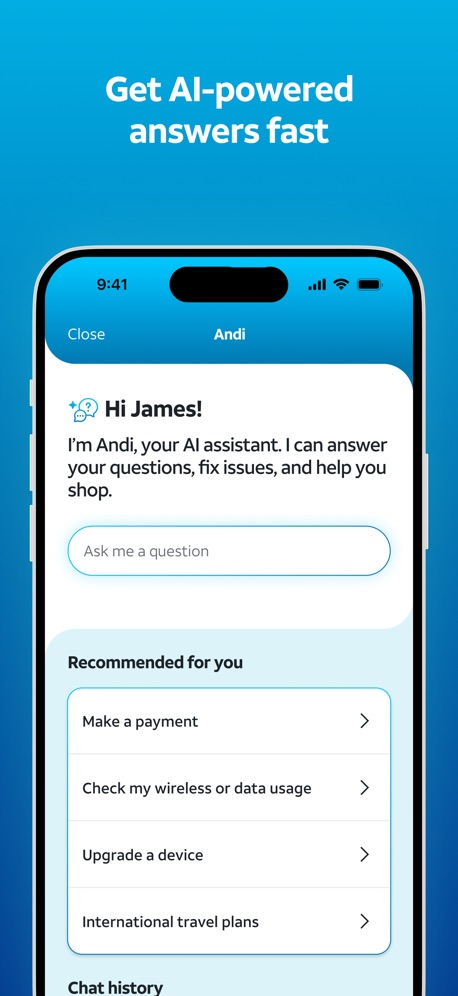
“Get AI-powered answers fast”
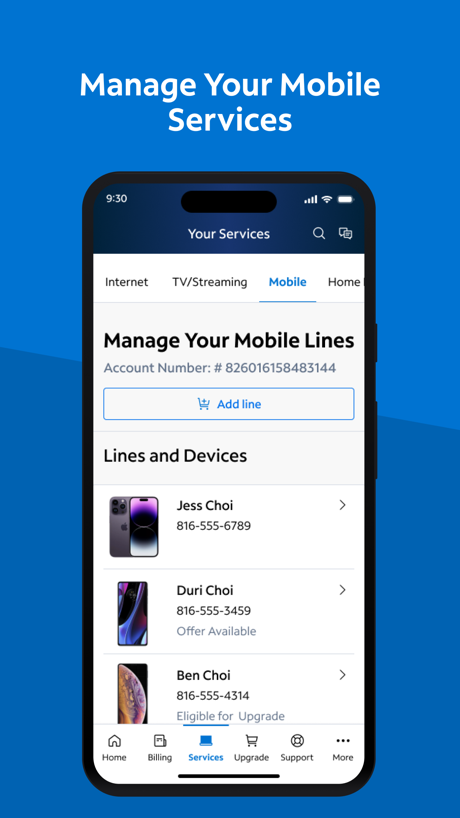
“Manage Your Mobile Services”

“Set up and monitor Starlink”

“High Security With Face ID”

“FAST SECURE PRIVATE”

“Simple operation and easy customization.”
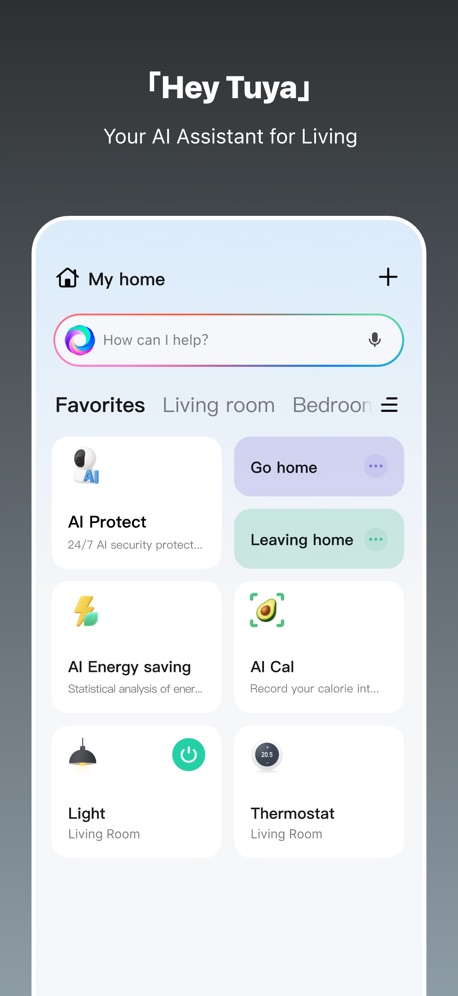
“「Hey Tuya」”
What these screenshots say, word for word.
The words on 40 of the 68 that carry any, as each app wrote them.
“Browse fast with Google Chrome”
Google Chrome · #3 · screenshot 1“Convert Live Photos to Stills”
Cleanup: Phone Storage Cleaner · #5 · screenshot 6“Excellent Customer”
ServiceGovee Home · #6 · screenshot 6“Summarize long articles in seconds”
Microsoft Edge · #7 · screenshot 2“Epic experiences, daily drops and presale access”
My Verizon · #8 · screenshot 2“Get AI-powered answers fast”
AT&T · #10 · screenshot 3“Manage Your Mobile Services”
My Spectrum · #12 · screenshot 4“Set up and monitor Starlink”
Starlink · #15 · screenshot 1“High Security With Face ID”
Authenticator ℠ App · #16 · screenshot 5“FAST SECURE PRIVATE”
Opera Browser with VPN · #17 · screenshot 1“Simple operation and easy customization.”
Sony | Sound Connect · #20 · screenshot 2“「Hey Tuya」”
Your AI Assistant for LivingTuya: Smart Life, Smart Living · #26 · screenshot 1“See who they really are”
Truecaller: Premium Caller ID · #29 · screenshot 4“Clients”
Check out your connections at a glanceTP-Link Tether · #30 · screenshot 3“Your Epic account always protected”
Epic Games · #32 · screenshot 5“Find offenders on the map.”
Offender Locator: Find & Watch · #34 · screenshot 3“More Platforms”
No Bandwidth Limits. Enjoy A Fast, Secure & Stable NetworkJumpJumpVPN: Fast & Secure · #39 · screenshot 4“CAST CONTENT FROM BROWSER”
Screen Mirroring App: Smart TV · #40 · screenshot 4“Swipe Right to Keep”
Swipewipe: Photo Cleaner · #41 · screenshot 2“Need Something Fixed?”
Submit maintenance requests and attach a photo or voice message for the maintenance staff. (Options vary based on each community)RentCafe Resident · #44 · screenshot 4“DAILY VERSE DAILY PRAYER OFFLINE BIBLE”
Holy Bible Faith:Verse&Audio · #48 · screenshot 1“CAST PHOTOS & VIDEOS”
Universal Remote・TV Control · #51 · screenshot 6“Connect in Seconds”
VPN Unlimited・Proxy Master App · #55 · screenshot 1“Universal Results”
Create a Speedtest® account to view test results across all of your devicesSpeedtest by Ookla · #59 · screenshot 4“Add as many countdowns as you like”
Countdown · #62 · screenshot 1“Set screen time limits”
Google Family Link · #63 · screenshot 1“notified of reports near you”
Watcho — Por La Comunidad · #64 · screenshot 3“Join 10M+ USERS WORLDWIDE”
“I like Smart Mirroring I'm a bit of a dinosaur, but once I figured it out, it was pretty easy. Now I have screen mirroring turbo. I think this is solving my problems as to getting videos on my TV. Thanks, Smart Mirroring.”Screen Mirroring | Cast to TV · #65 · screenshot 4“Never Take Notes Again”
Get clear AI notesUC Browser · #66 · screenshot 2“A NEW NETWORK. A NEW CHOICE.”
Boost Mobile · #67 · screenshot 1“No registration required”
VPNIFY - Unlimited VPN · #68 · screenshot 6“Organize & block contacts”
Burner: Second Phone Number · #81 · screenshot 5“Keep Your Phone Number Private”
Second Phone Number - 2Number · #83 · screenshot 5“Manage your home internet, all in one place”
Verizon Home · #88 · screenshot 1“Exclusive perks every week.”
myMetro® · #89 · screenshot 4“Everything you need at your fingertips”
myCricket App · #90 · screenshot 1“EDIT & SIGN”
DocumentsPDF Reader - Easy Editor · #93 · screenshot 2“Chats”
Joyhub · #94 · screenshot 5“Servers Worldwide”
Free high-speed locations with live latency.OwnVPN · #100 · screenshot 3“Translate websites instantly”
Google Chrome · #3 · screenshot 4
Top ten Utilities apps that do it.
- #3Google Chrome2 of its 6 screenshots
- #5Cleanup: Phone Storage Cleaner1 of its 6 screenshots
- #6Govee Home1 of its 6 screenshots
- #7Microsoft Edge1 of its 6 screenshots
- #8My Verizon4 of its 6 screenshots
- #10AT&T2 of its 6 screenshots
The same tactic in other categories.
| Category | Apps that do it | Screenshots | Top ten |
|---|---|---|---|
| Health & Fitness | 64% 64 of 100 | 18% 104 of 574 | 5 of 10 |
| Productivity | 59% 58 of 99 | 19% 102 of 551 | 8 of 10 |
| Entertainment | 57% 57 of 100 | 17% 94 of 544 | 7 of 10 |
| Social Networking | 56% 56 of 100 | 17% 95 of 554 | 7 of 10 |
| Photo & Video | 53% 53 of 100 | 17% 94 of 566 | 5 of 10 |
| Business | 51% 51 of 100 | 16% 91 of 554 | 7 of 10 |
| Navigation | 49% 49 of 99 | 15% 83 of 566 | 4 of 10 |
| Education | 49% 49 of 100 | 12% 68 of 555 | 3 of 10 |
| Finance | 49% 49 of 100 | 11% 66 of 581 | 3 of 10 |
| Travel | 48% 48 of 100 | 13% 71 of 561 | 6 of 10 |
| Medical | 43% 43 of 100 | 15% 81 of 548 | 5 of 10 |
| Music | 42% 42 of 100 | 11% 62 of 550 | 6 of 10 |
| Reference | 42% 42 of 100 | 11% 63 of 566 | 3 of 10 |
| Lifestyle | 41% 41 of 100 | 13% 72 of 556 | 5 of 10 |
| Graphics & Design | 40% 40 of 99 | 11% 61 of 564 | 6 of 10 |
| Sports | 39% 39 of 100 | 13% 72 of 558 | 3 of 10 |
| Utilities | 39% 39 of 100 | 12% 68 of 549 | 6 of 10 |
| News | 38% 37 of 98 | 13% 66 of 517 | 5 of 10 |
| Food & Drink | 37% 37 of 100 | 11% 61 of 540 | 5 of 10 |
| Shopping | 37% 37 of 100 | 13% 72 of 562 | 2 of 10 |
| Developer Tools | 31% 31 of 100 | 11% 56 of 507 | 4 of 10 |
| Weather | 31% 31 of 100 | 10% 53 of 555 | 6 of 10 |
| Games | 17% 17 of 100 | 4% 20 of 567 | 3 of 10 |
Related tactics.
Often on the same screenshot
- Tells you to do something56% of these screenshots, against 39% of all Utilities screenshots
- Low contrast words32% of these screenshots, against 17% of all Utilities screenshots
- Words at the top99% of these screenshots, against 86% of all Utilities screenshots
- Whole phone shown71% of these screenshots, against 59% of all Utilities screenshots
- Leads with a feature69% of these screenshots, against 58% of all Utilities screenshots
- States a benefit53% of these screenshots, against 42% of all Utilities screenshots
More in layout
- Phone drawn98%
- Screen fills the picture98%
- Whole phone shown94%
- Words at the top94%
- Illustration or mascot80%
- Headline readable at thumbnail size78%
- A photograph70%
- Phone cut off at the foot49%
- Arrows or callouts48%
- App icon shown47%
- A person in the picture43%
- Words aligned left37%
- A hand holds the phone35%
- Two or more screens31%
- No phone, bare screen26%
- Zoomed detail of the UI23%
- Phone cut off at the head22%
- No app screen at all21%
- Screen is small21%
- Watch, iPad or Mac beside it20%
- Phone at an angle19%
- Words at the bottom17%
- Words over the screen6%
Questions, answered from the chart.
How many top Utilities apps have App Store screenshots with tiny headlines?
Which Utilities apps have App Store screenshots with tiny headlines?
Should my Utilities app have App Store screenshots with tiny headlines?
See your own app against this.
Pagefully reads your screenshots the same way, and makes a custom product page for each search people type, from your real screens.
Preview your pages