Education app screenshots with tiny headlines
The headline is under a twentieth of the picture’s height. Small type can be read on the product page at full size, and is hard to read in search results.
From the top 100 free Education apps on the US App Store, read on October 9, 2026. Screenshots are the developers’ own, shown from Apple’s servers with a link to each app.
The numbers
68 of the 555 Education screenshots read (12%) do this, across 49 of the top 100 apps (49%). 3 of the top ten do it (30%), against 46 of the other 90 (51%): the top ten do it less than the rest. Of the 23 categories read so far, Education is 8th for this. It is most common in Health & Fitness (64% of apps) and least common in Games (17%).
12 examples from the chart.
12 of the 68 Education app screenshots with tiny headlines, one from each app, the highest on the chart first.

“Read and respond in your language”

“New and intuitive course navigation!”

“Turn your notes into flashcards, practice tests, and study guides”

“Translate messages automatically between 90+ languages”

“Enhance Every Sentence with Instant Feedback 💡”

“Plant Auto- Diagnosis”
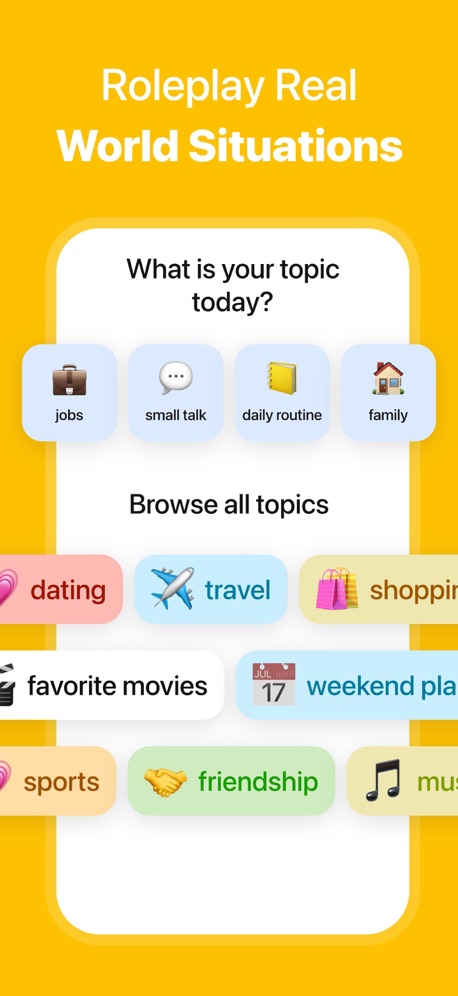
“Roleplay Real World Situations”
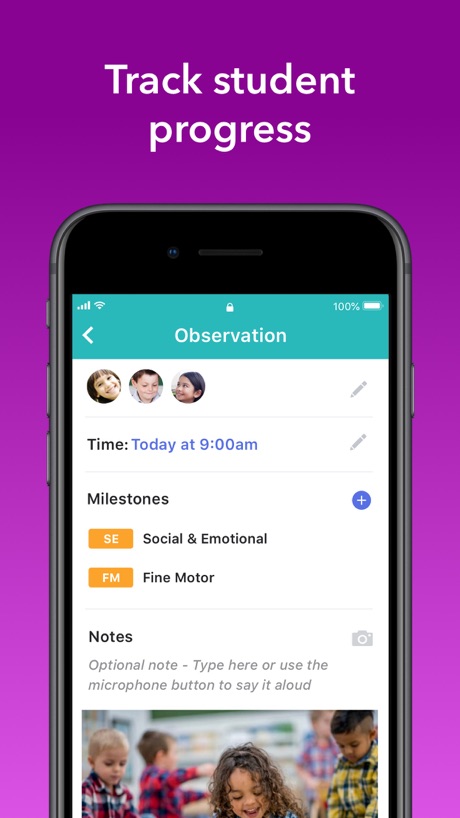
“Track student progress”

“Create or access your first-year account”

“Improve Communication & Confidence”
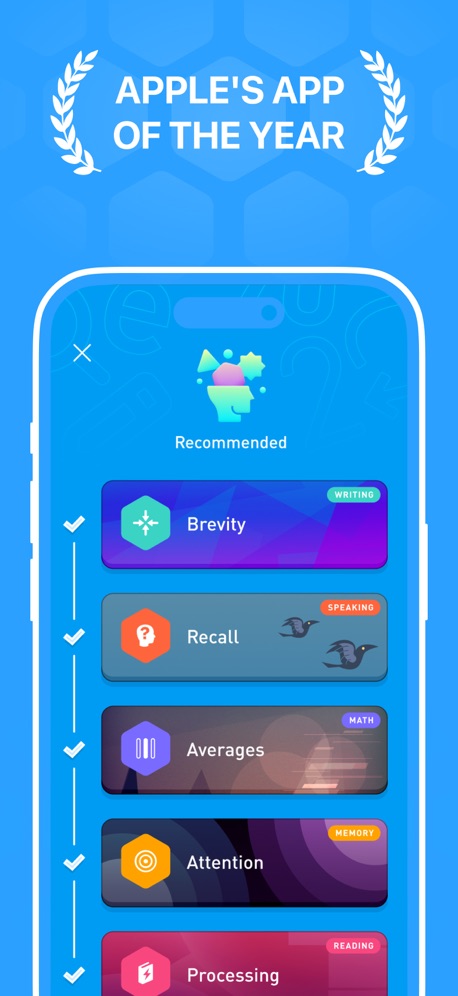
“APPLE'S APP OF THE YEAR”

“Welcome to the new ParentVUE. The following will take you through a tour of some of the new features.”
What these screenshots say, word for word.
The words on 40 of the 68 that carry any, as each app wrote them.
“Read and respond in your language”
ParentSquare · #5 · screenshot 4“New and intuitive course navigation!”
Canvas by Instructure · #7 · screenshot 2“Turn your notes into flashcards, practice tests, and study guides”
Quizlet: More than Flashcards · #9 · screenshot 2“Translate messages automatically between 90+ languages”
Remind: School Communication · #14 · screenshot 3“Enhance Every Sentence with Instant Feedback 💡”
Speak: Language Learning · #15 · screenshot 5“Plant Auto- Diagnosis”
PictureThis - Plant Identifier · #16 · screenshot 2“Roleplay Real World Situations”
LangLearn: AI English Tutor · #20 · screenshot 5“Track student progress”
brightwheel: Child Care App · #21 · screenshot 5“Create or access your first-year account”
Common App · #25 · screenshot 2“Improve Communication & Confidence”
“Delete the “Apology Language” That Lowers Your Authority”Micro Learning - SmartyMe · #26 · screenshot 2“APPLE'S APP OF THE YEAR”
Elevate - Brain Training Games · #29 · screenshot 2“Welcome to the new ParentVUE. The following will take you through a tour of some of the new features.”
ParentVUE (New) · #30 · screenshot 3“Learn 10,000+ words”
Vocabulary - Learn words daily · #32 · screenshot 2“Playtime just got way more fun”
Lingokids: Games & Shows · #34 · screenshot 5“Fun & Safe”
Learning EnvironmentABCmouse: Kids Learning Games · #35 · screenshot 5“Start your ASL journey”
ASL Bloom - Sign Language · #36 · screenshot 2“Parents get instant updates and see their child’s feed in real time”
Procare: Childcare App · #42 · screenshot 1“Ace your permit and driving test on the first try”
“Much better than the DMV Book 😃 Brilliant! Passed my permit test!”Zutobi: Permit & Driving Prep · #43 · screenshot 1“Master skills with step-by-step explanations”
IXL - Math, English, & More · #44 · screenshot 3“Capture & Keep Your Insights”
FaithStudy – Bible Study Guide · #45 · screenshot 6“FUN GAMES FOR YOUR BRAIN”
Impulse - Brain Training · #46 · screenshot 1“Learn with a personalized path”
Parrot: Learn Spanish Language · #48 · screenshot 5“IDENTIFY”
SPECIES WORLDWIDEiNaturalist · #49 · screenshot 1“Visualize upcoming activities, manage your time, and stay on top of coursework”
Brightspace Pulse · #50 · screenshot 1“Welcome to the new StudentVUE. The following will take you through a tour of some of the new features.”
StudentVUE (New) · #51 · screenshot 3“Built-in Multiple Learning Tools”
HelloTalk - Language Learning · #53 · screenshot 3“Message teachers & coaches”
StudentSquare App · #54 · screenshot 2“Navigate your way through college”
Navigate360 Student · #58 · screenshot 1“Explore our entire library of videos”
Khan Academy · #60 · screenshot 5“Choose what you want to draw”
Simply Draw: Learn to Draw · #61 · screenshot 3“Keep your apps, files and notes in one place”
ClassLink LaunchPad · #63 · screenshot 2“Speaking practice”
Praktika – AI Language Tutor · #67 · screenshot 3“Access images of the entire sky”
Stellarium Mobile - Star Map · #68 · screenshot 6“Works with any keyboard”
Simply Piano: Learn Piano Fast · #69 · screenshot 6“Point your iPhone at the sky to find stars, constellations and more”
SkyView® Lite · #70 · screenshot 1“Fast, Touch-Enabled Graphing”
Calculate84 · #72 · screenshot 2“LEARN”
ABOUT THE ORGANISMS ALL AROUND YOUSeek by iNaturalist · #73 · screenshot 3“8 CDL topics covering over 500 questions”
CDL Prep · #74 · screenshot 3“Track Baby's Progress”
Solid Starts: Baby First Foods · #79 · screenshot 6“Speak in real conversations”
Language Learning: Pingo AI · #80 · screenshot 2
Top ten Education apps that do it.
- #5ParentSquare1 of its 6 screenshots
- #7Canvas by Instructure1 of its 6 screenshots
- #9Quizlet: More than Flashcards1 of its 6 screenshots
The same tactic in other categories.
| Category | Apps that do it | Screenshots | Top ten |
|---|---|---|---|
| Health & Fitness | 64% 64 of 100 | 18% 104 of 574 | 5 of 10 |
| Productivity | 59% 58 of 99 | 19% 102 of 551 | 8 of 10 |
| Entertainment | 57% 57 of 100 | 17% 94 of 544 | 7 of 10 |
| Social Networking | 56% 56 of 100 | 17% 95 of 554 | 7 of 10 |
| Photo & Video | 53% 53 of 100 | 17% 94 of 566 | 5 of 10 |
| Business | 51% 51 of 100 | 16% 91 of 554 | 7 of 10 |
| Navigation | 49% 49 of 99 | 15% 83 of 566 | 4 of 10 |
| Education | 49% 49 of 100 | 12% 68 of 555 | 3 of 10 |
| Finance | 49% 49 of 100 | 11% 66 of 581 | 3 of 10 |
| Travel | 48% 48 of 100 | 13% 71 of 561 | 6 of 10 |
| Medical | 43% 43 of 100 | 15% 81 of 548 | 5 of 10 |
| Music | 42% 42 of 100 | 11% 62 of 550 | 6 of 10 |
| Reference | 42% 42 of 100 | 11% 63 of 566 | 3 of 10 |
| Lifestyle | 41% 41 of 100 | 13% 72 of 556 | 5 of 10 |
| Graphics & Design | 40% 40 of 99 | 11% 61 of 564 | 6 of 10 |
| Sports | 39% 39 of 100 | 13% 72 of 558 | 3 of 10 |
| Utilities | 39% 39 of 100 | 12% 68 of 549 | 6 of 10 |
| News | 38% 37 of 98 | 13% 66 of 517 | 5 of 10 |
| Food & Drink | 37% 37 of 100 | 11% 61 of 540 | 5 of 10 |
| Shopping | 37% 37 of 100 | 13% 72 of 562 | 2 of 10 |
| Developer Tools | 31% 31 of 100 | 11% 56 of 507 | 4 of 10 |
| Weather | 31% 31 of 100 | 10% 53 of 555 | 6 of 10 |
| Games | 17% 17 of 100 | 4% 20 of 567 | 3 of 10 |
Related tactics.
Often on the same screenshot
- Whole phone shown75% of these screenshots, against 52% of all Education screenshots
- Tells you to do something68% of these screenshots, against 49% of all Education screenshots
- Words at the top97% of these screenshots, against 80% of all Education screenshots
- Phone drawn93% of these screenshots, against 76% of all Education screenshots
- Plain tone88% of these screenshots, against 72% of all Education screenshots
- Has a headline100% of these screenshots, against 86% of all Education screenshots
More in layout
- Screen fills the picture97%
- Phone drawn94%
- Whole phone shown89%
- Illustration or mascot86%
- Words at the top85%
- Headline readable at thumbnail size70%
- A photograph64%
- A person in the picture62%
- Arrows or callouts50%
- No phone, bare screen40%
- Phone cut off at the foot38%
- App icon shown37%
- A hand holds the phone36%
- Words aligned left30%
- No app screen at all29%
- Two or more screens27%
- Phone cut off at the head18%
- Zoomed detail of the UI15%
- Phone at an angle13%
- Words at the bottom13%
- Screen is small12%
- Watch, iPad or Mac beside it10%
- Words over the screen7%
Questions, answered from the chart.
How many top Education apps have App Store screenshots with tiny headlines?
Which Education apps have App Store screenshots with tiny headlines?
Should my Education app have App Store screenshots with tiny headlines?
See your own app against this.
Pagefully reads your screenshots the same way, and makes a custom product page for each search people type, from your real screens.
Preview your pages