Education app screenshots with a top-cropped phone
The device runs off the top edge. Cropping the device at the top shows the lower part of the screen larger: tab bars, buttons, keyboards.
From the top 100 free Education apps on the US App Store, read on October 9, 2026. Screenshots are the developers’ own, shown from Apple’s servers with a link to each app.
The numbers
23 of the 555 Education screenshots read (4%) do this, across 18 of the top 100 apps (18%). 2 of the top ten do it (20%), against 16 of the other 90 (18%): the top ten do it about as often as the rest. Of the 23 categories read so far, Education is 14th for this. It is most common in Finance (30% of apps) and least common in Games (3%).
12 examples from the chart.
12 of the 23 Education app screenshots with a top-cropped phone, one from each app, the highest on the chart first.
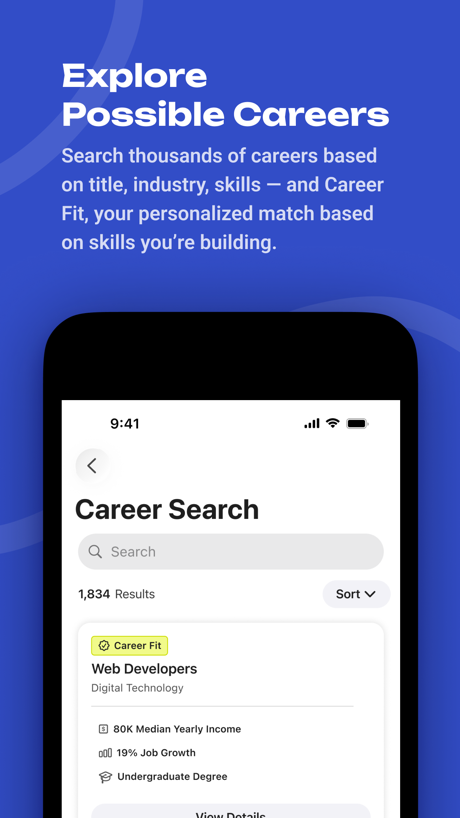
“Explore Possible Careers”

“get feedback without fear”

“Replace doom scrolling with microlearning”

“Share content from your favorite tools”

“Early Education Platform”


“All-new activities!”
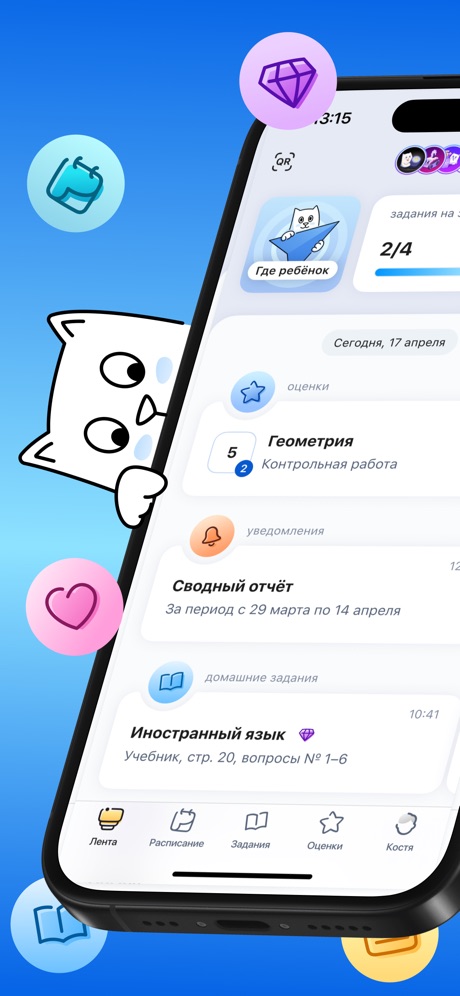

“Visualize upcoming activities, manage your time, and stay on top of coursework”


“Learn to draw step by step”

“Flashcards Quizzes”
What these screenshots say, word for word.
The words on all 19 that carry any, as each app wrote them.
“Explore Possible Careers”
Search thousands of careers based on title, industry, skills, and Career Fit, your personalized match based on skills you’re building.BigFuture School · #2 · screenshot 4“get feedback without fear”
Learna: Speak & Learn English · #4 · screenshot 3“Replace doom scrolling with microlearning”
Deepstash: Smarter Every Day! · #12 · screenshot 2“Share content from your favorite tools”
Remind: School Communication · #14 · screenshot 2“Early Education Platform”
brightwheel: Child Care App · #21 · screenshot 1“All-new activities!”
Lingokids: Games & Shows · #34 · screenshot 4“Visualize upcoming activities, manage your time, and stay on top of coursework”
Brightspace Pulse · #50 · screenshot 1“Learn to draw step by step”
Simply Draw: Learn to Draw · #61 · screenshot 1“Flashcards Quizzes”
Turbo AI - Learn Faster · #64 · screenshot 6“Progress step-by-step”
Simply Piano: Learn Piano Fast · #69 · screenshot 3“From first words to preschool skills.”
Speech Blubs: Language Therapy · #82 · screenshot 3- 2
“Practice & Perfect”
Talko: Learn English with AI · #84 · screenshot 4 - Mentioned in The New York Times
“Fluency starts here”
Preply - Language Learning App · #99 · screenshot 1 “Rock on with chords and tabs”
Simply Guitar - Learn Guitar · #100 · screenshot 2“Stay informed and up to date through push notifications”
Brightspace Pulse · #50 · screenshot 2“Choose what you want to draw”
Simply Draw: Learn to Draw · #61 · screenshot 3“Play your first song today”
Simply Piano: Learn Piano Fast · #69 · screenshot 4“Instant feedback & track progress”
Simply Guitar - Learn Guitar · #100 · screenshot 5“Up to 5 family members”
Simply Piano: Learn Piano Fast · #69 · screenshot 5
Top ten Education apps that do it.
- #2BigFuture School1 of its 6 screenshots
- #4Learna: Speak & Learn English1 of its 6 screenshots
The same tactic in other categories.
| Category | Apps that do it | Screenshots | Top ten |
|---|---|---|---|
| Finance | 30% 30 of 100 | 7% 43 of 581 | 2 of 10 |
| Food & Drink | 26% 26 of 100 | 6% 35 of 540 | 2 of 10 |
| Music | 25% 25 of 100 | 5% 26 of 550 | 2 of 10 |
| Business | 24% 24 of 100 | 6% 33 of 554 | 2 of 10 |
| Travel | 24% 24 of 100 | 6% 33 of 561 | 4 of 10 |
| Health & Fitness | 23% 23 of 100 | 5% 31 of 574 | 2 of 10 |
| Lifestyle | 23% 23 of 100 | 5% 26 of 556 | 3 of 10 |
| Sports | 22% 22 of 100 | 4% 25 of 558 | 0 of 10 |
| Utilities | 22% 22 of 100 | 5% 28 of 549 | 2 of 10 |
| Navigation | 21% 21 of 99 | 5% 26 of 566 | 1 of 10 |
| Entertainment | 20% 20 of 100 | 5% 27 of 544 | 0 of 10 |
| Productivity | 19% 19 of 99 | 4% 23 of 551 | 3 of 10 |
| Reference | 19% 19 of 100 | 5% 26 of 566 | 1 of 10 |
| Education | 18% 18 of 100 | 4% 23 of 555 | 2 of 10 |
| Social Networking | 18% 18 of 100 | 4% 24 of 554 | 2 of 10 |
| News | 16% 16 of 98 | 4% 21 of 517 | 2 of 10 |
| Graphics & Design | 13% 13 of 99 | 3% 15 of 564 | 1 of 10 |
| Developer Tools | 12% 12 of 100 | 3% 15 of 507 | 1 of 10 |
| Medical | 12% 12 of 100 | 2% 13 of 548 | 1 of 10 |
| Photo & Video | 12% 12 of 100 | 2% 14 of 566 | 1 of 10 |
| Shopping | 9% 9 of 100 | 2% 9 of 562 | 3 of 10 |
| Weather | 7% 7 of 100 | 2% 9 of 555 | 1 of 10 |
| Games | 3% 3 of 100 | 1% 4 of 567 | 0 of 10 |
Related tactics.
Often on the same screenshot
- Two or more screens48% of these screenshots, against 9% of all Education screenshots
- Phone drawn100% of these screenshots, against 76% of all Education screenshots
- Purple30% of these screenshots, against 8% of all Education screenshots
- Background is the icon’s colour70% of these screenshots, against 51% of all Education screenshots
- Dark30% of these screenshots, against 13% of all Education screenshots
- High contrast words26% of these screenshots, against 13% of all Education screenshots
More in layout
- Screen fills the picture97%
- Phone drawn94%
- Whole phone shown89%
- Illustration or mascot86%
- Words at the top85%
- Headline readable at thumbnail size70%
- A photograph64%
- A person in the picture62%
- Arrows or callouts50%
- Headline too small to read49%
- No phone, bare screen40%
- Phone cut off at the foot38%
- App icon shown37%
- A hand holds the phone36%
- Words aligned left30%
- No app screen at all29%
- Two or more screens27%
- Zoomed detail of the UI15%
- Phone at an angle13%
- Words at the bottom13%
- Screen is small12%
- Watch, iPad or Mac beside it10%
- Words over the screen7%
Questions, answered from the chart.
How many top Education apps have App Store screenshots with a top-cropped phone?
Which Education apps have App Store screenshots with a top-cropped phone?
Should my Education app have App Store screenshots with a top-cropped phone?
See your own app against this.
Pagefully reads your screenshots the same way, and makes a custom product page for each search people type, from your real screens.
Preview your pages