Lifestyle app screenshots with a top-cropped phone
The device runs off the top edge. Cropping the device at the top shows the lower part of the screen larger: tab bars, buttons, keyboards.
From the top 100 free Lifestyle apps on the US App Store, read on October 9, 2026. Screenshots are the developers’ own, shown from Apple’s servers with a link to each app.
The numbers
26 of the 556 Lifestyle screenshots read (5%) do this, across 23 of the top 100 apps (23%). 3 of the top ten do it (30%), against 20 of the other 90 (22%): the top ten do it about as often as the rest. Of the 23 categories read so far, Lifestyle is 6th for this. It is most common in Finance (30% of apps) and least common in Games (3%).
12 examples from the chart.
12 of the 26 Lifestyle app screenshots with a top-cropped phone, one from each app, the highest on the chart first.
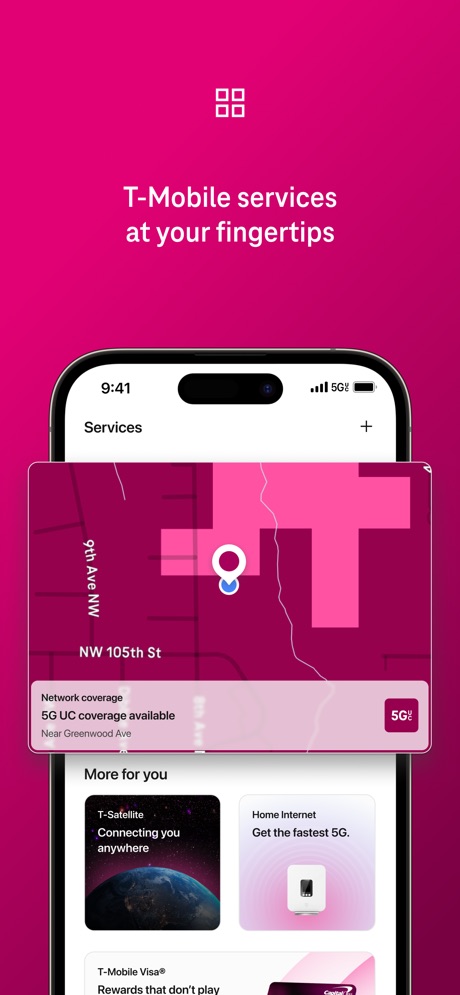
“T-Mobile services at your fingertips”

“Keep the Party Going”

“Get a sense of who they are”

“ACTIVITIES FOR TODAY, ENRICHMENT FOR WHAT'S NEXT”

“Left the car unlocked?”
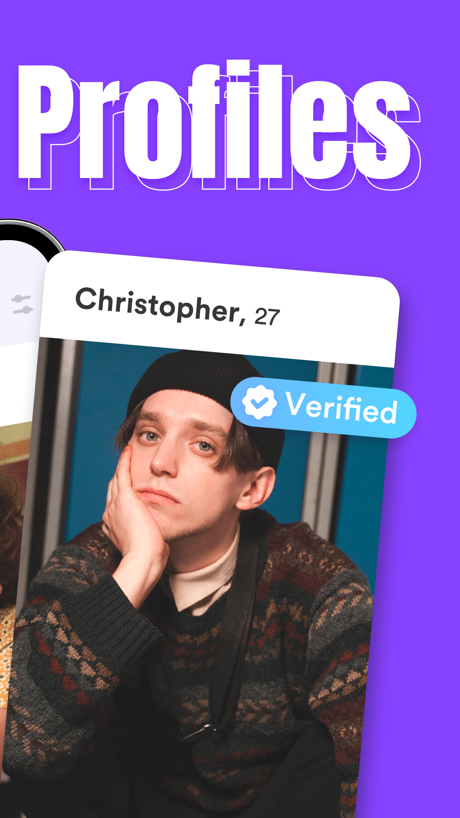
“Profiles”

“Track your sleep & detect snoring”

“Find your go-to's”

“The smarter way to search for homes”

“Compare Prices Instantly”
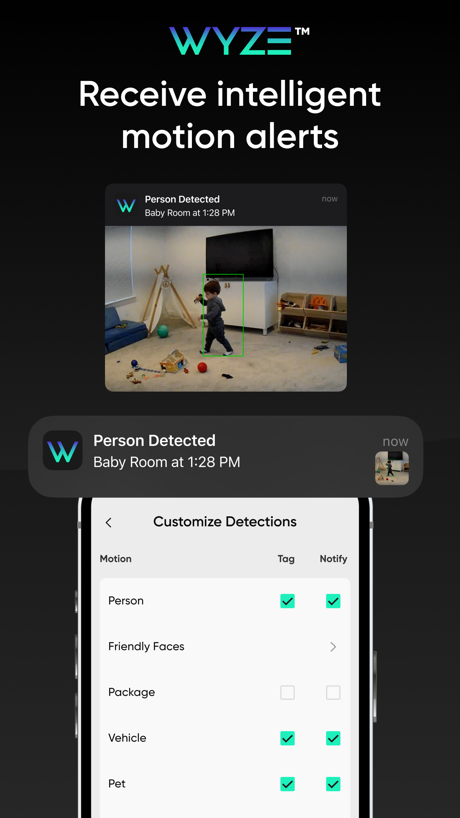
“Receive intelligent motion alerts”

“Share & reserve wishes”
What these screenshots say, word for word.
The words on all 26 that carry any, as each app wrote them.
“T-Mobile services at your fingertips”
T-Life · #3 · screenshot 6“Keep the Party Going”
Guests can add comments, post photos, and reply to one anotherPartiful: Party Invite Maker · #5 · screenshot 6“Get a sense of who they are”
with Voice PromptsHinge Dating App: Match & Date · #7 · screenshot 4“ACTIVITIES FOR TODAY, ENRICHMENT FOR WHAT'S NEXT”
KidHub by Unleashed Brands · #11 · screenshot 1“Left the car unlocked?”
Double-check in a few tapsToyota · #20 · screenshot 4“Profiles”
Duet Dating App: Chat & Meet · #21 · screenshot 2“Track your sleep & detect snoring”
Alarmy - Loud alarm clock · #25 · screenshot 6“Find your go-to's”
Square Go · #34 · screenshot 1“The smarter way to search for homes”
1M+ RATINGSRealtor.com Real Estate & Rent · #36 · screenshot 1“Compare Prices Instantly”
Giftful - Wishlist & Registry · #45 · screenshot 4“Receive intelligent motion alerts”
The Official Wyze App · #47 · screenshot 3“Share & reserve wishes”
Listful - Wishlist Maker · #48 · screenshot 4“Book trusted help for home tasks”
Taskrabbit - Handyman & more · #50 · screenshot 1“take a hint”
NGL: ask me anything · #51 · screenshot 6“Know who's at the door with advanced detection”
First Alert by Resideo · #53 · screenshot 4“Get proactive”
maintenance remindersRoomba Home · #57 · screenshot 4“Swipe UP for DATES”
DOWN: The Casual Dating App · #63 · screenshot 5“Tailored insights”
MyDyson™ · #65 · screenshot 4“Medically-Certified Dream Sock™”
0-18 months 2.5 - 13.6 kgOwlet Dream · #67 · screenshot 2“Set up and manage your Hubspace™ smart products.”
Hubspace · #70 · screenshot 2“Connect with real people”
Kismia - Dating App & Chat · #77 · screenshot 2- Contracted AI
“Multiple Types of Tasks.”
Contracted · #83 · screenshot 3 “Browse cards and tap what interests you.”
Gist - Life Well Lived · #95 · screenshot 2“Schedule cleaning to keep things tidy”
Roomba Home · #57 · screenshot 5“Expert content”
MyDyson™ · #65 · screenshot 6“View Baby From Anywhere”
Owlet Dream · #67 · screenshot 6
Top ten Lifestyle apps that do it.
- #3T-Life1 of its 6 screenshots
- #5Partiful: Party Invite Maker1 of its 6 screenshots
- #7Hinge Dating App: Match & Date1 of its 6 screenshots
The same tactic in other categories.
| Category | Apps that do it | Screenshots | Top ten |
|---|---|---|---|
| Finance | 30% 30 of 100 | 7% 43 of 581 | 2 of 10 |
| Food & Drink | 26% 26 of 100 | 6% 35 of 540 | 2 of 10 |
| Music | 25% 25 of 100 | 5% 26 of 550 | 2 of 10 |
| Business | 24% 24 of 100 | 6% 33 of 554 | 2 of 10 |
| Travel | 24% 24 of 100 | 6% 33 of 561 | 4 of 10 |
| Health & Fitness | 23% 23 of 100 | 5% 31 of 574 | 2 of 10 |
| Lifestyle | 23% 23 of 100 | 5% 26 of 556 | 3 of 10 |
| Sports | 22% 22 of 100 | 4% 25 of 558 | 0 of 10 |
| Utilities | 22% 22 of 100 | 5% 28 of 549 | 2 of 10 |
| Navigation | 21% 21 of 99 | 5% 26 of 566 | 1 of 10 |
| Entertainment | 20% 20 of 100 | 5% 27 of 544 | 0 of 10 |
| Productivity | 19% 19 of 99 | 4% 23 of 551 | 3 of 10 |
| Reference | 19% 19 of 100 | 5% 26 of 566 | 1 of 10 |
| Education | 18% 18 of 100 | 4% 23 of 555 | 2 of 10 |
| Social Networking | 18% 18 of 100 | 4% 24 of 554 | 2 of 10 |
| News | 16% 16 of 98 | 4% 21 of 517 | 2 of 10 |
| Graphics & Design | 13% 13 of 99 | 3% 15 of 564 | 1 of 10 |
| Developer Tools | 12% 12 of 100 | 3% 15 of 507 | 1 of 10 |
| Medical | 12% 12 of 100 | 2% 13 of 548 | 1 of 10 |
| Photo & Video | 12% 12 of 100 | 2% 14 of 566 | 1 of 10 |
| Shopping | 9% 9 of 100 | 2% 9 of 562 | 3 of 10 |
| Weather | 7% 7 of 100 | 2% 9 of 555 | 1 of 10 |
| Games | 3% 3 of 100 | 1% 4 of 567 | 0 of 10 |
Related tactics.
Often on the same screenshot
- Badge27% of these screenshots, against 8% of all Lifestyle screenshots
- Headline under five words62% of these screenshots, against 44% of all Lifestyle screenshots
- Black, white or grey46% of these screenshots, against 30% of all Lifestyle screenshots
- Headline readable at thumbnail size46% of these screenshots, against 30% of all Lifestyle screenshots
- Arrows or callouts31% of these screenshots, against 15% of all Lifestyle screenshots
- Phone drawn100% of these screenshots, against 85% of all Lifestyle screenshots
More in layout
- Screen fills the picture100%
- Phone drawn99%
- Words at the top94%
- Whole phone shown91%
- A photograph86%
- A person in the picture74%
- Illustration or mascot67%
- Headline readable at thumbnail size66%
- Phone cut off at the foot50%
- Arrows or callouts46%
- App icon shown45%
- Headline too small to read41%
- Words aligned left36%
- A hand holds the phone35%
- No phone, bare screen31%
- No app screen at all23%
- Two or more screens23%
- Zoomed detail of the UI19%
- Screen is small18%
- Words at the bottom18%
- Phone at an angle16%
- Words over the screen16%
- Watch, iPad or Mac beside it8%
Questions, answered from the chart.
How many top Lifestyle apps have App Store screenshots with a top-cropped phone?
Which Lifestyle apps have App Store screenshots with a top-cropped phone?
Should my Lifestyle app have App Store screenshots with a top-cropped phone?
See your own app against this.
Pagefully reads your screenshots the same way, and makes a custom product page for each search people type, from your real screens.
Preview your pages