Lifestyle app screenshots with a hand-held phone
A hand or fingers in the picture. A hand gives the device a sense of scale and shows the app in use.
From the top 100 free Lifestyle apps on the US App Store, read on October 9, 2026. Screenshots are the developers’ own, shown from Apple’s servers with a link to each app.
The numbers
54 of the 556 Lifestyle screenshots read (10%) do this, across 35 of the top 100 apps (35%). 6 of the top ten do it (60%), against 29 of the other 90 (32%): the top ten do it more than the rest. Of the 23 categories read so far, Lifestyle is 4th for this. It is most common in Photo & Video (39% of apps) and least common in Developer Tools (3%).
12 examples from the chart.
12 of the 54 Lifestyle app screenshots with a hand-held phone, one from each app, the highest on the chart first.
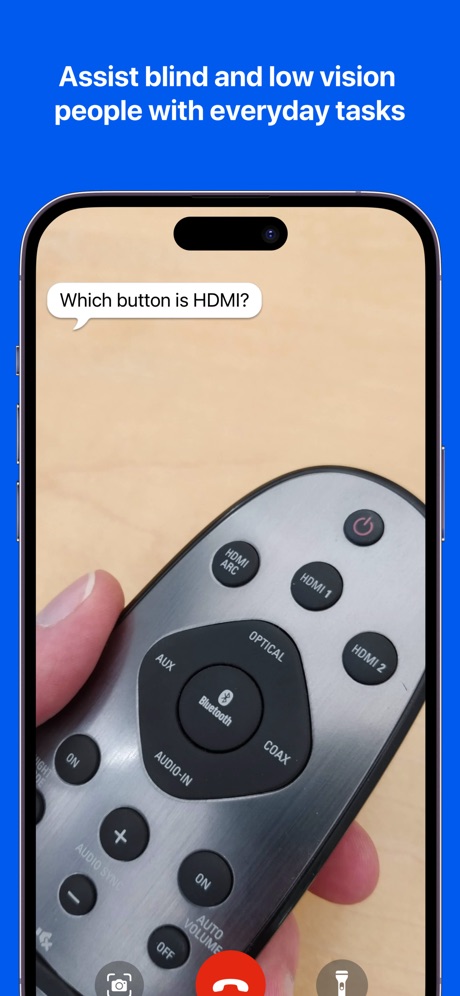
“Assist blind and low vision people with everyday tasks”

“Embrace spooky season”

“One app. All the things.”

“See & speak to visitors with Video Doorbells and Security Cameras.”

“It starts with a swipe™”

“Plan your next move”

“#1 BOOKING APP”
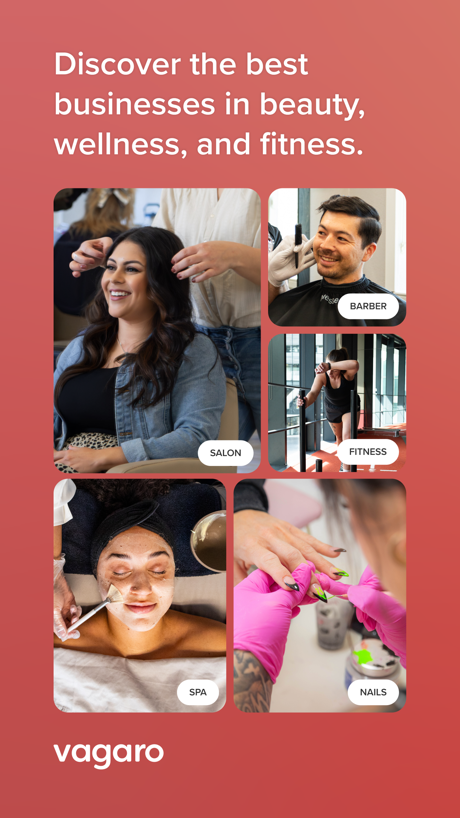
“Discover the best businesses in beauty, wellness, and fitness.”

“Get the most out of your vehicle”

“Trust your match is the real deal”

“Beat a mission to stop your alarm”

“Be real Connect for real”
What these screenshots say, word for word.
The words on 40 of the 51 that carry any, as each app wrote them.
“Assist blind and low vision people with everyday tasks”
Be My Eyes · #1 · screenshot 3“Embrace spooky season”
Pinterest · #2 · screenshot 1“One app. All the things.”
T-Life · #3 · screenshot 1“See & speak to visitors with Video Doorbells and Security Cameras.”
Ring - Always Home · #4 · screenshot 2“It starts with a swipe™”
Tinder Dating App: Date & Chat · #8 · screenshot 1“Plan your next move”
All your steps to get home, all in one place.Zillow Real Estate & Rentals · #10 · screenshot 1- The
“#1 BOOKING APP”
ratedBooksy for Customers · #13 · screenshot 1 “Discover the best businesses in beauty, wellness, and fitness.”
Vagaro · #14 · screenshot 1“Get the most out of your vehicle”
Toyota · #20 · screenshot 1“Trust your match is the real deal”
Bumble Dating App: Meet & Date · #22 · screenshot 6“Beat a mission to stop your alarm”
Alarmy - Loud alarm clock · #25 · screenshot 2“Be real Connect for real”
Hily Dating App: Meet. Date. · #29 · screenshot 3“No.1”
Visual StorytellingTipsy Chat: Live Your Story · #30 · screenshot 1“CATCH THEIR ATTENTION WITH A GIFT”
PURE: Open-Minded Dating App · #38 · screenshot 5“House cleaning Handyman Appliance repair or maintenance Local moving Lawn mowing and trimming Electrical and wiring repair”
Thumbtack: Home Service Pros · #39 · screenshot 3“Measure Heart Rate”
Blood Pressure Log, Heart Rate · #44 · screenshot 1- NEED SUPPORT?
“MONEY ON STANDBY”
Instant Cash Advance - Zora · #46 · screenshot 2 - WYZE™
“Capture & detect Friendly Faces”
The Official Wyze App · #47 · screenshot 5 “Travel”
Green Travel Across ChinaAlipay - Simplify Your Life · #49 · screenshot 3“you've seen it all around”
NGL: ask me anything · #51 · screenshot 1“To help you protect what matters most”
First Alert by Resideo · #53 · screenshot 2“Swipe DOWN for CASUAL FUN”
DOWN: The Casual Dating App · #63 · screenshot 4“Expert content”
MyDyson™ · #65 · screenshot 6“Medically-Certified Dream Sock™”
0-18 months 2.5 - 13.6 kgOwlet Dream · #67 · screenshot 2“Heart Rate & HRV Monitoring”
Wello - Heart Health Monitor · #68 · screenshot 1“Upload to your closet with a fit pic”
Alta Daily: Digital AI Closet · #72 · screenshot 4“Express your feelings”
Kismia - Dating App & Chat · #77 · screenshot 5“One match at a time”
Highest rated dating appCuffed: Dating & Relationships · #79 · screenshot 1- Meet
“HAPPI”
myPurina – Pet Rewards & Care · #82 · screenshot 5 “Get Cash & Free Gift Cards”
Swagbucks: Earn Real Rewards · #90 · screenshot 1“Now Linked With Your Apple Watch!”
HondaLink · #91 · screenshot 2“Think clearer.”
Choose better.Daimon: Personal Advice · #96 · screenshot 1“Do short missions in the stores around you”
BeMyEye - Earn money · #97 · screenshot 2“Inspire your style”
Pinterest · #2 · screenshot 3“Skip the store. Shop the app.”
T-Life · #3 · screenshot 2“Connect with confidence”
with Photo VerificationTinder Dating App: Date & Chat · #8 · screenshot 4“TRUSTED BY 50 million CLIENTS”
Booksy for Customers · #13 · screenshot 2“Start your engine from wherever you are”
Why use a key when your watch will do!Toyota · #20 · screenshot 2“Find SUPER loud alarm sounds”
Alarmy - Loud alarm clock · #25 · screenshot 3“INSTANT MONEY WHEN YOU NEED”
Instant Cash Advance - Zora · #46 · screenshot 5
Top ten Lifestyle apps that do it.
- #1Be My Eyes1 of its 4 screenshots
- #2Pinterest2 of its 6 screenshots
- #3T-Life3 of its 6 screenshots
- #4Ring - Always Home1 of its 5 screenshots
- #8Tinder Dating App: Date & Chat2 of its 6 screenshots
- #10Zillow Real Estate & Rentals1 of its 6 screenshots
The same tactic in other categories.
| Category | Apps that do it | Screenshots | Top ten |
|---|---|---|---|
| Photo & Video | 39% 39 of 100 | 10% 58 of 566 | 2 of 10 |
| Shopping | 38% 38 of 100 | 8% 47 of 562 | 6 of 10 |
| Education | 36% 36 of 100 | 11% 59 of 555 | 1 of 10 |
| Lifestyle | 35% 35 of 100 | 10% 54 of 556 | 6 of 10 |
| Utilities | 35% 35 of 100 | 9% 49 of 549 | 1 of 10 |
| Social Networking | 33% 33 of 100 | 8% 42 of 554 | 3 of 10 |
| Games | 31% 31 of 100 | 10% 56 of 567 | 3 of 10 |
| Health & Fitness | 31% 31 of 100 | 8% 45 of 574 | 4 of 10 |
| Finance | 30% 30 of 100 | 7% 41 of 581 | 3 of 10 |
| Medical | 30% 30 of 100 | 7% 37 of 548 | 4 of 10 |
| Graphics & Design | 29% 29 of 99 | 10% 54 of 564 | 3 of 10 |
| Reference | 28% 28 of 100 | 8% 44 of 566 | 4 of 10 |
| Business | 27% 27 of 100 | 6% 36 of 554 | 2 of 10 |
| Food & Drink | 26% 26 of 100 | 8% 42 of 540 | 6 of 10 |
| Music | 23% 23 of 100 | 7% 38 of 550 | 1 of 10 |
| Navigation | 15% 15 of 99 | 4% 20 of 566 | 3 of 10 |
| Travel | 15% 15 of 100 | 5% 27 of 561 | 3 of 10 |
| Entertainment | 14% 14 of 100 | 4% 21 of 544 | 2 of 10 |
| Sports | 14% 14 of 100 | 4% 21 of 558 | 2 of 10 |
| Productivity | 12% 12 of 99 | 3% 16 of 551 | 2 of 10 |
| News | 8% 8 of 98 | 2% 9 of 517 | 1 of 10 |
| Weather | 7% 7 of 100 | 2% 9 of 555 | 1 of 10 |
| Developer Tools | 3% 3 of 100 | 1% 3 of 507 | 1 of 10 |
Related tactics.
Often on the same screenshot
- A person in the picture72% of these screenshots, against 36% of all Lifestyle screenshots
- A photograph83% of these screenshots, against 59% of all Lifestyle screenshots
- Arrows or callouts30% of these screenshots, against 15% of all Lifestyle screenshots
- No app screen at all17% of these screenshots, against 5% of all Lifestyle screenshots
- High contrast words30% of these screenshots, against 18% of all Lifestyle screenshots
- Photo background28% of these screenshots, against 17% of all Lifestyle screenshots
More in layout
- Screen fills the picture100%
- Phone drawn99%
- Words at the top94%
- Whole phone shown91%
- A photograph86%
- A person in the picture74%
- Illustration or mascot67%
- Headline readable at thumbnail size66%
- Phone cut off at the foot50%
- Arrows or callouts46%
- App icon shown45%
- Headline too small to read41%
- Words aligned left36%
- No phone, bare screen31%
- No app screen at all23%
- Phone cut off at the head23%
- Two or more screens23%
- Zoomed detail of the UI19%
- Screen is small18%
- Words at the bottom18%
- Phone at an angle16%
- Words over the screen16%
- Watch, iPad or Mac beside it8%
Questions, answered from the chart.
How many top Lifestyle apps have App Store screenshots with a hand-held phone?
Which Lifestyle apps have App Store screenshots with a hand-held phone?
Should my Lifestyle app have App Store screenshots with a hand-held phone?
See your own app against this.
Pagefully reads your screenshots the same way, and makes a custom product page for each search people type, from your real screens.
Preview your pages