Utilities app screenshots with a hand-held phone
A hand or fingers in the picture. A hand gives the device a sense of scale and shows the app in use.
From the top 100 free Utilities apps on the US App Store, read on October 9, 2026. Screenshots are the developers’ own, shown from Apple’s servers with a link to each app.
The numbers
49 of the 549 Utilities screenshots read (9%) do this, across 35 of the top 100 apps (35%). 1 of the top ten do it (10%), against 34 of the other 90 (38%): the top ten do it less than the rest. Of the 23 categories read so far, Utilities is 4th for this. It is most common in Photo & Video (39% of apps) and least common in Developer Tools (3%).
12 examples from the chart.
12 of the 49 Utilities app screenshots with a hand-held phone, one from each app, the highest on the chart first.

“Comfortable Touchpad”

“Just Blink and Youre Home”

“Simple operation and easy customization.”


“...even on videos!”

“Go big on your online protection”

“Lightning fast. People powered.”

“One tap”

“All in One”
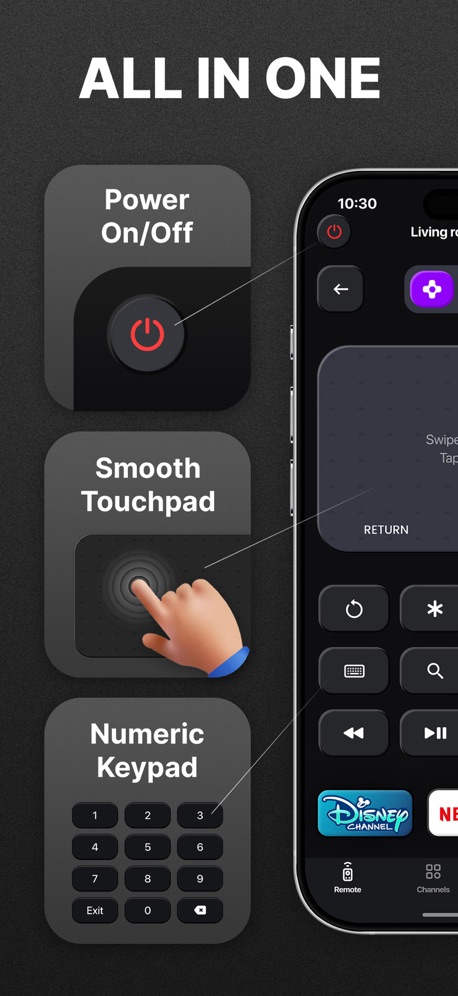
“ALL IN ONE”
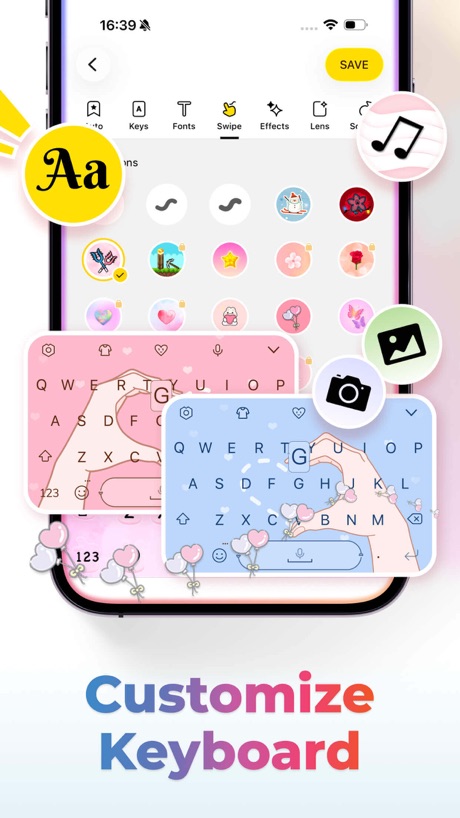
“Customize Keyboard”

“STREAMING WITHOUT DELAY”
What these screenshots say, word for word.
The words on 40 of the 46 that carry any, as each app wrote them.
“Comfortable Touchpad”
TV Remote - Universal Control · #9 · screenshot 2“Just Blink and Youre Home”
Blink Home Monitor · #14 · screenshot 1“Simple operation and easy customization.”
Sony | Sound Connect · #20 · screenshot 2“...even on videos!”
Brave Browser & Search Engine · #23 · screenshot 3“Go big on your online protection”
150M+ downloadsNordVPN: VPN Fast & Secure · #24 · screenshot 1“Lightning fast. People powered.”
Firefox Fast & Private Browser · #27 · screenshot 2“One tap”
to connectExpressVPN · Secure & Fast VPN · #28 · screenshot 3“All in One”
Universal TV Remote Control・ · #31 · screenshot 2“ALL IN ONE”
Universal Remote TV Control · · #33 · screenshot 2“Customize Keyboard”
Facemoji AI Emoji Keyboard · #37 · screenshot 1“STREAMING WITHOUT DELAY”
Screen Mirroring App: Smart TV · #40 · screenshot 3“#1 Photo and Storage Cleaner”
Swipewipe: Photo Cleaner · #41 · screenshot 1“One-Step Printing”
Lower the technical barriers to make 3D printing more accessible and enjoyable.Bambu Handy · #42 · screenshot 2“Touchpad & Cursor”
Remote for Samsung TV Smart · #46 · screenshot 2“All-in-One”
Universal TV Remote™ Control · #47 · screenshot 3“ALL-IN-ONE CONTROL”
Universal Remote・TV Control · #51 · screenshot 2“ONE TAP TO CONNECT”
Free VPN by Free VPN .org™ · #54 · screenshot 3“Keyboard & Touchpad”
UniRemote:Universal TV Remote · #56 · screenshot 4“Full control for”
Power On/Off Channels Touchpad and CursorRemote for Firestick · Fire TV · #58 · screenshot 1“Cast Media TO SMART TV”
Screen Mirroring | Cast to TV · #65 · screenshot 3“LocFind GPS Family Tracker”
LocFind: GPS Family Tracker · #71 · screenshot 1“Universal TV Remote”
VolumeUniversal TV Remote Control* · #73 · screenshot 1“YOUR PRIVATE SECOND NUMBER. OR YOUR FIRST.”
+100M Happy Users WorldwidetextPlus: Text Message + Call · #77 · screenshot 1“SWIPE FOR STROBE LIGHT”
Flashlight Ⓞ · #79 · screenshot 3“Safe Scanning”
QR Code Reader+Barcode Scanner · #80 · screenshot 4- Translate AI
“Breaking Language Barriers, Connecting the World”
Translate AI: Voice & Photo · #84 · screenshot 1 “EFFORTLESS”
Make your life easier with Extra Space Storage!Extra Space Storage · #85 · screenshot 4“Navigation Touchpad”
TV Remote & Universal Control™ · #86 · screenshot 4“Identify Any Object”
Lens Scan: Identify Anything · #87 · screenshot 1“Everything you need at your fingertips”
myCricket App · #90 · screenshot 1“MORE SOCIAL LESS MEDIA”
frenzy - friends only · #91 · screenshot 3“EDIT & SIGN”
DocumentsPDF Reader - Easy Editor · #93 · screenshot 2“Talk Beyond Limits”
Just ChatiX · #96 · screenshot 1“Share with your friends”
QR Code Barcode Ai Reader · #98 · screenshot 5“Easy Access To TV Channels”
TV Remote - Universal Control · #9 · screenshot 3“See, hear, and speak right from your smartphone”
Blink Home Monitor · #14 · screenshot 3“Discover the function that best fits “you.””
“you.”Sony | Sound Connect · #20 · screenshot 3“Unlock your browser with Face ID”
Brave Browser & Search Engine · #23 · screenshot 6“Connect”
with a tapNordVPN: VPN Fast & Secure · #24 · screenshot 3“TOUCHPAD & KEYBOARD”
Universal Remote・TV Control · #51 · screenshot 4
Top ten Utilities apps that do it.
- #9TV Remote - Universal Control2 of its 6 screenshots
The same tactic in other categories.
| Category | Apps that do it | Screenshots | Top ten |
|---|---|---|---|
| Photo & Video | 39% 39 of 100 | 10% 58 of 566 | 2 of 10 |
| Shopping | 38% 38 of 100 | 8% 47 of 562 | 6 of 10 |
| Education | 36% 36 of 100 | 11% 59 of 555 | 1 of 10 |
| Lifestyle | 35% 35 of 100 | 10% 54 of 556 | 6 of 10 |
| Utilities | 35% 35 of 100 | 9% 49 of 549 | 1 of 10 |
| Social Networking | 33% 33 of 100 | 8% 42 of 554 | 3 of 10 |
| Games | 31% 31 of 100 | 10% 56 of 567 | 3 of 10 |
| Health & Fitness | 31% 31 of 100 | 8% 45 of 574 | 4 of 10 |
| Finance | 30% 30 of 100 | 7% 41 of 581 | 3 of 10 |
| Medical | 30% 30 of 100 | 7% 37 of 548 | 4 of 10 |
| Graphics & Design | 29% 29 of 99 | 10% 54 of 564 | 3 of 10 |
| Reference | 28% 28 of 100 | 8% 44 of 566 | 4 of 10 |
| Business | 27% 27 of 100 | 6% 36 of 554 | 2 of 10 |
| Food & Drink | 26% 26 of 100 | 8% 42 of 540 | 6 of 10 |
| Music | 23% 23 of 100 | 7% 38 of 550 | 1 of 10 |
| Navigation | 15% 15 of 99 | 4% 20 of 566 | 3 of 10 |
| Travel | 15% 15 of 100 | 5% 27 of 561 | 3 of 10 |
| Entertainment | 14% 14 of 100 | 4% 21 of 544 | 2 of 10 |
| Sports | 14% 14 of 100 | 4% 21 of 558 | 2 of 10 |
| Productivity | 12% 12 of 99 | 3% 16 of 551 | 2 of 10 |
| News | 8% 8 of 98 | 2% 9 of 517 | 1 of 10 |
| Weather | 7% 7 of 100 | 2% 9 of 555 | 1 of 10 |
| Developer Tools | 3% 3 of 100 | 1% 3 of 507 | 1 of 10 |
Related tactics.
Often on the same screenshot
- A photograph61% of these screenshots, against 35% of all Utilities screenshots
- Arrows or callouts41% of these screenshots, against 18% of all Utilities screenshots
- A person in the picture33% of these screenshots, against 16% of all Utilities screenshots
- Dark43% of these screenshots, against 29% of all Utilities screenshots
- Orange18% of these screenshots, against 5% of all Utilities screenshots
- Screen is small16% of these screenshots, against 4% of all Utilities screenshots
More in layout
- Phone drawn98%
- Screen fills the picture98%
- Whole phone shown94%
- Words at the top94%
- Illustration or mascot80%
- Headline readable at thumbnail size78%
- A photograph70%
- Phone cut off at the foot49%
- Arrows or callouts48%
- App icon shown47%
- A person in the picture43%
- Headline too small to read39%
- Words aligned left37%
- Two or more screens31%
- No phone, bare screen26%
- Zoomed detail of the UI23%
- Phone cut off at the head22%
- No app screen at all21%
- Screen is small21%
- Watch, iPad or Mac beside it20%
- Phone at an angle19%
- Words at the bottom17%
- Words over the screen6%
Questions, answered from the chart.
How many top Utilities apps have App Store screenshots with a hand-held phone?
Which Utilities apps have App Store screenshots with a hand-held phone?
Should my Utilities app have App Store screenshots with a hand-held phone?
See your own app against this.
Pagefully reads your screenshots the same way, and makes a custom product page for each search people type, from your real screens.
Preview your pages