Utilities app screenshots with two or more phones
More than one device or screen in the picture. Two screens in one picture can show a before and after, two steps of a flow, or two features at once.
From the top 100 free Utilities apps on the US App Store, read on October 9, 2026. Screenshots are the developers’ own, shown from Apple’s servers with a link to each app.
The numbers
54 of the 549 Utilities screenshots read (10%) do this, across 31 of the top 100 apps (31%). 3 of the top ten do it (30%), against 28 of the other 90 (31%): the top ten do it about as often as the rest. Of the 23 categories read so far, Utilities is 3rd for this. It is most common in Graphics & Design (55% of apps) and least common in Shopping (8%).
12 examples from the chart.
12 of the 54 Utilities app screenshots with two or more phones, one from each app, the highest on the chart first.
“Stronger security with Google Authenticator”

“Govee”

“Cast Image to TV”

“Scan QR Code With Authenticator App”

“Settings tailored to your changing scene.”

“How to apply for an ETA”


“lists and testing capabilities”

“See tabs and searches across devices.”

“See who's calling you”

“Your Epic Games account on the go”
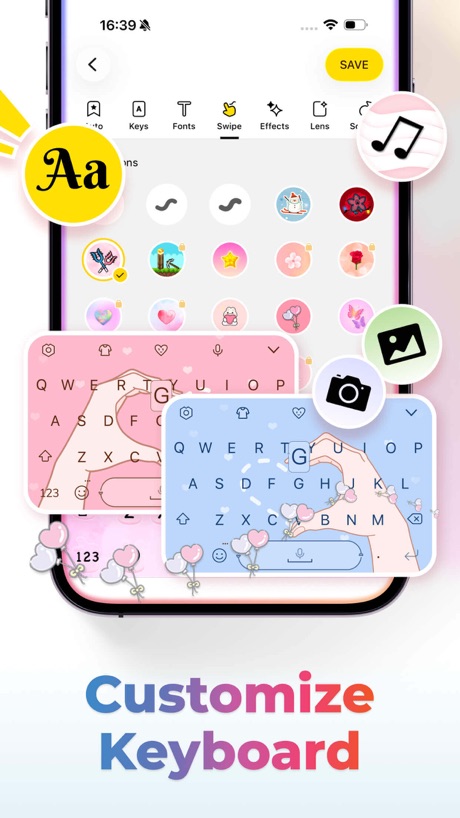
“Customize Keyboard”
What these screenshots say, word for word.
The words on 40 of the 47 that carry any, as each app wrote them.
“Stronger security with Google Authenticator”
Get verification codes for all your accounts using 2-Step VerificationGoogle Authenticator · #4 · screenshot 1“Govee”
Making Life SmarterGovee Home · #6 · screenshot 1“Cast Image to TV”
TV Remote - Universal Control · #9 · screenshot 5“Scan QR Code With Authenticator App”
Authenticator ℠ App · #16 · screenshot 3“Settings tailored to your changing scene.”
Sony | Sound Connect · #20 · screenshot 4“How to apply for an ETA”
1. Confirm your identity 2. Answer some questions 3. Pay for your applicationUK ETA · #21 · screenshot 2- Convenient server
“lists and testing capabilities”
Happ - Proxy Utility · #25 · screenshot 2 “See tabs and searches across devices.”
Firefox Fast & Private Browser · #27 · screenshot 5“See who's calling you”
Truecaller: Premium Caller ID · #29 · screenshot 1“Your Epic Games account on the go”
Epic Games · #32 · screenshot 1“Customize Keyboard”
Facemoji AI Emoji Keyboard · #37 · screenshot 1“SETUP”
Set up your Brother printer quickly from your mobile device!Brother Mobile Connect · #38 · screenshot 2“More devices”
Mobile, tablet, and desktop, one connection for full-session protectionJumpJumpVPN: Fast & Secure · #39 · screenshot 5“SCREEN MIRRORING”
FOR ANY TVScreen Mirroring App: Smart TV · #40 · screenshot 1“Create a Supercut video from your pics”
Swipewipe: Photo Cleaner · #41 · screenshot 6“CAST PHOTOS & VIDEOS”
Universal Remote・TV Control · #51 · screenshot 6“Keyboard & Touchpad”
UniRemote:Universal TV Remote · #56 · screenshot 4“english & español friendly”
easy language setting configuración de idioma sencillaWatcho — Por La Comunidad · #64 · screenshot 6“Watch any WEB VIDEOS”
Screen Mirroring | Cast to TV · #65 · screenshot 6“Daybetter”
Make everyday shine betterDayBetter · #70 · screenshot 1“2FA ALL PLATFORMS QR CODE MFA OTP”
Authenticator© App · #75 · screenshot 3“UNLIMITED CALLS TEXTS”
textPlus: Text Message + Call · #77 · screenshot 2“Keep tabs on your account”
Swap service plans, make a payment, or see everything we have to offer, including Global Pass and smartwatch service.Visible mobile · #78 · screenshot 4“Remote Control for Smart TV”
TV Remote & Universal Control™ · #86 · screenshot 1“Identify Any Object”
Lens Scan: Identify Anything · #87 · screenshot 1“Welcome to no-nonsense wireless.”
See MyMetro app for current offers and details.myMetro® · #89 · screenshot 1“FOR BEST FRIENDS ONLY”
frenzy - friends only · #91 · screenshot 2“MIRROR PHONE SCREEN TO SMART TV”
Screen Mirroring - TV Cast Air · #95 · screenshot 1“Talk Beyond Limits”
Just ChatiX · #96 · screenshot 1“The Exclusive App for Couples”
Love8 - App for Couples · #97 · screenshot 1“Simple setup using your camera”
To setup your account, you'll scan the QR code in your 2-Step Verification settings for Google or any third-party serviceGoogle Authenticator · #4 · screenshot 2“Conveniently Control Your Devices”
Govee Home · #6 · screenshot 2“Cast Media to TV”
TV Remote - Universal Control · #9 · screenshot 6“Protect & Manage Passwords”
Authenticator ℠ App · #16 · screenshot 4“Ability to add hidden servers or encrypted subscriptions”
Happ - Proxy Utility · #25 · screenshot 3“CAST PHOTOS VIDEOS & WEBSITES”
Used daily by 12.5M+ happy usersScreen Mirroring App: Smart TV · #40 · screenshot 2“Popular Channels”
UniRemote:Universal TV Remote · #56 · screenshot 5“CURATE YOUR VIBE”
frenzy - friends only · #91 · screenshot 6“CAST PHOTOS VIDEOS & MUSIC”
Screen Mirroring - TV Cast Air · #95 · screenshot 2“Cute Widgets for Couples”
Love8 - App for Couples · #97 · screenshot 6
Top ten Utilities apps that do it.
- #4Google Authenticator3 of its 6 screenshots
- #6Govee Home2 of its 6 screenshots
- #9TV Remote - Universal Control2 of its 6 screenshots
The same tactic in other categories.
| Category | Apps that do it | Screenshots | Top ten |
|---|---|---|---|
| Graphics & Design | 55% 54 of 99 | 15% 87 of 564 | 6 of 10 |
| Entertainment | 40% 40 of 100 | 11% 60 of 544 | 2 of 10 |
| Utilities | 31% 31 of 100 | 10% 54 of 549 | 3 of 10 |
| Education | 27% 27 of 100 | 9% 50 of 555 | 2 of 10 |
| Photo & Video | 27% 27 of 100 | 7% 41 of 566 | 2 of 10 |
| Social Networking | 27% 27 of 100 | 7% 40 of 554 | 2 of 10 |
| Music | 26% 26 of 100 | 7% 38 of 550 | 1 of 10 |
| Food & Drink | 25% 25 of 100 | 7% 39 of 540 | 2 of 10 |
| Health & Fitness | 24% 24 of 100 | 6% 37 of 574 | 2 of 10 |
| Lifestyle | 23% 23 of 100 | 6% 31 of 556 | 4 of 10 |
| Business | 22% 22 of 100 | 5% 30 of 554 | 1 of 10 |
| News | 21% 21 of 98 | 6% 29 of 517 | 2 of 10 |
| Reference | 21% 21 of 100 | 5% 30 of 566 | 1 of 10 |
| Sports | 21% 21 of 100 | 6% 33 of 558 | 1 of 10 |
| Productivity | 20% 20 of 99 | 4% 24 of 551 | 1 of 10 |
| Finance | 20% 20 of 100 | 5% 31 of 581 | 1 of 10 |
| Games | 18% 18 of 100 | 4% 23 of 567 | 1 of 10 |
| Developer Tools | 17% 17 of 100 | 5% 26 of 507 | 3 of 10 |
| Travel | 17% 17 of 100 | 4% 23 of 561 | 4 of 10 |
| Navigation | 15% 15 of 99 | 4% 21 of 566 | 2 of 10 |
| Weather | 13% 13 of 100 | 5% 28 of 555 | 2 of 10 |
| Medical | 12% 12 of 100 | 4% 21 of 548 | 3 of 10 |
| Shopping | 8% 8 of 100 | 2% 11 of 562 | 1 of 10 |
Related tactics.
Often on the same screenshot
- Watch, iPad or Mac beside it43% of these screenshots, against 6% of all Utilities screenshots
- No phone, bare screen20% of these screenshots, against 8% of all Utilities screenshots
- Phone at an angle17% of these screenshots, against 5% of all Utilities screenshots
- Headline in capitals26% of these screenshots, against 15% of all Utilities screenshots
- Blue44% of these screenshots, against 34% of all Utilities screenshots
- A person in the picture26% of these screenshots, against 16% of all Utilities screenshots
More in layout
- Phone drawn98%
- Screen fills the picture98%
- Whole phone shown94%
- Words at the top94%
- Illustration or mascot80%
- Headline readable at thumbnail size78%
- A photograph70%
- Phone cut off at the foot49%
- Arrows or callouts48%
- App icon shown47%
- A person in the picture43%
- Headline too small to read39%
- Words aligned left37%
- A hand holds the phone35%
- No phone, bare screen26%
- Zoomed detail of the UI23%
- Phone cut off at the head22%
- No app screen at all21%
- Screen is small21%
- Watch, iPad or Mac beside it20%
- Phone at an angle19%
- Words at the bottom17%
- Words over the screen6%
Questions, answered from the chart.
How many top Utilities apps have App Store screenshots with two or more phones?
Which Utilities apps have App Store screenshots with two or more phones?
Should my Utilities app have App Store screenshots with two or more phones?
See your own app against this.
Pagefully reads your screenshots the same way, and makes a custom product page for each search people type, from your real screens.
Preview your pages