Business app screenshots with two or more phones
More than one device or screen in the picture. Two screens in one picture can show a before and after, two steps of a flow, or two features at once.
From the top 100 free Business apps on the US App Store, read on October 9, 2026. Screenshots are the developers’ own, shown from Apple’s servers with a link to each app.
The numbers
30 of the 554 Business screenshots read (5%) do this, across 22 of the top 100 apps (22%). 1 of the top ten do it (10%), against 21 of the other 90 (23%): the top ten do it less than the rest. Of the 23 categories read so far, Business is 11th for this. It is most common in Graphics & Design (55% of apps) and least common in Shopping (8%).
12 examples from the chart.
12 of the 30 Business app screenshots with two or more phones, one from each app, the highest on the chart first.

“Sign in using push notifications on your phone or watch”
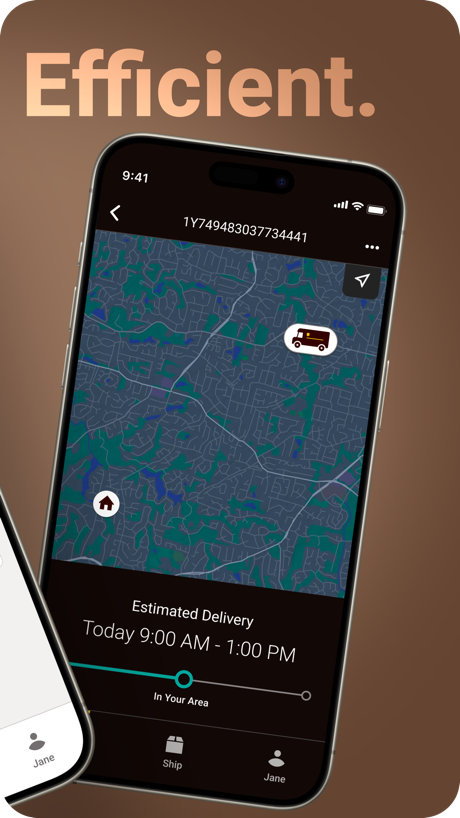
“Efficient.”

“One digital space to work on your docs.”

“Tap an image of your mail to view it larger in landscape mode”

“Quickly approve logins with push notifications”

“Complete onboarding tasks”

“One app to meet, message and call”

“Scan paperwork into organized, digital folders.”


“Cash out instantly once you qualify for Instant Pay”

“Get paid faster”

“Best payroll for hourly teams”
What these screenshots say, word for word.
The words on all 28 that carry any, as each app wrote them.
“Sign in using push notifications on your phone or watch”
Okta Verify · #7 · screenshot 4“Efficient.”
UPS · #13 · screenshot 2“One digital space to work on your docs.”
Acrobat Reader: PDF Editor · #17 · screenshot 2“Tap an image of your mail to view it larger in landscape mode”
Informed Delivery® Mobile · #18 · screenshot 5“Quickly approve logins with push notifications”
Duo Mobile · #19 · screenshot 3“Complete onboarding tasks”
Paylocity · #24 · screenshot 2“One app to meet, message and call”
Webex · #26 · screenshot 1“Scan paperwork into organized, digital folders.”
Adobe Scan: PDF & Doc Scanner · #35 · screenshot 2“Cash out instantly once you qualify for Instant Pay”
Roadie Driver · #41 · screenshot 3“Get paid faster”
Invoice Maker - Invoice Fly · #47 · screenshot 2“Best payroll for hourly teams”
Best payroll for small businessHomebase: Employee Scheduling · #49 · screenshot 2“Run your business on the go”
Stripe Dashboard · #52 · screenshot 1“Share using widgets on your phone or watch”
Blinq: Digital Business Card · #61 · screenshot 4“Total account control.”
Public Storage · #63 · screenshot 1“Event Bulletin Board”
Coordinate rideshares, coffee runs, and more Easily meet up with other attendeesWhova - Event & Conference App · #72 · screenshot 2- Learn Canvas UGC
“Guided account warmups”
Launchpoint: Make Money · #77 · screenshot 4 “Search our inventory of more than 260,820 cars, trucks and more with the Copart App.”
Copart - Online Auto Auctions · #85 · screenshot 1“Nền tảng cuộc sống số hợp nhất”
Viettel Tammi · #87 · screenshot 2“Trusted by creators of every size”
Tens of thousands of 5 star reviews“Tens of thousands of 5 star reviews”Noise - Make Money Posting · #90 · screenshot 2“unlock your world”
Avigilon Alta Open · #92 · screenshot 2“Share tracking results & other content”
Informed Delivery® Mobile · #18 · screenshot 6“Give and receive recognition”
Paylocity · #24 · screenshot 6“Personalize your invoice”
Invoice Maker - Invoice Fly · #47 · screenshot 3“Keep track of who you meet”
Blinq: Digital Business Card · #61 · screenshot 5“Mobile Brochure”
Access Agenda, Maps, GPS, and Announcement AlertsWhova - Event & Conference App · #72 · screenshot 3“Member Dashboard”
Auctions, Vehicles, Bids & MoreCopart - Online Auto Auctions · #85 · screenshot 2“Smart Networking”
The Ultimate Assistant that discovers interesting people to meetWhova - Event & Conference App · #72 · screenshot 4“Business Cards”
No manual effort - use the most accurate card reader See photos, social profiles, and get updatesWhova - Event & Conference App · #72 · screenshot 5
Top ten Business apps that do it.
- #7Okta Verify1 of its 5 screenshots
The same tactic in other categories.
| Category | Apps that do it | Screenshots | Top ten |
|---|---|---|---|
| Graphics & Design | 55% 54 of 99 | 15% 87 of 564 | 6 of 10 |
| Entertainment | 40% 40 of 100 | 11% 60 of 544 | 2 of 10 |
| Utilities | 31% 31 of 100 | 10% 54 of 549 | 3 of 10 |
| Education | 27% 27 of 100 | 9% 50 of 555 | 2 of 10 |
| Photo & Video | 27% 27 of 100 | 7% 41 of 566 | 2 of 10 |
| Social Networking | 27% 27 of 100 | 7% 40 of 554 | 2 of 10 |
| Music | 26% 26 of 100 | 7% 38 of 550 | 1 of 10 |
| Food & Drink | 25% 25 of 100 | 7% 39 of 540 | 2 of 10 |
| Health & Fitness | 24% 24 of 100 | 6% 37 of 574 | 2 of 10 |
| Lifestyle | 23% 23 of 100 | 6% 31 of 556 | 4 of 10 |
| Business | 22% 22 of 100 | 5% 30 of 554 | 1 of 10 |
| News | 21% 21 of 98 | 6% 29 of 517 | 2 of 10 |
| Reference | 21% 21 of 100 | 5% 30 of 566 | 1 of 10 |
| Sports | 21% 21 of 100 | 6% 33 of 558 | 1 of 10 |
| Productivity | 20% 20 of 99 | 4% 24 of 551 | 1 of 10 |
| Finance | 20% 20 of 100 | 5% 31 of 581 | 1 of 10 |
| Games | 18% 18 of 100 | 4% 23 of 567 | 1 of 10 |
| Developer Tools | 17% 17 of 100 | 5% 26 of 507 | 3 of 10 |
| Travel | 17% 17 of 100 | 4% 23 of 561 | 4 of 10 |
| Navigation | 15% 15 of 99 | 4% 21 of 566 | 2 of 10 |
| Weather | 13% 13 of 100 | 5% 28 of 555 | 2 of 10 |
| Medical | 12% 12 of 100 | 4% 21 of 548 | 3 of 10 |
| Shopping | 8% 8 of 100 | 2% 11 of 562 | 1 of 10 |
Related tactics.
Often on the same screenshot
- Gradient background73% of these screenshots, against 44% of all Business screenshots
- Phone at an angle30% of these screenshots, against 5% of all Business screenshots
- Watch, iPad or Mac beside it23% of these screenshots, against 3% of all Business screenshots
- Low contrast words37% of these screenshots, against 21% of all Business screenshots
- Phone drawn100% of these screenshots, against 84% of all Business screenshots
- Background is the icon’s colour60% of these screenshots, against 47% of all Business screenshots
More in layout
- Phone drawn97%
- Screen fills the picture97%
- Whole phone shown89%
- Words at the top87%
- A photograph80%
- Illustration or mascot67%
- A person in the picture62%
- Headline readable at thumbnail size61%
- Phone cut off at the foot61%
- App icon shown54%
- Headline too small to read51%
- Words aligned left36%
- Arrows or callouts35%
- No phone, bare screen29%
- A hand holds the phone27%
- Phone cut off at the head24%
- Zoomed detail of the UI22%
- Phone at an angle21%
- No app screen at all18%
- Words at the bottom16%
- Screen is small15%
- Watch, iPad or Mac beside it14%
- Words over the screen5%
Questions, answered from the chart.
How many top Business apps have App Store screenshots with two or more phones?
Which Business apps have App Store screenshots with two or more phones?
Should my Business app have App Store screenshots with two or more phones?
See your own app against this.
Pagefully reads your screenshots the same way, and makes a custom product page for each search people type, from your real screens.
Preview your pages