Education app screenshots with arrows or callouts
Arrows, circles or notes drawn to point at something. A callout points the eye at the one control or number the headline is about.
From the top 100 free Education apps on the US App Store, read on October 9, 2026. Screenshots are the developers’ own, shown from Apple’s servers with a link to each app.
The numbers
98 of the 555 Education screenshots read (18%) do this, across 50 of the top 100 apps (50%). 5 of the top ten do it (50%), against 45 of the other 90 (50%): the top ten do it about as often as the rest. Of the 23 categories read so far, Education is 5th for this. It is most common in Graphics & Design (70% of apps) and least common in Developer Tools (21%).
12 examples from the chart.
12 of the 98 Education app screenshots with arrows or callouts, one from each app, the highest on the chart first.

“solve chess puzzles”
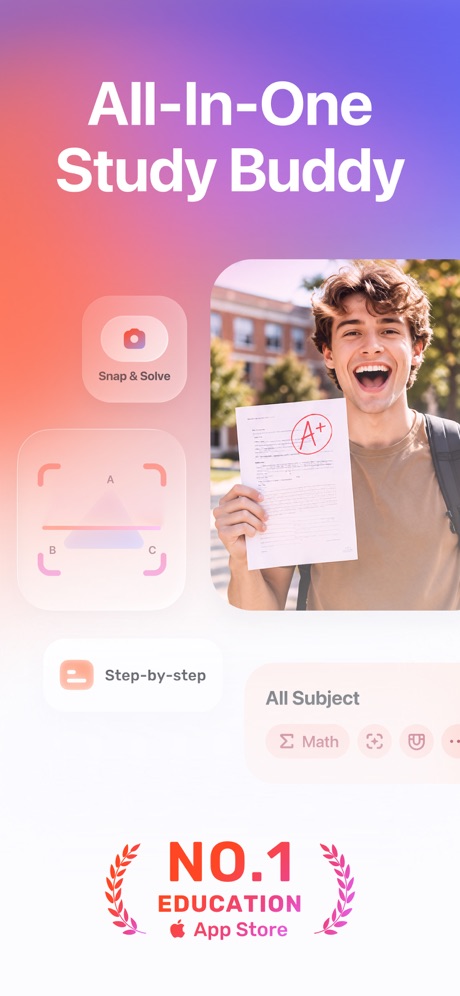
“All-In-One Study Buddy”

“Speak English like a native”
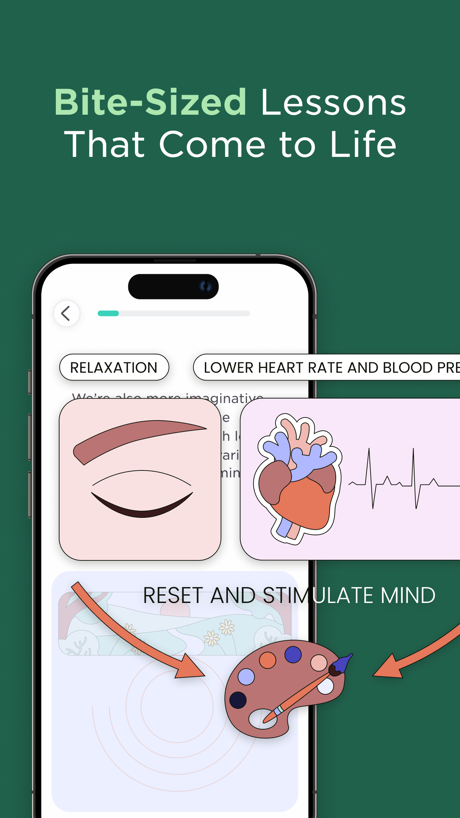
“Bite-Sized Lessons That Come to Life”

“Learn anything with Flashcards”

“Get smarter daily, the easy way”

“Streamline classroom, school, and district communication”

“Learn 1000+ Phrases In 7 Days.”

“Plant Auto- Diagnosis”

“Open”

“Improve with Instant Feedback”
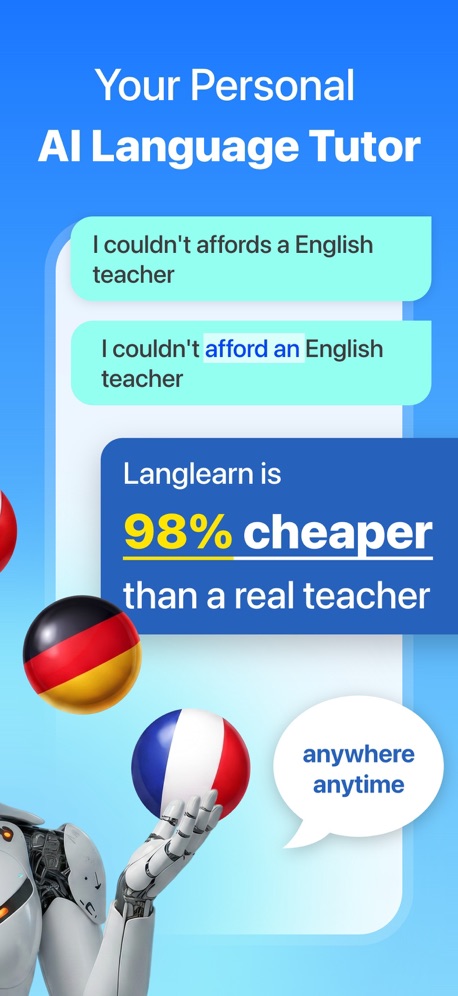
“Your Personal AI Language Tutor”
What these screenshots say, word for word.
The words on 40 of the 94 that carry any, as each app wrote them.
“solve chess puzzles”
Duolingo: Learn Languages · #1 · screenshot 3“All-In-One Study Buddy”
Gauth: AI Study Companion · #3 · screenshot 1“Speak English like a native”
Learna: Speak & Learn English · #4 · screenshot 1“Bite-Sized Lessons That Come to Life”
Imprint: Visual Micro Learning · #8 · screenshot 4“Learn anything with Flashcards”
Quizlet: More than Flashcards · #9 · screenshot 1“Get smarter daily, the easy way”
Deepstash: Smarter Every Day! · #12 · screenshot 5“Streamline classroom, school, and district communication”
Remind: School Communication · #14 · screenshot 4“Learn 1000+ Phrases In 7 Days.”
Speak: Language Learning · #15 · screenshot 2“Plant Auto- Diagnosis”
PictureThis - Plant Identifier · #16 · screenshot 2“Open”
a bakeryToca Boca World: Game & Play · #17 · screenshot 4“Improve with Instant Feedback”
“I'm bad at speaking English”YayTalk: Learn & Speak English · #19 · screenshot 2“Your Personal AI Language Tutor”
Langlearn is 98% cheaper than a real teacherLangLearn: AI English Tutor · #20 · screenshot 2“Drivers Permit Test 2026”
DMV Practice Test 2026 myDMV · #22 · screenshot 1“Submit your application”
Common App · #25 · screenshot 5“Improve Communication & Confidence”
“Delete the “Apology Language” That Lowers Your Authority”Micro Learning - SmartyMe · #26 · screenshot 2“Understand every topic”
Tools with easy explanations and visuals. Personalized for youKnowunity: AI Study & Homework · #27 · screenshot 3“Scan your Clever badge”
Clever · #28 · screenshot 1“Learn ASL In 10 Minutes a Day.”
Ziggy: Learn ASL Sign Language · #31 · screenshot 1“Scan & Solve Any Subject”
Solvely - AI Study Tools · #33 · screenshot 1“The interactive app for kids”
Lingokids: Games & Shows · #34 · screenshot 1“Step-by-Step Personalized Learning”
ABCmouse: Kids Learning Games · #35 · screenshot 6“Start your ASL journey”
ASL Bloom - Sign Language · #36 · screenshot 2“Госуслуги Моя школа”
Здесь собрано всё о школьной жизни, оценки, расписание, домашние заданияГосуслуги Моя школа · #39 · screenshot 2“Ace your permit and driving test on the first try”
“Much better than the DMV Book 😃 Brilliant! Passed my permit test!”Zutobi: Permit & Driving Prep · #43 · screenshot 1“4.7 stars 500K+ reviews Ages 3-12 40K+ Books Reaches 75M kids worldwide”
Epic - Kids' Books & Reading · #47 · screenshot 2“Learn by scrolling short videos”
Parrot: Learn Spanish Language · #48 · screenshot 2“Language learning that works”
Self-study lessons Live online classes Podcasts GamesBabbel - Language Learning · #52 · screenshot 1“Talk to the World”
Practice 260+ languages with over 70 million native speakers from around the worldHelloTalk - Language Learning · #53 · screenshot 1“Visualize steps with custom animations”
Photomath · #56 · screenshot 5“From ABCs to 2nd Grade Reading”
Learn to Read - Reading.com · #57 · screenshot 2“Browse your school’s store”
Available at select schoolsMSB Parent, USA · #59 · screenshot 3“In-depth feedback”
Praktika – AI Language Tutor · #67 · screenshot 5“Access images of the entire sky”
Stellarium Mobile - Star Map · #68 · screenshot 6“Learn piano with songs you love”
Simply Piano: Learn Piano Fast · #69 · screenshot 1“CHALLENGES”
TO OBSERVE NEW SPECIES AND EARN BADGESSeek by iNaturalist · #73 · screenshot 6“How to Serve Any Food to Baby”
Solid Starts: Baby First Foods · #79 · screenshot 3“Celebrate Every Milestone”
Pinu – Language Learning · #81 · screenshot 4“Early education, lifelong success.”
Speech Blubs: Language Therapy · #82 · screenshot 1“The best way to learn with multiple choice, true or false, and written questions”
Knowt: AI Flashcards & Notes · #83 · screenshot 1“Holy cow, this is the best way to learn English!”
@SarahG_24 ★★★★★Talko: Learn English with AI · #84 · screenshot 1
Top ten Education apps that do it.
- #1Duolingo: Learn Languages1 of its 6 screenshots
- #3Gauth: AI Study Companion3 of its 6 screenshots
- #4Learna: Speak & Learn English3 of its 6 screenshots
- #8Imprint: Visual Micro Learning2 of its 6 screenshots
- #9Quizlet: More than Flashcards3 of its 6 screenshots
The same tactic in other categories.
| Category | Apps that do it | Screenshots | Top ten |
|---|---|---|---|
| Graphics & Design | 70% 69 of 99 | 33% 186 of 564 | 5 of 10 |
| Photo & Video | 58% 58 of 100 | 25% 140 of 566 | 6 of 10 |
| Reference | 53% 53 of 100 | 22% 122 of 566 | 7 of 10 |
| Health & Fitness | 52% 52 of 100 | 19% 108 of 574 | 8 of 10 |
| Education | 50% 50 of 100 | 18% 98 of 555 | 5 of 10 |
| Social Networking | 49% 49 of 100 | 17% 96 of 554 | 5 of 10 |
| Utilities | 48% 48 of 100 | 18% 100 of 549 | 3 of 10 |
| Finance | 47% 47 of 100 | 14% 80 of 581 | 7 of 10 |
| Lifestyle | 46% 46 of 100 | 15% 86 of 556 | 5 of 10 |
| Navigation | 45% 45 of 99 | 17% 96 of 566 | 4 of 10 |
| Productivity | 45% 45 of 99 | 15% 82 of 551 | 2 of 10 |
| Entertainment | 39% 39 of 100 | 11% 61 of 544 | 4 of 10 |
| Travel | 39% 39 of 100 | 12% 69 of 561 | 2 of 10 |
| Music | 38% 38 of 100 | 14% 75 of 550 | 2 of 10 |
| Shopping | 38% 38 of 100 | 15% 85 of 562 | 6 of 10 |
| Food & Drink | 37% 37 of 100 | 12% 67 of 540 | 5 of 10 |
| Sports | 36% 36 of 100 | 11% 63 of 558 | 3 of 10 |
| Business | 35% 35 of 100 | 12% 69 of 554 | 2 of 10 |
| Games | 35% 35 of 100 | 8% 48 of 567 | 2 of 10 |
| Weather | 35% 35 of 100 | 12% 67 of 555 | 3 of 10 |
| Medical | 30% 30 of 100 | 9% 47 of 548 | 2 of 10 |
| News | 23% 23 of 98 | 7% 38 of 517 | 2 of 10 |
| Developer Tools | 21% 21 of 100 | 7% 35 of 507 | 2 of 10 |
Related tactics.
Often on the same screenshot
- A word in a different colour47% of these screenshots, against 29% of all Education screenshots
- Illustration or mascot72% of these screenshots, against 56% of all Education screenshots
- Plain tone85% of these screenshots, against 72% of all Education screenshots
- Badge24% of these screenshots, against 12% of all Education screenshots
- Phone cut off at the foot27% of these screenshots, against 15% of all Education screenshots
- Headline in Title Case32% of these screenshots, against 21% of all Education screenshots
More in layout
- Screen fills the picture97%
- Phone drawn94%
- Whole phone shown89%
- Illustration or mascot86%
- Words at the top85%
- Headline readable at thumbnail size70%
- A photograph64%
- A person in the picture62%
- Headline too small to read49%
- No phone, bare screen40%
- Phone cut off at the foot38%
- App icon shown37%
- A hand holds the phone36%
- Words aligned left30%
- No app screen at all29%
- Two or more screens27%
- Phone cut off at the head18%
- Zoomed detail of the UI15%
- Phone at an angle13%
- Words at the bottom13%
- Screen is small12%
- Watch, iPad or Mac beside it10%
- Words over the screen7%
Questions, answered from the chart.
How many top Education apps have App Store screenshots with arrows or callouts?
Which Education apps have App Store screenshots with arrows or callouts?
Should my Education app have App Store screenshots with arrows or callouts?
See your own app against this.
Pagefully reads your screenshots the same way, and makes a custom product page for each search people type, from your real screens.
Preview your pages