Navigation app screenshots with arrows or callouts
Arrows, circles or notes drawn to point at something. A callout points the eye at the one control or number the headline is about.
From the top 99 free Navigation apps on the US App Store, read on October 9, 2026. Screenshots are the developers’ own, shown from Apple’s servers with a link to each app.
The numbers
96 of the 566 Navigation screenshots read (17%) do this, across 45 of the top 99 apps (45%). 4 of the top ten do it (40%), against 41 of the other 89 (46%): the top ten do it about as often as the rest. Of the 23 categories read so far, Navigation is 10th for this. It is most common in Graphics & Design (70% of apps) and least common in Developer Tools (21%).
12 examples from the chart.
12 of the 96 Navigation app screenshots with arrows or callouts, one from each app, the highest on the chart first.
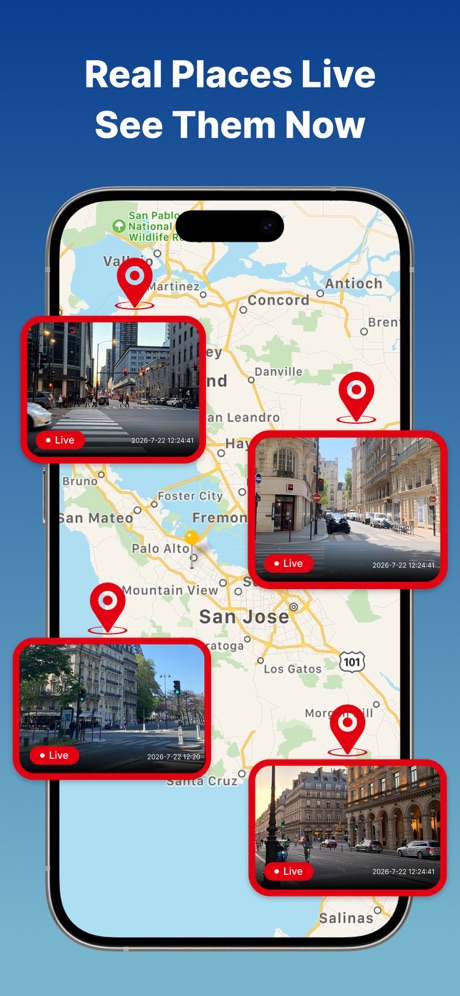
“Real Places Live See Them Now”

“Get the parking app trusted by millions of drivers”

“Explore Your City with Retro Map Themes”

“KNOW WHEN TO HUNT”

“Earn points and save up to 50¢/gal off at participating Chevron stations”

“Book ahead or pay once when you get there”

“on Sharing”

“Just drive in and park”
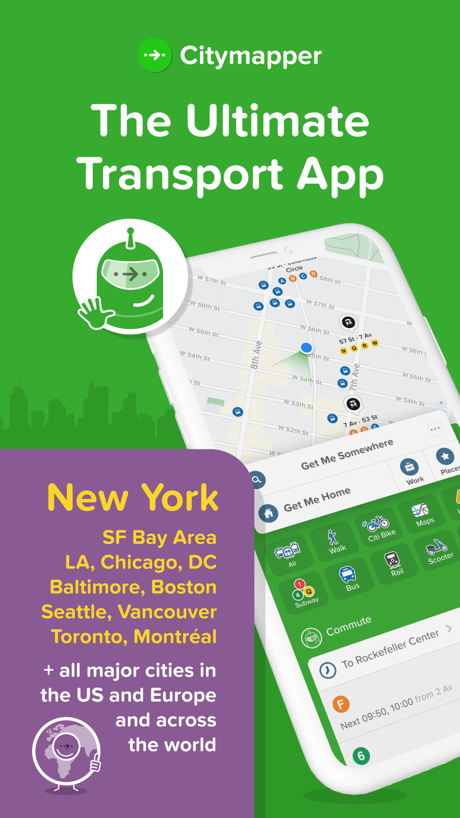
“The Ultimate Transport App”

“MapXplorer”

“OFF-ROAD TRAILS”

“Find the essential functionalities and information you need to organise your trips in the Île-de-France region.”
What these screenshots say, word for word.
The words on 40 of the 96 that carry any, as each app wrote them.
“Real Places Live See Them Now”
EarthScope: GPS Map Camera · #2 · screenshot 1“Get the parking app trusted by millions of drivers”
ParkMobile: Park. Pay. Go. · #4 · screenshot 1“Explore Your City with Retro Map Themes”
Game Maps IRL · #7 · screenshot 2“KNOW WHEN TO HUNT”
Stop piecing it together. Whitetail Insights predicts deer activity, provides a detailed rut calendar, and hyperlocal weather all in one place.onX Hunt: GPS Hunting Maps · #10 · screenshot 1“Earn points and save up to 50¢/gal off at participating Chevron stations”
Chevron · #11 · screenshot 1“Book ahead or pay once when you get there”
ParkWhiz - #1 Parking App · #12 · screenshot 2“on Sharing”
Real-time GPS Location Sharing · #13 · screenshot 2“Just drive in and park”
Metropolis: Remarkable Parking · #16 · screenshot 2“The Ultimate Transport App”
Citymapper: All Live Transit · #18 · screenshot 1- OFFLINE MAPS
“MapXplorer”
Unlock the world in the palm of your hand, whether online or offline.MapXplorer: GPS Maps & Radar · #21 · screenshot 1 “OFF-ROAD TRAILS”
Discover Open Trails by Difficulty and Trail TypeonX Offroad: Trail Maps & GPS · #24 · screenshot 1“Find the essential functionalities and information you need to organise your trips in the Île-de-France region.”
Île-de-France Mobilités · #26 · screenshot 1“Avoid Road Restrictions”
Stay clear of low bridges, narrow roads and weight limitsRouteXL: Smart Truck GPS · #27 · screenshot 3“Find Fast EV Chargers Near You”
1,200+ Stations NationwideEVgo - Find a Fast EV Charger · #28 · screenshot 1“Find places while driving OTR”
Trucker Path: Truck GPS & Fuel · #29 · screenshot 3“MapQuest is back”
“Your quest begins here!”MapQuest GPS Navigation & Maps · #30 · screenshot 1“Choose the best Route”
Moovit: Bus & Transit Tracker · #31 · screenshot 2“Select Pluses”, a new spot for great deals in Yandex Maps
“Select Pluses” — a new spot for great deals in Yandex MapsYandex Maps & Navigator · #33 · screenshot 1“Real time availability”
PlugShare: Charging Stations · #36 · screenshot 3“Share app feedback”
Help us improve and add new featuresMBTA Go — Official · #39 · screenshot 5“Buy Fuel Securely With Your Debit or Credit Card”
Mudflap · #41 · screenshot 4“BETTER MAPS. BETTER DAYS.”
onX Backcountry: 3D Trail Maps · #42 · screenshot 1“NAVIGATE IN CONFIDENCE”
WITH EASY-TO-USE MAPPING TOOLSHuntWise: A Better Hunting App · #49 · screenshot 2“Navigate with confidence”
Avenza Maps: Offline Mapping · #56 · screenshot 2“Share Your Location With Friends”
Locator: My Family & Friend · #58 · screenshot 3“SR 导航”
车机级时空智能 手机同享百度地图-路线规划,出行必备 · #59 · screenshot 1“GET MORE WITH THE CLUB CITGO APP”
Club CITGO - Gas Rewards · #60 · screenshot 1“Always locate your car”
SpotAngels Parking & Gas · #63 · screenshot 4- Use on Mobile, Tablet, & Web
“View results”
right on the mapLandGlide: Parcel & Field Maps · #64 · screenshot 4 “for you”
Real-time location occupancy reportsPremium Parking · #65 · screenshot 2“Switch on step-free mode”
TfL Go: Plan, Pay, Travel · #66 · screenshot 6“Explore New Waters”
TroutRoutes: Fly Fishing App · #68 · screenshot 2“Search routes using a tourist pass”
Japan Travel - Smart Transit · #69 · screenshot 4“Digital Compass”
Compass App - Qibla finder · #77 · screenshot 1“Be mindful of your loved one's movements”
Number tracker: Phone Location · #78 · screenshot 2“INSTANT SAVINGS”
EVERY VISITSunoco · #79 · screenshot 1“Send realtime alerts with PackRide”
Cardo Ride - Motorcycle App · #84 · screenshot 5“SPEEDOMETER”
ACCURATE GPS SPEED TRACKERSpeedometer GPS : MPH Tracker · #85 · screenshot 1“YOUR ROUTE REACTS TO YOUR SPEED”
GenZPS · #86 · screenshot 3“Avoid Tickets Stay Aware”
proRadar・Radar & Speed Cameras · #88 · screenshot 3
Top ten Navigation apps that do it.
- #2EarthScope: GPS Map Camera3 of its 6 screenshots
- #4ParkMobile: Park. Pay. Go.1 of its 6 screenshots
- #7Game Maps IRL5 of its 6 screenshots
- #10onX Hunt: GPS Hunting Maps4 of its 6 screenshots
The same tactic in other categories.
| Category | Apps that do it | Screenshots | Top ten |
|---|---|---|---|
| Graphics & Design | 70% 69 of 99 | 33% 186 of 564 | 5 of 10 |
| Photo & Video | 58% 58 of 100 | 25% 140 of 566 | 6 of 10 |
| Reference | 53% 53 of 100 | 22% 122 of 566 | 7 of 10 |
| Health & Fitness | 52% 52 of 100 | 19% 108 of 574 | 8 of 10 |
| Education | 50% 50 of 100 | 18% 98 of 555 | 5 of 10 |
| Social Networking | 49% 49 of 100 | 17% 96 of 554 | 5 of 10 |
| Utilities | 48% 48 of 100 | 18% 100 of 549 | 3 of 10 |
| Finance | 47% 47 of 100 | 14% 80 of 581 | 7 of 10 |
| Lifestyle | 46% 46 of 100 | 15% 86 of 556 | 5 of 10 |
| Navigation | 45% 45 of 99 | 17% 96 of 566 | 4 of 10 |
| Productivity | 45% 45 of 99 | 15% 82 of 551 | 2 of 10 |
| Entertainment | 39% 39 of 100 | 11% 61 of 544 | 4 of 10 |
| Travel | 39% 39 of 100 | 12% 69 of 561 | 2 of 10 |
| Music | 38% 38 of 100 | 14% 75 of 550 | 2 of 10 |
| Shopping | 38% 38 of 100 | 15% 85 of 562 | 6 of 10 |
| Food & Drink | 37% 37 of 100 | 12% 67 of 540 | 5 of 10 |
| Sports | 36% 36 of 100 | 11% 63 of 558 | 3 of 10 |
| Business | 35% 35 of 100 | 12% 69 of 554 | 2 of 10 |
| Games | 35% 35 of 100 | 8% 48 of 567 | 2 of 10 |
| Weather | 35% 35 of 100 | 12% 67 of 555 | 3 of 10 |
| Medical | 30% 30 of 100 | 9% 47 of 548 | 2 of 10 |
| News | 23% 23 of 98 | 7% 38 of 517 | 2 of 10 |
| Developer Tools | 21% 21 of 100 | 7% 35 of 507 | 2 of 10 |
Related tactics.
Often on the same screenshot
- Illustration or mascot58% of these screenshots, against 39% of all Navigation screenshots
- High contrast words40% of these screenshots, against 21% of all Navigation screenshots
- A word in a different colour34% of these screenshots, against 23% of all Navigation screenshots
- Badge17% of these screenshots, against 6% of all Navigation screenshots
- Headline readable at thumbnail size33% of these screenshots, against 24% of all Navigation screenshots
- Has a headline100% of these screenshots, against 92% of all Navigation screenshots
More in layout
- Phone drawn100%
- Screen fills the picture99%
- Whole phone shown94%
- Words at the top92%
- Illustration or mascot78%
- A photograph76%
- Headline readable at thumbnail size58%
- Headline too small to read49%
- Phone cut off at the foot49%
- App icon shown40%
- A person in the picture31%
- Words aligned left31%
- No phone, bare screen23%
- Phone cut off at the head21%
- Phone at an angle19%
- Words at the bottom18%
- Screen is small17%
- A hand holds the phone15%
- Two or more screens15%
- Zoomed detail of the UI15%
- No app screen at all12%
- Watch, iPad or Mac beside it9%
- Words over the screen5%
Questions, answered from the chart.
How many top Navigation apps have App Store screenshots with arrows or callouts?
Which Navigation apps have App Store screenshots with arrows or callouts?
Should my Navigation app have App Store screenshots with arrows or callouts?
See your own app against this.
Pagefully reads your screenshots the same way, and makes a custom product page for each search people type, from your real screens.
Preview your pages