Navigation app screenshots showing the whole phone
The device is shown in full, top to bottom. The whole device shows the whole screen, with nothing cropped.
From the top 99 free Navigation apps on the US App Store, read on October 9, 2026. Screenshots are the developers’ own, shown from Apple’s servers with a link to each app.
The numbers
365 of the 566 Navigation screenshots read (64%) do this, across 93 of the top 99 apps (94%). 10 of the top ten do it (100%), against 83 of the other 89 (93%): the top ten do it about as often as the rest. Of the 23 categories read so far, Navigation is 3rd for this. It is most common in Reference (95% of apps) and least common in Games (28%).
12 examples from the chart.
12 of the 365 Navigation app screenshots showing the whole phone, one from each app, the highest on the chart first.

“Never miss a turn”
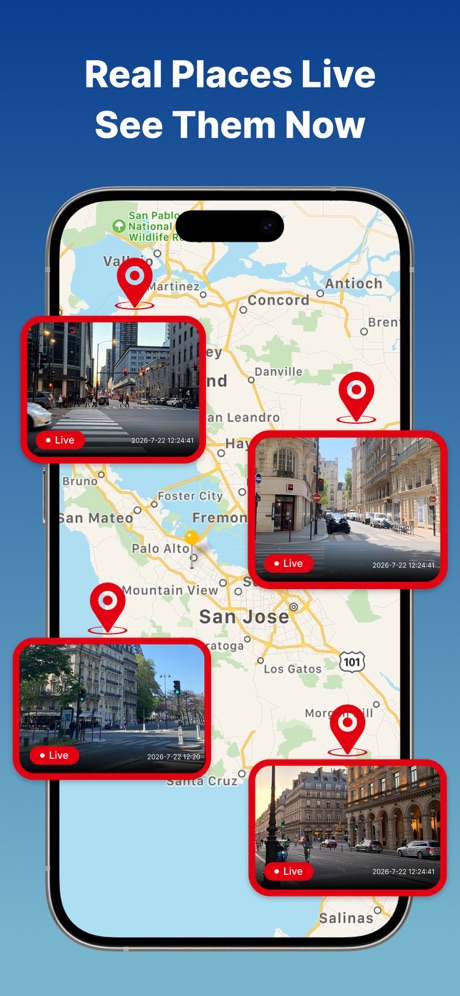
“Real Places Live See Them Now”

“Get there faster with live traffic updates & precise ETAs”

“Get the parking app trusted by millions of drivers”
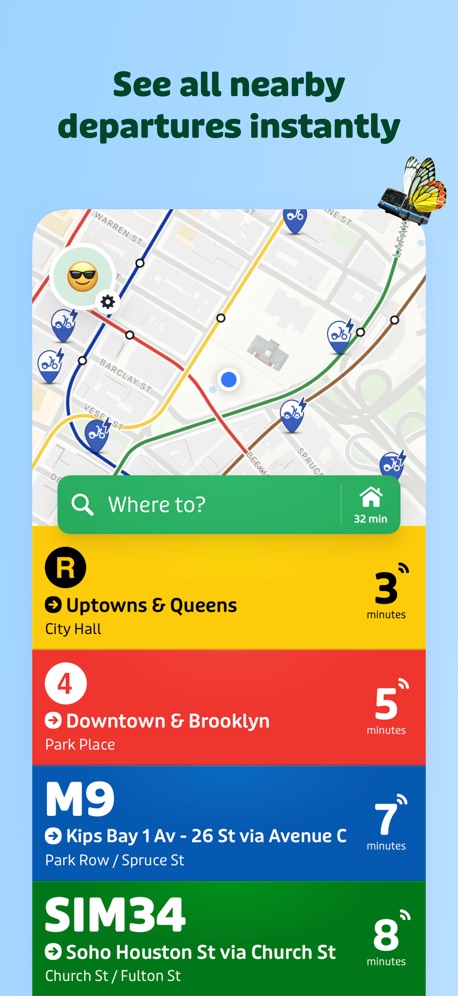
“See all nearby departures instantly”

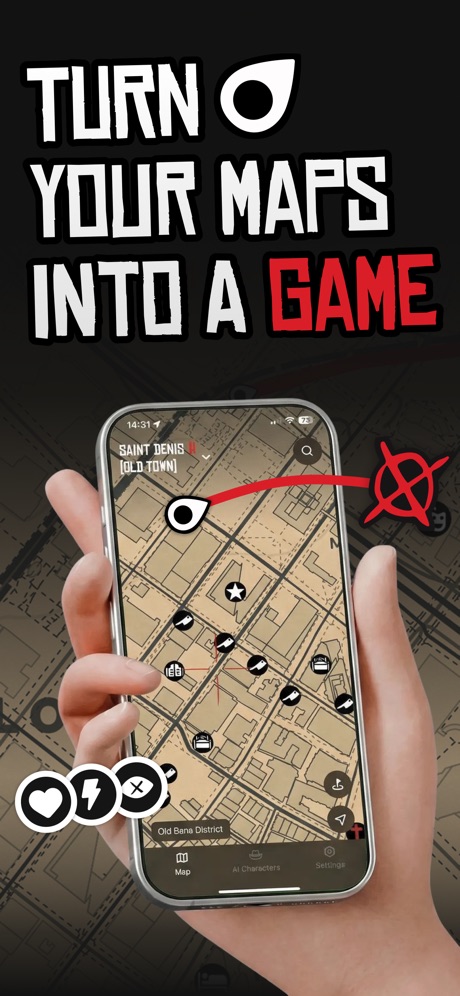
“TURN YOUR MAPS INTO A GAME”

“Use the Shell® Fuel Rewards® program in the Shell App & save more”

“Compare & book parking in 400+ cities”

“RESCUE COVERAGE”

“Earn points and save up to 50¢/gal off at participating Chevron stations”

“Speed Camera Alerts”
What these screenshots say, word for word.
The words on 40 of the 343 that carry any, as each app wrote them.
“Never miss a turn”
Google Maps · #1 · screenshot 1“Real Places Live See Them Now”
EarthScope: GPS Map Camera · #2 · screenshot 1“Get there faster with live traffic updates & precise ETAs”
Waze Navigation & Live Traffic · #3 · screenshot 1“Get the parking app trusted by millions of drivers”
ParkMobile: Park. Pay. Go. · #4 · screenshot 1“See all nearby departures instantly”
Transit • Subway & Bus Times · #5 · screenshot 1“TURN YOUR MAPS INTO A GAME”
Game Maps IRL · #7 · screenshot 1“Use the Shell® Fuel Rewards® program in the Shell App & save more”
Shell: Fuel, Charge & More · #8 · screenshot 1“Compare & book parking in 400+ cities”
SpotHero: #1 Rated Parking App · #9 · screenshot 1“RESCUE COVERAGE”
Add on professional dispatch, SAR, and medevac with onX SOS.onX Hunt: GPS Hunting Maps · #10 · screenshot 2“Earn points and save up to 50¢/gal off at participating Chevron stations”
Chevron · #11 · screenshot 1“Speed Camera Alerts”
In Real TimeReal-time GPS Location Sharing · #13 · screenshot 3- This image is for reference only, actual products or events are subject to official information.
“Lane-level navigation”
AMap Global · #14 · screenshot 1 “Tickets for LIRR & Metro-North”
MTA TrainTime · #15 · screenshot 1“Remarkable parking”
Metropolis: Remarkable Parking · #16 · screenshot 1“Earn savings you can use on fuel, car washes or in-store”
Exxon Mobil Rewards+ · #17 · screenshot 1“in 6 min”
Citymapper: All Live Transit · #18 · screenshot 4“Find available charging stations”
ChargePoint® · #20 · screenshot 1- OFFLINE MAPS
“MapXplorer”
Unlock the world in the palm of your hand, whether online or offline.MapXplorer: GPS Maps & Radar · #21 · screenshot 1 “Real-time traffic for bus and subway trips”
NAVER Maps, Navigation · #22 · screenshot 5“Real-Time Radar Alerts”
Radar GO-X : Navigation, Map · #23 · screenshot 1“OFF-ROAD TRAILS”
Discover Open Trails by Difficulty and Trail TypeonX Offroad: Trail Maps & GPS · #24 · screenshot 1“Find the essential functionalities and information you need to organise your trips in the Île-de-France region.”
Île-de-France Mobilités · #26 · screenshot 1“Set Your Truck Profile”
Add your vehicle dimensions for smarter routesRouteXL: Smart Truck GPS · #27 · screenshot 2“Track EV Charging In Real Time”
EVgo - Find a Fast EV Charger · #28 · screenshot 2“GPS navigation for Trucks”
Trucker Path: Truck GPS & Fuel · #29 · screenshot 2“Find your itinerary in seconds”
Bonjour RATP · #32 · screenshot 2“Thousands of bikes. All across NYC.”
Citi Bike · #34 · screenshot 2“See details and recent activity for each geocache”
Geocaching® · #35 · screenshot 3“Find EV Charging Stations”
PlugShare: Charging Stations · #36 · screenshot 1“OFFLINE MAPS”
Navigate With PrivacyOrganic Maps・Offline Maps, GPS · #37 · screenshot 1“A Social App for Car Enthusiasts”
Connect with friends, manage cars, and explore more car features.Exit51 · #38 · screenshot 1“Official MBTA”
Live transit informationMBTA Go — Official · #39 · screenshot 1“The largest public fast charging network in the U.S.”
Electrify America · #40 · screenshot 1“Save Up to $100 Per Fill-Up”
Mudflap · #41 · screenshot 3“PLAN SMARTER”
Monitor nearby wildfires or avalanche terrain exposure.onX Backcountry: 3D Trail Maps · #42 · screenshot 3“GET REWARDED WITH FUEL SAVINGS”
Marathon Rewards · #43 · screenshot 1“GET REWARDED WITH FUEL SAVINGS”
ARCO Rewards · #44 · screenshot 1“Enjoy exclusive everyday offers”
ExtraMile® · #45 · screenshot 5“Tenstreet’s first app for drivers”
Driver Pulse by Tenstreet · #46 · screenshot 1“Your ride is just a click away”
TripShot · #48 · screenshot 1
Top ten Navigation apps that do it.
- #1Google Maps6 of its 6 screenshots
- #2EarthScope: GPS Map Camera6 of its 6 screenshots
- #3Waze Navigation & Live Traffic5 of its 6 screenshots
- #4ParkMobile: Park. Pay. Go.5 of its 6 screenshots
- #5Transit • Subway & Bus Times5 of its 6 screenshots
- #6earnify1 of its 6 screenshots
- #7Game Maps IRL4 of its 6 screenshots
- #8Shell: Fuel, Charge & More6 of its 6 screenshots
- #9SpotHero: #1 Rated Parking App3 of its 5 screenshots
- #10onX Hunt: GPS Hunting Maps5 of its 6 screenshots
The same tactic in other categories.
| Category | Apps that do it | Screenshots | Top ten |
|---|---|---|---|
| Reference | 95% 95 of 100 | 57% 324 of 566 | 10 of 10 |
| Utilities | 94% 94 of 100 | 59% 325 of 549 | 9 of 10 |
| Graphics & Design | 94% 93 of 99 | 62% 348 of 564 | 10 of 10 |
| Navigation | 94% 93 of 99 | 64% 365 of 566 | 10 of 10 |
| Entertainment | 93% 93 of 100 | 62% 339 of 544 | 10 of 10 |
| Shopping | 93% 93 of 100 | 59% 331 of 562 | 10 of 10 |
| Social Networking | 93% 93 of 100 | 61% 337 of 554 | 10 of 10 |
| Health & Fitness | 92% 92 of 100 | 53% 303 of 574 | 9 of 10 |
| Medical | 92% 92 of 100 | 58% 316 of 548 | 9 of 10 |
| Travel | 92% 92 of 100 | 57% 317 of 561 | 8 of 10 |
| Developer Tools | 91% 91 of 100 | 68% 344 of 507 | 9 of 10 |
| Lifestyle | 91% 91 of 100 | 58% 325 of 556 | 7 of 10 |
| Productivity | 91% 90 of 99 | 59% 323 of 551 | 9 of 10 |
| News | 90% 88 of 98 | 59% 306 of 517 | 8 of 10 |
| Business | 89% 89 of 100 | 51% 284 of 554 | 10 of 10 |
| Education | 89% 89 of 100 | 52% 287 of 555 | 7 of 10 |
| Sports | 89% 89 of 100 | 59% 327 of 558 | 8 of 10 |
| Weather | 89% 89 of 100 | 56% 311 of 555 | 10 of 10 |
| Music | 87% 87 of 100 | 59% 324 of 550 | 8 of 10 |
| Food & Drink | 86% 86 of 100 | 47% 254 of 540 | 9 of 10 |
| Photo & Video | 86% 86 of 100 | 60% 342 of 566 | 10 of 10 |
| Finance | 79% 79 of 100 | 42% 245 of 581 | 7 of 10 |
| Games | 28% 28 of 100 | 15% 85 of 567 | 2 of 10 |
Related tactics.
Often on the same screenshot
- Screen fills the picture90% of these screenshots, against 79% of all Navigation screenshots
- Phone drawn100% of these screenshots, against 91% of all Navigation screenshots
- Leads with a feature68% of these screenshots, against 60% of all Navigation screenshots
- Words at the top91% of these screenshots, against 85% of all Navigation screenshots
- Headline under five words47% of these screenshots, against 42% of all Navigation screenshots
- Gradient background37% of these screenshots, against 33% of all Navigation screenshots
More in layout
- Phone drawn100%
- Screen fills the picture99%
- Words at the top92%
- Illustration or mascot78%
- A photograph76%
- Headline readable at thumbnail size58%
- Headline too small to read49%
- Phone cut off at the foot49%
- Arrows or callouts45%
- App icon shown40%
- A person in the picture31%
- Words aligned left31%
- No phone, bare screen23%
- Phone cut off at the head21%
- Phone at an angle19%
- Words at the bottom18%
- Screen is small17%
- A hand holds the phone15%
- Two or more screens15%
- Zoomed detail of the UI15%
- No app screen at all12%
- Watch, iPad or Mac beside it9%
- Words over the screen5%
Questions, answered from the chart.
How many top Navigation apps have App Store screenshots showing the whole phone?
Which Navigation apps have App Store screenshots showing the whole phone?
Should my Navigation app have App Store screenshots showing the whole phone?
See your own app against this.
Pagefully reads your screenshots the same way, and makes a custom product page for each search people type, from your real screens.
Preview your pages