Navigation app screenshots with large headlines
The headline is at least a twelfth of the picture’s height. Screenshots are shown small in search results, where only large type can be read.
From the top 99 free Navigation apps on the US App Store, read on October 9, 2026. Screenshots are the developers’ own, shown from Apple’s servers with a link to each app.
The numbers
135 of the 566 Navigation screenshots read (24%) do this, across 57 of the top 99 apps (58%). 3 of the top ten do it (30%), against 54 of the other 89 (61%): the top ten do it less than the rest. Of the 23 categories read so far, Navigation is 21st for this. It is most common in Food & Drink (84% of apps) and least common in Weather (48%).
12 examples from the chart.
12 of the 135 Navigation app screenshots with large headlines, one from each app, the highest on the chart first.

“Get directions from the voice you love”
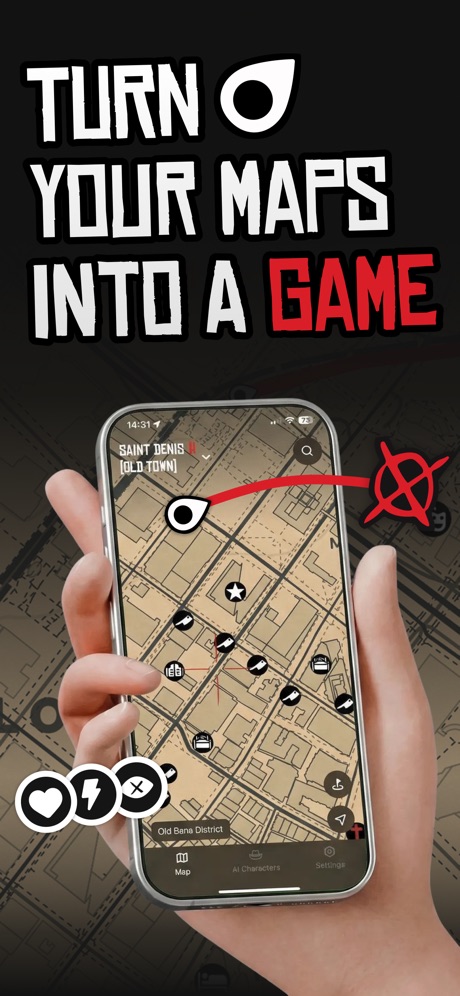
“TURN YOUR MAPS INTO A GAME”
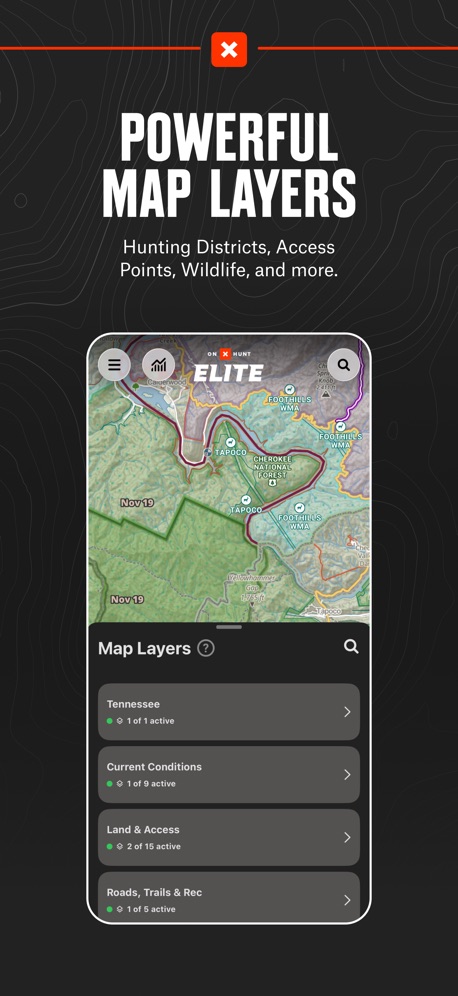
“POWERFUL MAP LAYERS”

“Find parking that works for you”

“GPS Locati”

“Lane-level navigation”

“Track Your Train in Real Time”

“And you’re done!”

“in 6 min”

“MapXplorer”

“Book ahead for dining, care and style”

“OFF-ROAD TRAILS”
What these screenshots say, word for word.
The words on 40 of the 135 that carry any, as each app wrote them.
“Get directions from the voice you love”
Waze Navigation & Live Traffic · #3 · screenshot 4“TURN YOUR MAPS INTO A GAME”
Game Maps IRL · #7 · screenshot 1“POWERFUL MAP LAYERS”
Hunting Districts, Access Points, Wildlife, and more.onX Hunt: GPS Hunting Maps · #10 · screenshot 5“Find parking that works for you”
ParkWhiz - #1 Parking App · #12 · screenshot 1“GPS Locati”
Real-time GPS Location Sharing · #13 · screenshot 1- This image is for reference only, actual products or events are subject to official information.
“Lane-level navigation”
AMap Global · #14 · screenshot 1 “Track Your Train in Real Time”
MTA TrainTime · #15 · screenshot 3“And you’re done!”
Exxon Mobil Rewards+ · #17 · screenshot 5“in 6 min”
Citymapper: All Live Transit · #18 · screenshot 4- OFFLINE MAPS
“MapXplorer”
Unlock the world in the palm of your hand, whether online or offline.MapXplorer: GPS Maps & Radar · #21 · screenshot 1 “Book ahead for dining, care and style”
NAVER Maps, Navigation · #22 · screenshot 4“OFF-ROAD TRAILS”
Discover Open Trails by Difficulty and Trail TypeonX Offroad: Trail Maps & GPS · #24 · screenshot 1“Find the best route”
Adapted to your search criteria and according to traffic conditions.Île-de-France Mobilités · #26 · screenshot 3- BUILT FOR TRUCKERS & CARS
“Routes Built for Your Truck”
Plan by height, weight length and loadRouteXL: Smart Truck GPS · #27 · screenshot 1 “Find Fast EV Chargers Near You”
1,200+ Stations NationwideEVgo - Find a Fast EV Charger · #28 · screenshot 1“Join the #1 App for Truck Drivers”
Used by millions of truckers to find places over-the-roadTrucker Path: Truck GPS & Fuel · #29 · screenshot 1“CarPlay ready”
I call shotgun!MapQuest GPS Navigation & Maps · #30 · screenshot 5“All local mobility options in one app”
Moovit: Bus & Transit Tracker · #31 · screenshot 1“A fun and affordable way to get around.”
lyft · citi bike.Citi Bike · #34 · screenshot 1“Find EV Charging Stations”
PlugShare: Charging Stations · #36 · screenshot 1“STAY ON TRACK”
Car · Bicycle · Bus Walking · MetroOrganic Maps・Offline Maps, GPS · #37 · screenshot 3“A Social App for Car Enthusiasts”
Connect with friends, manage cars, and explore more car features.Exit51 · #38 · screenshot 1“Check live arrival times”
MBTA Go — Official · #39 · screenshot 2- MUDFLAP
“The #1 Trucking App for Big Diesel Discounts”
Mudflap · #41 · screenshot 1 “BETTER MAPS. BETTER DAYS.”
onX Backcountry: 3D Trail Maps · #42 · screenshot 1“NAVIGATE IN CONFIDENCE”
WITH EASY-TO-USE MAPPING TOOLSHuntWise: A Better Hunting App · #49 · screenshot 2“I want to hunt with a”
GOHUNT empowers hunters with the research tools, technology, gear, and resources they need to get the most out of their time in the field.GOHUNT: Research & Maps · #50 · screenshot 1“Satellite View”
Live Satellite View & GPS Maps · #53 · screenshot 2“Offline Maps”
No cell service? No problem. Download maps for offline use.Gaia GPS: Mobile Trail Maps · #55 · screenshot 2“Offline Maps”
Largest collection of trail, topo, survey, & utility mapsAvenza Maps: Offline Mapping · #56 · screenshot 1“If Your Journey Is Truly Random Where Will You Go?”
Randonautica · #57 · screenshot 2“Get Instant Alert When Leave Area”
Locator: My Family & Friend · #58 · screenshot 2“地图验真”
海量地点信息 鲜活真数据百度地图-路线规划,出行必备 · #59 · screenshot 2“SAVE ON SNACKS AND DRINKS”
Club CITGO - Gas Rewards · #60 · screenshot 4“Get garage deals”
SpotAngels Parking & Gas · #63 · screenshot 2- Use on Mobile, Tablet, & Web
“View results”
right on the mapLandGlide: Parcel & Field Maps · #64 · screenshot 4 “for you”
Real-time location occupancy reportsPremium Parking · #65 · screenshot 2“Top up, buy a Travelcard, and more”
TfL Go: Plan, Pay, Travel · #66 · screenshot 3“Design Your Car Dasboard”
1M+ Users 5 Star ReviewsCar Dashboard Widgets - HiCar · #67 · screenshot 1“The #1 Mapping App For Trout Fishing”
Designed by trout anglers, for trout anglers.TroutRoutes: Fly Fishing App · #68 · screenshot 1
Top ten Navigation apps that do it.
- #3Waze Navigation & Live Traffic1 of its 6 screenshots
- #7Game Maps IRL3 of its 6 screenshots
- #10onX Hunt: GPS Hunting Maps2 of its 6 screenshots
The same tactic in other categories.
| Category | Apps that do it | Screenshots | Top ten |
|---|---|---|---|
| Food & Drink | 84% 84 of 100 | 41% 224 of 540 | 9 of 10 |
| Finance | 81% 81 of 100 | 40% 230 of 581 | 8 of 10 |
| Travel | 79% 79 of 100 | 37% 208 of 561 | 8 of 10 |
| Reference | 78% 78 of 100 | 39% 218 of 566 | 7 of 10 |
| Utilities | 78% 78 of 100 | 36% 200 of 549 | 9 of 10 |
| Shopping | 75% 75 of 100 | 42% 238 of 562 | 6 of 10 |
| Music | 72% 72 of 100 | 30% 164 of 550 | 6 of 10 |
| Productivity | 72% 71 of 99 | 28% 155 of 551 | 4 of 10 |
| Health & Fitness | 71% 71 of 100 | 27% 156 of 574 | 8 of 10 |
| Sports | 71% 71 of 100 | 34% 192 of 558 | 7 of 10 |
| Education | 70% 70 of 100 | 29% 163 of 555 | 8 of 10 |
| Games | 70% 70 of 100 | 44% 251 of 567 | 8 of 10 |
| Graphics & Design | 69% 68 of 99 | 29% 166 of 564 | 6 of 10 |
| Entertainment | 67% 67 of 100 | 27% 148 of 544 | 7 of 10 |
| Social Networking | 67% 67 of 100 | 29% 162 of 554 | 5 of 10 |
| Lifestyle | 66% 66 of 100 | 30% 166 of 556 | 9 of 10 |
| Photo & Video | 64% 64 of 100 | 23% 129 of 566 | 6 of 10 |
| News | 61% 60 of 98 | 27% 139 of 517 | 7 of 10 |
| Business | 61% 61 of 100 | 29% 159 of 554 | 6 of 10 |
| Medical | 58% 58 of 100 | 22% 119 of 548 | 5 of 10 |
| Navigation | 58% 57 of 99 | 24% 135 of 566 | 3 of 10 |
| Developer Tools | 55% 55 of 100 | 28% 143 of 507 | 3 of 10 |
| Weather | 48% 48 of 100 | 23% 129 of 555 | 6 of 10 |
Related tactics.
Often on the same screenshot
- Has a subline54% of these screenshots, against 20% of all Navigation screenshots
- Subline explains the headline44% of these screenshots, against 17% of all Navigation screenshots
- Headline under five words64% of these screenshots, against 42% of all Navigation screenshots
- Dark40% of these screenshots, against 26% of all Navigation screenshots
- High contrast words35% of these screenshots, against 21% of all Navigation screenshots
- Photo background26% of these screenshots, against 13% of all Navigation screenshots
More in layout
- Phone drawn100%
- Screen fills the picture99%
- Whole phone shown94%
- Words at the top92%
- Illustration or mascot78%
- A photograph76%
- Headline too small to read49%
- Phone cut off at the foot49%
- Arrows or callouts45%
- App icon shown40%
- A person in the picture31%
- Words aligned left31%
- No phone, bare screen23%
- Phone cut off at the head21%
- Phone at an angle19%
- Words at the bottom18%
- Screen is small17%
- A hand holds the phone15%
- Two or more screens15%
- Zoomed detail of the UI15%
- No app screen at all12%
- Watch, iPad or Mac beside it9%
- Words over the screen5%
Questions, answered from the chart.
How many top Navigation apps have App Store screenshots with large headlines?
Which Navigation apps have App Store screenshots with large headlines?
Should my Navigation app have App Store screenshots with large headlines?
See your own app against this.
Pagefully reads your screenshots the same way, and makes a custom product page for each search people type, from your real screens.
Preview your pages