Finance app screenshots showing the whole phone
The device is shown in full, top to bottom. The whole device shows the whole screen, with nothing cropped.
From the top 100 free Finance apps on the US App Store, read on October 9, 2026. Screenshots are the developers’ own, shown from Apple’s servers with a link to each app.
The numbers
245 of the 581 Finance screenshots read (42%) do this, across 79 of the top 100 apps (79%). 7 of the top ten do it (70%), against 72 of the other 90 (80%): the top ten do it less than the rest. Of the 23 categories read so far, Finance is 22nd for this. It is most common in Reference (95% of apps) and least common in Games (28%).
12 examples from the chart.
12 of the 245 Finance app screenshots showing the whole phone, one from each app, the highest on the chart first.

“FOOTBALL IS BACK.”

“Sign in easily with Face ID and Touch ID.”

“The app for every money move”
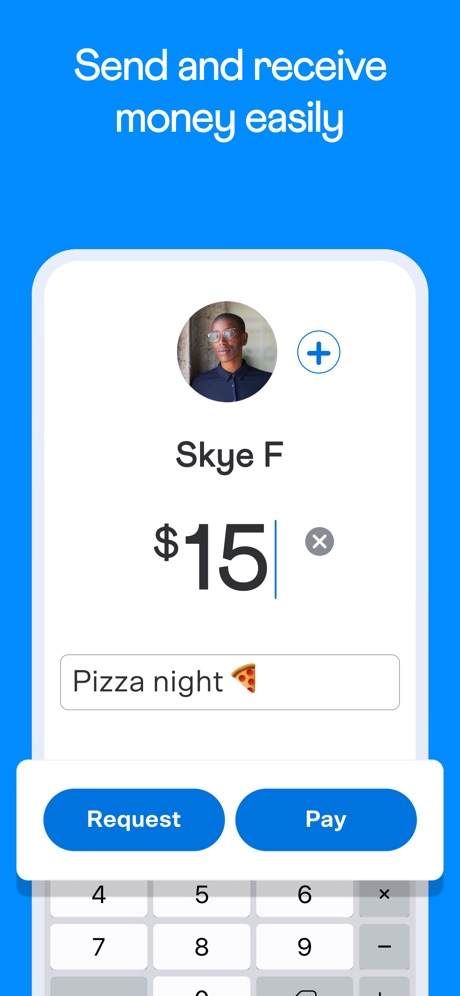
“Send and receive money easily”

“Unlimited commission-free trades with J.P. Morgan.”
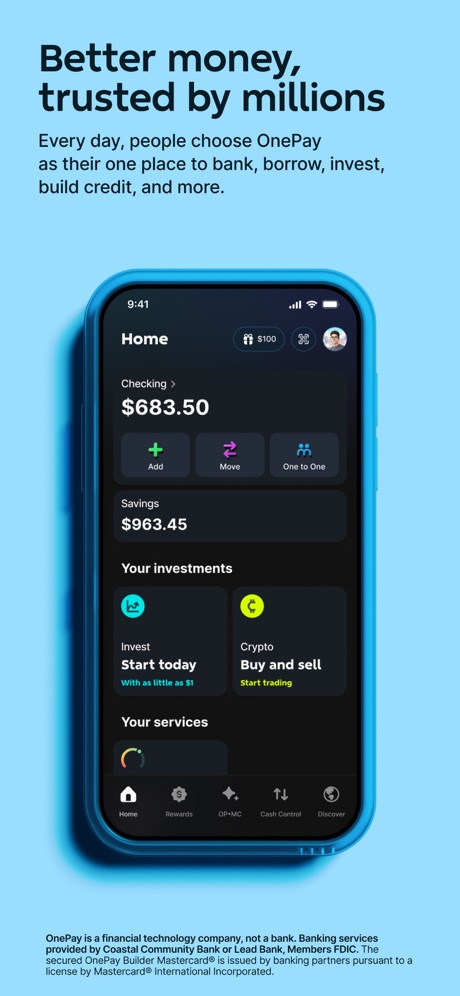
“Better money, trusted by millions”


“Your everyday money app”

“All-in-one app”

“See your big picture”

“Welcome to State Farm”

“Manage your Bank of America® banking and Merrill® investment accounts in one app”
What these screenshots say, word for word.
The words on 40 of the 236 that carry any, as each app wrote them.
- Kalshi
“FOOTBALL IS BACK.”
Kalshi: Trade Football & more · #2 · screenshot 1 “Sign in easily with Face ID and Touch ID.”
Capital One Mobile · #3 · screenshot 3“The app for every money move”
Cash App · #5 · screenshot 1“Send and receive money easily”
Venmo · #6 · screenshot 1“Unlimited commission-free trades with J.P. Morgan.”
Chase Mobile®: Bank & Invest · #7 · screenshot 3“Better money, trusted by millions”
Every day, people choose OnePay as their one place to bank, borrow, invest, build credit, and more.OnePay – Mobile Banking · #8 · screenshot 1“Your everyday money app”
Klarna: Smarter everyday money · #12 · screenshot 1“All-in-one app”
Manage stocks, ETFs, mutual funds, crypto, and more.Fidelity Investments · #13 · screenshot 1“See your big picture”
All your accounts in one placeWells Fargo Mobile® · #14 · screenshot 2“Welcome to State Farm”
Manage your policies, claims, bills & more.State Farm® · #15 · screenshot 1“Manage your Bank of America® banking and Merrill® investment accounts in one app”
Bank of America Mobile Banking · #16 · screenshot 1- Rocket Money
“See exactly where your money is going”
Rocket Money - Bills & Budgets · #17 · screenshot 1 “Insurance Made Easy”
GEICO Mobile - Car Insurance · #18 · screenshot 1- SCREEN IMAGES SIMULATED. FOR ILLUSTRATIVE PURPOSES ONLY
“Own crypto, bank, borrow, and invest.”
SoFi: Bank, Invest & Crypto · #19 · screenshot 5 “Mobile banking redesigned for everyday life”
See your account balances at-a-glance, search the app and send money with Zelle®.Citi Mobile® · #20 · screenshot 1“See exactly where your money goes”
Intuit Credit Karma · #21 · screenshot 3“Up to $500 in 5 min or less with ExtraCash™1”
Dave: Credit, Cash & Money App · #22 · screenshot 1“Say hello to your new BFF 6 your Big Financial Friend.”
Experian® · #24 · screenshot 1“Find personalized highlights of your Amex accounts on the Overview screen”
Amex · #25 · screenshot 2“The only official app for your EBT benefits.”
ebtEDGE NEW! · #26 · screenshot 1“An easy way to explore, pay and save”
MySynchrony · #27 · screenshot 1“Grows with you”
Safe spending limits that grow over time.Atlas - Rewards Credit Card · #28 · screenshot 3“See your balance and progress toward your retirement income goal, and easily make changes”
Empower ® · #29 · screenshot 2“Know where your money goes with money tracker.”
U.S. Bank Mobile Banking · #33 · screenshot 2“ZERO TRADING FEES WITH COINBASE ONE”
Coinbase: Buy Crypto & Stocks · #34 · screenshot 3“Advance up to $7506”
It’s your paycheck, get access to more of it when once you qualify.Current - Mobile Banking · #35 · screenshot 2“Claim Your Signup Bonus*”
Testerup: Test & Earn Rewards · #36 · screenshot 2“Earn points on rent”
Earn points on your largest expense, rent.Bilt Rewards · #37 · screenshot 1“View balances, performance, allocation, and more.”
NetBenefits · #39 · screenshot 1“Chart, chat and trade”
100M+ Traders and investors use our platformTradingView: Track All Markets · #40 · screenshot 1“your app for everything”
Allstate® Mobile · #41 · screenshot 1“When gas, groceries, or bills can't wait”
Rocco - Fast Cash Advance · #42 · screenshot 3“Discover exclusive deals & promotions”
Zip - Buy Now, Pay Later · #43 · screenshot 6“Account at a Glance”
Check your available credit and other account details from your home screenCredit One Bank Mobile · #44 · screenshot 3“Your personal financial assistant”
Genius does it all for you. Financial planning, shopping research, money transfers, and more.Albert: Budgeting and Banking · #47 · screenshot 2“BORROW. EARN. WIN.”
MoneyLion: Cash Advance App · #48 · screenshot 1“100% FREE BANKING. FINALLY.”
No minimum balance, monthly, or overdraft fees.¹ Plus, free cash deposits and withdrawals in-network.²Varo Bank: Online Banking · #52 · screenshot 1“Start trading in seconds”
Buy trending tokens using Apple Pay, 24 hours a day, 7 days a week.fomo - never miss out · #53 · screenshot 1“Pay the way you want”
Fast payments from your card, bank account, or Apple PayTaptap Send: Money Transfer · #54 · screenshot 3“Manage your financial life in one app”
Securely deposit checks and transfer funds, including external accounts.Schwab Mobile · #56 · screenshot 1
Top ten Finance apps that do it.
- #2Kalshi: Trade Football & more5 of its 6 screenshots
- #3Capital One Mobile2 of its 6 screenshots
- #5Cash App5 of its 6 screenshots
- #6Venmo1 of its 6 screenshots
- #7Chase Mobile®: Bank & Invest4 of its 6 screenshots
- #8OnePay – Mobile Banking5 of its 6 screenshots
- #10Progressive4 of its 6 screenshots
The same tactic in other categories.
| Category | Apps that do it | Screenshots | Top ten |
|---|---|---|---|
| Reference | 95% 95 of 100 | 57% 324 of 566 | 10 of 10 |
| Utilities | 94% 94 of 100 | 59% 325 of 549 | 9 of 10 |
| Graphics & Design | 94% 93 of 99 | 62% 348 of 564 | 10 of 10 |
| Navigation | 94% 93 of 99 | 64% 365 of 566 | 10 of 10 |
| Entertainment | 93% 93 of 100 | 62% 339 of 544 | 10 of 10 |
| Shopping | 93% 93 of 100 | 59% 331 of 562 | 10 of 10 |
| Social Networking | 93% 93 of 100 | 61% 337 of 554 | 10 of 10 |
| Health & Fitness | 92% 92 of 100 | 53% 303 of 574 | 9 of 10 |
| Medical | 92% 92 of 100 | 58% 316 of 548 | 9 of 10 |
| Travel | 92% 92 of 100 | 57% 317 of 561 | 8 of 10 |
| Developer Tools | 91% 91 of 100 | 68% 344 of 507 | 9 of 10 |
| Lifestyle | 91% 91 of 100 | 58% 325 of 556 | 7 of 10 |
| Productivity | 91% 90 of 99 | 59% 323 of 551 | 9 of 10 |
| News | 90% 88 of 98 | 59% 306 of 517 | 8 of 10 |
| Business | 89% 89 of 100 | 51% 284 of 554 | 10 of 10 |
| Education | 89% 89 of 100 | 52% 287 of 555 | 7 of 10 |
| Sports | 89% 89 of 100 | 59% 327 of 558 | 8 of 10 |
| Weather | 89% 89 of 100 | 56% 311 of 555 | 10 of 10 |
| Music | 87% 87 of 100 | 59% 324 of 550 | 8 of 10 |
| Food & Drink | 86% 86 of 100 | 47% 254 of 540 | 9 of 10 |
| Photo & Video | 86% 86 of 100 | 60% 342 of 566 | 10 of 10 |
| Finance | 79% 79 of 100 | 42% 245 of 581 | 7 of 10 |
| Games | 28% 28 of 100 | 15% 85 of 567 | 2 of 10 |
Related tactics.
Often on the same screenshot
- Screen fills the picture77% of these screenshots, against 61% of all Finance screenshots
- Phone drawn100% of these screenshots, against 88% of all Finance screenshots
- Blue38% of these screenshots, against 32% of all Finance screenshots
- Leads with a feature56% of these screenshots, against 50% of all Finance screenshots
- Gradient background52% of these screenshots, against 46% of all Finance screenshots
- Headline too small to read16% of these screenshots, against 11% of all Finance screenshots
More in layout
- Phone drawn100%
- Words at the top95%
- Screen fills the picture94%
- Illustration or mascot85%
- Headline readable at thumbnail size81%
- Phone cut off at the foot70%
- A photograph57%
- App icon shown54%
- Words aligned left52%
- Headline too small to read49%
- Arrows or callouts47%
- A person in the picture36%
- A hand holds the phone30%
- Phone cut off at the head30%
- Zoomed detail of the UI29%
- No app screen at all27%
- Screen is small25%
- Phone at an angle24%
- No phone, bare screen23%
- Two or more screens20%
- Words at the bottom18%
- Watch, iPad or Mac beside it10%
- Words over the screen10%
- Continues into the next screenshot1%
Questions, answered from the chart.
How many top Finance apps have App Store screenshots showing the whole phone?
Which Finance apps have App Store screenshots showing the whole phone?
Should my Finance app have App Store screenshots showing the whole phone?
See your own app against this.
Pagefully reads your screenshots the same way, and makes a custom product page for each search people type, from your real screens.
Preview your pages