Education app screenshots that show the app icon
The app’s icon appears in the picture. The icon is what the reader will look for on the home screen after installing.
From the top 100 free Education apps on the US App Store, read on October 9, 2026. Screenshots are the developers’ own, shown from Apple’s servers with a link to each app.
The numbers
59 of the 555 Education screenshots read (11%) do this, across 37 of the top 100 apps (37%). 5 of the top ten do it (50%), against 32 of the other 90 (36%): the top ten do it more than the rest. Of the 23 categories read so far, Education is 18th for this. It is most common in Business (54% of apps) and least common in Games (20%).
12 examples from the chart.
12 of the 59 Education app screenshots that show the app icon, one from each app, the highest on the chart first.
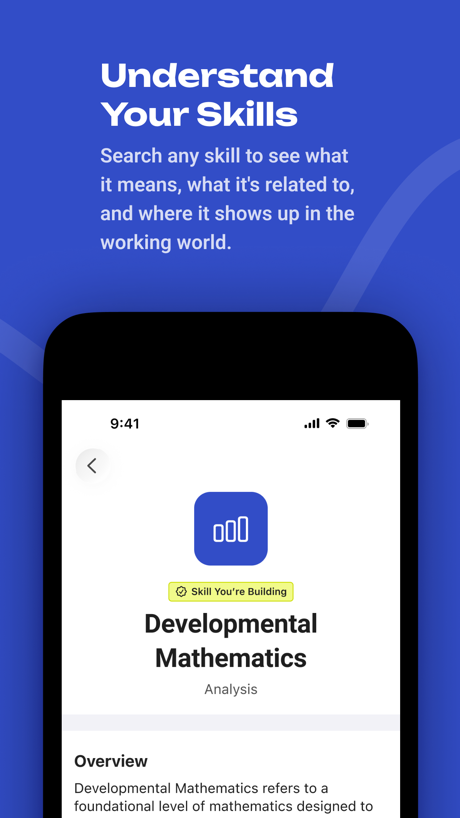
“Understand Your Skills”

“learn at your own pace”

“Never miss an update”

“View your grades using the new app widget!”

“Download sets to study on the go”

“Identify Any Plants”

“Find and play kahoots on any topic”

“Speak English Confidently with AI Tutors”

“Free dictionary searches”

“Learn in 10 Minutes a Day”
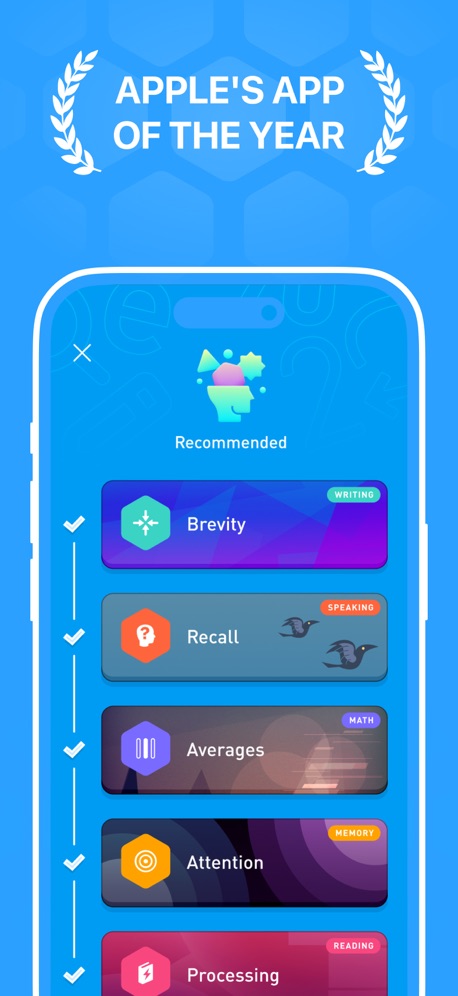
“APPLE'S APP OF THE YEAR”
What these screenshots say, word for word.
The words on 40 of the 53 that carry any, as each app wrote them.
“Understand Your Skills”
Search any skill to see what it means, what it's related to, and where it shows up in the working world.BigFuture School · #2 · screenshot 5“learn at your own pace”
Learna: Speak & Learn English · #4 · screenshot 5“Never miss an update”
ParentSquare · #5 · screenshot 1“View your grades using the new app widget!”
Canvas by Instructure · #7 · screenshot 3“Download sets to study on the go”
Quizlet: More than Flashcards · #9 · screenshot 5“Identify Any Plants”
PictureThis - Plant Identifier · #16 · screenshot 1“Find and play kahoots on any topic”
Kahoot! Play & Create Quizzes · #18 · screenshot 2“Speak English Confidently with AI Tutors”
YayTalk: Learn & Speak English · #19 · screenshot 1“Free dictionary searches”
Lingvano - Learn Sign Language · #23 · screenshot 5“Learn in 10 Minutes a Day”
Everything You Want to KnowMicro Learning - SmartyMe · #26 · screenshot 1“APPLE'S APP OF THE YEAR”
Elevate - Brain Training Games · #29 · screenshot 2“Learn ASL In 10 Minutes a Day.”
Ziggy: Learn ASL Sign Language · #31 · screenshot 1“Learning ASL,”
American Sign LanguageASL Bloom - Sign Language · #36 · screenshot 1“Будьте уверены, где ваш ребёнок”
Приложение покажет, где сейчас находятся детиГосуслуги Моя школа · #39 · screenshot 4“Grow with Guided Reading Plans”
FaithStudy – Bible Study Guide · #45 · screenshot 3“Speak Spanish”
fastParrot: Learn Spanish Language · #48 · screenshot 1“Never miss what’s happening”
StudentSquare App · #54 · screenshot 1“Matched Just for You”
Bold.org: Scholarships · #55 · screenshot 2“Your child will Learn to read”
“1 month in, my son reads full sentences!”Learn to Read - Reading.com · #57 · screenshot 1“You can learn anything”
Khan Academy · #60 · screenshot 1“Over 5000 educational applications”
ClassLink LaunchPad · #63 · screenshot 1“Start Your Daily Reading Mission”
Abide-Daily Scripture Study · #71 · screenshot 1“CHALLENGES”
TO OBSERVE NEW SPECIES AND EARN BADGESSeek by iNaturalist · #73 · screenshot 6“PLAY GAMES FAST!”
PBS KIDS Games · #77 · screenshot 4“Experience is the best teacher”
Track your required driving time, measure performance and produce a state approved driving log.RoadReady · #78 · screenshot 1“Trusted by 6M+ parents around the world”
Solid Starts: Baby First Foods · #79 · screenshot 1“A plan built around your goals”
Language Learning: Pingo AI · #80 · screenshot 4“Relax and unwind”
MultitaskingIQ Elevate - Brain Training · #89 · screenshot 3“Learning that adapts to you”
The trusted AI learning platform for studentsStudyFetch: AI Tutor · #90 · screenshot 1“Play with your food”
Toca Boca Jr: Fun Kids Games · #91 · screenshot 1“مرحبًا بك”
سجل دخول بواسطة حسابك الشخصيمنصة قدّم · #93 · screenshot 2“Learn like a CEO”
Replace scrolling with award-winning microlearningBlinkist: Book Summaries Daily · #96 · screenshot 1- Mentioned in The New York Times
“Fluency starts here”
Preply - Language Learning App · #99 · screenshot 1 “Watering Reminders”
PictureThis - Plant Identifier · #16 · screenshot 6“Scripture Reveals His Truth”
FaithStudy – Bible Study Guide · #45 · screenshot 5“Become fluent 2.7x faster”
“Input must be interesting and just above your level”Parrot: Learn Spanish Language · #48 · screenshot 3“Jump between your active apps in no time”
ClassLink LaunchPad · #63 · screenshot 3“Find Daily Wisdom And Reflection”
“I resist the proud but give grace to the humble; bow before Me, and I will lift you up in due time.”Abide-Daily Scripture Study · #71 · screenshot 2“Award-Winning First Foods® Database”
Solid Starts: Baby First Foods · #79 · screenshot 4“40+ Fun Games FOR YOUR BRAIN”
Brain GamesIQ Elevate - Brain Training · #89 · screenshot 4
Top ten Education apps that do it.
- #2BigFuture School1 of its 6 screenshots
- #4Learna: Speak & Learn English1 of its 6 screenshots
- #5ParentSquare1 of its 6 screenshots
- #7Canvas by Instructure1 of its 6 screenshots
- #9Quizlet: More than Flashcards1 of its 6 screenshots
The same tactic in other categories.
| Category | Apps that do it | Screenshots | Top ten |
|---|---|---|---|
| Business | 54% 54 of 100 | 15% 84 of 554 | 7 of 10 |
| Finance | 54% 54 of 100 | 13% 75 of 581 | 6 of 10 |
| News | 52% 51 of 98 | 16% 83 of 517 | 4 of 10 |
| Productivity | 52% 51 of 99 | 16% 90 of 551 | 4 of 10 |
| Entertainment | 51% 51 of 100 | 22% 118 of 544 | 9 of 10 |
| Sports | 51% 51 of 100 | 13% 75 of 558 | 6 of 10 |
| Weather | 48% 48 of 100 | 19% 107 of 555 | 5 of 10 |
| Food & Drink | 47% 47 of 100 | 13% 68 of 540 | 5 of 10 |
| Social Networking | 47% 47 of 100 | 15% 84 of 554 | 3 of 10 |
| Utilities | 47% 47 of 100 | 14% 78 of 549 | 2 of 10 |
| Lifestyle | 45% 45 of 100 | 12% 66 of 556 | 6 of 10 |
| Developer Tools | 44% 44 of 100 | 17% 88 of 507 | 7 of 10 |
| Health & Fitness | 41% 41 of 100 | 12% 68 of 574 | 4 of 10 |
| Reference | 41% 41 of 100 | 11% 65 of 566 | 5 of 10 |
| Navigation | 40% 40 of 99 | 12% 67 of 566 | 6 of 10 |
| Travel | 40% 40 of 100 | 10% 57 of 561 | 3 of 10 |
| Graphics & Design | 37% 37 of 99 | 13% 71 of 564 | 5 of 10 |
| Education | 37% 37 of 100 | 11% 59 of 555 | 5 of 10 |
| Music | 37% 37 of 100 | 10% 54 of 550 | 5 of 10 |
| Shopping | 36% 36 of 100 | 10% 56 of 562 | 5 of 10 |
| Medical | 27% 27 of 100 | 8% 43 of 548 | 0 of 10 |
| Photo & Video | 24% 24 of 100 | 6% 35 of 566 | 2 of 10 |
| Games | 20% 20 of 100 | 9% 53 of 567 | 2 of 10 |
Related tactics.
Often on the same screenshot
- Whole phone shown66% of these screenshots, against 52% of all Education screenshots
- Gradient background51% of these screenshots, against 37% of all Education screenshots
- High contrast words25% of these screenshots, against 13% of all Education screenshots
- Headline readable at thumbnail size41% of these screenshots, against 29% of all Education screenshots
- Says “you” or “your”36% of these screenshots, against 25% of all Education screenshots
- Words over the screen10% of these screenshots, against 2% of all Education screenshots
More in layout
- Screen fills the picture97%
- Phone drawn94%
- Whole phone shown89%
- Illustration or mascot86%
- Words at the top85%
- Headline readable at thumbnail size70%
- A photograph64%
- A person in the picture62%
- Arrows or callouts50%
- Headline too small to read49%
- No phone, bare screen40%
- Phone cut off at the foot38%
- A hand holds the phone36%
- Words aligned left30%
- No app screen at all29%
- Two or more screens27%
- Phone cut off at the head18%
- Zoomed detail of the UI15%
- Phone at an angle13%
- Words at the bottom13%
- Screen is small12%
- Watch, iPad or Mac beside it10%
- Words over the screen7%
Questions, answered from the chart.
How many top Education apps have App Store screenshots that show the app icon?
Which Education apps have App Store screenshots that show the app icon?
Should my Education app have App Store screenshots that show the app icon?
See your own app against this.
Pagefully reads your screenshots the same way, and makes a custom product page for each search people type, from your real screens.
Preview your pages