Photo & Video app screenshots that show the app icon
The app’s icon appears in the picture. The icon is what the reader will look for on the home screen after installing.
From the top 100 free Photo & Video apps on the US App Store, read on October 9, 2026. Screenshots are the developers’ own, shown from Apple’s servers with a link to each app.
The numbers
35 of the 566 Photo & Video screenshots read (6%) do this, across 24 of the top 100 apps (24%). 2 of the top ten do it (20%), against 22 of the other 90 (24%): the top ten do it about as often as the rest. Of the 23 categories read so far, Photo & Video is 22nd for this. It is most common in Business (54% of apps) and least common in Games (20%).
12 examples from the chart.
12 of the 35 Photo & Video app screenshots that show the app icon, one from each app, the highest on the chart first.

“Create”
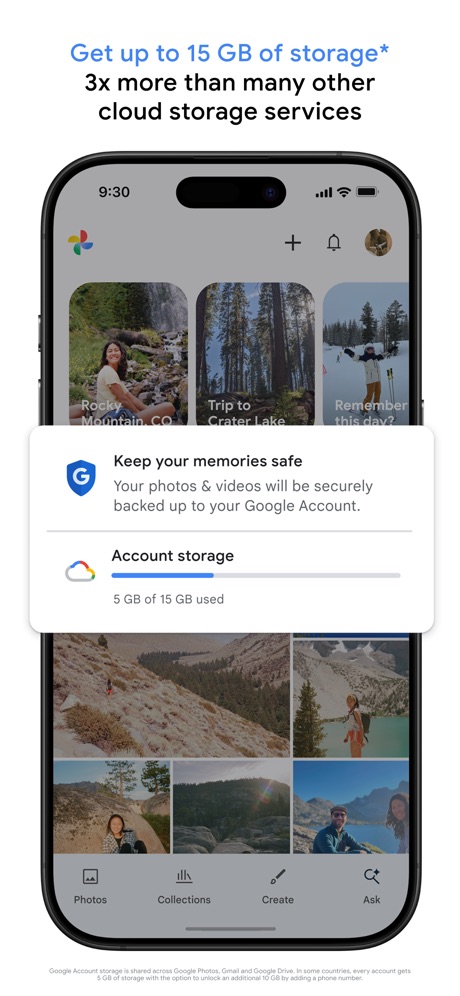
“Get up to 15 GB of storage* 3x more than many other cloud storage services”

“Discover new streams, clips, and stories”

“AI PHOTO & VIDEO GENERATOR”
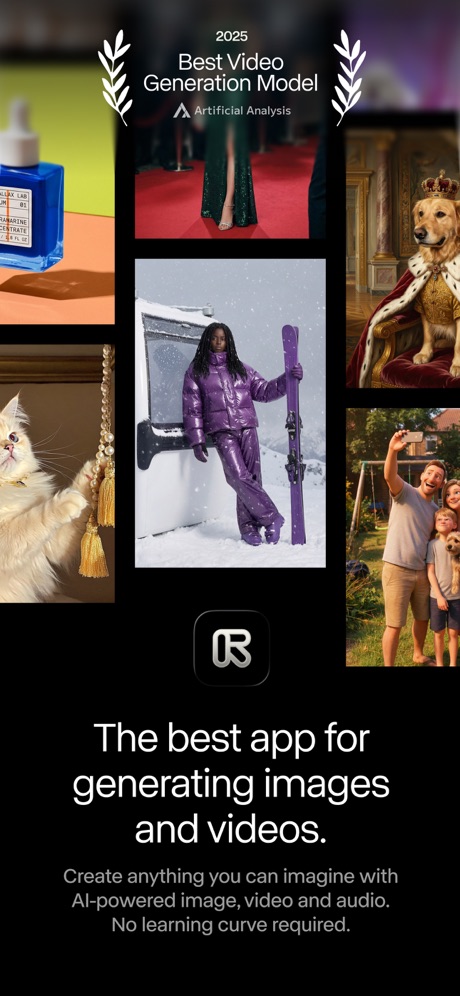
“The best app for generating images and videos.”
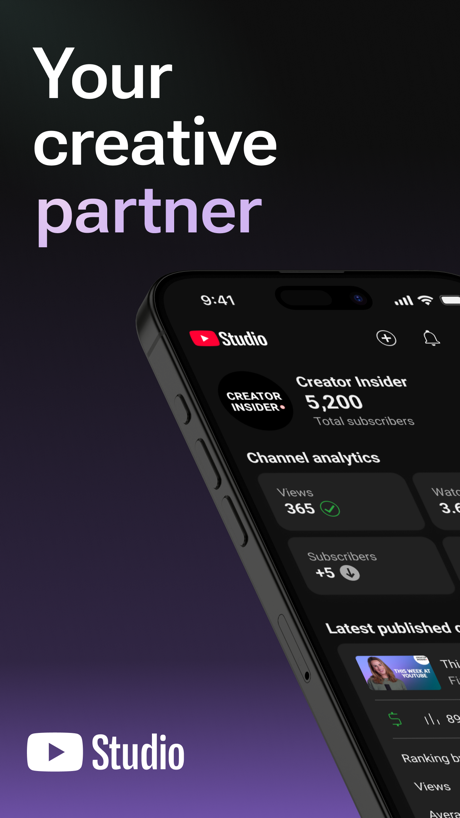
“Your creative partner”

“PixVerse Lite”

“Keep it in the Circle”

“Creative Companion for Any Occasion”


“ANY STYLE”
What these screenshots say, word for word.
The words on all 32 that carry any, as each app wrote them.
“Create”
Fun videos easily with ShortsYouTube · #3 · screenshot 1“Get up to 15 GB of storage* 3x more than many other cloud storage services”
Google Photos: Backup & Edit · #8 · screenshot 1“Discover new streams, clips, and stories”
Twitch: Live Streaming · #12 · screenshot 1- MOMO
“AI PHOTO & VIDEO GENERATOR”
take a photo, apply any style, animate instantlyMomo: AI Photo & Video Maker · #14 · screenshot 1 “The best app for generating images and videos.”
Create anything you can imagine with AI-powered image, video and audio. No learning curve required.Runway: AI Image & Video · #19 · screenshot 1“Your creative partner”
YouTube Studio · #20 · screenshot 1“PixVerse Lite”
AI Creative StudioPixVerse Lite · #21 · screenshot 1“Keep it in the Circle”
Share PrivatelyPhotoCircle · #22 · screenshot 1“Creative Companion for Any Occasion”
DJI Mimo · #24 · screenshot 1“D3D”
Samples by @Alissa boothDazz Cam - Vintage Camera · #35 · screenshot 3“ANY STYLE”
VideoGPT - AI Video Generator · #50 · screenshot 3“From phone to frame”
Frameo · #54 · screenshot 2- NEW!
“Browse GIFs & Clips,”
now with Sound!GIPHY: The GIF Search Engine · #64 · screenshot 1 “Generate effects, images or video.”
Adobe Premiere AI Video Editor · #67 · screenshot 3“AI Highlights Assistant”
It finds the best moments from a single video and shows you the highlights to review, in-camera!Insta360 · #71 · screenshot 6“Remove Noise”
Citrus 1 Tap Photo Enhancer AI · #78 · screenshot 2“SCREEN SHARE”
SO THEY SEE WHAT YOU SEEKICK - Go Live · #80 · screenshot 4“FOCUS”
Watch what matters mostHik-Connect - for End user · #83 · screenshot 5- 50% off in our Black Friday Sale
“The easiest way to print your memories”
Popsa | Print Your Photos · #86 · screenshot 1 “Record the Memories”
Viidure · #90 · screenshot 2“Browse”
Native app experienceVideo Lite · #91 · screenshot 2“We'll send you highlight videos, automatically.”
GoPro Quik · #93 · screenshot 2- NEW
“Face Shape Analysis”
Discover styling tips according to face shapeEPIK - AI Photo & Video Editor · #100 · screenshot 1 “Discover”
News, gaming & trendsYouTube · #3 · screenshot 5“Share On Social Media”
Momo: AI Photo & Video Maker · #14 · screenshot 4“Express yourself”
how you wantYouTube Studio · #20 · screenshot 3“AI Templates For Every Style”
PixVerse Lite · #21 · screenshot 2“Send to all your loved ones”
Frameo · #54 · screenshot 4“Cross-camera Video Q&A”
Ask and search every camera at once.Hik-Connect - for End user · #83 · screenshot 6“Build connections”
with who you wantYouTube Studio · #20 · screenshot 4“Plan your next move with insights”
YouTube Studio · #20 · screenshot 5“Turn passion into profit”
YouTube Studio · #20 · screenshot 6
Top ten Photo & Video apps that do it.
- #3YouTube2 of its 5 screenshots
- #8Google Photos: Backup & Edit1 of its 6 screenshots
The same tactic in other categories.
| Category | Apps that do it | Screenshots | Top ten |
|---|---|---|---|
| Business | 54% 54 of 100 | 15% 84 of 554 | 7 of 10 |
| Finance | 54% 54 of 100 | 13% 75 of 581 | 6 of 10 |
| News | 52% 51 of 98 | 16% 83 of 517 | 4 of 10 |
| Productivity | 52% 51 of 99 | 16% 90 of 551 | 4 of 10 |
| Entertainment | 51% 51 of 100 | 22% 118 of 544 | 9 of 10 |
| Sports | 51% 51 of 100 | 13% 75 of 558 | 6 of 10 |
| Weather | 48% 48 of 100 | 19% 107 of 555 | 5 of 10 |
| Food & Drink | 47% 47 of 100 | 13% 68 of 540 | 5 of 10 |
| Social Networking | 47% 47 of 100 | 15% 84 of 554 | 3 of 10 |
| Utilities | 47% 47 of 100 | 14% 78 of 549 | 2 of 10 |
| Lifestyle | 45% 45 of 100 | 12% 66 of 556 | 6 of 10 |
| Developer Tools | 44% 44 of 100 | 17% 88 of 507 | 7 of 10 |
| Health & Fitness | 41% 41 of 100 | 12% 68 of 574 | 4 of 10 |
| Reference | 41% 41 of 100 | 11% 65 of 566 | 5 of 10 |
| Navigation | 40% 40 of 99 | 12% 67 of 566 | 6 of 10 |
| Travel | 40% 40 of 100 | 10% 57 of 561 | 3 of 10 |
| Graphics & Design | 37% 37 of 99 | 13% 71 of 564 | 5 of 10 |
| Education | 37% 37 of 100 | 11% 59 of 555 | 5 of 10 |
| Music | 37% 37 of 100 | 10% 54 of 550 | 5 of 10 |
| Shopping | 36% 36 of 100 | 10% 56 of 562 | 5 of 10 |
| Medical | 27% 27 of 100 | 8% 43 of 548 | 0 of 10 |
| Photo & Video | 24% 24 of 100 | 6% 35 of 566 | 2 of 10 |
| Games | 20% 20 of 100 | 9% 53 of 567 | 2 of 10 |
Related tactics.
Often on the same screenshot
- Has a subline46% of these screenshots, against 25% of all Photo & Video screenshots
- Subline explains the headline31% of these screenshots, against 15% of all Photo & Video screenshots
- A word in a different colour37% of these screenshots, against 21% of all Photo & Video screenshots
- Plain tone83% of these screenshots, against 73% of all Photo & Video screenshots
- Gradient background51% of these screenshots, against 42% of all Photo & Video screenshots
- Words at the bottom11% of these screenshots, against 2% of all Photo & Video screenshots
More in layout
- Screen fills the picture100%
- A photograph99%
- Words at the top94%
- A person in the picture90%
- Phone drawn89%
- Whole phone shown86%
- Headline readable at thumbnail size64%
- Arrows or callouts58%
- Headline too small to read53%
- Illustration or mascot48%
- Zoomed detail of the UI46%
- No phone, bare screen42%
- A hand holds the phone39%
- Phone cut off at the foot28%
- Two or more screens27%
- Words aligned left22%
- Phone cut off at the head12%
- No app screen at all10%
- Watch, iPad or Mac beside it9%
- Words at the bottom8%
- Phone at an angle6%
- Screen is small5%
- Words over the screen3%
- Continues into the next screenshot1%
Questions, answered from the chart.
How many top Photo & Video apps have App Store screenshots that show the app icon?
Which Photo & Video apps have App Store screenshots that show the app icon?
Should my Photo & Video app have App Store screenshots that show the app icon?
See your own app against this.
Pagefully reads your screenshots the same way, and makes a custom product page for each search people type, from your real screens.
Preview your pages