Photo & Video app screenshots without a phone frame
The app’s screen edge to edge, with no device body. Without a device body, the app’s screen can be shown larger in the same space.
From the top 100 free Photo & Video apps on the US App Store, read on October 9, 2026. Screenshots are the developers’ own, shown from Apple’s servers with a link to each app.
The numbers
128 of the 566 Photo & Video screenshots read (23%) do this, across 42 of the top 100 apps (42%). 1 of the top ten do it (10%), against 41 of the other 90 (46%): the top ten do it less than the rest. Of the 23 categories read so far, Photo & Video is 3rd for this. It is most common in Games (90% of apps) and least common in Productivity (20%).
12 examples from the chart.
12 of the 128 Photo & Video app screenshots without a phone frame, one from each app, the highest on the chart first.
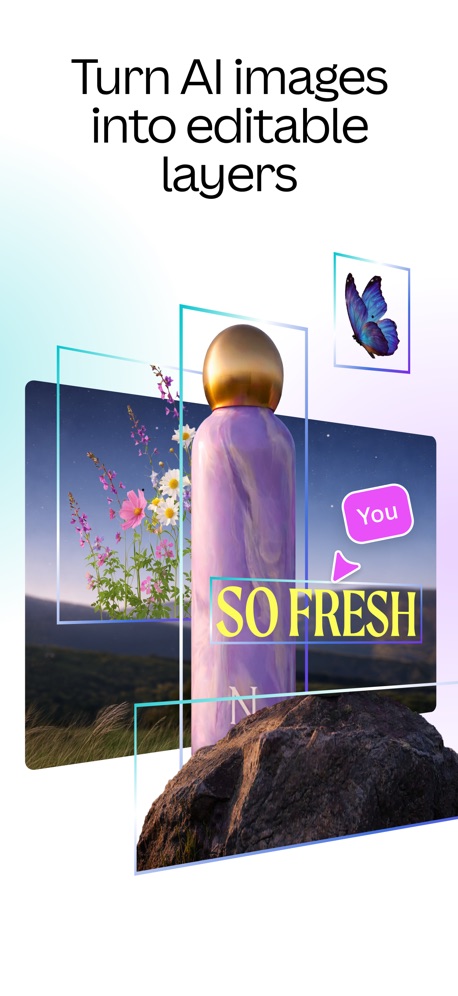
“Turn AI images into editable layers”

“AI PHOTO & VIDEO GENERATOR”

“One-tap face retouch”
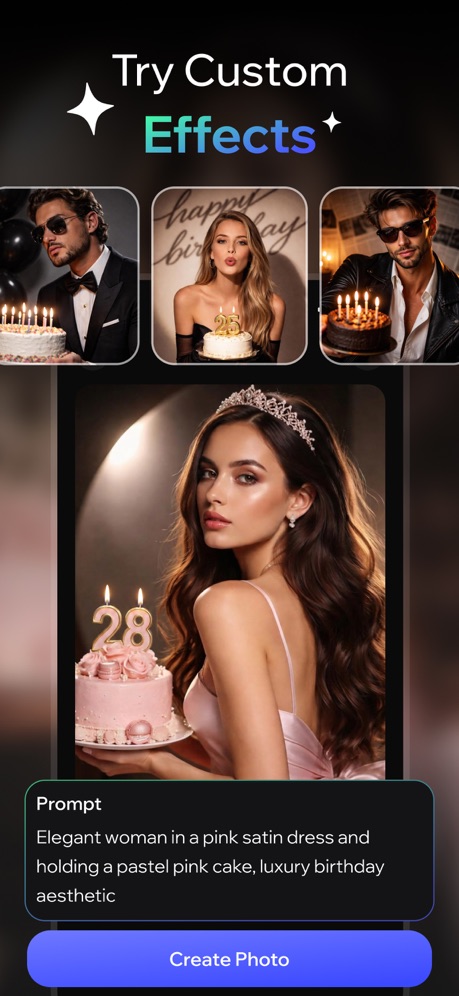
“Try Custom Effects”


“The best app for generating images and videos.”

“The pro-quality photo app for everyone.”

“Rediscover your best moments”

“AI Video Editor”

“Hair Editor”


“AI cutout and background remova”
What these screenshots say, word for word.
The words on 40 of the 108 that carry any, as each app wrote them.
“Turn AI images into editable layers”
Canva AI Photo & Video Editor · #6 · screenshot 4- MOMO
“AI PHOTO & VIDEO GENERATOR”
take a photo, apply any style, animate instantlyMomo: AI Photo & Video Maker · #14 · screenshot 1 “One-tap face retouch”
Picsart AI Photo Editor, Video · #15 · screenshot 4“Try Custom Effects”
AI Video Generator - Vixel · #16 · screenshot 6“The best app for generating images and videos.”
Create anything you can imagine with AI-powered image, video and audio. No learning curve required.Runway: AI Image & Video · #19 · screenshot 1“The pro-quality photo app for everyone.”
Lightroom: AI Photo Editor · #23 · screenshot 1“Rediscover your best moments”
Amazon Photos: Photo & Video · #25 · screenshot 3“AI Video Editor”
And Slideshow MakerInShot - Video Editor · #26 · screenshot 1“Hair Editor”
Dark Ombré Beach WavesFacetune: Photo & Video Editor · #27 · screenshot 1“AI cutout and background remova”
Only keep what you wantHypic - Photo Editor & AI Art · #31 · screenshot 1“DIGI CAM IT!”
Photo didn't hit?WayShot:Aesthetic Photo Editor · #33 · screenshot 1“Analog Vintage Cameras”
Photos and VideosDazz Cam - Vintage Camera · #35 · screenshot 1“YOUR AESTHETIC,”
BUILT HERE.Snapseed: Photo Editor · #37 · screenshot 1“BEFORE AFTER”
ism: Retro Camera & Vintage · #40 · screenshot 3“AI Flash”
Meitu AI Photo & Video Editor · #45 · screenshot 1“#1 Most downloaded face editor app in the US”
Retake AI Face & Selfie Editor · #48 · screenshot 1“Trendy Effects”
Wink: Video Enhancer & Editor · #49 · screenshot 5“50k+ Stickers And Backgrounds”
PicCollage: Magic Photo Editor · #51 · screenshot 4“New aesthetic: relight effects”
Prequel: Photo & Video Editor · #52 · screenshot 3“Body Effects”
VN: Photo & Video Editor · #56 · screenshot 2“AI edits like your favorite creators”
AI Avatar Generator - HeyGen · #61 · screenshot 2“REEL & TIK TOK”
TEMPLATESVids AI - Reels Video Editor · #62 · screenshot 1“Video to Live Wallpapers”
intoLive - Live Wallpapers · #70 · screenshot 1“AI Warp”
Use custom keywords to add a dynamic twist to your videos with AI.Insta360 · #71 · screenshot 4“Collage Film”
Muse: Reels Video Editor · #72 · screenshot 3“fontmaker”
Now you can use your own HandwhittingFontmaker - Font Keyboard App · #74 · screenshot 1“Vector Graphics”
Illustrate whatever you can imagine, then bring it to life!Alight Motion · #75 · screenshot 6- PRESETS
“AI-powered edits across 200+ presets”
VSCO: Photo & Video Editor · #77 · screenshot 2 “Natural HD Clarity in 1 Tap”
“20 MILLION EDITS PER MONTH”Citrus 1 Tap Photo Enhancer AI · #78 · screenshot 1“Makeup Editor”
Natural to glam makeup filtersYouCam Makeup: Face Editor · #84 · screenshot 1“Face & Body Editor”
Professional edits, made simplePeachy - AI Face & Body Editor · #85 · screenshot 1“PHOTO COLLAGE MAKER”
Collage Maker - LiveCollage · #88 · screenshot 1“Powerful editing”
Splice - Video Editor & Maker · #95 · screenshot 1“Serving It-Girl Aesthetics in One Tap”
“Serving It-Girl Aesthetics in One Tap”Esti: Aesthetic Photo Editor · #97 · screenshot 1“PHOTO COLLAGE MAKER”
Photo Collage Maker PicJointer · #99 · screenshot 1- NEW
“Face Shape Analysis”
Discover styling tips according to face shapeEPIK - AI Photo & Video Editor · #100 · screenshot 1 “Viral Video Maker”
Momo: AI Photo & Video Maker · #14 · screenshot 2“Generate cinematic stories in minutes.”
Runway: AI Image & Video · #19 · screenshot 5“Extend your photo to fit any size.”
Lightroom: AI Photo Editor · #23 · screenshot 2“Find any moment instantly”
Amazon Photos: Photo & Video · #25 · screenshot 6
Top ten Photo & Video apps that do it.
- #6Canva AI Photo & Video Editor1 of its 6 screenshots
The same tactic in other categories.
| Category | Apps that do it | Screenshots | Top ten |
|---|---|---|---|
| Games | 90% 90 of 100 | 76% 432 of 567 | 8 of 10 |
| Weather | 47% 47 of 100 | 25% 141 of 555 | 3 of 10 |
| Photo & Video | 42% 42 of 100 | 23% 128 of 566 | 1 of 10 |
| Education | 40% 40 of 100 | 18% 98 of 555 | 3 of 10 |
| Entertainment | 40% 40 of 100 | 12% 67 of 544 | 4 of 10 |
| Shopping | 39% 39 of 100 | 11% 63 of 562 | 4 of 10 |
| Graphics & Design | 38% 38 of 99 | 13% 73 of 564 | 3 of 10 |
| News | 35% 34 of 98 | 16% 81 of 517 | 4 of 10 |
| Travel | 32% 32 of 100 | 12% 66 of 561 | 3 of 10 |
| Health & Fitness | 31% 31 of 100 | 10% 57 of 574 | 3 of 10 |
| Lifestyle | 31% 31 of 100 | 10% 54 of 556 | 5 of 10 |
| Sports | 30% 30 of 100 | 11% 64 of 558 | 4 of 10 |
| Business | 29% 29 of 100 | 12% 65 of 554 | 2 of 10 |
| Developer Tools | 27% 27 of 100 | 14% 71 of 507 | 5 of 10 |
| Music | 27% 27 of 100 | 9% 52 of 550 | 2 of 10 |
| Reference | 27% 27 of 100 | 9% 50 of 566 | 5 of 10 |
| Medical | 26% 26 of 100 | 12% 68 of 548 | 1 of 10 |
| Social Networking | 26% 26 of 100 | 7% 40 of 554 | 1 of 10 |
| Utilities | 26% 26 of 100 | 8% 45 of 549 | 1 of 10 |
| Food & Drink | 24% 24 of 100 | 8% 43 of 540 | 5 of 10 |
| Navigation | 23% 23 of 99 | 6% 36 of 566 | 3 of 10 |
| Finance | 23% 23 of 100 | 7% 38 of 581 | 5 of 10 |
| Productivity | 20% 20 of 99 | 7% 38 of 551 | 2 of 10 |
Related tactics.
Often on the same screenshot
- Photo background29% of these screenshots, against 10% of all Photo & Video screenshots
- Orange44% of these screenshots, against 33% of all Photo & Video screenshots
- No words at all16% of these screenshots, against 6% of all Photo & Video screenshots
- A person in the picture80% of these screenshots, against 72% of all Photo & Video screenshots
- Screen fills the picture99% of these screenshots, against 92% of all Photo & Video screenshots
- Words aligned left19% of these screenshots, against 13% of all Photo & Video screenshots
More in layout
- Screen fills the picture100%
- A photograph99%
- Words at the top94%
- A person in the picture90%
- Phone drawn89%
- Whole phone shown86%
- Headline readable at thumbnail size64%
- Arrows or callouts58%
- Headline too small to read53%
- Illustration or mascot48%
- Zoomed detail of the UI46%
- A hand holds the phone39%
- Phone cut off at the foot28%
- Two or more screens27%
- App icon shown24%
- Words aligned left22%
- Phone cut off at the head12%
- No app screen at all10%
- Watch, iPad or Mac beside it9%
- Words at the bottom8%
- Phone at an angle6%
- Screen is small5%
- Words over the screen3%
- Continues into the next screenshot1%
Questions, answered from the chart.
How many top Photo & Video apps have App Store screenshots without a phone frame?
Which Photo & Video apps have App Store screenshots without a phone frame?
Should my Photo & Video app have App Store screenshots without a phone frame?
See your own app against this.
Pagefully reads your screenshots the same way, and makes a custom product page for each search people type, from your real screens.
Preview your pages