Photo & Video app screenshots with people
A photograph or drawing of a person. A person shows who the app is for, or the moment in which it is used.
From the top 100 free Photo & Video apps on the US App Store, read on October 9, 2026. Screenshots are the developers’ own, shown from Apple’s servers with a link to each app.
The numbers
408 of the 566 Photo & Video screenshots read (72%) do this, across 90 of the top 100 apps (90%). 10 of the top ten do it (100%), against 80 of the other 90 (89%): the top ten do it more than the rest. Of the 23 categories read so far, Photo & Video is 1st for this. It is most common in Photo & Video (90% of apps) and least common in Developer Tools (15%).
12 examples from the chart.
12 of the 408 Photo & Video app screenshots with people, one from each app, the highest on the chart first.

“Amazing templates”
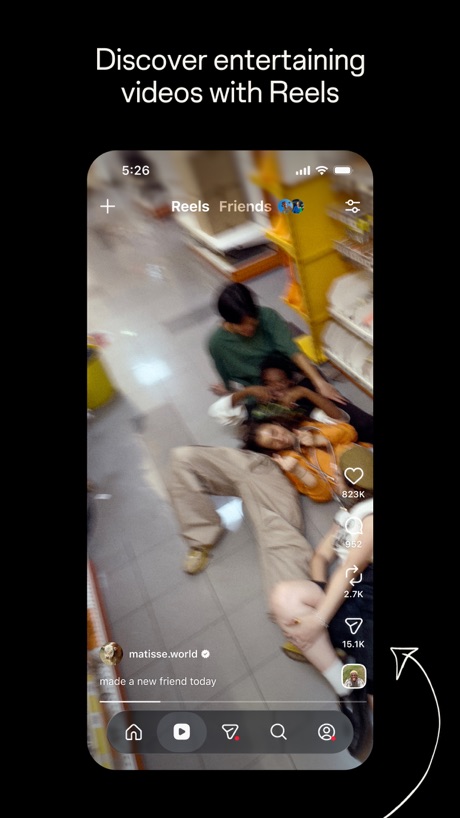
“Discover entertaining videos with Reels”

“Discover Shorts”

“AI Video”

“Snap”

“Design anything”

“Customize your captions”
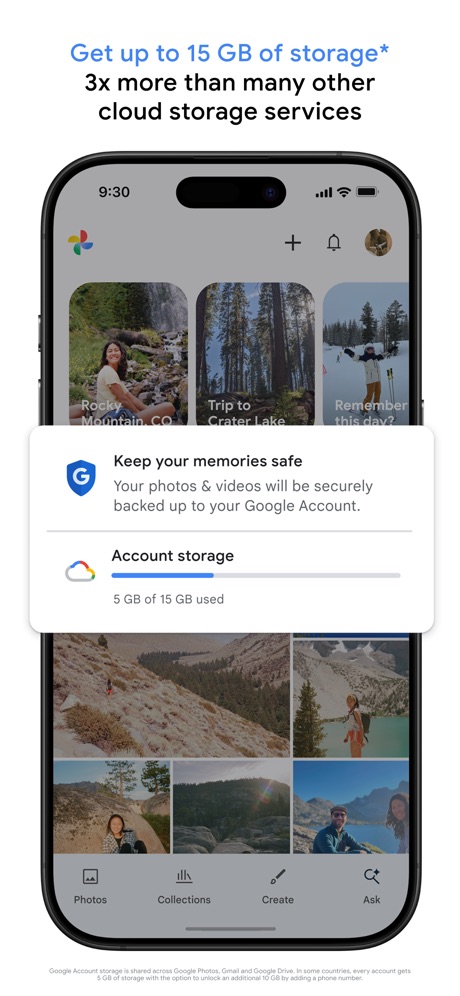
“Get up to 15 GB of storage* 3x more than many other cloud storage services”
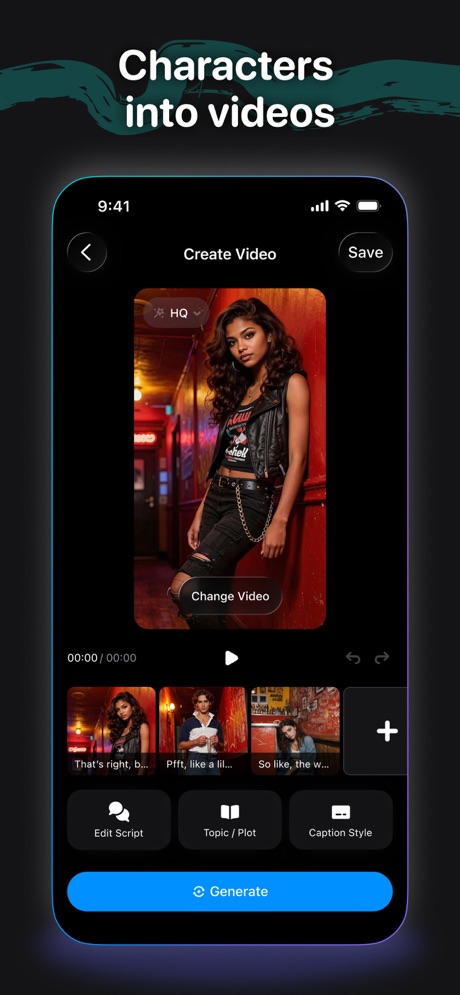
“Characters into videos”

“AI Dance Generator”

“Discover new streams, clips, and stories”

“Create videos in one take”
What these screenshots say, word for word.
The words on 40 of the 393 that carry any, as each app wrote them.
“Amazing templates”
CapCut: Photo & Video Editor · #1 · screenshot 1“Discover entertaining videos with Reels”
Instagram · #2 · screenshot 2“Discover Shorts”
More entertainment in less than a minuteYouTube · #3 · screenshot 2“AI Video”
GeneratorShots: Photo & Video Generator · #4 · screenshot 1“Snap”
Share the momentSnapchat · #5 · screenshot 1“Design anything”
Canva AI Photo & Video Editor · #6 · screenshot 1“Customize your captions”
Edits: Video Editor · #7 · screenshot 1“Get up to 15 GB of storage* 3x more than many other cloud storage services”
Google Photos: Backup & Edit · #8 · screenshot 1“Characters into videos”
Cantina: AI Video & Characters · #9 · screenshot 2“AI Dance Generator”
Dance AI - Video Generator · #10 · screenshot 1“Discover new streams, clips, and stories”
Twitch: Live Streaming · #12 · screenshot 1“Create videos in one take”
Vimeo · #13 · screenshot 4- MOMO
“AI PHOTO & VIDEO GENERATOR”
take a photo, apply any style, animate instantlyMomo: AI Photo & Video Maker · #14 · screenshot 1 “Explore your styles with AI try on”
Picsart AI Photo Editor, Video · #15 · screenshot 1“AI Video GENERATOR #1”
“Best in AI Videos”AI Video Generator - Vixel · #16 · screenshot 1“Stand out with your collages”
SCRL: Photo Collage Maker · #17 · screenshot 1“The best app for generating images and videos.”
Create anything you can imagine with AI-powered image, video and audio. No learning curve required.Runway: AI Image & Video · #19 · screenshot 1“Build connections”
with who you wantYouTube Studio · #20 · screenshot 4“PixVerse Lite”
AI Creative StudioPixVerse Lite · #21 · screenshot 1“Keep it in the Circle”
Share PrivatelyPhotoCircle · #22 · screenshot 1“The pro-quality photo app for everyone.”
Lightroom: AI Photo Editor · #23 · screenshot 1“Creative Companion for Any Occasion”
DJI Mimo · #24 · screenshot 1“Unlimited photo storage”
for prime membersAmazon Photos: Photo & Video · #25 · screenshot 1“AI Video Editor”
And Slideshow MakerInShot - Video Editor · #26 · screenshot 1“Hair Editor”
Dark Ombré Beach WavesFacetune: Photo & Video Editor · #27 · screenshot 1“AI Music Video hotel lobby”
FaceLab: Face Age, Hair Filter · #28 · screenshot 1“AI cutout and background remova”
Only keep what you wantHypic - Photo Editor & AI Art · #31 · screenshot 1“DIGI CAM IT!”
Photo didn't hit?WayShot:Aesthetic Photo Editor · #33 · screenshot 1“Always Connected”
Spend less time scheduling and more time together with technology built for families.Skylight App · #34 · screenshot 1“D3D”
Samples by @Alissa boothDazz Cam - Vintage Camera · #35 · screenshot 3“Get topic insights with search”
TikTok Studio · #36 · screenshot 1“YOUR AESTHETIC,”
BUILT HERE.Snapseed: Photo Editor · #37 · screenshot 1- Free!
“Get 1,000 free 4x6 photo prints a year”
FreePrints – Print Photos · #38 · screenshot 1 “Edit videos instantly with AI Edit”
Captions: AI Edits Your Video · #39 · screenshot 1“ISM EXCLUSIVE UNIQUE FILTERS”
ism: Retro Camera & Vintage · #40 · screenshot 1“One-tap AI Retouch”
Airbrush: Face Photo Editor · #41 · screenshot 1“Bring your voice to life with lip sync.”
ElevenLabs: AI Voice Generator · #42 · screenshot 1“Remove background”
Photoroom: AI Photo Editor · #44 · screenshot 2“AI Flash”
Meitu AI Photo & Video Editor · #45 · screenshot 1“A LITTLE DANCE A LOT OF JOY”
ReelMe: AI Photo & Video · #46 · screenshot 1
Top ten Photo & Video apps that do it.
- #1CapCut: Photo & Video Editor5 of its 6 screenshots
- #2Instagram4 of its 6 screenshots
- #3YouTube3 of its 5 screenshots
- #4Shots: Photo & Video Generator6 of its 6 screenshots
- #5Snapchat3 of its 6 screenshots
- #6Canva AI Photo & Video Editor4 of its 6 screenshots
- #7Edits: Video Editor6 of its 6 screenshots
- #8Google Photos: Backup & Edit5 of its 6 screenshots
- #9Cantina: AI Video & Characters3 of its 5 screenshots
- #10Dance AI - Video Generator4 of its 5 screenshots
The same tactic in other categories.
| Category | Apps that do it | Screenshots | Top ten |
|---|---|---|---|
| Photo & Video | 90% 90 of 100 | 72% 408 of 566 | 10 of 10 |
| Social Networking | 86% 86 of 100 | 54% 298 of 554 | 9 of 10 |
| Entertainment | 85% 85 of 100 | 49% 265 of 544 | 9 of 10 |
| Lifestyle | 74% 74 of 100 | 36% 201 of 556 | 8 of 10 |
| Sports | 70% 70 of 100 | 27% 148 of 558 | 9 of 10 |
| News | 67% 66 of 98 | 30% 156 of 517 | 7 of 10 |
| Shopping | 67% 67 of 100 | 31% 172 of 562 | 8 of 10 |
| Graphics & Design | 65% 64 of 99 | 34% 194 of 564 | 8 of 10 |
| Health & Fitness | 63% 63 of 100 | 26% 150 of 574 | 4 of 10 |
| Productivity | 63% 62 of 99 | 22% 122 of 551 | 8 of 10 |
| Business | 62% 62 of 100 | 26% 143 of 554 | 8 of 10 |
| Education | 62% 62 of 100 | 28% 153 of 555 | 5 of 10 |
| Medical | 60% 60 of 100 | 22% 123 of 548 | 6 of 10 |
| Music | 59% 59 of 100 | 27% 149 of 550 | 7 of 10 |
| Travel | 55% 55 of 100 | 22% 121 of 561 | 9 of 10 |
| Games | 53% 53 of 100 | 27% 155 of 567 | 2 of 10 |
| Reference | 50% 50 of 100 | 18% 102 of 566 | 6 of 10 |
| Utilities | 43% 43 of 100 | 16% 86 of 549 | 6 of 10 |
| Finance | 36% 36 of 100 | 10% 57 of 581 | 8 of 10 |
| Food & Drink | 33% 33 of 100 | 10% 54 of 540 | 6 of 10 |
| Navigation | 31% 31 of 99 | 8% 48 of 566 | 4 of 10 |
| Weather | 19% 19 of 100 | 6% 31 of 555 | 3 of 10 |
| Developer Tools | 15% 15 of 100 | 5% 26 of 507 | 4 of 10 |
Related tactics.
Often on the same screenshot
- A photograph98% of these screenshots, against 86% of all Photo & Video screenshots
- Orange40% of these screenshots, against 33% of all Photo & Video screenshots
- Arrows or callouts30% of these screenshots, against 25% of all Photo & Video screenshots
- High contrast words34% of these screenshots, against 30% of all Photo & Video screenshots
- Words at the top95% of these screenshots, against 91% of all Photo & Video screenshots
- Headline in Title Case23% of these screenshots, against 20% of all Photo & Video screenshots
More in layout
- Screen fills the picture100%
- A photograph99%
- Words at the top94%
- Phone drawn89%
- Whole phone shown86%
- Headline readable at thumbnail size64%
- Arrows or callouts58%
- Headline too small to read53%
- Illustration or mascot48%
- Zoomed detail of the UI46%
- No phone, bare screen42%
- A hand holds the phone39%
- Phone cut off at the foot28%
- Two or more screens27%
- App icon shown24%
- Words aligned left22%
- Phone cut off at the head12%
- No app screen at all10%
- Watch, iPad or Mac beside it9%
- Words at the bottom8%
- Phone at an angle6%
- Screen is small5%
- Words over the screen3%
- Continues into the next screenshot1%
Questions, answered from the chart.
How many top Photo & Video apps have App Store screenshots with people?
Which Photo & Video apps have App Store screenshots with people?
Should my Photo & Video app have App Store screenshots with people?
See your own app against this.
Pagefully reads your screenshots the same way, and makes a custom product page for each search people type, from your real screens.
Preview your pages