Travel app screenshots with people
A photograph or drawing of a person. A person shows who the app is for, or the moment in which it is used.
From the top 100 free Travel apps on the US App Store, read on October 9, 2026. Screenshots are the developers’ own, shown from Apple’s servers with a link to each app.
The numbers
121 of the 561 Travel screenshots read (22%) do this, across 55 of the top 100 apps (55%). 9 of the top ten do it (90%), against 46 of the other 90 (51%): the top ten do it more than the rest. Of the 23 categories read so far, Travel is 15th for this. It is most common in Photo & Video (90% of apps) and least common in Developer Tools (15%).
12 examples from the chart.
12 of the 121 Travel app screenshots with people, one from each app, the highest on the chart first.

“Your destination is at your fingertips”

“One app. All the rides.”

“Add incredible services to make your stay special”
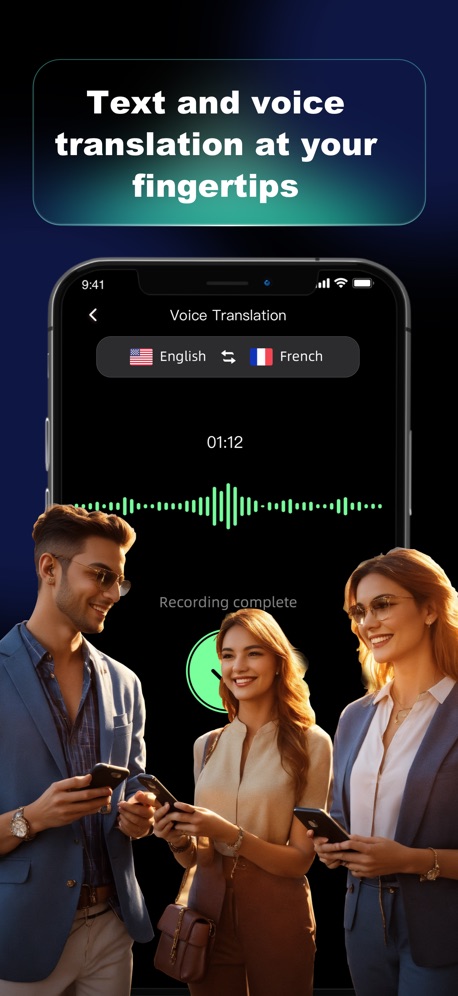
“Text and voice translation at your fingertips”

“Upgrade with Priority Boarding.*”

“Book your whole trip in one app”

“The NEW Frontier at your fingertips.”

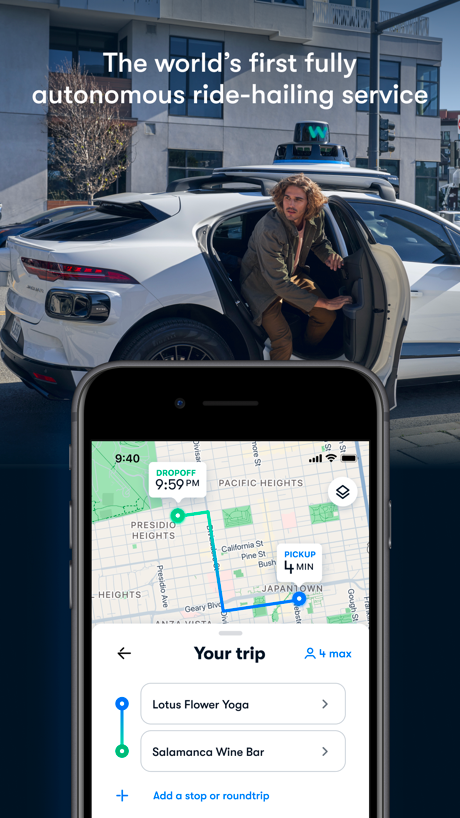
“The world’s first fully autonomous ride-hailing service”
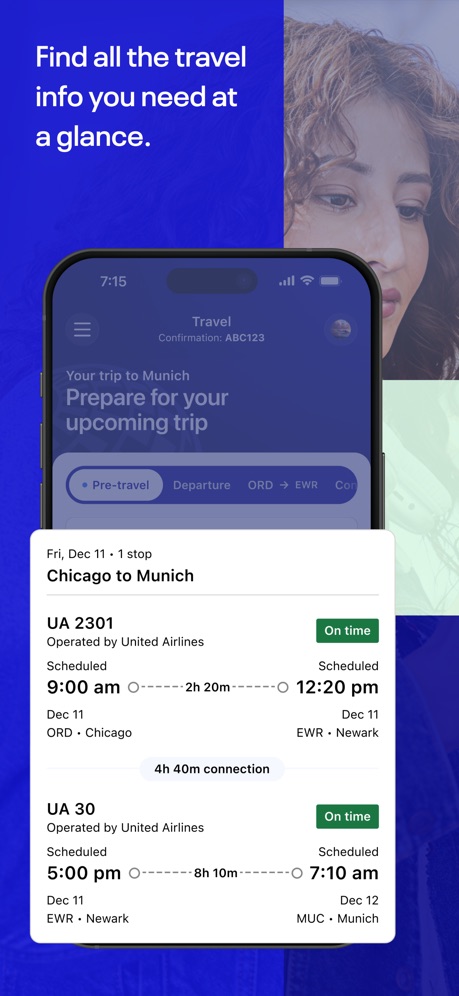
“Find all the travel info you need at a glance.”

“Stays that match your mood”

“Become a host and start your car sharing business”
What these screenshots say, word for word.
The words on 40 of the 113 that carry any, as each app wrote them.
“Your destination is at your fingertips”
Uber - Rides, Eats, Hotels · #1 · screenshot 3“One app. All the rides.”
Lyft · #2 · screenshot 1“Add incredible services to make your stay special”
Airbnb · #3 · screenshot 4“Text and voice translation at your fingertips”
GlobeRoam: GPS Camera Map · #4 · screenshot 1“Upgrade with Priority Boarding.*”
Southwest Airlines: Travel App · #6 · screenshot 5“Book your whole trip in one app”
Booking.com: Hotels & Travel · #7 · screenshot 1“The NEW Frontier at your fingertips.”
Frontier Airlines · #8 · screenshot 1“The world’s first fully autonomous ride-hailing service”
Waymo · #10 · screenshot 1“Find all the travel info you need at a glance.”
United Airlines · #11 · screenshot 1“Stays that match your mood”
Hilton Honors: Book Hotels · #13 · screenshot 2“Become a host and start your car sharing business”
Turo — Better car rental · #15 · screenshot 6“I've earned over $1,500 to date! I use Upside every time I fuel up and often when I go out for lunch.”
- Verified Upside User"I've earned over $1,500 to date! I use Upside every time I fuel up and often when I go out for lunch." - Verified Upside UserUpside: Gas & Food Cash Back · #17 · screenshot 6“AI Street Map”
Explore streets before you arriveLocaris – GPS World Map · #19 · screenshot 2“Seamless mobility”
Lime - #RideGreen · #22 · screenshot 4“Explore millions of host-free stays”
Private vacation rentalsVrbo: Vacation Rentals · #23 · screenshot 1“SAVE 15-20% ON AVERAGE”
Empower - Your ride, your way · #26 · screenshot 1“Search flights and book your next trip.”
JetBlue · #27 · screenshot 5“Store your tickets, passes, memberships and more all in one place”
Six Flags · #30 · screenshot 5“Book and manage your rental car anywhere at any time”
Hertz Rental Car, SUV, Van · #34 · screenshot 1“One-stop travel platform.”
By your side 24/7Trip.com: Book Flights, Hotels · #35 · screenshot 1“Find Your Plans and Add to the Fun”
My Disney Experience · #36 · screenshot 4“It drives. You ride.”
Zoox · #38 · screenshot 1“Take Control of Your Travel Day”
CLEAR: Travel Day Planning App · #39 · screenshot 1“Everything you need for the journey ahead”
Capital One Travel · #41 · screenshot 1“Ride how you like it”
Choose from affordable, premium, and electric optionsBolt: Request a Ride · #42 · screenshot 2“Southeast Asia's Superapp”
Grab: Taxi Ride, Food Delivery · #43 · screenshot 2“Explore New Places”
Amex Travel · #47 · screenshot 1“Guest how you guest”
IHG One Rewards: Book Hotels · #48 · screenshot 2“Right place”
GetYourGuide: Plan & Book · #49 · screenshot 1“MAXIMIZE YOUR VISIT”
with the Universal Studios Hollywood AppUniversal Studios Hollywood™ · #52 · screenshot 1“Simplify your journey”
PayByPhone Parking · #54 · screenshot 1“Stress-free travel planning is our kind of thing”
Viator Tours & Attractions · #56 · screenshot 1“Book your flights fast and easy”
Volaris · #58 · screenshot 1“Choose your driver”
inDrive. Save on city rides · #60 · screenshot 3“Find local, loving pet care for your unique pet”
700K+ verified pet sittersRover – Pet Sitters · #61 · screenshot 1“Skip the Line”
Paperless e-ticketsKlook: Travel & Activities · #69 · screenshot 3“Compare billions of prices from all your favourite travel sites in one place.”
Flights. Hotels. Car Rental.Skyscanner Flights & Travel · #70 · screenshot 1“Check your TO-DO-LIST ✓ and plan your cruise before you go”
Carnival HUB · #72 · screenshot 1“Your journey starts here”
British Airways · #74 · screenshot 1“Sit back & relax in a DiDi”
DiDi Rider: Affordable rides · #76 · screenshot 1
Top ten Travel apps that do it.
- #1Uber - Rides, Eats, Hotels1 of its 6 screenshots
- #2Lyft6 of its 6 screenshots
- #3Airbnb3 of its 6 screenshots
- #4GlobeRoam: GPS Camera Map1 of its 4 screenshots
- #6Southwest Airlines: Travel App1 of its 6 screenshots
- #7Booking.com: Hotels & Travel2 of its 6 screenshots
- #8Frontier Airlines1 of its 4 screenshots
- #9Fly Delta2 of its 6 screenshots
- #10Waymo2 of its 4 screenshots
The same tactic in other categories.
| Category | Apps that do it | Screenshots | Top ten |
|---|---|---|---|
| Photo & Video | 90% 90 of 100 | 72% 408 of 566 | 10 of 10 |
| Social Networking | 86% 86 of 100 | 54% 298 of 554 | 9 of 10 |
| Entertainment | 85% 85 of 100 | 49% 265 of 544 | 9 of 10 |
| Lifestyle | 74% 74 of 100 | 36% 201 of 556 | 8 of 10 |
| Sports | 70% 70 of 100 | 27% 148 of 558 | 9 of 10 |
| News | 67% 66 of 98 | 30% 156 of 517 | 7 of 10 |
| Shopping | 67% 67 of 100 | 31% 172 of 562 | 8 of 10 |
| Graphics & Design | 65% 64 of 99 | 34% 194 of 564 | 8 of 10 |
| Health & Fitness | 63% 63 of 100 | 26% 150 of 574 | 4 of 10 |
| Productivity | 63% 62 of 99 | 22% 122 of 551 | 8 of 10 |
| Business | 62% 62 of 100 | 26% 143 of 554 | 8 of 10 |
| Education | 62% 62 of 100 | 28% 153 of 555 | 5 of 10 |
| Medical | 60% 60 of 100 | 22% 123 of 548 | 6 of 10 |
| Music | 59% 59 of 100 | 27% 149 of 550 | 7 of 10 |
| Travel | 55% 55 of 100 | 22% 121 of 561 | 9 of 10 |
| Games | 53% 53 of 100 | 27% 155 of 567 | 2 of 10 |
| Reference | 50% 50 of 100 | 18% 102 of 566 | 6 of 10 |
| Utilities | 43% 43 of 100 | 16% 86 of 549 | 6 of 10 |
| Finance | 36% 36 of 100 | 10% 57 of 581 | 8 of 10 |
| Food & Drink | 33% 33 of 100 | 10% 54 of 540 | 6 of 10 |
| Navigation | 31% 31 of 99 | 8% 48 of 566 | 4 of 10 |
| Weather | 19% 19 of 100 | 6% 31 of 555 | 3 of 10 |
| Developer Tools | 15% 15 of 100 | 5% 26 of 507 | 4 of 10 |
Related tactics.
Often on the same screenshot
- A photograph91% of these screenshots, against 60% of all Travel screenshots
- A hand holds the phone19% of these screenshots, against 5% of all Travel screenshots
- Photo background37% of these screenshots, against 25% of all Travel screenshots
- Headline readable at thumbnail size46% of these screenshots, against 37% of all Travel screenshots
- Says “you” or “your”46% of these screenshots, against 38% of all Travel screenshots
- No phone, bare screen20% of these screenshots, against 12% of all Travel screenshots
More in layout
- Phone drawn99%
- Screen fills the picture97%
- Words at the top95%
- A photograph94%
- Whole phone shown92%
- Headline readable at thumbnail size79%
- Illustration or mascot69%
- Headline too small to read48%
- Phone cut off at the foot47%
- Words aligned left41%
- App icon shown40%
- Arrows or callouts39%
- No phone, bare screen32%
- Phone cut off at the head24%
- Words at the bottom22%
- Phone at an angle21%
- Screen is small21%
- Zoomed detail of the UI18%
- Two or more screens17%
- A hand holds the phone15%
- No app screen at all15%
- Words over the screen13%
- Watch, iPad or Mac beside it6%
- Continues into the next screenshot2%
Questions, answered from the chart.
How many top Travel apps have App Store screenshots with people?
Which Travel apps have App Store screenshots with people?
Should my Travel app have App Store screenshots with people?
See your own app against this.
Pagefully reads your screenshots the same way, and makes a custom product page for each search people type, from your real screens.
Preview your pages