Travel app screenshots with a phone frame
A device body is drawn round the screen: bezel, corners, shadow. A frame says at once that the picture is an app on a phone, and separates the screen from the background.
From the top 100 free Travel apps on the US App Store, read on October 9, 2026. Screenshots are the developers’ own, shown from Apple’s servers with a link to each app.
The numbers
477 of the 561 Travel screenshots read (85%) do this, across 99 of the top 100 apps (99%). 10 of the top ten do it (100%), against 89 of the other 90 (99%): the top ten do it about as often as the rest. Of the 23 categories read so far, Travel is 6th for this. It is most common in Finance (100% of apps) and least common in Games (33%).
12 examples from the chart.
12 of the 477 Travel app screenshots with a phone frame, one from each app, the highest on the chart first.


“Top-rated drivers,”

“Plan one-of-a-kind trips all in one app”
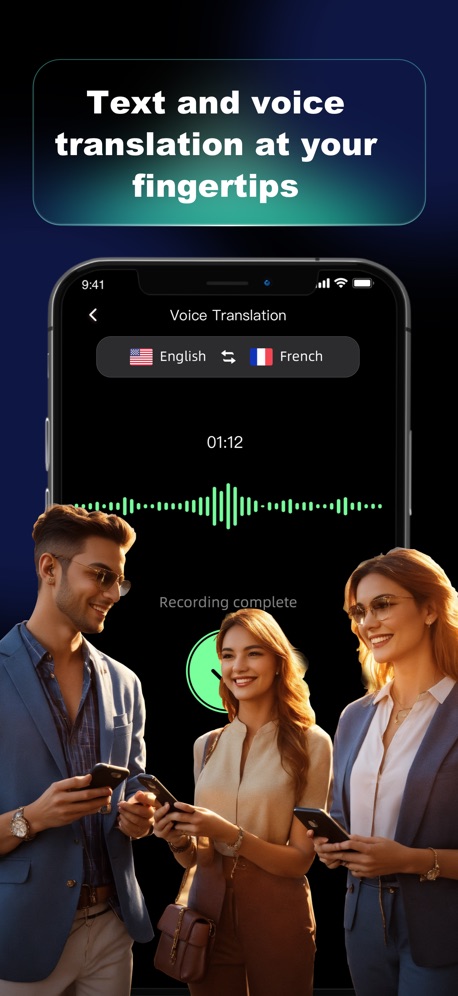
“Text and voice translation at your fingertips”

“Personalized home screen”

“Book a flight to your next destination.”

“Book your whole trip in one app”

“The NEW Frontier at your fingertips.”

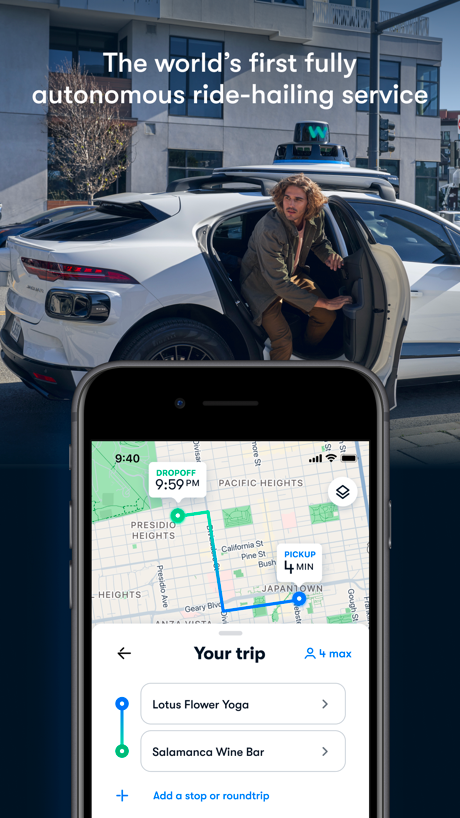
“The world’s first fully autonomous ride-hailing service”
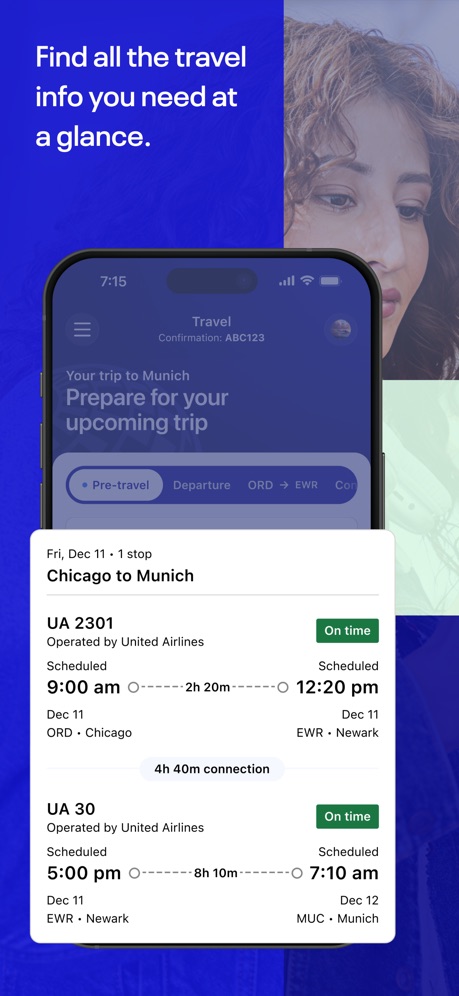
“Find all the travel info you need at a glance.”
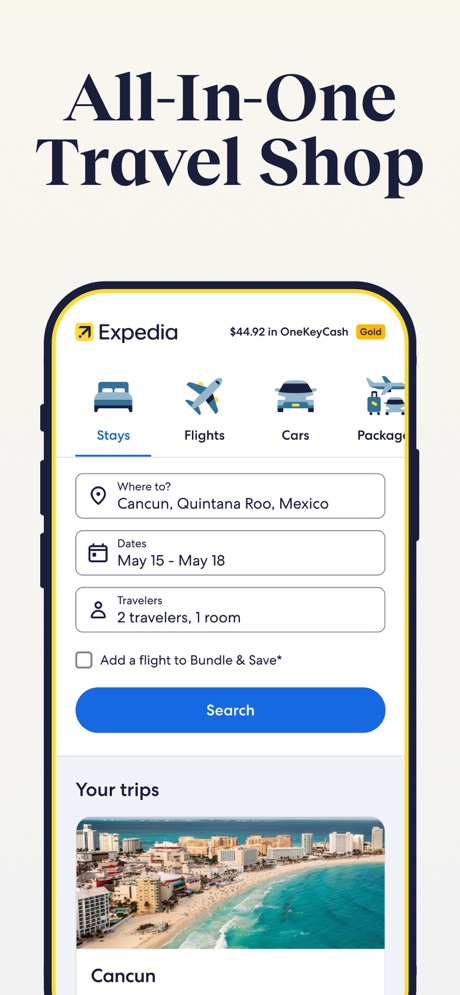
“All-In-One Travel Shop”
What these screenshots say, word for word.
The words on 40 of the 445 that carry any, as each app wrote them.
“GO ANY- WHERE”
Uber - Rides, Eats, Hotels · #1 · screenshot 2“Top-rated drivers,”
extra legroomLyft · #2 · screenshot 2“Plan one-of-a-kind trips all in one app”
Airbnb · #3 · screenshot 1“Text and voice translation at your fingertips”
GlobeRoam: GPS Camera Map · #4 · screenshot 1“Personalized home screen”
American Airlines · #5 · screenshot 2“Book a flight to your next destination.”
Southwest Airlines: Travel App · #6 · screenshot 2“Book your whole trip in one app”
Booking.com: Hotels & Travel · #7 · screenshot 1“The NEW Frontier at your fingertips.”
Frontier Airlines · #8 · screenshot 1“A premium shopping experience”
Fly Delta · #9 · screenshot 3“The world’s first fully autonomous ride-hailing service”
Waymo · #10 · screenshot 1“Find all the travel info you need at a glance.”
United Airlines · #11 · screenshot 1“All-In-One Travel Shop”
Expedia: Hotels, Flights, Cars · #12 · screenshot 1“It matters where you stay”
Hilton Honors: Book Hotels · #13 · screenshot 1“Open the app, Open the world”
Marriott Bonvoy: Book Hotels · #14 · screenshot 1“Book the perfect car near you”
Turo — Better car rental · #15 · screenshot 1“Get cash back on gas, groceries, and dining.”
Upside: Gas & Food Cash Back · #17 · screenshot 1“Global Live Views”
See the world as it happensLocaris – GPS World Map · #19 · screenshot 1“Effortless travel at your fingertips”
Amtrak · #20 · screenshot 1“Over a Million Hotels”
Up to 50% OffPriceline - Hotel, Car, Flight · #21 · screenshot 1“Find your ride nearby”
Lime - #RideGreen · #22 · screenshot 3“Unlock discounts on long stays”
Vrbo: Vacation Rentals · #23 · screenshot 2“From luxury lounges and spas, to sleep pods and dining.”
Priority Pass+ · #24 · screenshot 2“Moving Made Easier®”
The Fastest Way to Manage Your RentalU-Haul: Moving Made Easier® · #25 · screenshot 1“SAVE 15-20% ON AVERAGE”
Empower - Your ride, your way · #26 · screenshot 1“Everything you need to manage your trip with just a few taps.”
JetBlue · #27 · screenshot 2“Choose your look.”
Alaska Hawaiian · #28 · screenshot 2“Discover the World Beyond”
OrbiScope · #29 · screenshot 1“34 parks. One amazing app.”
Six Flags · #30 · screenshot 1“The Enterprise Rent-A-Car app is your personal car rental assistant”
Enterprise Rent-A-Car · #31 · screenshot 1“Order”
Tesla Robotaxi · #32 · screenshot 2- flightradar24
“The world's most trusted flight tracker”
As featured by:Flightradar24 | Flight Tracker · #33 · screenshot 1 “Book and manage your rental car anywhere at any time”
Hertz Rental Car, SUV, Van · #34 · screenshot 1“One-stop travel platform.”
By your side 24/7Trip.com: Book Flights, Hotels · #35 · screenshot 1“Experience the Magic”
My Disney Experience · #36 · screenshot 1“Plan your entire vacation”
Royal Caribbean International · #37 · screenshot 1“Welcome aboard”
Zoox · #38 · screenshot 3“Take Control of Your Travel Day”
CLEAR: Travel Day Planning App · #39 · screenshot 1“Experience the Magic”
Disneyland® · #40 · screenshot 1“Everything you need for the journey ahead”
Capital One Travel · #41 · screenshot 1“Tap. Ride. Go.”
Your next ride is minutes awayBolt: Request a Ride · #42 · screenshot 1
Top ten Travel apps that do it.
- #1Uber - Rides, Eats, Hotels6 of its 6 screenshots
- #2Lyft2 of its 6 screenshots
- #3Airbnb6 of its 6 screenshots
- #4GlobeRoam: GPS Camera Map4 of its 4 screenshots
- #5American Airlines5 of its 6 screenshots
- #6Southwest Airlines: Travel App4 of its 6 screenshots
- #7Booking.com: Hotels & Travel6 of its 6 screenshots
- #8Frontier Airlines4 of its 4 screenshots
- #9Fly Delta4 of its 6 screenshots
- #10Waymo4 of its 4 screenshots
The same tactic in other categories.
| Category | Apps that do it | Screenshots | Top ten |
|---|---|---|---|
| Finance | 100% 100 of 100 | 88% 510 of 581 | 10 of 10 |
| Food & Drink | 100% 100 of 100 | 87% 468 of 540 | 10 of 10 |
| Health & Fitness | 100% 100 of 100 | 86% 494 of 574 | 10 of 10 |
| Navigation | 100% 99 of 99 | 91% 517 of 566 | 10 of 10 |
| Social Networking | 100% 100 of 100 | 90% 497 of 554 | 10 of 10 |
| Lifestyle | 99% 99 of 100 | 85% 475 of 556 | 10 of 10 |
| Medical | 99% 99 of 100 | 83% 455 of 548 | 10 of 10 |
| Reference | 99% 99 of 100 | 87% 491 of 566 | 10 of 10 |
| Shopping | 99% 99 of 100 | 84% 471 of 562 | 10 of 10 |
| Travel | 99% 99 of 100 | 85% 477 of 561 | 10 of 10 |
| Productivity | 99% 98 of 99 | 88% 487 of 551 | 10 of 10 |
| Sports | 98% 98 of 100 | 84% 467 of 558 | 10 of 10 |
| Utilities | 98% 98 of 100 | 87% 480 of 549 | 9 of 10 |
| Business | 97% 97 of 100 | 84% 466 of 554 | 10 of 10 |
| Entertainment | 97% 97 of 100 | 85% 462 of 544 | 10 of 10 |
| Graphics & Design | 96% 95 of 99 | 83% 467 of 564 | 10 of 10 |
| Music | 95% 95 of 100 | 87% 480 of 550 | 9 of 10 |
| Developer Tools | 94% 94 of 100 | 85% 429 of 507 | 9 of 10 |
| Education | 94% 94 of 100 | 76% 420 of 555 | 9 of 10 |
| News | 94% 92 of 98 | 83% 427 of 517 | 10 of 10 |
| Weather | 92% 92 of 100 | 74% 409 of 555 | 10 of 10 |
| Photo & Video | 89% 89 of 100 | 75% 426 of 566 | 10 of 10 |
| Games | 33% 33 of 100 | 20% 113 of 567 | 2 of 10 |
Related tactics.
Often on the same screenshot
- Whole phone shown66% of these screenshots, against 57% of all Travel screenshots
- Leads with a feature53% of these screenshots, against 50% of all Travel screenshots
- Phone cut off at the foot19% of these screenshots, against 16% of all Travel screenshots
- Words at the top85% of these screenshots, against 82% of all Travel screenshots
- Gradient background33% of these screenshots, against 31% of all Travel screenshots
- Tells you to do something50% of these screenshots, against 48% of all Travel screenshots
More in layout
- Screen fills the picture97%
- Words at the top95%
- A photograph94%
- Whole phone shown92%
- Headline readable at thumbnail size79%
- Illustration or mascot69%
- A person in the picture55%
- Headline too small to read48%
- Phone cut off at the foot47%
- Words aligned left41%
- App icon shown40%
- Arrows or callouts39%
- No phone, bare screen32%
- Phone cut off at the head24%
- Words at the bottom22%
- Phone at an angle21%
- Screen is small21%
- Zoomed detail of the UI18%
- Two or more screens17%
- A hand holds the phone15%
- No app screen at all15%
- Words over the screen13%
- Watch, iPad or Mac beside it6%
- Continues into the next screenshot2%
Questions, answered from the chart.
How many top Travel apps have App Store screenshots with a phone frame?
Which Travel apps have App Store screenshots with a phone frame?
Should my Travel app have App Store screenshots with a phone frame?
See your own app against this.
Pagefully reads your screenshots the same way, and makes a custom product page for each search people type, from your real screens.
Preview your pages