Photo & Video app screenshots with tiny headlines
The headline is under a twentieth of the picture’s height. Small type can be read on the product page at full size, and is hard to read in search results.
From the top 100 free Photo & Video apps on the US App Store, read on October 9, 2026. Screenshots are the developers’ own, shown from Apple’s servers with a link to each app.
The numbers
94 of the 566 Photo & Video screenshots read (17%) do this, across 53 of the top 100 apps (53%). 5 of the top ten do it (50%), against 48 of the other 90 (53%): the top ten do it about as often as the rest. Of the 23 categories read so far, Photo & Video is 5th for this. It is most common in Health & Fitness (64% of apps) and least common in Games (17%).
12 examples from the chart.
12 of the 94 Photo & Video app screenshots with tiny headlines, one from each app, the highest on the chart first.

“AI generated effect”
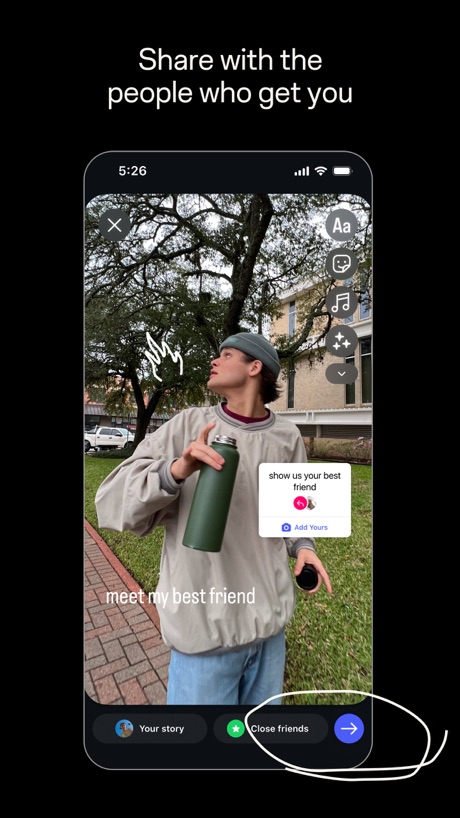
“Share with the people who get you”

“Customize your captions”
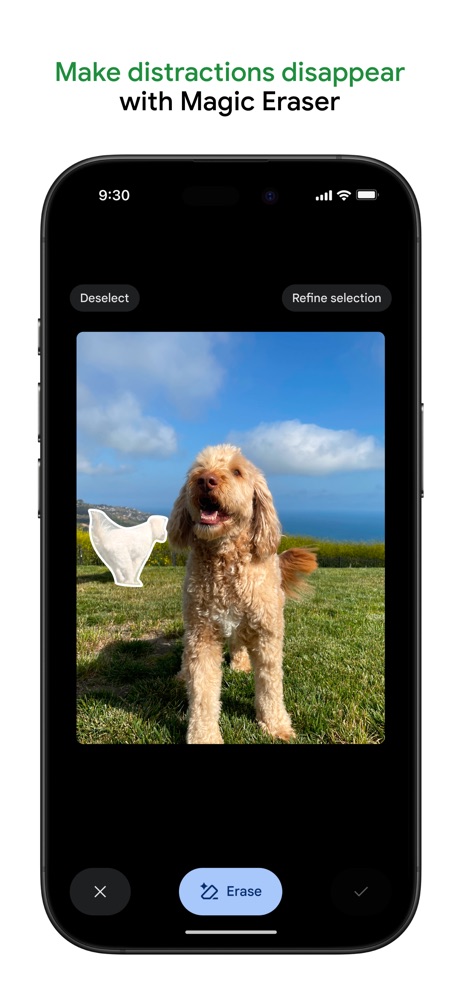
“Make distractions disappear with Magic Eraser”

“Turn imagination into characters”

“HOME WHAT'S PICKED FOR YOU”

“Discover new streams, clips, and stories”

“Upload and share anywhere on your terms”
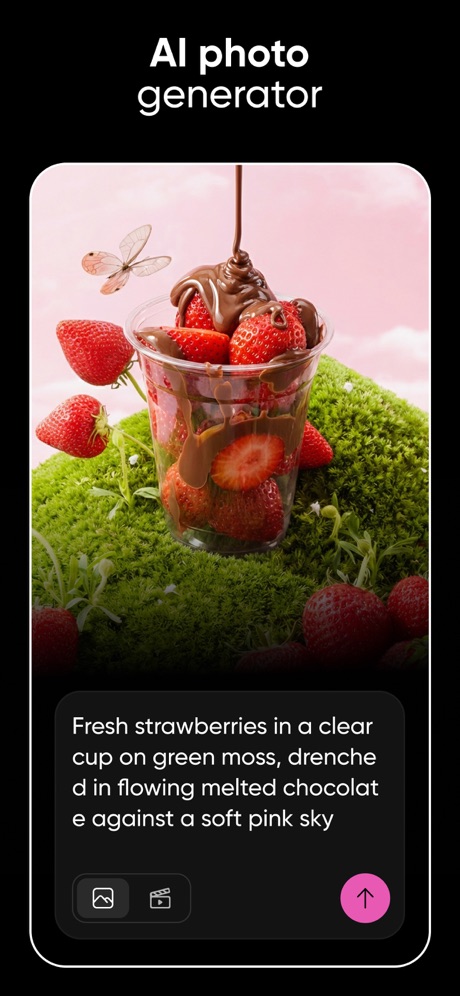
“AI photo generator”
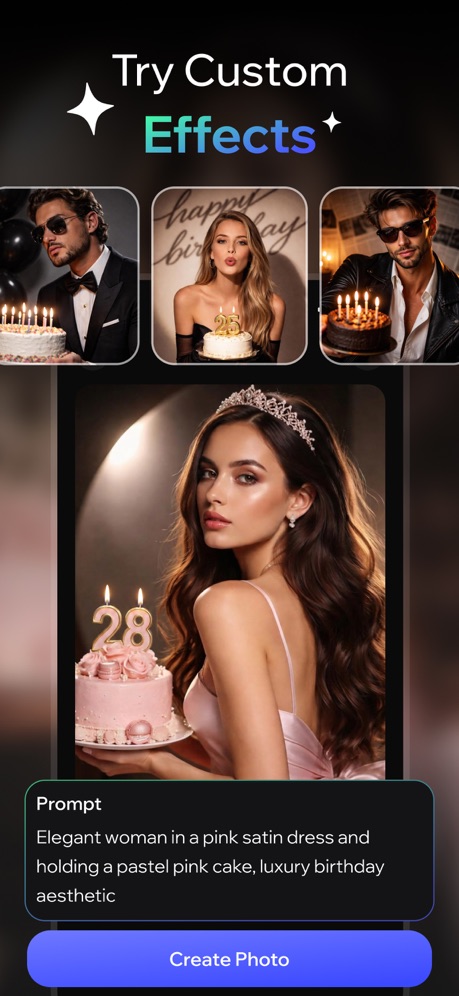
“Try Custom Effects”

“Edit your images in any way imaginable.”

“Keep it in the Circle”
What these screenshots say, word for word.
The words on 40 of the 94 that carry any, as each app wrote them.
“AI generated effect”
CapCut: Photo & Video Editor · #1 · screenshot 2“Share with the people who get you”
Instagram · #2 · screenshot 4“Customize your captions”
Edits: Video Editor · #7 · screenshot 1“Make distractions disappear with Magic Eraser”
Google Photos: Backup & Edit · #8 · screenshot 2“Turn imagination into characters”
Cantina: AI Video & Characters · #9 · screenshot 1“HOME WHAT'S PICKED FOR YOU”
KICK - Live Streaming · #11 · screenshot 1“Discover new streams, clips, and stories”
Twitch: Live Streaming · #12 · screenshot 1“Upload and share anywhere on your terms”
Vimeo · #13 · screenshot 2“AI photo generator”
“Fresh strawberries in a clear cup on green moss, drenched in flowing melted chocolate against a soft pink sky”Picsart AI Photo Editor, Video · #15 · screenshot 5“Try Custom Effects”
AI Video Generator - Vixel · #16 · screenshot 6“Edit your images in any way imaginable.”
Runway: AI Image & Video · #19 · screenshot 2“Keep it in the Circle”
Share PrivatelyPhotoCircle · #22 · screenshot 1“Remove anything in a touch with AI.”
Lightroom: AI Photo Editor · #23 · screenshot 4“Upgraded Editing for Better Experience”
DJI Mimo · #24 · screenshot 3“Your photos in every room”
"Alexa, show my photos."Amazon Photos: Photo & Video · #25 · screenshot 4“Professional Headshots”
Facetune: Photo & Video Editor · #27 · screenshot 3“AI cutout and background remova”
Only keep what you wantHypic - Photo Editor & AI Art · #31 · screenshot 1“POST IT RAW”
Zero edits neededWayShot:Aesthetic Photo Editor · #33 · screenshot 2“Get topic insights with search”
TikTok Studio · #36 · screenshot 1“THE NEW FILM STANDARD.”
Snapseed: Photo Editor · #37 · screenshot 2“Easy”
Get photos from your phone and social mediaFreePrints – Print Photos · #38 · screenshot 2“RECREATE THE LOOK OF VINTAGE CAMERAS”
ism: Retro Camera & Vintage · #40 · screenshot 5“Makeup Instant Glamour”
Airbrush: Face Photo Editor · #41 · screenshot 3“Create any image or video you can imagine.”
ElevenLabs: AI Voice Generator · #42 · screenshot 2“Try on models”
Photoroom: AI Photo Editor · #44 · screenshot 4“AI Flash”
Meitu AI Photo & Video Editor · #45 · screenshot 1“YOUR LOVE YOUR MOMENT”
ReelMe: AI Photo & Video · #46 · screenshot 2“Retake your photos with AI”
Retake AI Face & Selfie Editor · #48 · screenshot 2“Layouts For All Occasions”
PicCollage: Magic Photo Editor · #51 · screenshot 1“Add text to stand out”
Prequel: Photo & Video Editor · #52 · screenshot 6- 1-hour
“Photo Gifts & Prints”
Picta x CVS Photo · #53 · screenshot 1 “From phone to frame”
Frameo · #54 · screenshot 2“Share”
Relive special memories in a private, unlimited family photo albumAura Frames · #57 · screenshot 2“VIRAL VIDEOS”
IN SECONDSVids AI - Reels Video Editor · #62 · screenshot 6“Generate effects, images or video.”
Adobe Premiere AI Video Editor · #67 · screenshot 3“TOP TRENDS”
Toonapp: AI Video & Toon Photo · #69 · screenshot 1“1000+ Reels & TikTok Templates”
Muse: Reels Video Editor · #72 · screenshot 1“EASILY CREATE YOUR FONT”
Fontmaker - Font Keyboard App · #74 · screenshot 2“Parenting”
Link layers in a hierarchy for sophisticated animations such as character rigging.Alight Motion · #75 · screenshot 3“IMPRESSION”
FaceApp: Perfect Face Editor · #76 · screenshot 1
Top ten Photo & Video apps that do it.
- #1CapCut: Photo & Video Editor1 of its 6 screenshots
- #2Instagram3 of its 6 screenshots
- #7Edits: Video Editor4 of its 6 screenshots
- #8Google Photos: Backup & Edit5 of its 6 screenshots
- #9Cantina: AI Video & Characters1 of its 5 screenshots
The same tactic in other categories.
| Category | Apps that do it | Screenshots | Top ten |
|---|---|---|---|
| Health & Fitness | 64% 64 of 100 | 18% 104 of 574 | 5 of 10 |
| Productivity | 59% 58 of 99 | 19% 102 of 551 | 8 of 10 |
| Entertainment | 57% 57 of 100 | 17% 94 of 544 | 7 of 10 |
| Social Networking | 56% 56 of 100 | 17% 95 of 554 | 7 of 10 |
| Photo & Video | 53% 53 of 100 | 17% 94 of 566 | 5 of 10 |
| Business | 51% 51 of 100 | 16% 91 of 554 | 7 of 10 |
| Navigation | 49% 49 of 99 | 15% 83 of 566 | 4 of 10 |
| Education | 49% 49 of 100 | 12% 68 of 555 | 3 of 10 |
| Finance | 49% 49 of 100 | 11% 66 of 581 | 3 of 10 |
| Travel | 48% 48 of 100 | 13% 71 of 561 | 6 of 10 |
| Medical | 43% 43 of 100 | 15% 81 of 548 | 5 of 10 |
| Music | 42% 42 of 100 | 11% 62 of 550 | 6 of 10 |
| Reference | 42% 42 of 100 | 11% 63 of 566 | 3 of 10 |
| Lifestyle | 41% 41 of 100 | 13% 72 of 556 | 5 of 10 |
| Graphics & Design | 40% 40 of 99 | 11% 61 of 564 | 6 of 10 |
| Sports | 39% 39 of 100 | 13% 72 of 558 | 3 of 10 |
| Utilities | 39% 39 of 100 | 12% 68 of 549 | 6 of 10 |
| News | 38% 37 of 98 | 13% 66 of 517 | 5 of 10 |
| Food & Drink | 37% 37 of 100 | 11% 61 of 540 | 5 of 10 |
| Shopping | 37% 37 of 100 | 13% 72 of 562 | 2 of 10 |
| Developer Tools | 31% 31 of 100 | 11% 56 of 507 | 4 of 10 |
| Weather | 31% 31 of 100 | 10% 53 of 555 | 6 of 10 |
| Games | 17% 17 of 100 | 4% 20 of 567 | 3 of 10 |
Related tactics.
Often on the same screenshot
- Low contrast words33% of these screenshots, against 18% of all Photo & Video screenshots
- Whole phone shown72% of these screenshots, against 60% of all Photo & Video screenshots
- Solid background51% of these screenshots, against 42% of all Photo & Video screenshots
- Words at the top100% of these screenshots, against 91% of all Photo & Video screenshots
- Illustration or mascot26% of these screenshots, against 17% of all Photo & Video screenshots
- Phone drawn83% of these screenshots, against 75% of all Photo & Video screenshots
More in layout
- Screen fills the picture100%
- A photograph99%
- Words at the top94%
- A person in the picture90%
- Phone drawn89%
- Whole phone shown86%
- Headline readable at thumbnail size64%
- Arrows or callouts58%
- Illustration or mascot48%
- Zoomed detail of the UI46%
- No phone, bare screen42%
- A hand holds the phone39%
- Phone cut off at the foot28%
- Two or more screens27%
- App icon shown24%
- Words aligned left22%
- Phone cut off at the head12%
- No app screen at all10%
- Watch, iPad or Mac beside it9%
- Words at the bottom8%
- Phone at an angle6%
- Screen is small5%
- Words over the screen3%
- Continues into the next screenshot1%
Questions, answered from the chart.
How many top Photo & Video apps have App Store screenshots with tiny headlines?
Which Photo & Video apps have App Store screenshots with tiny headlines?
Should my Photo & Video app have App Store screenshots with tiny headlines?
See your own app against this.
Pagefully reads your screenshots the same way, and makes a custom product page for each search people type, from your real screens.
Preview your pages