Social Networking app screenshots with tiny headlines
The headline is under a twentieth of the picture’s height. Small type can be read on the product page at full size, and is hard to read in search results.
From the top 100 free Social Networking apps on the US App Store, read on October 9, 2026. Screenshots are the developers’ own, shown from Apple’s servers with a link to each app.
The numbers
95 of the 554 Social Networking screenshots read (17%) do this, across 56 of the top 100 apps (56%). 7 of the top ten do it (70%), against 49 of the other 90 (54%): the top ten do it more than the rest. Of the 23 categories read so far, Social Networking is 4th for this. It is most common in Health & Fitness (64% of apps) and least common in Games (17%).
12 examples from the chart.
12 of the 95 Social Networking app screenshots with tiny headlines, one from each app, the highest on the chart first.

“Say it your way”

“Make calls across the world”

“Private”

“Fuel your interests with reels and longer videos”

“Know where they are in real time”
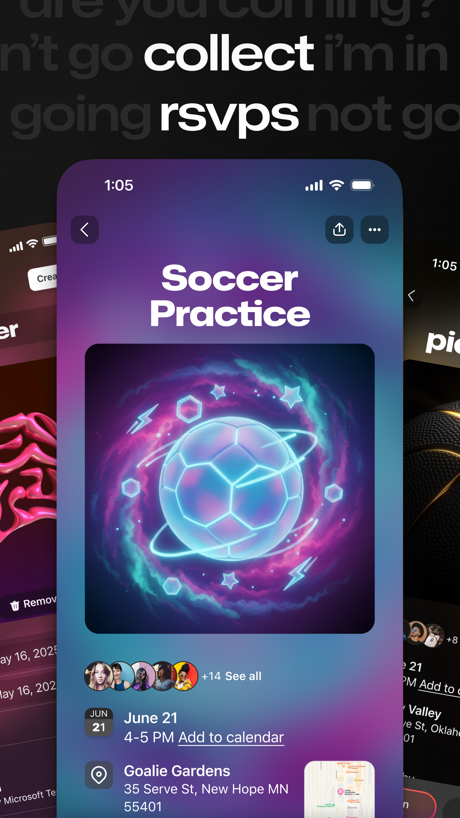
“collect rsvps”

“Bring your vibe to your chats”

“Secure-by-design to keep conversations safe”

“Never Miss an Update!”
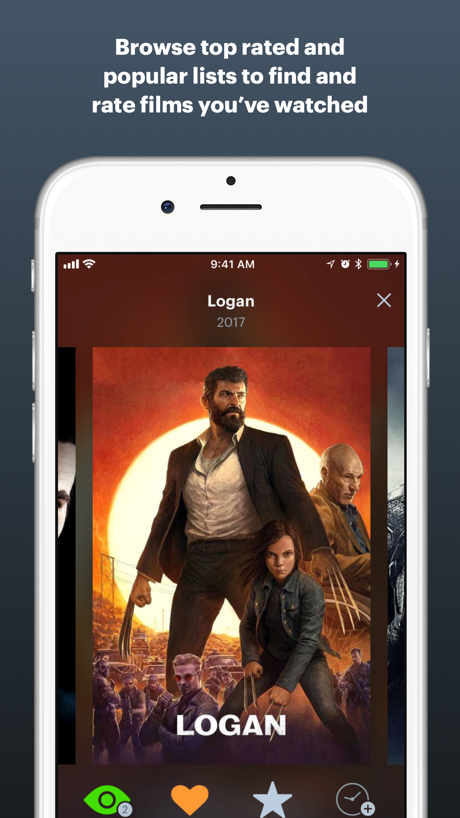
“Browse top rated and popular lists to find and rate films you've watched”

“Share Moments and Have Fun”

“Tap the widget to open the camera”
What these screenshots say, word for word.
The words on 40 of the 95 that carry any, as each app wrote them.
“Say it your way”
Threads · #1 · screenshot 5“Make calls across the world”
WhatsApp Messenger · #2 · screenshot 3“Private”
Your data is never disclosed. Only you are in control.Telegram Messenger · #3 · screenshot 3“Fuel your interests with reels and longer videos”
Facebook · #4 · screenshot 2- LOCATION SHARING
“Know where they are in real time”
Life360: Family Safety & GPS · #5 · screenshot 1 “collect rsvps”
GroupMe · #8 · screenshot 5“Bring your vibe to your chats”
Messenger · #9 · screenshot 2“Secure-by-design to keep conversations safe”
Google Meet · #11 · screenshot 6“Never Miss an Update!”
See what's new in your Bands right on your Home tab.BAND - App for all groups · #13 · screenshot 3“Browse top rated and popular lists to find and rate films you've watched”
Letterboxd · #15 · screenshot 2“Share Moments and Have Fun”
BIGO LIVE-Live Stream, Go Live · #16 · screenshot 3- Capture
“Tap the widget to open the camera”
Locket Widget · #17 · screenshot 6 “Unlimited Calling & Texting”
Text Free: Second Phone Number · #19 · screenshot 4“Multiple NUMBERS, voicemail, and MORE...”
Text Me - Phone Call + Texting · #20 · screenshot 5“HD VIDEO CALLS”
Enjoy smooth, high-quality videoZangi - Private Messenger · #21 · screenshot 4“Share in the moment”
Instants, an Instagram app · #22 · screenshot 1“Chat”
Skool Communities · #24 · screenshot 4“JOIN WIZZ”
NOWWizz App - chat now · #26 · screenshot 6“Chat with People”
Yik Yak · #27 · screenshot 4“CHAT WITH FRIENDS!”
MONOPOLY GO!Chat · #28 · screenshot 2“Easy”
It's easy to log into your FREE GettingOut account.GettingOut · #31 · screenshot 2“Cover”
Ditch the cash & ATM! Pay for cover from your phone!LineLeap · #32 · screenshot 2“Beyond texting”
Chat with friends 1-on-1 or in groups!LINE · #34 · screenshot 1“VALUES”
See What Matters, Right From The StartUpward Dating: Meet Singles · #35 · screenshot 5“Discover Groups”
who share your passionsBFF: Make friends & meet up · #36 · screenshot 4“Flexible, reliable, secure funding options”
Securus Mobile · #37 · screenshot 5“Explore 1.5 billion funny stickers.”
Sticker.ly - Sticker Maker · #39 · screenshot 2“Find Someone Who Gets You”
Taimi LGBTQ+ Dating & Chat App · #41 · screenshot 4“Keep connected”
Stay closerWidgetable: Besties & Couples · #42 · screenshot 1“Now”
Visit right now without scheduling, or schedule for later.GettingOut Visits · #44 · screenshot 3“Stop swiping. Go for a drink.”
Hunch Dating App: Vibe & Meet · #45 · screenshot 1“Find New Friends”
Plato: Fun Multiplayer Games · #47 · screenshot 5“A Shield For Your Privacy”
Nicegram: AI for Telegram · #48 · screenshot 5“Secure chats and calls”
Rakuten Viber Messenger · #52 · screenshot 2“The Only App where people are 100% Real”
“Like a mini time capsule of my everyday life” Camille“Like a mini time capsule of my everyday life”BeReal: Photos & Friends Daily · #58 · screenshot 1“All of your content in one place”
Linktree: Link in Bio Creator · #59 · screenshot 2“Stay connected with Friends and Family”
Garmin Messenger™ · #60 · screenshot 1“Track followers and followings”
Reports+ Unfollowers Follower · #61 · screenshot 4“Play Together”
Coverstar - Positive Social · #62 · screenshot 2“One app,”
millions of videosGiggles: Videos & Trends · #63 · screenshot 1
Top ten Social Networking apps that do it.
- #1Threads2 of its 6 screenshots
- #2WhatsApp Messenger2 of its 5 screenshots
- #3Telegram Messenger3 of its 6 screenshots
- #4Facebook3 of its 6 screenshots
- #5Life360: Family Safety & GPS1 of its 6 screenshots
- #8GroupMe1 of its 6 screenshots
- #9Messenger2 of its 6 screenshots
The same tactic in other categories.
| Category | Apps that do it | Screenshots | Top ten |
|---|---|---|---|
| Health & Fitness | 64% 64 of 100 | 18% 104 of 574 | 5 of 10 |
| Productivity | 59% 58 of 99 | 19% 102 of 551 | 8 of 10 |
| Entertainment | 57% 57 of 100 | 17% 94 of 544 | 7 of 10 |
| Social Networking | 56% 56 of 100 | 17% 95 of 554 | 7 of 10 |
| Photo & Video | 53% 53 of 100 | 17% 94 of 566 | 5 of 10 |
| Business | 51% 51 of 100 | 16% 91 of 554 | 7 of 10 |
| Navigation | 49% 49 of 99 | 15% 83 of 566 | 4 of 10 |
| Education | 49% 49 of 100 | 12% 68 of 555 | 3 of 10 |
| Finance | 49% 49 of 100 | 11% 66 of 581 | 3 of 10 |
| Travel | 48% 48 of 100 | 13% 71 of 561 | 6 of 10 |
| Medical | 43% 43 of 100 | 15% 81 of 548 | 5 of 10 |
| Music | 42% 42 of 100 | 11% 62 of 550 | 6 of 10 |
| Reference | 42% 42 of 100 | 11% 63 of 566 | 3 of 10 |
| Lifestyle | 41% 41 of 100 | 13% 72 of 556 | 5 of 10 |
| Graphics & Design | 40% 40 of 99 | 11% 61 of 564 | 6 of 10 |
| Sports | 39% 39 of 100 | 13% 72 of 558 | 3 of 10 |
| Utilities | 39% 39 of 100 | 12% 68 of 549 | 6 of 10 |
| News | 38% 37 of 98 | 13% 66 of 517 | 5 of 10 |
| Food & Drink | 37% 37 of 100 | 11% 61 of 540 | 5 of 10 |
| Shopping | 37% 37 of 100 | 13% 72 of 562 | 2 of 10 |
| Developer Tools | 31% 31 of 100 | 11% 56 of 507 | 4 of 10 |
| Weather | 31% 31 of 100 | 10% 53 of 555 | 6 of 10 |
| Games | 17% 17 of 100 | 4% 20 of 567 | 3 of 10 |
Related tactics.
Often on the same screenshot
- Low contrast words34% of these screenshots, against 21% of all Social Networking screenshots
- Words at the top99% of these screenshots, against 88% of all Social Networking screenshots
- Tells you to do something61% of these screenshots, against 50% of all Social Networking screenshots
- Orange22% of these screenshots, against 12% of all Social Networking screenshots
- Whole phone shown71% of these screenshots, against 61% of all Social Networking screenshots
- Screen fills the picture91% of these screenshots, against 81% of all Social Networking screenshots
More in layout
- Phone drawn100%
- Screen fills the picture100%
- Words at the top96%
- A photograph93%
- Whole phone shown93%
- A person in the picture86%
- Illustration or mascot69%
- Headline readable at thumbnail size67%
- Arrows or callouts49%
- App icon shown47%
- Phone cut off at the foot44%
- Words aligned left37%
- A hand holds the phone33%
- Two or more screens27%
- No phone, bare screen26%
- Phone at an angle23%
- Zoomed detail of the UI20%
- Phone cut off at the head18%
- Words at the bottom18%
- No app screen at all16%
- Screen is small14%
- Words over the screen14%
- Watch, iPad or Mac beside it11%
Questions, answered from the chart.
How many top Social Networking apps have App Store screenshots with tiny headlines?
Which Social Networking apps have App Store screenshots with tiny headlines?
Should my Social Networking app have App Store screenshots with tiny headlines?
See your own app against this.
Pagefully reads your screenshots the same way, and makes a custom product page for each search people type, from your real screens.
Preview your pages