Education app screenshots without a phone frame
The app’s screen edge to edge, with no device body. Without a device body, the app’s screen can be shown larger in the same space.
From the top 100 free Education apps on the US App Store, read on October 9, 2026. Screenshots are the developers’ own, shown from Apple’s servers with a link to each app.
The numbers
98 of the 555 Education screenshots read (18%) do this, across 40 of the top 100 apps (40%). 3 of the top ten do it (30%), against 37 of the other 90 (41%): the top ten do it less than the rest. Of the 23 categories read so far, Education is 4th for this. It is most common in Games (90% of apps) and least common in Productivity (20%).
12 examples from the chart.
12 of the 98 Education app screenshots without a phone frame, one from each app, the highest on the chart first.

“learn 40+ languages for free”
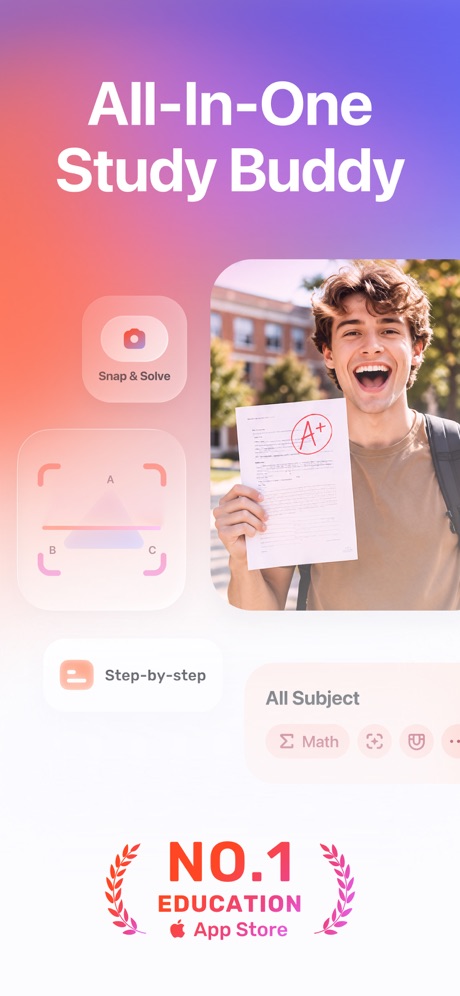
“All-In-One Study Buddy”


“You can learn Anything”

“Get ready”

“Build Real Speaking Fluency”

“Fantastic! Langlearn Is The First App That Actually Lets Me Speak”

“Learn sign language fast”


“Understand every topic”
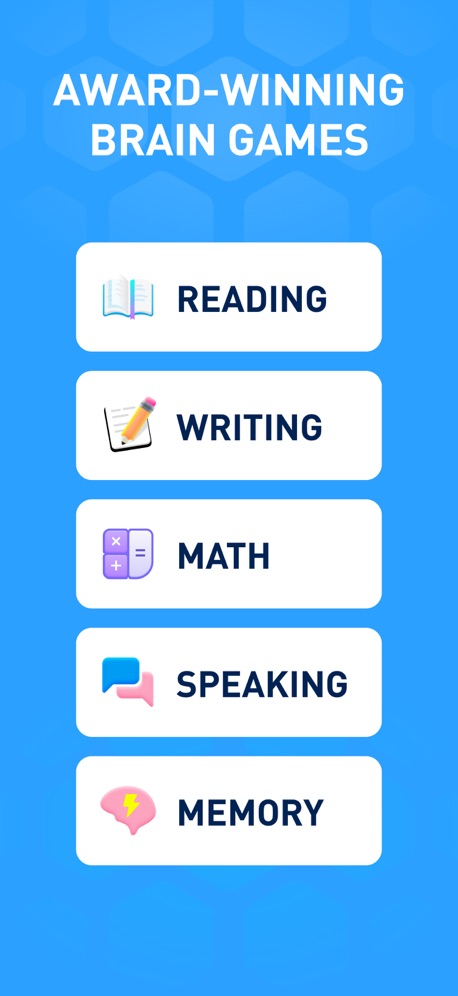
“AWARD-WINNING BRAIN GAMES”
What these screenshots say, word for word.
The words on 40 of the 58 that carry any, as each app wrote them.
“learn 40+ languages for free”
Duolingo: Learn Languages · #1 · screenshot 1“All-In-One Study Buddy”
Gauth: AI Study Companion · #3 · screenshot 1“You can learn Anything”
Gizmo: AI Tutor · #13 · screenshot 1“Get ready”
with meToca Boca World: Game & Play · #17 · screenshot 1“Build Real Speaking Fluency”
10 min a dayYayTalk: Learn & Speak English · #19 · screenshot 3“Fantastic! Langlearn Is The First App That Actually Lets Me Speak”
LangLearn: AI English Tutor · #20 · screenshot 6“Learn sign language fast”
With just 10 mins/day of practiceLingvano - Learn Sign Language · #23 · screenshot 1“Understand every topic”
Tools with easy explanations and visuals. Personalized for youKnowunity: AI Study & Homework · #27 · screenshot 3“AWARD-WINNING BRAIN GAMES”
Elevate - Brain Training Games · #29 · screenshot 1“Award-winning entertainment”
Lingokids: Games & Shows · #34 · screenshot 6“Learning ASL,”
American Sign LanguageASL Bloom - Sign Language · #36 · screenshot 1“The Best Books”
From old favorites to new classics, there's so much to explore.Epic - Kids' Books & Reading · #47 · screenshot 3“Talk to the World”
Practice 260+ languages with over 70 million native speakers from around the worldHelloTalk - Language Learning · #53 · screenshot 1“Discover scholarships backed by 20K+ donors”
Bold.org: Scholarships · #55 · screenshot 1“From ABCs to 2nd Grade Reading”
Learn to Read - Reading.com · #57 · screenshot 2“Purchase school items & fees”
Available at select schoolsMSB Parent, USA · #59 · screenshot 4“Draw like you always wanted to”
“Simply Draw is probably the best app for getting better at drawing”Simply Draw: Learn to Draw · #61 · screenshot 5“Work Without Limits”
Get the job done anywhere with Frontline MobileFrontline Education · #62 · screenshot 1“The most realistic sky at any time”
Stellarium Mobile - Star Map · #68 · screenshot 1“Set notifications for stargazing events!”
SkyView® Lite · #70 · screenshot 3“Step By Step Drawing”
Coloring Games for Kids 2-6! · #75 · screenshot 2“280+”
FUN & SAFE GAMESPBS KIDS Games · #77 · screenshot 3“Experience is the best teacher”
Track your required driving time, measure performance and produce a state approved driving log.RoadReady · #78 · screenshot 1“1500+ educational activities.”
Speech Blubs: Language Therapy · #82 · screenshot 2“Take care of your brain health”
IQ Elevate - Brain Training · #89 · screenshot 1“Safe & Fun”
No ads or paywallsKhan Academy Kids · #92 · screenshot 3“Learn like a CEO”
Replace scrolling with award-winning microlearningBlinkist: Book Summaries Daily · #96 · screenshot 1“LIMITLESS WORLDS OF LEARNING”
Minecraft Education · #97 · screenshot 1“Track your learning progress.”
Preply - Language Learning App · #99 · screenshot 6“fun, bite-sized lessons”
Duolingo: Learn Languages · #1 · screenshot 2“Add information Fast”
Gizmo: AI Tutor · #13 · screenshot 2- Go
“shopping”
Toca Boca World: Game & Play · #17 · screenshot 2 “Deaf teacher video lessons”
Practice ASL in real conversationsLingvano - Learn Sign Language · #23 · screenshot 3“Learn with best study notes”
Created by A+ students in every subjectKnowunity: AI Study & Homework · #27 · screenshot 4“Train with focused fingerspelling & flashcards practice”
ASL Bloom - Sign Language · #36 · screenshot 5“Books That Read to Them”
Read-To-Me and audiobooks bring stories to life with fun narration and sound effects.Epic - Kids' Books & Reading · #47 · screenshot 6“Redeem Points for Rewards”
Bold.org: Scholarships · #55 · screenshot 5“Lessons, Videos, Games, & More!”
Learn to Read - Reading.com · #57 · screenshot 4“Point your phone to spot planets”
Stellarium Mobile - Star Map · #68 · screenshot 2“Colour By Number”
Coloring Games for Kids 2-6! · #75 · screenshot 5
Top ten Education apps that do it.
- #1Duolingo: Learn Languages6 of its 6 screenshots
- #3Gauth: AI Study Companion1 of its 6 screenshots
- #6Google Classroom2 of its 6 screenshots
The same tactic in other categories.
| Category | Apps that do it | Screenshots | Top ten |
|---|---|---|---|
| Games | 90% 90 of 100 | 76% 432 of 567 | 8 of 10 |
| Weather | 47% 47 of 100 | 25% 141 of 555 | 3 of 10 |
| Photo & Video | 42% 42 of 100 | 23% 128 of 566 | 1 of 10 |
| Education | 40% 40 of 100 | 18% 98 of 555 | 3 of 10 |
| Entertainment | 40% 40 of 100 | 12% 67 of 544 | 4 of 10 |
| Shopping | 39% 39 of 100 | 11% 63 of 562 | 4 of 10 |
| Graphics & Design | 38% 38 of 99 | 13% 73 of 564 | 3 of 10 |
| News | 35% 34 of 98 | 16% 81 of 517 | 4 of 10 |
| Travel | 32% 32 of 100 | 12% 66 of 561 | 3 of 10 |
| Health & Fitness | 31% 31 of 100 | 10% 57 of 574 | 3 of 10 |
| Lifestyle | 31% 31 of 100 | 10% 54 of 556 | 5 of 10 |
| Sports | 30% 30 of 100 | 11% 64 of 558 | 4 of 10 |
| Business | 29% 29 of 100 | 12% 65 of 554 | 2 of 10 |
| Developer Tools | 27% 27 of 100 | 14% 71 of 507 | 5 of 10 |
| Music | 27% 27 of 100 | 9% 52 of 550 | 2 of 10 |
| Reference | 27% 27 of 100 | 9% 50 of 566 | 5 of 10 |
| Medical | 26% 26 of 100 | 12% 68 of 548 | 1 of 10 |
| Social Networking | 26% 26 of 100 | 7% 40 of 554 | 1 of 10 |
| Utilities | 26% 26 of 100 | 8% 45 of 549 | 1 of 10 |
| Food & Drink | 24% 24 of 100 | 8% 43 of 540 | 5 of 10 |
| Navigation | 23% 23 of 99 | 6% 36 of 566 | 3 of 10 |
| Finance | 23% 23 of 100 | 7% 38 of 581 | 5 of 10 |
| Productivity | 20% 20 of 99 | 7% 38 of 551 | 2 of 10 |
Related tactics.
Often on the same screenshot
- No words at all41% of these screenshots, against 14% of all Education screenshots
- The app itself is the background34% of these screenshots, against 10% of all Education screenshots
- Screen fills the picture91% of these screenshots, against 75% of all Education screenshots
- A person in the picture40% of these screenshots, against 28% of all Education screenshots
- High contrast words20% of these screenshots, against 13% of all Education screenshots
- Black, white or grey22% of these screenshots, against 16% of all Education screenshots
More in layout
- Screen fills the picture97%
- Phone drawn94%
- Whole phone shown89%
- Illustration or mascot86%
- Words at the top85%
- Headline readable at thumbnail size70%
- A photograph64%
- A person in the picture62%
- Arrows or callouts50%
- Headline too small to read49%
- Phone cut off at the foot38%
- App icon shown37%
- A hand holds the phone36%
- Words aligned left30%
- No app screen at all29%
- Two or more screens27%
- Phone cut off at the head18%
- Zoomed detail of the UI15%
- Phone at an angle13%
- Words at the bottom13%
- Screen is small12%
- Watch, iPad or Mac beside it10%
- Words over the screen7%
Questions, answered from the chart.
How many top Education apps have App Store screenshots without a phone frame?
Which Education apps have App Store screenshots without a phone frame?
Should my Education app have App Store screenshots without a phone frame?
See your own app against this.
Pagefully reads your screenshots the same way, and makes a custom product page for each search people type, from your real screens.
Preview your pages