Plain-spoken Photo & Video app screenshots
Says the thing without flourish. A plain line says what the app does and leaves the persuading to the screen.
From the top 100 free Photo & Video apps on the US App Store, read on October 9, 2026. Screenshots are the developers’ own, shown from Apple’s servers with a link to each app.
The numbers
411 of the 566 Photo & Video screenshots read (73%) do this, across 95 of the top 100 apps (95%). 10 of the top ten do it (100%), against 85 of the other 90 (94%): the top ten do it about as often as the rest. Of the 23 categories read so far, Photo & Video is 7th for this. It is most common in Health & Fitness (100% of apps) and least common in Weather (65%).
12 examples from the chart.
12 of the 411 plain-spoken Photo & Video app screenshots, one from each app, the highest on the chart first.

“AI generated effect”
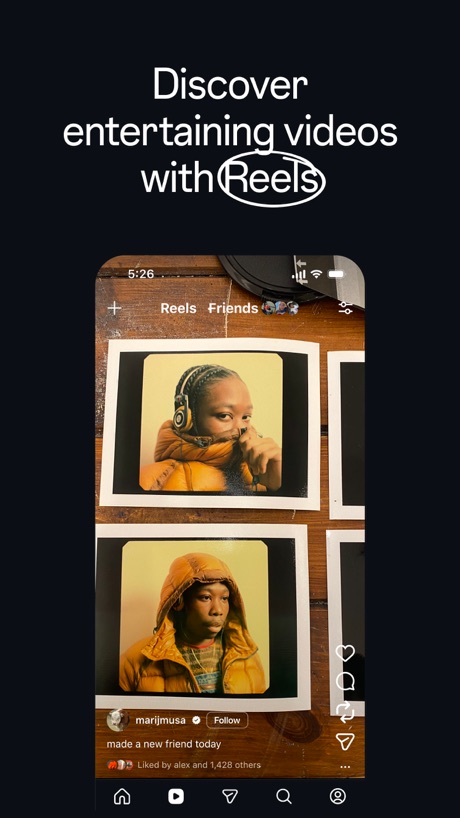
“Discover entertaining videos with Reels”

“Create”

“AI Video”

“Snap”

“Design anything”

“Customize your captions”
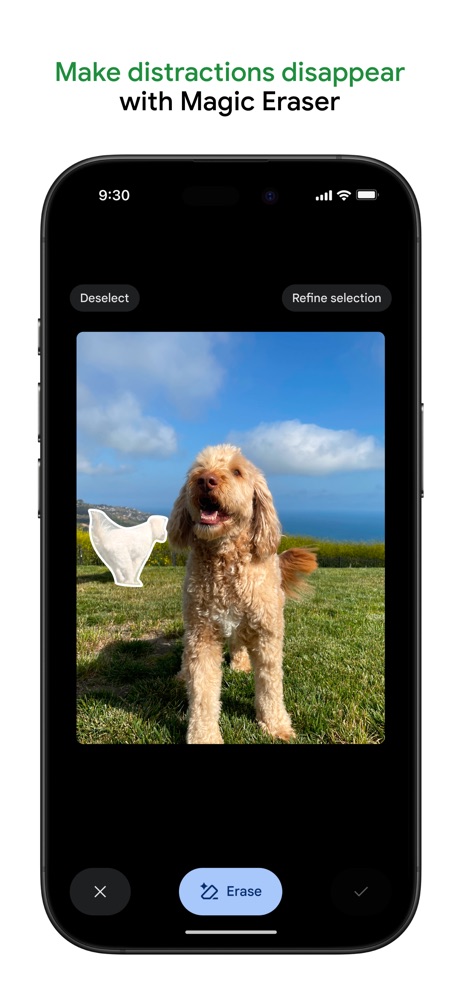
“Make distractions disappear with Magic Eraser”

“Turn imagination into characters”

“AI Dance Generator”

“HOME WHAT'S PICKED FOR YOU”

“Discover new streams, clips, and stories”
Real headline examples, word for word.
The words on 40 of the 410 that carry any, as each app wrote them.
“AI generated effect”
CapCut: Photo & Video Editor · #1 · screenshot 2“Discover entertaining videos with Reels”
Instagram · #2 · screenshot 1“Create”
Fun videos easily with ShortsYouTube · #3 · screenshot 1“AI Video”
GeneratorShots: Photo & Video Generator · #4 · screenshot 1“Snap”
Share the momentSnapchat · #5 · screenshot 1“Design anything”
Canva AI Photo & Video Editor · #6 · screenshot 1“Customize your captions”
Edits: Video Editor · #7 · screenshot 1“Make distractions disappear with Magic Eraser”
Google Photos: Backup & Edit · #8 · screenshot 2“Turn imagination into characters”
Cantina: AI Video & Characters · #9 · screenshot 1“AI Dance Generator”
Dance AI - Video Generator · #10 · screenshot 1“HOME WHAT'S PICKED FOR YOU”
KICK - Live Streaming · #11 · screenshot 1“Discover new streams, clips, and stories”
Twitch: Live Streaming · #12 · screenshot 1“Upload and share anywhere on your terms”
Vimeo · #13 · screenshot 2- MOMO
“AI PHOTO & VIDEO GENERATOR”
take a photo, apply any style, animate instantlyMomo: AI Photo & Video Maker · #14 · screenshot 1 “Explore your styles with AI try on”
Picsart AI Photo Editor, Video · #15 · screenshot 1“Turn Your Photos To AI Video”
AI Video Generator - Vixel · #16 · screenshot 4“Stand out with your collages”
SCRL: Photo Collage Maker · #17 · screenshot 1“The best app for generating images and videos.”
Create anything you can imagine with AI-powered image, video and audio. No learning curve required.Runway: AI Image & Video · #19 · screenshot 1“Your creative partner”
YouTube Studio · #20 · screenshot 1“PixVerse Lite”
AI Creative StudioPixVerse Lite · #21 · screenshot 1“Keep it in the Circle”
Share PrivatelyPhotoCircle · #22 · screenshot 1“Extend your photo to fit any size.”
Lightroom: AI Photo Editor · #23 · screenshot 2“Wireless Connection With Ease”
DJI Mimo · #24 · screenshot 2“Unlimited photo storage”
for prime membersAmazon Photos: Photo & Video · #25 · screenshot 1“AI Video Editor”
And Slideshow MakerInShot - Video Editor · #26 · screenshot 1“Hair Editor”
Dark Ombré Beach WavesFacetune: Photo & Video Editor · #27 · screenshot 1“AI Music Video hotel lobby”
FaceLab: Face Age, Hair Filter · #28 · screenshot 1“AI cutout and background remova”
Only keep what you wantHypic - Photo Editor & AI Art · #31 · screenshot 1“POST IT RAW”
Zero edits neededWayShot:Aesthetic Photo Editor · #33 · screenshot 2“Always Connected”
Spend less time scheduling and more time together with technology built for families.Skylight App · #34 · screenshot 1“Analog Vintage Cameras”
Photos and VideosDazz Cam - Vintage Camera · #35 · screenshot 1“Get topic insights with search”
TikTok Studio · #36 · screenshot 1“ALWAYS YOURS, NO STRINGS.”
Snapseed: Photo Editor · #37 · screenshot 3- Free!
“Get 1,000 free 4x6 photo prints a year”
FreePrints – Print Photos · #38 · screenshot 1 “Edit videos instantly with AI Edit”
Captions: AI Edits Your Video · #39 · screenshot 1“500+ FILTERS”
ism: Retro Camera & Vintage · #40 · screenshot 2“One-tap AI Retouch”
Airbrush: Face Photo Editor · #41 · screenshot 1“Bring your voice to life with lip sync.”
ElevenLabs: AI Voice Generator · #42 · screenshot 1“Canon Camera Connect”
Connect to the cameraCanon Camera Connect · #43 · screenshot 1“Create AI backgrounds”
Photoroom: AI Photo Editor · #44 · screenshot 1
Top ten Photo & Video apps that do it.
- #1CapCut: Photo & Video Editor2 of its 6 screenshots
- #2Instagram6 of its 6 screenshots
- #3YouTube5 of its 5 screenshots
- #4Shots: Photo & Video Generator6 of its 6 screenshots
- #5Snapchat5 of its 6 screenshots
- #6Canva AI Photo & Video Editor6 of its 6 screenshots
- #7Edits: Video Editor4 of its 6 screenshots
- #8Google Photos: Backup & Edit4 of its 6 screenshots
- #9Cantina: AI Video & Characters5 of its 5 screenshots
- #10Dance AI - Video Generator5 of its 5 screenshots
The same tactic in other categories.
| Category | Apps that do it | Screenshots | Top ten |
|---|---|---|---|
| Health & Fitness | 100% 100 of 100 | 83% 477 of 574 | 10 of 10 |
| Productivity | 99% 98 of 99 | 86% 473 of 551 | 10 of 10 |
| Finance | 97% 97 of 100 | 81% 473 of 581 | 10 of 10 |
| Food & Drink | 97% 97 of 100 | 69% 375 of 540 | 10 of 10 |
| Shopping | 97% 97 of 100 | 69% 386 of 562 | 10 of 10 |
| Travel | 96% 96 of 100 | 75% 419 of 561 | 10 of 10 |
| Photo & Video | 95% 95 of 100 | 73% 411 of 566 | 10 of 10 |
| Social Networking | 95% 95 of 100 | 73% 405 of 554 | 10 of 10 |
| Sports | 95% 95 of 100 | 68% 382 of 558 | 10 of 10 |
| Utilities | 95% 95 of 100 | 83% 455 of 549 | 10 of 10 |
| Lifestyle | 94% 94 of 100 | 74% 413 of 556 | 10 of 10 |
| Entertainment | 93% 93 of 100 | 65% 352 of 544 | 10 of 10 |
| Reference | 93% 93 of 100 | 79% 449 of 566 | 10 of 10 |
| Graphics & Design | 93% 92 of 99 | 67% 380 of 564 | 8 of 10 |
| Navigation | 93% 92 of 99 | 80% 455 of 566 | 10 of 10 |
| Music | 92% 92 of 100 | 71% 392 of 550 | 8 of 10 |
| Business | 90% 90 of 100 | 80% 443 of 554 | 9 of 10 |
| Education | 90% 90 of 100 | 72% 400 of 555 | 9 of 10 |
| News | 86% 84 of 98 | 62% 318 of 517 | 10 of 10 |
| Medical | 84% 84 of 100 | 75% 410 of 548 | 10 of 10 |
| Developer Tools | 73% 73 of 100 | 54% 275 of 507 | 7 of 10 |
| Games | 66% 66 of 100 | 39% 219 of 567 | 6 of 10 |
| Weather | 65% 65 of 100 | 43% 240 of 555 | 8 of 10 |
Related tactics.
Often on the same screenshot
- Leads with a feature77% of these screenshots, against 66% of all Photo & Video screenshots
- Has a headline100% of these screenshots, against 94% of all Photo & Video screenshots
- Headline under five words70% of these screenshots, against 64% of all Photo & Video screenshots
- Words at the top97% of these screenshots, against 91% of all Photo & Video screenshots
- Tells you to do something44% of these screenshots, against 40% of all Photo & Video screenshots
- High contrast words34% of these screenshots, against 30% of all Photo & Video screenshots
More in meaning
- Leads with a feature92%
- States a benefit78%
- Subline explains the headline36%
- Playful tone20%
- Premium tone20%
- Leads with an outcome18%
- Subline adds a second benefit15%
- Names its audience10%
- Asks for an action9%
- Leads with what is new7%
- Leads with trust6%
- Technical tone6%
- Compares with something5%
- Leads with price2%
- Leads with who it is for2%
- Urgent tone2%
- Leads with a problem1%
Questions, answered from the chart.
How many top Photo & Video apps have plain-spoken App Store screenshots?
Which Photo & Video apps have plain-spoken App Store screenshots?
Should my Photo & Video app have plain-spoken App Store screenshots?
See your own app against this.
Pagefully reads your screenshots the same way, and makes a custom product page for each search people type, from your real screens.
Preview your pages