Explanatory Photo & Video app screenshot subheadlines
The second line says how. The headline makes the promise and the smaller line says how the app keeps it.
From the top 100 free Photo & Video apps on the US App Store, read on October 9, 2026. Screenshots are the developers’ own, shown from Apple’s servers with a link to each app.
The numbers
86 of the 566 Photo & Video screenshots read (15%) do this, across 36 of the top 100 apps (36%). 5 of the top ten do it (50%), against 31 of the other 90 (34%): the top ten do it more than the rest. Of the 23 categories read so far, Photo & Video is 9th for this. It is most common in Finance (56% of apps) and least common in Games (9%).
12 examples from the chart.
12 of the 86 explanatory Photo & Video app screenshot subheadlines, one from each app, the highest on the chart first.

“Create”
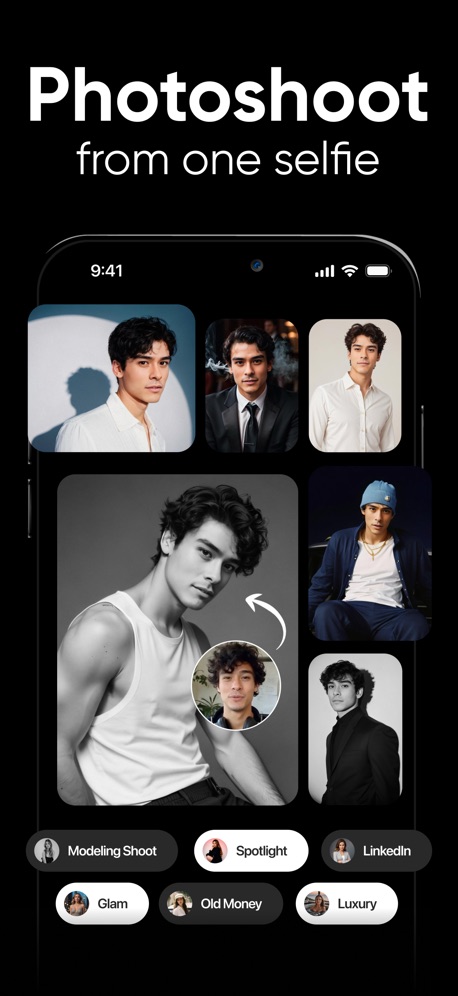
“Photoshoot”

“Snap”

“Bring your photos to life”

“Share”

“AI PHOTO & VIDEO GENERATOR”
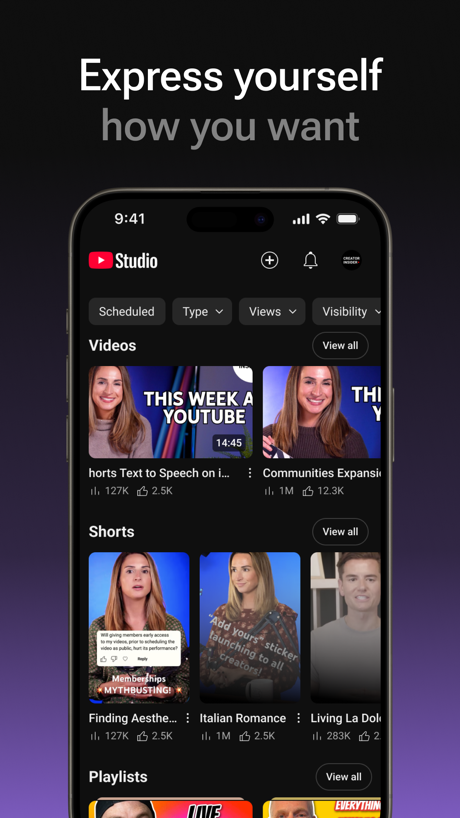
“Express yourself”

“PixVerse Lite”

“Keep it in the Circle”

“Unlimited photo storage”

“aging filters”

“AI cutout and background remova”
Real headline examples, word for word.
The words on 40 of the 86 that carry any, as each app wrote them.
“Create”
Fun videos easily with ShortsYouTube · #3 · screenshot 1“Photoshoot”
from one selfieShots: Photo & Video Generator · #4 · screenshot 2“Snap”
Share the momentSnapchat · #5 · screenshot 1“Bring your photos to life”
with Photo to videoGoogle Photos: Backup & Edit · #8 · screenshot 4“Share”
on social mediaDance AI - Video Generator · #10 · screenshot 3- MOMO
“AI PHOTO & VIDEO GENERATOR”
take a photo, apply any style, animate instantlyMomo: AI Photo & Video Maker · #14 · screenshot 1 “Express yourself”
how you wantYouTube Studio · #20 · screenshot 3“PixVerse Lite”
AI Creative StudioPixVerse Lite · #21 · screenshot 1“Keep it in the Circle”
Share PrivatelyPhotoCircle · #22 · screenshot 1“Unlimited photo storage”
for prime membersAmazon Photos: Photo & Video · #25 · screenshot 1“aging filters”
young to oldFaceLab: Face Age, Hair Filter · #28 · screenshot 3“AI cutout and background remova”
Only keep what you wantHypic - Photo Editor & AI Art · #31 · screenshot 1“WE GOT YOU”
Lighting too dark?WayShot:Aesthetic Photo Editor · #33 · screenshot 3“Always Connected”
Spend less time scheduling and more time together with technology built for families.Skylight App · #34 · screenshot 1“Easy”
Get photos from your phone and social mediaFreePrints – Print Photos · #38 · screenshot 2“Canon Camera Connect”
Connect to the cameraCanon Camera Connect · #43 · screenshot 1“15+ Retakes”
in a minRetake AI Face & Selfie Editor · #48 · screenshot 6“Designed to protect your privacy”
Frameo secures your memories with industry-leading protection and complianceFrameo · #54 · screenshot 6“TRY DIFFERENT HAIRSTYLES”
BEFORE AFTERBeautyPlus-Selfie Photo Editor · #55 · screenshot 5“Speech Cleanup”
Create clean captions in just one clickVN: Photo & Video Editor · #56 · screenshot 4“Share more joy”
From phone to frame, enjoy all your memories with easeAura Frames · #57 · screenshot 1- FEATURE #01
“LIBRARY”
Watch your game clips anywhereMedal - Game Clipping · #59 · screenshot 1 “Auto Video”
in One ClickAI Catch: AI Video Generator · #60 · screenshot 4“TRANSITIONS”
FOR EVERY NEEDVids AI - Reels Video Editor · #62 · screenshot 2- EASY PHOTO UPLOAD
“Add your photos to the app, fast.”
It’s so simple: With just a few taps, you can upload and start creating.Shutterfly: Prints Cards Gifts · #66 · screenshot 3 “AI Edit”
Better scene recognition for AI generated highlights!Insta360 · #71 · screenshot 1“fontmaker”
Now you can use your own HandwhittingFontmaker - Font Keyboard App · #74 · screenshot 1“Keyframe Animation”
Easily create sophisticated custom animations.Alight Motion · #75 · screenshot 1“EDIT PHOTOS AND VIDEO JOIN THE COMMUNITY PROMOTE YOUR WORK”
Elevate your photography with quality tools and opportunities to expand your work.VSCO: Photo & Video Editor · #77 · screenshot 1“QuickTransfer”
Wireless Content Transferred Swiftly to Your PhoneDJI Fly · #79 · screenshot 2“SCREEN SHARE”
SO THEY SEE WHAT YOU SEEKICK - Go Live · #80 · screenshot 4“Daily Summary”
Catch up without watching footage.Hik-Connect - for End user · #83 · screenshot 2“Makeup Editor”
Natural to glam makeup filtersYouCam Makeup: Face Editor · #84 · screenshot 1“Face & Body Editor”
Professional edits, made simplePeachy - AI Face & Body Editor · #85 · screenshot 1“All In One”
Save, Play & CastVideo Lite · #91 · screenshot 1- NEW
“Face Shape Analysis”
Discover styling tips according to face shapeEPIK - AI Photo & Video Editor · #100 · screenshot 1 “Discover Shorts”
More entertainment in less than a minuteYouTube · #3 · screenshot 2“Animate”
any photoShots: Photo & Video Generator · #4 · screenshot 3“Chat”
Have fun messaging your friendsSnapchat · #5 · screenshot 2“Build connections”
with who you wantYouTube Studio · #20 · screenshot 4
Top ten Photo & Video apps that do it.
- #3YouTube4 of its 5 screenshots
- #4Shots: Photo & Video Generator3 of its 6 screenshots
- #5Snapchat6 of its 6 screenshots
- #8Google Photos: Backup & Edit1 of its 6 screenshots
- #10Dance AI - Video Generator1 of its 5 screenshots
The same tactic in other categories.
| Category | Apps that do it | Screenshots | Top ten |
|---|---|---|---|
| Finance | 56% 56 of 100 | 29% 170 of 581 | 7 of 10 |
| Food & Drink | 52% 52 of 100 | 27% 146 of 540 | 7 of 10 |
| Shopping | 52% 52 of 100 | 30% 169 of 562 | 4 of 10 |
| Sports | 47% 47 of 100 | 23% 128 of 558 | 7 of 10 |
| Social Networking | 41% 41 of 100 | 19% 108 of 554 | 5 of 10 |
| Reference | 40% 40 of 100 | 23% 128 of 566 | 5 of 10 |
| Travel | 40% 40 of 100 | 19% 104 of 561 | 0 of 10 |
| Utilities | 38% 38 of 100 | 18% 101 of 549 | 3 of 10 |
| Business | 36% 36 of 100 | 15% 82 of 554 | 3 of 10 |
| Developer Tools | 36% 36 of 100 | 21% 104 of 507 | 3 of 10 |
| Lifestyle | 36% 36 of 100 | 16% 91 of 556 | 6 of 10 |
| Photo & Video | 36% 36 of 100 | 15% 86 of 566 | 5 of 10 |
| Navigation | 35% 35 of 99 | 17% 94 of 566 | 2 of 10 |
| Graphics & Design | 34% 34 of 99 | 14% 81 of 564 | 5 of 10 |
| Entertainment | 32% 32 of 100 | 15% 84 of 544 | 3 of 10 |
| News | 31% 30 of 98 | 17% 90 of 517 | 0 of 10 |
| Music | 29% 29 of 100 | 9% 52 of 550 | 3 of 10 |
| Health & Fitness | 28% 28 of 100 | 12% 70 of 574 | 2 of 10 |
| Productivity | 27% 27 of 99 | 13% 71 of 551 | 1 of 10 |
| Education | 27% 27 of 100 | 11% 59 of 555 | 4 of 10 |
| Medical | 27% 27 of 100 | 13% 69 of 548 | 1 of 10 |
| Weather | 27% 27 of 100 | 14% 80 of 555 | 3 of 10 |
| Games | 9% 9 of 100 | 5% 31 of 567 | 1 of 10 |
Related tactics.
Often on the same screenshot
- Has a subline100% of these screenshots, against 25% of all Photo & Video screenshots
- Headline under five words90% of these screenshots, against 64% of all Photo & Video screenshots
- Headline readable at thumbnail size43% of these screenshots, against 23% of all Photo & Video screenshots
- States a benefit58% of these screenshots, against 39% of all Photo & Video screenshots
- Light50% of these screenshots, against 32% of all Photo & Video screenshots
- Says “you” or “your”38% of these screenshots, against 20% of all Photo & Video screenshots
More in meaning
- Plain tone95%
- Leads with a feature92%
- States a benefit78%
- Playful tone20%
- Premium tone20%
- Leads with an outcome18%
- Subline adds a second benefit15%
- Names its audience10%
- Asks for an action9%
- Leads with what is new7%
- Leads with trust6%
- Technical tone6%
- Compares with something5%
- Leads with price2%
- Leads with who it is for2%
- Urgent tone2%
- Leads with a problem1%
Questions, answered from the chart.
How many top Photo & Video apps have explanatory App Store screenshot subheadlines?
Which Photo & Video apps have explanatory App Store screenshot subheadlines?
Should my Photo & Video app have explanatory App Store screenshot subheadlines?
See your own app against this.
Pagefully reads your screenshots the same way, and makes a custom product page for each search people type, from your real screens.
Preview your pages