Photo & Video app screenshots with a gradient background
A colour that shades into another. A gradient adds depth without adding anything to look at.
From the top 100 free Photo & Video apps on the US App Store, read on October 9, 2026. Screenshots are the developers’ own, shown from Apple’s servers with a link to each app.
The numbers
236 of the 566 Photo & Video screenshots read (42%) do this, across 60 of the top 100 apps (60%). 4 of the top ten do it (40%), against 56 of the other 90 (62%): the top ten do it less than the rest. Of the 23 categories read so far, Photo & Video is 15th for this. It is most common in Entertainment (79% of apps) and least common in Food & Drink (43%).
12 examples from the chart.
12 of the 236 Photo & Video app screenshots with a gradient background, one from each app, the highest on the chart first.
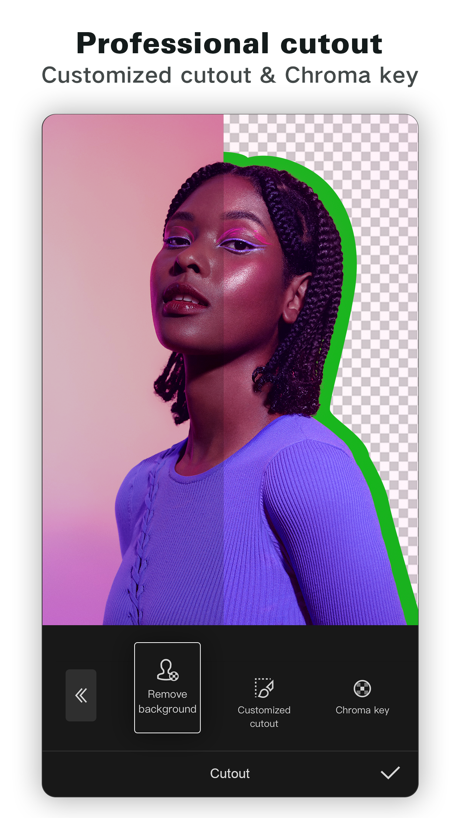
“Professional cutout”

“Design anything”

“Turn imagination into characters”

“Explore”

“FOLLOW”

“Discover new streams, clips, and stories”

“Watch videos from award winning creators”

“Viral Video Maker”

“AI Video GENERATOR #1”

“Seamless carousels”

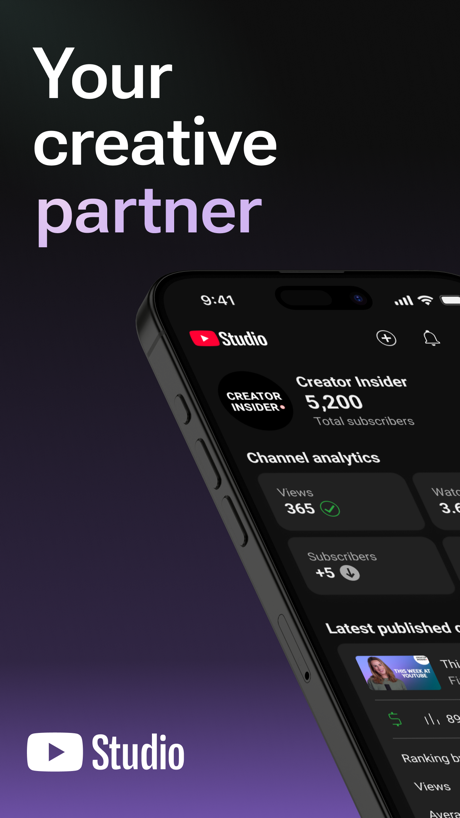
“Your creative partner”
What these screenshots say, word for word.
The words on 40 of the 234 that carry any, as each app wrote them.
“Professional cutout”
Customized cutout & Chroma keyCapCut: Photo & Video Editor · #1 · screenshot 5“Design anything”
Canva AI Photo & Video Editor · #6 · screenshot 1“Turn imagination into characters”
Cantina: AI Video & Characters · #9 · screenshot 1“Explore”
studio shotsDance AI - Video Generator · #10 · screenshot 5“FOLLOW”
WHERE YOUR HEART IS ATKICK - Live Streaming · #11 · screenshot 3“Discover new streams, clips, and stories”
Twitch: Live Streaming · #12 · screenshot 1“Watch videos from award winning creators”
Vimeo · #13 · screenshot 1“Viral Video Maker”
Momo: AI Photo & Video Maker · #14 · screenshot 2“AI Video GENERATOR #1”
“Best in AI Videos”AI Video Generator - Vixel · #16 · screenshot 1“Seamless carousels”
SCRL: Photo Collage Maker · #17 · screenshot 2“Your creative partner”
YouTube Studio · #20 · screenshot 1“PixVerse Lite”
AI Creative StudioPixVerse Lite · #21 · screenshot 1“Creative Companion for Any Occasion”
DJI Mimo · #24 · screenshot 1“Unlimited photo storage”
for prime membersAmazon Photos: Photo & Video · #25 · screenshot 1“Hair Editor”
Dark Ombré Beach WavesFacetune: Photo & Video Editor · #27 · screenshot 1“AI Music Video hotel lobby”
FaceLab: Face Age, Hair Filter · #28 · screenshot 1“AI cutout and background remova”
Only keep what you wantHypic - Photo Editor & AI Art · #31 · screenshot 1“DIGI CAM IT!”
Photo didn't hit?WayShot:Aesthetic Photo Editor · #33 · screenshot 1“Always Connected”
Spend less time scheduling and more time together with technology built for families.Skylight App · #34 · screenshot 1“Analog Vintage Cameras”
Photos and VideosDazz Cam - Vintage Camera · #35 · screenshot 1“Get topic insights with search”
TikTok Studio · #36 · screenshot 1“Edit videos instantly with AI Edit”
Captions: AI Edits Your Video · #39 · screenshot 1“One-tap AI Retouch”
Airbrush: Face Photo Editor · #41 · screenshot 1“Canon Camera Connect”
Connect to the cameraCanon Camera Connect · #43 · screenshot 1“A LITTLE DANCE A LOT OF JOY”
ReelMe: AI Photo & Video · #46 · screenshot 1“AI Video Video Generator”
SorAI - AI Video Generator · #47 · screenshot 1“Retake your photos with AI”
Retake AI Face & Selfie Editor · #48 · screenshot 2“Layouts For All Occasions”
PicCollage: Magic Photo Editor · #51 · screenshot 1- The viral
“DIGI CAM”
EFFECTPrequel: Photo & Video Editor · #52 · screenshot 2 “The full experience”
Frameo · #54 · screenshot 1“PHOTO & VIDEO MAKER”
BeautyPlus-Selfie Photo Editor · #55 · screenshot 1“A Film Camera At Your Fingertips”
Tezza: Aesthetic Photo Editor · #58 · screenshot 3- FEATURE #01
“LIBRARY”
Watch your game clips anywhereMedal - Game Clipping · #59 · screenshot 1 “B&W Cinematic Long Take”
AI Catch: AI Video Generator · #60 · screenshot 1“AI edits like your favorite creators”
AI Avatar Generator - HeyGen · #61 · screenshot 2- NEW!
“Browse GIFs & Clips,”
now with Sound!GIPHY: The GIF Search Engine · #64 · screenshot 1 “Enhance Photo Quality”
AI Photo Video Editor, Enhance · #65 · screenshot 1- EASY PHOTO UPLOAD
“Add your photos to the app, fast.”
It’s so simple: With just a few taps, you can upload and start creating.Shutterfly: Prints Cards Gifts · #66 · screenshot 3 “Generate effects, images or video.”
Adobe Premiere AI Video Editor · #67 · screenshot 3“AI Hairstyle Try-On”
Glowify - AI Hairstyle Try On · #68 · screenshot 1
Top ten Photo & Video apps that do it.
- #1CapCut: Photo & Video Editor1 of its 6 screenshots
- #6Canva AI Photo & Video Editor6 of its 6 screenshots
- #9Cantina: AI Video & Characters5 of its 5 screenshots
- #10Dance AI - Video Generator1 of its 5 screenshots
The same tactic in other categories.
| Category | Apps that do it | Screenshots | Top ten |
|---|---|---|---|
| Entertainment | 79% 79 of 100 | 65% 352 of 544 | 9 of 10 |
| Utilities | 78% 78 of 100 | 64% 352 of 549 | 5 of 10 |
| Graphics & Design | 77% 76 of 99 | 60% 337 of 564 | 9 of 10 |
| Health & Fitness | 73% 73 of 100 | 57% 330 of 574 | 5 of 10 |
| Music | 73% 73 of 100 | 57% 315 of 550 | 6 of 10 |
| Sports | 71% 71 of 100 | 50% 279 of 558 | 7 of 10 |
| Social Networking | 68% 68 of 100 | 52% 290 of 554 | 6 of 10 |
| Games | 67% 67 of 100 | 41% 233 of 567 | 6 of 10 |
| Lifestyle | 66% 66 of 100 | 49% 275 of 556 | 5 of 10 |
| Reference | 65% 65 of 100 | 52% 294 of 566 | 8 of 10 |
| Productivity | 65% 64 of 99 | 49% 270 of 551 | 6 of 10 |
| Business | 63% 63 of 100 | 44% 243 of 554 | 6 of 10 |
| Education | 62% 62 of 100 | 37% 208 of 555 | 6 of 10 |
| Finance | 62% 62 of 100 | 46% 266 of 581 | 5 of 10 |
| Photo & Video | 60% 60 of 100 | 42% 236 of 566 | 4 of 10 |
| Developer Tools | 55% 55 of 100 | 46% 233 of 507 | 6 of 10 |
| Medical | 54% 54 of 100 | 33% 183 of 548 | 7 of 10 |
| News | 53% 52 of 98 | 38% 196 of 517 | 3 of 10 |
| Navigation | 52% 51 of 99 | 33% 189 of 566 | 5 of 10 |
| Travel | 50% 50 of 100 | 31% 173 of 561 | 5 of 10 |
| Shopping | 49% 49 of 100 | 32% 181 of 562 | 4 of 10 |
| Weather | 45% 45 of 100 | 35% 193 of 555 | 2 of 10 |
| Food & Drink | 43% 43 of 100 | 24% 130 of 540 | 3 of 10 |
Related tactics.
Often on the same screenshot
- Low contrast words27% of these screenshots, against 18% of all Photo & Video screenshots
- Phone drawn83% of these screenshots, against 75% of all Photo & Video screenshots
- Whole phone shown67% of these screenshots, against 60% of all Photo & Video screenshots
- States a benefit46% of these screenshots, against 39% of all Photo & Video screenshots
- Zoomed detail of the UI20% of these screenshots, against 13% of all Photo & Video screenshots
- Headline in Title Case26% of these screenshots, against 20% of all Photo & Video screenshots
More in look
- Orange69%
- Black, white or grey59%
- Solid background57%
- High contrast words56%
- Dark55%
- Light50%
- A word in a different colour48%
- Background is the icon’s colour45%
- Blue40%
- Low contrast words38%
- Red29%
- Photo background26%
- Rounded headline type25%
- Teal22%
- Green12%
- Pattern or texture12%
- Pink12%
- The app itself is the background8%
- Purple7%
- Serif headline6%
- Yellow6%
- Condensed or display type1%
Questions, answered from the chart.
How many top Photo & Video apps have App Store screenshots with a gradient background?
Which Photo & Video apps have App Store screenshots with a gradient background?
Should my Photo & Video app have App Store screenshots with a gradient background?
See your own app against this.
Pagefully reads your screenshots the same way, and makes a custom product page for each search people type, from your real screens.
Preview your pages