Education app screenshots with a command headline
The headline is a command: Track your sleep, Start a session. A command starts with a verb, so the first word is what the reader can do with the app.
From the top 100 free Education apps on the US App Store, read on October 9, 2026. Screenshots are the developers’ own, shown from Apple’s servers with a link to each app.
The numbers
274 of the 555 Education screenshots read (49%) do this, across 80 of the top 100 apps (80%). 8 of the top ten do it (80%), against 72 of the other 90 (80%): the top ten do it about as often as the rest. Of the 23 categories read so far, Education is 15th for this. It is most common in Health & Fitness (95% of apps) and least common in Weather (45%).
12 examples from the chart.
12 of the 274 Education app screenshots with a command headline, one from each app, the highest on the chart first.

“learn 40+ languages for free”
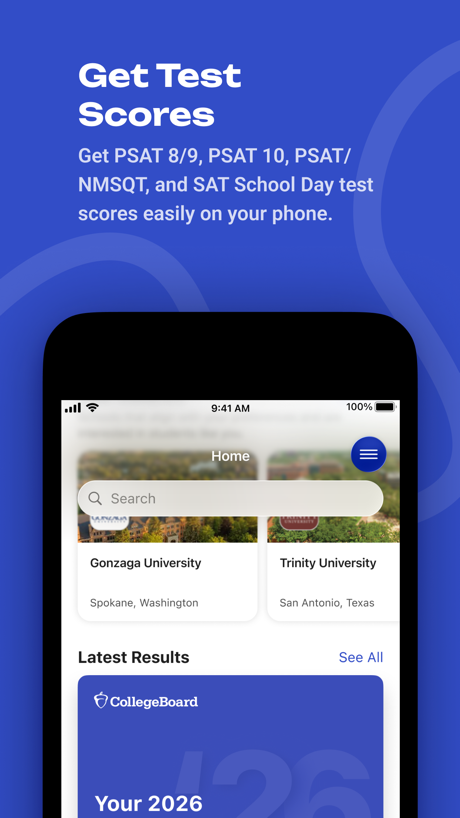
“Get Test Scores”
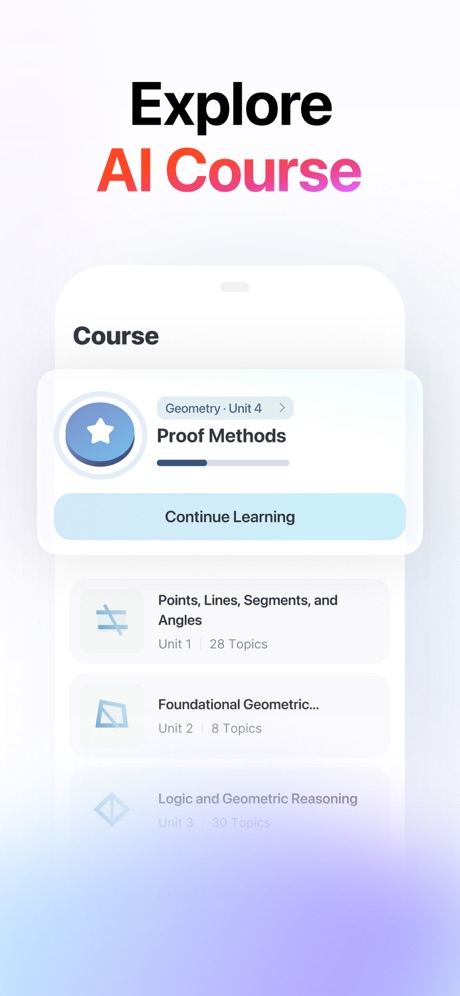
“Explore AI Course”

“Speak English like a native”

“Stay connected with teachers”

“Access all of your favorited courses and groups!”
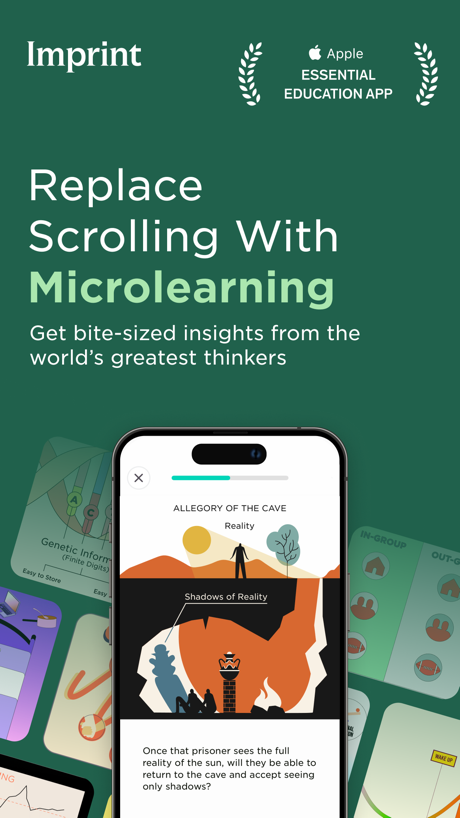
“Replace Scrolling With Microlearning”

“Learn anything with Flashcards”

“Replace doom scrolling with microlearning”

“Add information Fast”

“Communicate in real time without sharing personal information”

“Learn 1000+ Phrases In 7 Days.”
Real headline examples, word for word.
The words on 40 of the 274 that carry any, as each app wrote them.
“learn 40+ languages for free”
Duolingo: Learn Languages · #1 · screenshot 1“Get Test Scores”
Get PSAT 8/9, PSAT 10, PSAT/ NMSQT, and SAT School Day test scores easily on your phone.BigFuture School · #2 · screenshot 1“Explore AI Course”
Gauth: AI Study Companion · #3 · screenshot 4“Speak English like a native”
Learna: Speak & Learn English · #4 · screenshot 1“Stay connected with teachers”
ParentSquare · #5 · screenshot 3“Access all of your favorited courses and groups!”
Canvas by Instructure · #7 · screenshot 1“Replace Scrolling With Microlearning”
Get bite-sized insights from the world’s greatest thinkersImprint: Visual Micro Learning · #8 · screenshot 1“Learn anything with Flashcards”
Quizlet: More than Flashcards · #9 · screenshot 1“Replace doom scrolling with microlearning”
Deepstash: Smarter Every Day! · #12 · screenshot 2“Add information Fast”
Gizmo: AI Tutor · #13 · screenshot 2“Communicate in real time without sharing personal information”
Remind: School Communication · #14 · screenshot 1“Learn 1000+ Phrases In 7 Days.”
Speak: Language Learning · #15 · screenshot 2“Identify Any Plants”
PictureThis - Plant Identifier · #16 · screenshot 1“Get ready”
with meToca Boca World: Game & Play · #17 · screenshot 1“Play, create and host with Kahoot!”
Kahoot! Play & Create Quizzes · #18 · screenshot 1“Speak English Confidently with AI Tutors”
YayTalk: Learn & Speak English · #19 · screenshot 1“Speak English with absolute confidence.”
LangLearn: AI English Tutor · #20 · screenshot 1“Manage fast and secure check-in”
brightwheel: Child Care App · #21 · screenshot 3“Track Progress Identify Weak Areas”
DMV Practice Test 2026 myDMV · #22 · screenshot 5“Learn sign language fast”
With just 10 mins/day of practiceLingvano - Learn Sign Language · #23 · screenshot 1“Create or access your first-year account”
Common App · #25 · screenshot 2“Learn in 10 Minutes a Day”
Everything You Want to KnowMicro Learning - SmartyMe · #26 · screenshot 1“Get better Grades”
Knowunity: AI Study & Homework · #27 · screenshot 1“Scan your Clever badge”
Clever · #28 · screenshot 1“EXPAND YOUR VOCABULARY”
Elevate - Brain Training Games · #29 · screenshot 3“Learn ASL In 10 Minutes a Day.”
Ziggy: Learn ASL Sign Language · #31 · screenshot 1“Learn 10,000+ words”
Vocabulary - Learn words daily · #32 · screenshot 2“Scan & Solve Any Subject”
Solvely - AI Study Tools · #33 · screenshot 1“Start your ASL journey”
ASL Bloom - Sign Language · #36 · screenshot 2“Выбирайте свою тему”
Тёмная тема уже в приложении. Бережёт глаза и экономит батареюГосуслуги Моя школа · #39 · screenshot 3“Manage your student roster at your finger tips”
Procare: Childcare App · #42 · screenshot 2“Ace your permit and driving test on the first try”
“Much better than the DMV Book 😃 Brilliant! Passed my permit test!”Zutobi: Permit & Driving Prep · #43 · screenshot 1“Practice 20,000+ skills”
Math, language arts, science, social studies, and SpanishIXL - Math, English, & More · #44 · screenshot 2“Study Bible and Deepen Your Faith”
FaithStudy – Bible Study Guide · #45 · screenshot 2“Play 35+ bite-sized brain games”
Impulse - Brain Training · #46 · screenshot 3“Fuel reading confidence with the world’s largest digital library for kids.”
Epic - Kids' Books & Reading · #47 · screenshot 1“Speak Spanish”
fastParrot: Learn Spanish Language · #48 · screenshot 1“IDENTIFY”
SPECIES WORLDWIDEiNaturalist · #49 · screenshot 1“Visualize upcoming activities, manage your time, and stay on top of coursework”
Brightspace Pulse · #50 · screenshot 1“Start speaking right away”
Babbel - Language Learning · #52 · screenshot 2
Top ten Education apps that do it.
- #1Duolingo: Learn Languages4 of its 6 screenshots
- #2BigFuture School6 of its 6 screenshots
- #3Gauth: AI Study Companion1 of its 6 screenshots
- #4Learna: Speak & Learn English3 of its 6 screenshots
- #5ParentSquare2 of its 6 screenshots
- #7Canvas by Instructure4 of its 6 screenshots
- #8Imprint: Visual Micro Learning3 of its 6 screenshots
- #9Quizlet: More than Flashcards6 of its 6 screenshots
The same tactic in other categories.
| Category | Apps that do it | Screenshots | Top ten |
|---|---|---|---|
| Health & Fitness | 95% 95 of 100 | 60% 342 of 574 | 10 of 10 |
| Food & Drink | 93% 93 of 100 | 55% 295 of 540 | 10 of 10 |
| Productivity | 93% 92 of 99 | 54% 299 of 551 | 10 of 10 |
| Finance | 90% 90 of 100 | 54% 311 of 581 | 7 of 10 |
| Lifestyle | 88% 88 of 100 | 58% 322 of 556 | 10 of 10 |
| Shopping | 88% 88 of 100 | 50% 281 of 562 | 9 of 10 |
| Travel | 85% 85 of 100 | 48% 267 of 561 | 9 of 10 |
| Entertainment | 84% 84 of 100 | 45% 245 of 544 | 9 of 10 |
| Music | 83% 83 of 100 | 52% 287 of 550 | 8 of 10 |
| Social Networking | 83% 83 of 100 | 50% 279 of 554 | 9 of 10 |
| Business | 82% 82 of 100 | 51% 282 of 554 | 9 of 10 |
| Sports | 82% 82 of 100 | 45% 249 of 558 | 9 of 10 |
| Navigation | 82% 81 of 99 | 48% 269 of 566 | 8 of 10 |
| Graphics & Design | 81% 80 of 99 | 39% 221 of 564 | 7 of 10 |
| Education | 80% 80 of 100 | 49% 274 of 555 | 8 of 10 |
| Reference | 78% 78 of 100 | 45% 255 of 566 | 8 of 10 |
| Games | 74% 74 of 100 | 43% 243 of 567 | 9 of 10 |
| Medical | 73% 73 of 100 | 49% 268 of 548 | 9 of 10 |
| Utilities | 73% 73 of 100 | 39% 214 of 549 | 8 of 10 |
| News | 72% 71 of 98 | 48% 248 of 517 | 10 of 10 |
| Photo & Video | 72% 72 of 100 | 40% 224 of 566 | 8 of 10 |
| Developer Tools | 56% 56 of 100 | 31% 158 of 507 | 5 of 10 |
| Weather | 45% 45 of 100 | 19% 106 of 555 | 5 of 10 |
Related tactics.
Often on the same screenshot
- Plain tone90% of these screenshots, against 72% of all Education screenshots
- Leads with a feature65% of these screenshots, against 50% of all Education screenshots
- Has a headline100% of these screenshots, against 86% of all Education screenshots
- Words at the top93% of these screenshots, against 80% of all Education screenshots
- Says “you” or “your”35% of these screenshots, against 25% of all Education screenshots
- States a benefit48% of these screenshots, against 39% of all Education screenshots
More in words
- Has a headline90%
- Headline under five words74%
- Says “you” or “your”65%
- Uses a number45%
- Has a subline42%
- Headline in Title Case36%
- Headline on one line25%
- No words at all24%
- Headline over eight words17%
- Says “I” or “my”16%
- Names the app11%
- Exclaims10%
- Has a kicker9%
- Uses an emoji7%
- Headline in capitals6%
- Uses a percentage3%
- Names another app2%
Questions, answered from the chart.
How many top Education apps have App Store screenshots with a command headline?
Which Education apps have App Store screenshots with a command headline?
Should my Education app have App Store screenshots with a command headline?
See your own app against this.
Pagefully reads your screenshots the same way, and makes a custom product page for each search people type, from your real screens.
Preview your pages