Business app screenshots with a command headline
The headline is a command: Track your sleep, Start a session. A command starts with a verb, so the first word is what the reader can do with the app.
From the top 100 free Business apps on the US App Store, read on October 9, 2026. Screenshots are the developers’ own, shown from Apple’s servers with a link to each app.
The numbers
282 of the 554 Business screenshots read (51%) do this, across 82 of the top 100 apps (82%). 9 of the top ten do it (90%), against 73 of the other 90 (81%): the top ten do it about as often as the rest. Of the 23 categories read so far, Business is 11th for this. It is most common in Health & Fitness (95% of apps) and least common in Weather (45%).
12 examples from the chart.
12 of the 282 Business app screenshots with a command headline, one from each app, the highest on the chart first.

“Connect with anyone on video meetings and calls”

“Discover jobs that work for you”
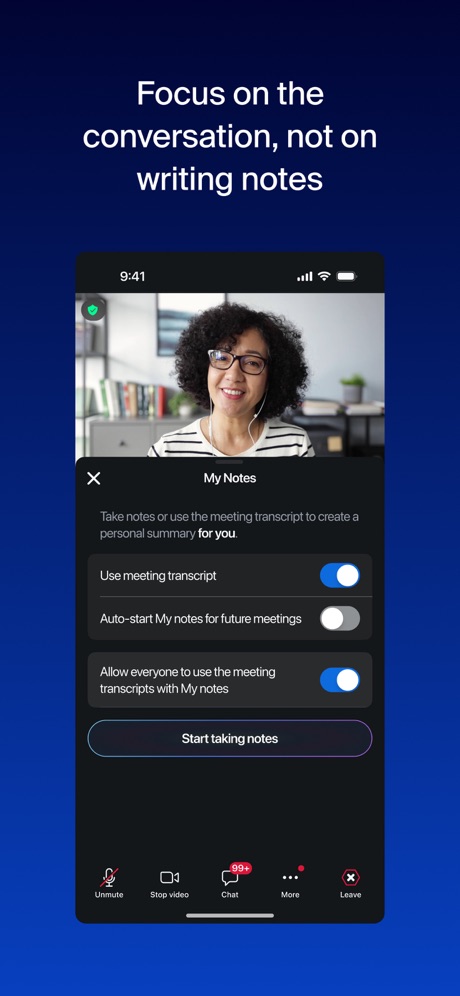
“Focus on the conversation, not on writing notes”

“Find the right opportunities for you.”

“DELIVER WITH DOORDASH”

“Protect your accounts with two-factor authentication”

“Message anyone on your team privately and securely”

“Quickly check in & out”

“Choose when and where you want to shop/deliver”

“Upload your documents”
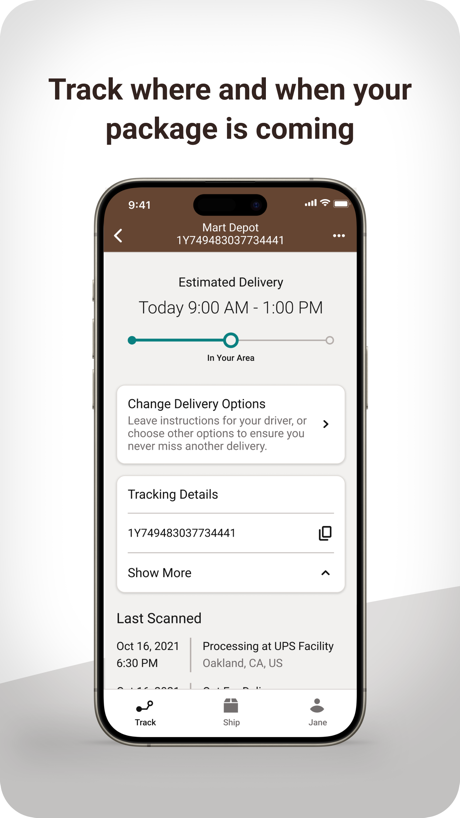
“Track where and when your package is coming”

“Track, ship, and manage your packages from anywhere.”
Real headline examples, word for word.
The words on 40 of the 282 that carry any, as each app wrote them.
“Connect with anyone on video meetings and calls”
Microsoft Teams · #1 · screenshot 3“Discover jobs that work for you”
Indeed Job Search · #2 · screenshot 2“Focus on the conversation, not on writing notes”
Zoom Workplace · #3 · screenshot 3“Find the right opportunities for you.”
LinkedIn: Community & Network · #4 · screenshot 2“DELIVER WITH DOORDASH”
YOUR DOOR TO MOREDoorDash - Dasher · #6 · screenshot 1“Protect your accounts with two-factor authentication”
Okta Verify · #7 · screenshot 2“Message anyone on your team privately and securely”
UKG Pro · #8 · screenshot 3“Quickly check in & out”
Workday · #9 · screenshot 2“Choose when and where you want to shop/deliver”
Spark Driver · #10 · screenshot 3“Upload your documents”
Uber - Driver: Drive & Deliver · #11 · screenshot 3“Track where and when your package is coming”
UPS · #13 · screenshot 3“Track, ship, and manage your packages from anywhere.”
FedEx Mobile · #14 · screenshot 1“Build trust with a WhatsApp business profile and Meta Verified badge”
WhatsApp Business · #15 · screenshot 1“DELIVER SMILES”
Amazon Flex · #16 · screenshot 1“Fill and sign PDFs.”
Acrobat Reader: PDF Editor · #17 · screenshot 3“Start your morning with a preview of your day's USPS mail & packages”
Informed Delivery® Mobile · #18 · screenshot 1“Protect any account with two-factor authentication”
Duo Mobile · #19 · screenshot 1“Organise your conversations”
Slack · #20 · screenshot 2“Earn through AI PROJECTS”
Handshake: Jobs & AI work · #21 · screenshot 2“Track Packages 850+ Carriers”
Package Tracker - pkge Mobile · #22 · screenshot 1“Scan Anything to PDF”
Scanner App - Scan PDF & Docs · #23 · screenshot 1“Complete onboarding tasks”
Paylocity · #24 · screenshot 2“Say why you're interested. Move to the top of the list.”
“I have 3 years of experience and live close by!”ZipRecruiter Job Search · #25 · screenshot 3“Meet face-to-face, all together”
Webex · #26 · screenshot 2“Get started quickly.”
Take any payment.Square Point of Sale (POS) · #27 · screenshot 1- instacart
“Earn money, help others & start shopping”
Instacart Shopper: Earn money · #28 · screenshot 1 “Manage your Facebook, Instagram and WhatsApp marketing from one place”
Meta Business Suite · #29 · screenshot 1“Connect and share”
Google Chat · #30 · screenshot 6“Turn snapshots into studio shots”
Shopify: Sell. Run a business. · #31 · screenshot 3“Check your work schedule”
Amazon A to Z · #32 · screenshot 3“Ensure your paycheck is correct before payday”
Paycom · #33 · screenshot 2“Work when you want”
Instawork: Work when you want · #34 · screenshot 1“Clear your desk.”
Adobe Scan: PDF & Doc Scanner · #35 · screenshot 1“Set up Alpine Ski House access”
Set up your device to access your email, devices, Wi-Fi, and apps for work.Intune Company Portal · #37 · screenshot 1“Enhance the employee experience with self-service”
Paychex Flex · #38 · screenshot 2“Decide when, where, and what items you want to deliver.”
Roadie Driver · #41 · screenshot 1“Start earning fast”
Lyft Driver · #42 · screenshot 1“Act fast on what matters most”
Seller, a Facebook app · #43 · screenshot 1- QuickBooks Workforce
“Track time and access pay info in one place”
QuickBooks Workforce · #44 · screenshot 1 “Create. Inspire. Get Paid”
Trybe Creators · #45 · screenshot 1
Top ten Business apps that do it.
- #1Microsoft Teams4 of its 6 screenshots
- #2Indeed Job Search4 of its 6 screenshots
- #3Zoom Workplace2 of its 6 screenshots
- #4LinkedIn: Community & Network5 of its 6 screenshots
- #6DoorDash - Dasher3 of its 4 screenshots
- #7Okta Verify2 of its 5 screenshots
- #8UKG Pro3 of its 6 screenshots
- #9Workday4 of its 6 screenshots
- #10Spark Driver1 of its 4 screenshots
The same tactic in other categories.
| Category | Apps that do it | Screenshots | Top ten |
|---|---|---|---|
| Health & Fitness | 95% 95 of 100 | 60% 342 of 574 | 10 of 10 |
| Food & Drink | 93% 93 of 100 | 55% 295 of 540 | 10 of 10 |
| Productivity | 93% 92 of 99 | 54% 299 of 551 | 10 of 10 |
| Finance | 90% 90 of 100 | 54% 311 of 581 | 7 of 10 |
| Lifestyle | 88% 88 of 100 | 58% 322 of 556 | 10 of 10 |
| Shopping | 88% 88 of 100 | 50% 281 of 562 | 9 of 10 |
| Travel | 85% 85 of 100 | 48% 267 of 561 | 9 of 10 |
| Entertainment | 84% 84 of 100 | 45% 245 of 544 | 9 of 10 |
| Music | 83% 83 of 100 | 52% 287 of 550 | 8 of 10 |
| Social Networking | 83% 83 of 100 | 50% 279 of 554 | 9 of 10 |
| Business | 82% 82 of 100 | 51% 282 of 554 | 9 of 10 |
| Sports | 82% 82 of 100 | 45% 249 of 558 | 9 of 10 |
| Navigation | 82% 81 of 99 | 48% 269 of 566 | 8 of 10 |
| Graphics & Design | 81% 80 of 99 | 39% 221 of 564 | 7 of 10 |
| Education | 80% 80 of 100 | 49% 274 of 555 | 8 of 10 |
| Reference | 78% 78 of 100 | 45% 255 of 566 | 8 of 10 |
| Games | 74% 74 of 100 | 43% 243 of 567 | 9 of 10 |
| Medical | 73% 73 of 100 | 49% 268 of 548 | 9 of 10 |
| Utilities | 73% 73 of 100 | 39% 214 of 549 | 8 of 10 |
| News | 72% 71 of 98 | 48% 248 of 517 | 10 of 10 |
| Photo & Video | 72% 72 of 100 | 40% 224 of 566 | 8 of 10 |
| Developer Tools | 56% 56 of 100 | 31% 158 of 507 | 5 of 10 |
| Weather | 45% 45 of 100 | 19% 106 of 555 | 5 of 10 |
Related tactics.
Often on the same screenshot
- Leads with a feature67% of these screenshots, against 53% of all Business screenshots
- Words at the top94% of these screenshots, against 81% of all Business screenshots
- Has a headline100% of these screenshots, against 87% of all Business screenshots
- Plain tone93% of these screenshots, against 80% of all Business screenshots
- Says “you” or “your”45% of these screenshots, against 36% of all Business screenshots
- States a benefit62% of these screenshots, against 55% of all Business screenshots
More in words
- Has a headline90%
- Says “you” or “your”73%
- Headline under five words64%
- Has a subline46%
- Headline over eight words29%
- Headline on one line25%
- No words at all21%
- Uses a number20%
- Names the app17%
- Headline in Title Case16%
- Says “I” or “my”12%
- Headline in capitals10%
- Has a kicker9%
- Uses a percentage3%
- Exclaims2%
- Names another app2%
- Uses an emoji2%
Questions, answered from the chart.
How many top Business apps have App Store screenshots with a command headline?
Which Business apps have App Store screenshots with a command headline?
Should my Business app have App Store screenshots with a command headline?
See your own app against this.
Pagefully reads your screenshots the same way, and makes a custom product page for each search people type, from your real screens.
Preview your pages