Music app screenshots with a command headline
The headline is a command: Track your sleep, Start a session. A command starts with a verb, so the first word is what the reader can do with the app.
From the top 100 free Music apps on the US App Store, read on October 9, 2026. Screenshots are the developers’ own, shown from Apple’s servers with a link to each app.
The numbers
287 of the 550 Music screenshots read (52%) do this, across 83 of the top 100 apps (83%). 8 of the top ten do it (80%), against 75 of the other 90 (83%): the top ten do it about as often as the rest. Of the 23 categories read so far, Music is 9th for this. It is most common in Health & Fitness (95% of apps) and least common in Weather (45%).
12 examples from the chart.
12 of the 287 Music app screenshots with a command headline, one from each app, the highest on the chart first.

“FIND PODCASTS YOU LOVE”

“Make any song you can imagine”
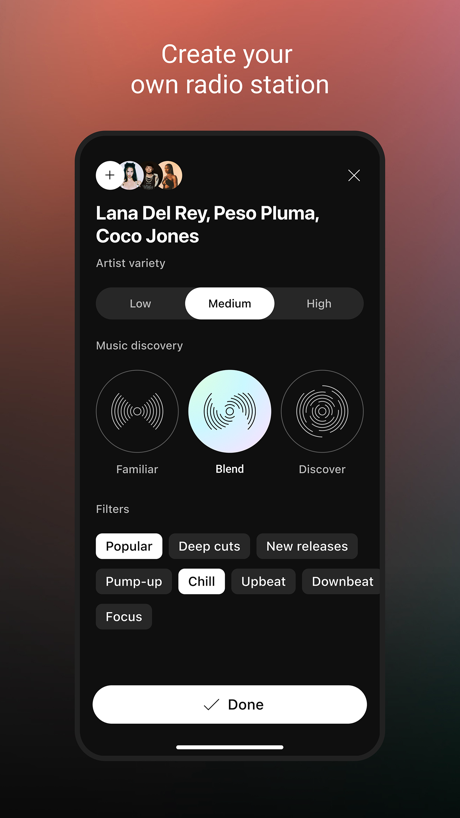
“Create your own radio station”

“START SHARING YOUR SOUND”

“Name any song in seconds”

“Listen Offline”

“Record and edit on the fly”

“Stream and Download great new music.”
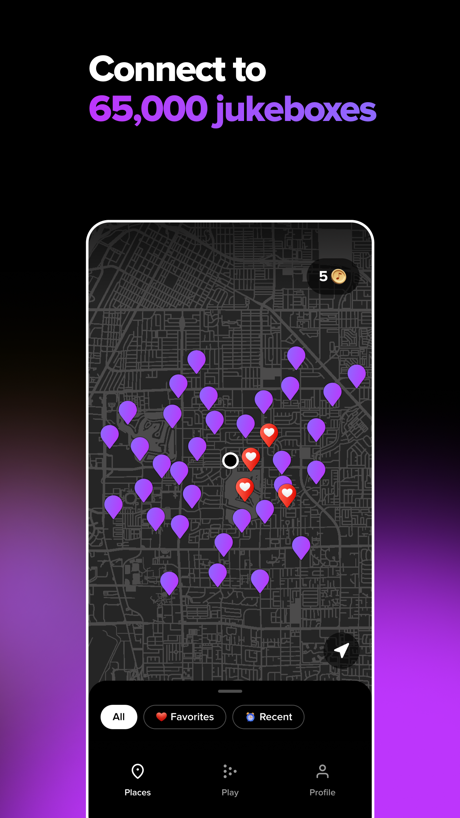
“Connect to 65,000 jukeboxes”

“Play Music”

“Explore Sound”
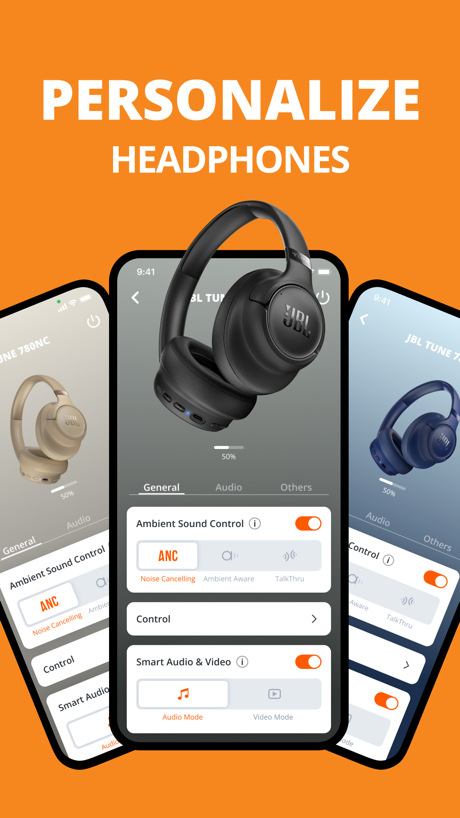
“PERSONALIZE”
Real headline examples, word for word.
The words on 40 of the 287 that carry any, as each app wrote them.
“FIND PODCASTS YOU LOVE”
Spotify: Music and Podcasts · #1 · screenshot 2“Make any song you can imagine”
Suno - AI Songs, Music, Lyrics · #2 · screenshot 1“Create your own radio station”
YouTube Music · #3 · screenshot 1“START SHARING YOUR SOUND”
Make your track public.SoundCloud: The Music You Love · #4 · screenshot 2“Name any song in seconds”
Shazam: Find Music & Concerts · #5 · screenshot 1“Listen Offline”
Amazon Music: Songs & Podcasts · #6 · screenshot 6“Record and edit on the fly”
BandLab – Music Maker & Beats · #8 · screenshot 2“Stream and Download great new music.”
Audiomack - Play Music Offline · #9 · screenshot 1“Connect to 65,000 jukeboxes”
TouchTunes: Jukebox Music · #11 · screenshot 2“Play Music”
All your songs in one placeMusic : Cloud Music Streaming · #12 · screenshot 1“Explore Sound”
Dive into Audio ContentAnker soundcore · #13 · screenshot 5“PERSONALIZE”
HEADPHONESJBL Headphones · #14 · screenshot 2“LISTEN”
Personalized listening.Pandora: Music & Podcasts · #15 · screenshot 1“Switch sound modes at any time”
Shokz · #17 · screenshot 2“Enjoy High-quality Musics”
Tunecho Music-Play Offline · #18 · screenshot 1“Explore the best events near you”
LOCALLY RELEVANTDICE: Live Shows · #19 · screenshot 2“EXPLORE YOUR FAVORITE FESTIVALS”
Festiverse · #21 · screenshot 2“Play your favorite songs”
GuitarTuna: Tune & Play Guitar · #22 · screenshot 5“Find your voice”
Simply Sing: My Singing App · #23 · screenshot 2“Play the music you love”
Piano: Keyboard Lessons & Game · #24 · screenshot 2“ENHANCE YOUR LISTENING EXPERIENCE.”
COMPATIBLE WITHSkullcandy · #25 · screenshot 1“Unlock the ultimate listening experience”
Sonos · #26 · screenshot 1“Import from Video or Recorded Sound”
Musiboot: Get Lossless Music · #27 · screenshot 1“Master new skills”
Edjing Mix: DJ Music Mixer App · #28 · screenshot 3“Create ringtones from your favorite songs”
ClipTone: Ringtone & AI Cover · #30 · screenshot 2“MANAGE SPEAKERS”
JBL Portable · #31 · screenshot 2“MANAGE”
JBL One · #32 · screenshot 2“Discover New Music”
Over 100 million songsDemus: Easy Music Streaming · #34 · screenshot 1“Record Voice, Sound, Anything Fun”
Reverse Audio: Sing Challenge · #35 · screenshot 2“Mix all your favorite songs”
djay - DJ App & AI Mixer · #36 · screenshot 2“Set the mood - play music or videos on any AMI jukebox Use your credits at any AMI venue Build and play custom playlists with ease Quickly revisit your recent plays”
AMI Play · #37 · screenshot 2“Discover 10.000+”
new ringtonesGarage Ringtones for iPhone · #38 · screenshot 1“Learn to play in 1 day”
Ultimate Guitar: Chords & Tabs · #39 · screenshot 1“Create Stunning AI Covers With Any Voice”
Music Creator - Make Songs · #40 · screenshot 3“Record from microphone”
Reverse Audio · #41 · screenshot 1“Play Piano Keyboard”
Simple to Learn SongsPiano ٞ · #42 · screenshot 1“LEARN TO SING WITH CHERYL PORTER”
StarMaker-Sing Karaoke Songs · #43 · screenshot 1“RINGTONE ANY SONG”
Ringtones for iphone: Ringtune · #44 · screenshot 1“Listen Music Anywhere, Anytime!”
Offline Music Player · #46 · screenshot 1“Play along in”
real timeStrum - Play Guitar · #47 · screenshot 1
Top ten Music apps that do it.
- #1Spotify: Music and Podcasts4 of its 6 screenshots
- #2Suno - AI Songs, Music, Lyrics6 of its 6 screenshots
- #3YouTube Music5 of its 5 screenshots
- #4SoundCloud: The Music You Love4 of its 6 screenshots
- #5Shazam: Find Music & Concerts6 of its 6 screenshots
- #6Amazon Music: Songs & Podcasts1 of its 6 screenshots
- #8BandLab – Music Maker & Beats5 of its 6 screenshots
- #9Audiomack - Play Music Offline5 of its 5 screenshots
The same tactic in other categories.
| Category | Apps that do it | Screenshots | Top ten |
|---|---|---|---|
| Health & Fitness | 95% 95 of 100 | 60% 342 of 574 | 10 of 10 |
| Food & Drink | 93% 93 of 100 | 55% 295 of 540 | 10 of 10 |
| Productivity | 93% 92 of 99 | 54% 299 of 551 | 10 of 10 |
| Finance | 90% 90 of 100 | 54% 311 of 581 | 7 of 10 |
| Lifestyle | 88% 88 of 100 | 58% 322 of 556 | 10 of 10 |
| Shopping | 88% 88 of 100 | 50% 281 of 562 | 9 of 10 |
| Travel | 85% 85 of 100 | 48% 267 of 561 | 9 of 10 |
| Entertainment | 84% 84 of 100 | 45% 245 of 544 | 9 of 10 |
| Music | 83% 83 of 100 | 52% 287 of 550 | 8 of 10 |
| Social Networking | 83% 83 of 100 | 50% 279 of 554 | 9 of 10 |
| Business | 82% 82 of 100 | 51% 282 of 554 | 9 of 10 |
| Sports | 82% 82 of 100 | 45% 249 of 558 | 9 of 10 |
| Navigation | 82% 81 of 99 | 48% 269 of 566 | 8 of 10 |
| Graphics & Design | 81% 80 of 99 | 39% 221 of 564 | 7 of 10 |
| Education | 80% 80 of 100 | 49% 274 of 555 | 8 of 10 |
| Reference | 78% 78 of 100 | 45% 255 of 566 | 8 of 10 |
| Games | 74% 74 of 100 | 43% 243 of 567 | 9 of 10 |
| Medical | 73% 73 of 100 | 49% 268 of 548 | 9 of 10 |
| Utilities | 73% 73 of 100 | 39% 214 of 549 | 8 of 10 |
| News | 72% 71 of 98 | 48% 248 of 517 | 10 of 10 |
| Photo & Video | 72% 72 of 100 | 40% 224 of 566 | 8 of 10 |
| Developer Tools | 56% 56 of 100 | 31% 158 of 507 | 5 of 10 |
| Weather | 45% 45 of 100 | 19% 106 of 555 | 5 of 10 |
Related tactics.
Often on the same screenshot
- Leads with a feature76% of these screenshots, against 62% of all Music screenshots
- Says “you” or “your”38% of these screenshots, against 27% of all Music screenshots
- Words at the top92% of these screenshots, against 82% of all Music screenshots
- Has a headline100% of these screenshots, against 90% of all Music screenshots
- Plain tone81% of these screenshots, against 71% of all Music screenshots
- Gradient background66% of these screenshots, against 57% of all Music screenshots
More in words
- Has a headline94%
- Headline under five words81%
- Says “you” or “your”67%
- Has a subline47%
- Headline in Title Case39%
- Headline in capitals30%
- Headline on one line29%
- Uses a number28%
- No words at all23%
- Names the app22%
- Headline over eight words13%
- Says “I” or “my”13%
- Has a kicker10%
- Exclaims7%
- Uses a percentage2%
- Names another app1%
- Uses an emoji1%
Questions, answered from the chart.
How many top Music apps have App Store screenshots with a command headline?
Which Music apps have App Store screenshots with a command headline?
Should my Music app have App Store screenshots with a command headline?
See your own app against this.
Pagefully reads your screenshots the same way, and makes a custom product page for each search people type, from your real screens.
Preview your pages