Navigation app screenshots with a command headline
The headline is a command: Track your sleep, Start a session. A command starts with a verb, so the first word is what the reader can do with the app.
From the top 99 free Navigation apps on the US App Store, read on October 9, 2026. Screenshots are the developers’ own, shown from Apple’s servers with a link to each app.
The numbers
269 of the 566 Navigation screenshots read (48%) do this, across 81 of the top 99 apps (82%). 8 of the top ten do it (80%), against 73 of the other 89 (82%): the top ten do it about as often as the rest. Of the 23 categories read so far, Navigation is 13th for this. It is most common in Health & Fitness (95% of apps) and least common in Weather (45%).
12 examples from the chart.
12 of the 269 Navigation app screenshots with a command headline, one from each app, the highest on the chart first.

“Ask Maps anything about anywhere”

“Get there faster with live traffic updates & precise ETAs”

“Get the parking app trusted by millions of drivers”
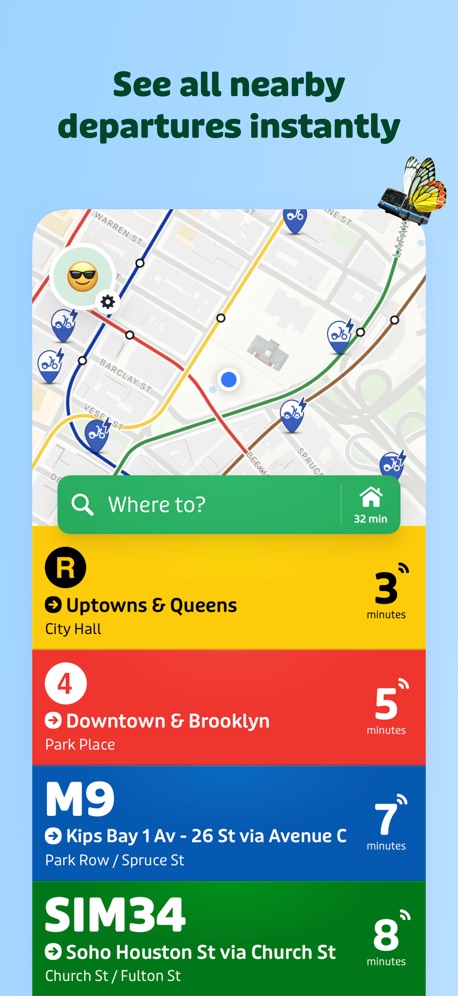
“See all nearby departures instantly”
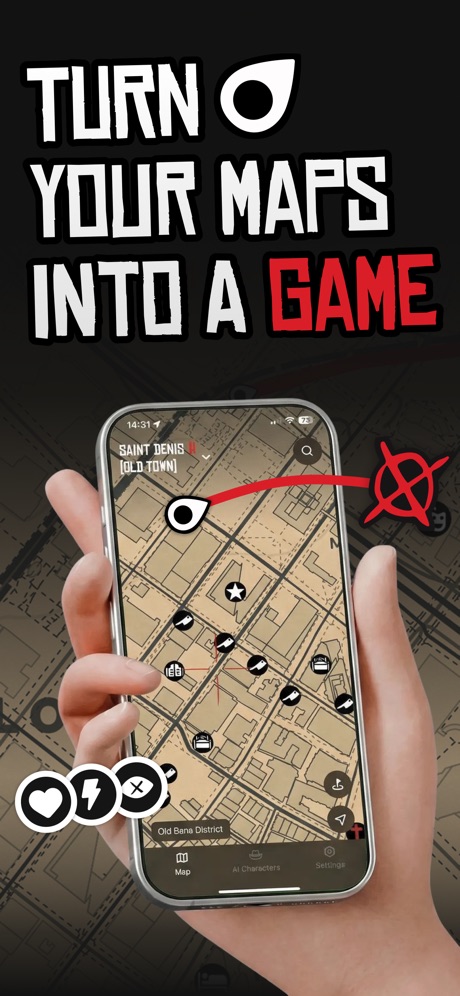
“TURN YOUR MAPS INTO A GAME”

“Use the Shell® Fuel Rewards® program in the Shell App & save more”

“Compare & book parking in 400+ cities”

“KNOW WHEN TO HUNT”

“Pay for fuel from the comfort of your car!”

“Find parking that works for you”
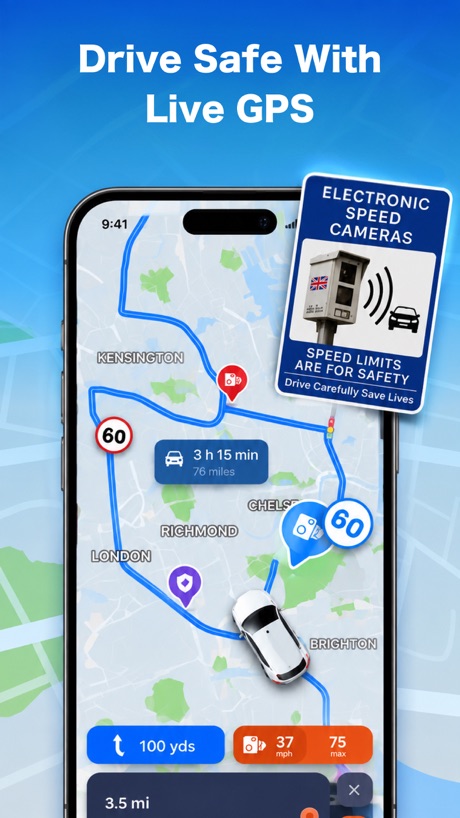
“Drive Safe With Live GPS”
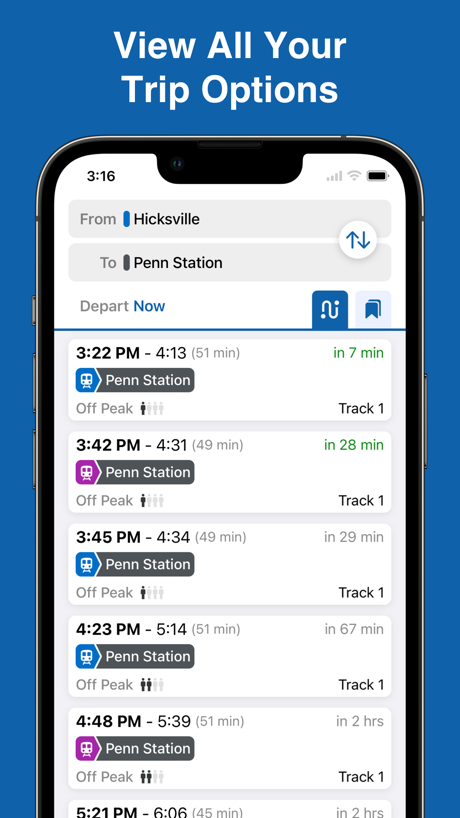
“View All Your Trip Options”
Real headline examples, word for word.
The words on 40 of the 269 that carry any, as each app wrote them.
“Ask Maps anything about anywhere”
Google Maps · #1 · screenshot 2“Get there faster with live traffic updates & precise ETAs”
Waze Navigation & Live Traffic · #3 · screenshot 1“Get the parking app trusted by millions of drivers”
ParkMobile: Park. Pay. Go. · #4 · screenshot 1“See all nearby departures instantly”
Transit • Subway & Bus Times · #5 · screenshot 1“TURN YOUR MAPS INTO A GAME”
Game Maps IRL · #7 · screenshot 1“Use the Shell® Fuel Rewards® program in the Shell App & save more”
Shell: Fuel, Charge & More · #8 · screenshot 1“Compare & book parking in 400+ cities”
SpotHero: #1 Rated Parking App · #9 · screenshot 1“KNOW WHEN TO HUNT”
Stop piecing it together. Whitetail Insights predicts deer activity, provides a detailed rut calendar, and hyperlocal weather all in one place.onX Hunt: GPS Hunting Maps · #10 · screenshot 1“Pay for fuel from the comfort of your car!”
Chevron · #11 · screenshot 2“Find parking that works for you”
ParkWhiz - #1 Parking App · #12 · screenshot 1“Drive Safe With Live GPS”
Real-time GPS Location Sharing · #13 · screenshot 4“View All Your Trip Options”
MTA TrainTime · #15 · screenshot 2“Just drive in and park”
Metropolis: Remarkable Parking · #16 · screenshot 2“Access your rewards, anytime, anywhere”
Exxon Mobil Rewards+ · #17 · screenshot 2“Get off now”
Citymapper: All Live Transit · #18 · screenshot 5“Find available charging stations”
ChargePoint® · #20 · screenshot 1“Drive calmly and without incurring any fines”
MapXplorer: GPS Maps & Radar · #21 · screenshot 2“Map Your Journey”
NAVER Maps, Navigation · #22 · screenshot 1“Drive with Confidence”
Radar GO-X : Navigation, Map · #23 · screenshot 4“Find the essential functionalities and information you need to organise your trips in the Île-de-France region.”
Île-de-France Mobilités · #26 · screenshot 1“Set Your Truck Profile”
Add your vehicle dimensions for smarter routesRouteXL: Smart Truck GPS · #27 · screenshot 2“Find Fast EV Chargers Near You”
1,200+ Stations NationwideEVgo - Find a Fast EV Charger · #28 · screenshot 1“Join the #1 App for Truck Drivers”
Used by millions of truckers to find places over-the-roadTrucker Path: Truck GPS & Fuel · #29 · screenshot 1“Get to your favorite spots with real-time traffic updates”
MapQuest GPS Navigation & Maps · #30 · screenshot 6“Choose the best Route”
Moovit: Bus & Transit Tracker · #31 · screenshot 2“Say Bonjour to the city”
Bonjour RATP · #32 · screenshot 1“Download the map to find places even without a connection”
Yandex Maps & Navigator · #33 · screenshot 3“Explore public transit near you.”
Citi Bike · #34 · screenshot 3“See details and recent activity for each geocache”
Geocaching® · #35 · screenshot 3“Find EV Charging Stations”
PlugShare: Charging Stations · #36 · screenshot 1“STAY ON TRACK”
Car · Bicycle · Bus Walking · MetroOrganic Maps・Offline Maps, GPS · #37 · screenshot 3“Track your All-Time Stats”
Keep track of all your trips with in depth statistics and your full trip history.Exit51 · #38 · screenshot 3“Check live arrival times”
MBTA Go — Official · #39 · screenshot 2“See charger details and save your favorite station”
Electrify America · #40 · screenshot 2“Buy Fuel Securely With Your Debit or Credit Card”
Mudflap · #41 · screenshot 4“VIEW 3D MAPS”
See details in high definition before you step foot on the trail.onX Backcountry: 3D Trail Maps · #42 · screenshot 2“GET REWARDED WITH FUEL SAVINGS”
Marathon Rewards · #43 · screenshot 1“GET REWARDED WITH FUEL SAVINGS”
ARCO Rewards · #44 · screenshot 1“Fuel Your Journey, Go the ExtraMile™”
ExtraMile® · #45 · screenshot 1“Manage your personal fleet”
Driver Pulse by Tenstreet · #46 · screenshot 4
Top ten Navigation apps that do it.
- #1Google Maps5 of its 6 screenshots
- #3Waze Navigation & Live Traffic6 of its 6 screenshots
- #4ParkMobile: Park. Pay. Go.2 of its 6 screenshots
- #5Transit • Subway & Bus Times4 of its 6 screenshots
- #7Game Maps IRL6 of its 6 screenshots
- #8Shell: Fuel, Charge & More3 of its 6 screenshots
- #9SpotHero: #1 Rated Parking App5 of its 5 screenshots
- #10onX Hunt: GPS Hunting Maps1 of its 6 screenshots
The same tactic in other categories.
| Category | Apps that do it | Screenshots | Top ten |
|---|---|---|---|
| Health & Fitness | 95% 95 of 100 | 60% 342 of 574 | 10 of 10 |
| Food & Drink | 93% 93 of 100 | 55% 295 of 540 | 10 of 10 |
| Productivity | 93% 92 of 99 | 54% 299 of 551 | 10 of 10 |
| Finance | 90% 90 of 100 | 54% 311 of 581 | 7 of 10 |
| Lifestyle | 88% 88 of 100 | 58% 322 of 556 | 10 of 10 |
| Shopping | 88% 88 of 100 | 50% 281 of 562 | 9 of 10 |
| Travel | 85% 85 of 100 | 48% 267 of 561 | 9 of 10 |
| Entertainment | 84% 84 of 100 | 45% 245 of 544 | 9 of 10 |
| Music | 83% 83 of 100 | 52% 287 of 550 | 8 of 10 |
| Social Networking | 83% 83 of 100 | 50% 279 of 554 | 9 of 10 |
| Business | 82% 82 of 100 | 51% 282 of 554 | 9 of 10 |
| Sports | 82% 82 of 100 | 45% 249 of 558 | 9 of 10 |
| Navigation | 82% 81 of 99 | 48% 269 of 566 | 8 of 10 |
| Graphics & Design | 81% 80 of 99 | 39% 221 of 564 | 7 of 10 |
| Education | 80% 80 of 100 | 49% 274 of 555 | 8 of 10 |
| Reference | 78% 78 of 100 | 45% 255 of 566 | 8 of 10 |
| Games | 74% 74 of 100 | 43% 243 of 567 | 9 of 10 |
| Medical | 73% 73 of 100 | 49% 268 of 548 | 9 of 10 |
| Utilities | 73% 73 of 100 | 39% 214 of 549 | 8 of 10 |
| News | 72% 71 of 98 | 48% 248 of 517 | 10 of 10 |
| Photo & Video | 72% 72 of 100 | 40% 224 of 566 | 8 of 10 |
| Developer Tools | 56% 56 of 100 | 31% 158 of 507 | 5 of 10 |
| Weather | 45% 45 of 100 | 19% 106 of 555 | 5 of 10 |
Related tactics.
Often on the same screenshot
- Plain tone91% of these screenshots, against 80% of all Navigation screenshots
- Says “you” or “your”35% of these screenshots, against 26% of all Navigation screenshots
- Leads with a feature69% of these screenshots, against 60% of all Navigation screenshots
- Has a headline100% of these screenshots, against 92% of all Navigation screenshots
- Words at the top92% of these screenshots, against 85% of all Navigation screenshots
- States a benefit40% of these screenshots, against 37% of all Navigation screenshots
More in words
- Has a headline93%
- Headline under five words76%
- Says “you” or “your”68%
- Has a subline42%
- Headline in Title Case38%
- Headline over eight words28%
- Headline on one line26%
- Uses a number25%
- Headline in capitals17%
- No words at all15%
- Names the app12%
- Has a kicker10%
- Says “I” or “my”9%
- Exclaims6%
- Names another app4%
- Uses an emoji4%
- Asks a question1%
- Uses a percentage1%
Questions, answered from the chart.
How many top Navigation apps have App Store screenshots with a command headline?
Which Navigation apps have App Store screenshots with a command headline?
Should my Navigation app have App Store screenshots with a command headline?
See your own app against this.
Pagefully reads your screenshots the same way, and makes a custom product page for each search people type, from your real screens.
Preview your pages