Productivity app screenshots with no app screen
A photo, a logo or a slogan: the app’s screen does not appear. These sell an idea, a promise or a brand before showing any interface. Apple’s App Review Guideline 2.3.3 says screenshots should show the app in use, and not only title art, a login page or a splash screen.
From the top 99 free Productivity apps on the US App Store, read on October 9, 2026. Screenshots are the developers’ own, shown from Apple’s servers with a link to each app.
The numbers
26 of the 551 Productivity screenshots read (5%) do this, across 23 of the top 99 apps (23%). 1 of the top ten do it (10%), against 22 of the other 89 (25%): the top ten do it less than the rest. Of the 23 categories read so far, Productivity is 5th for this. It is most common in Education (29% of apps) and least common in Weather (4%).
12 examples from the chart.
12 of the 26 Productivity app screenshots with no app screen, one from each app, the highest on the chart first.
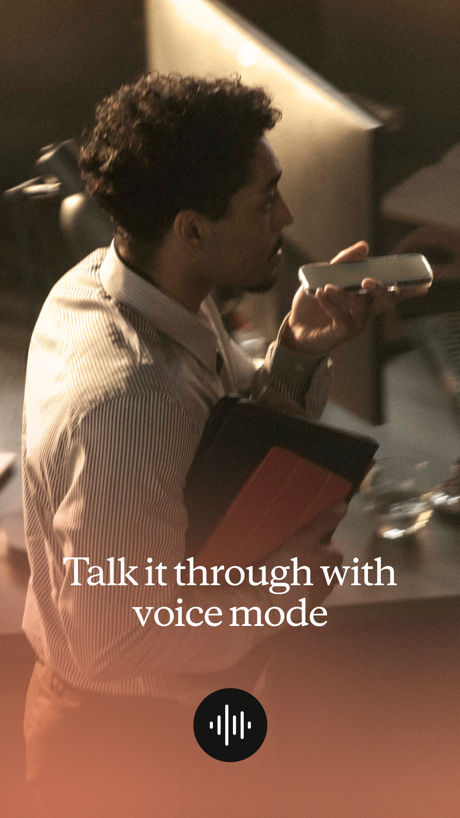
“Talk it through with voice mode”

“Designed to simplify your life”

“Collaborate and share securely”

“Add accounts in seconds”

“Create podcast-style overviews with your AI research assistant 🤖”

“YOUR AI ASSISTANT”
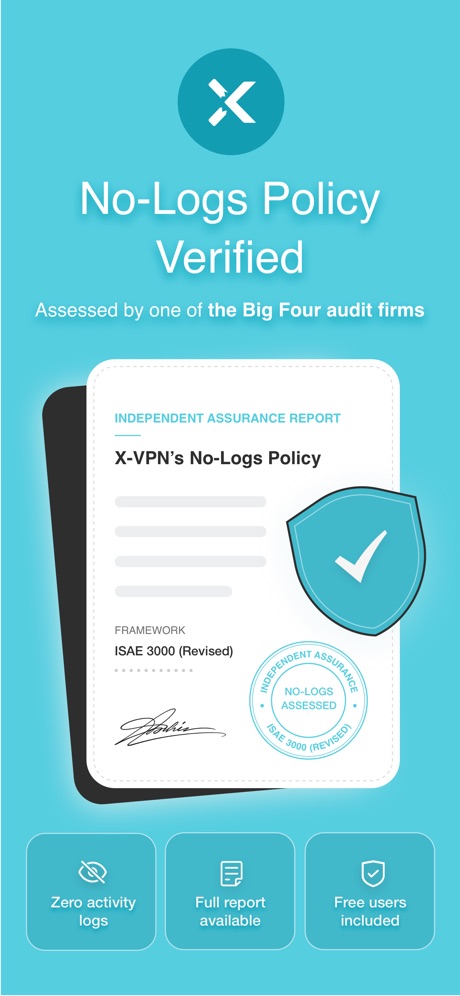
“No-Logs Policy Verified”

“We protect what matters most, your privacy and safety.”

“All AI Assistants in one app”

“Your life, beautifully organized.”

“Translate All Languages, Connect the World”

“SMART PRINTER APP”
What these screenshots say, word for word.
The words on all 25 that carry any, as each app wrote them.
“Talk it through with voice mode”
Claude by Anthropic · #4 · screenshot 2“Designed to simplify your life”
Yahoo Mail: Your Email & Inbox · #21 · screenshot 1“Collaborate and share securely”
“Dropbox has eliminated the need for email, collaboration between my clients and me is professional and consistent”Dropbox: Cloud Storage Backup · #28 · screenshot 4“Add accounts in seconds”
ID.me Authenticator · #32 · screenshot 3“Create podcast-style overviews with your AI research assistant 🤖”
The new app is hereGemini Notebook · #34 · screenshot 1“YOUR AI ASSISTANT”
INTO THE UNKNOWNDeepSeek - AI Assistant · #36 · screenshot 1“No-Logs Policy Verified”
Assessed by one of the Big Four audit firmsX-VPN: VPN Fast & Secure · #41 · screenshot 1“We protect what matters most, your privacy and safety.”
Cloaked finds your exposure, removes it, and guards what matters - for you and your family.Cloaked: Protect your privacy · #42 · screenshot 1“All AI Assistants in one app”
Chatbot AI Assistant - Genie · #47 · screenshot 1“Your life, beautifully organized.”
Notion: Notes, Tasks, AI · #48 · screenshot 1- TranslateAll: Live Translator
“Translate All Languages, Connect the World”
TranslateAll: Live Translator · #49 · screenshot 1 “SMART PRINTER APP”
App Store App of the DaySmart Printer App℠ for HP · · #51 · screenshot 1“Sign electronically. Keep it real.”
Docusign - Upload & Sign Docs · #59 · screenshot 4“Unlock VPN”
Unlimited Browsing with high-speedSurfshark VPN: Fast & Secure · #60 · screenshot 4“Send and receive files right from your phone”
WeTransfer: Transfer Files · #62 · screenshot 1“#1 AI Chatbot”
Chatbot App: AI Assistant · #63 · screenshot 1“Top-Rated VPN App”
VPN Hotspot Shield: Wifi Proxy · #64 · screenshot 2“Leave your notebook at home”
Granola transcribes and takes notes while you focus on the conversationGranola - AI Meeting Notes · #65 · screenshot 1“Deep Search Know More”
OneSearch: DeepSearch Finder · #68 · screenshot 1“Recommended”
for popular services and social mediaAuthenticator App · #70 · screenshot 2“Snap & Solve”
Find the volume of the coneAI Chat Assistant – ChatNow · #74 · screenshot 4“Why You Should Trust Us Too”
VPN Windscribe: Fast & Secure · #95 · screenshot 6“Keep your app protected”
ID.me Authenticator · #32 · screenshot 5“Easy, beautiful AI meeting notes”
Granola - AI Meeting Notes · #65 · screenshot 4“Authenticator App”
“Best Authenticator App of 2025”Authenticator App · #70 · screenshot 3
Top ten Productivity apps that do it.
- #4Claude by Anthropic1 of its 6 screenshots
The same tactic in other categories.
| Category | Apps that do it | Screenshots | Top ten |
|---|---|---|---|
| Education | 29% 29 of 100 | 7% 37 of 555 | 1 of 10 |
| Finance | 27% 27 of 100 | 6% 33 of 581 | 3 of 10 |
| Sports | 26% 26 of 100 | 5% 27 of 558 | 7 of 10 |
| Food & Drink | 25% 25 of 100 | 5% 29 of 540 | 5 of 10 |
| Productivity | 23% 23 of 99 | 5% 26 of 551 | 1 of 10 |
| Lifestyle | 23% 23 of 100 | 5% 27 of 556 | 4 of 10 |
| Shopping | 23% 23 of 100 | 5% 28 of 562 | 3 of 10 |
| Health & Fitness | 21% 21 of 100 | 4% 23 of 574 | 4 of 10 |
| Medical | 21% 21 of 100 | 5% 25 of 548 | 1 of 10 |
| Reference | 21% 21 of 100 | 4% 25 of 566 | 2 of 10 |
| Utilities | 21% 21 of 100 | 4% 24 of 549 | 2 of 10 |
| Games | 20% 20 of 100 | 4% 22 of 567 | 2 of 10 |
| Graphics & Design | 19% 19 of 99 | 4% 24 of 564 | 1 of 10 |
| Business | 18% 18 of 100 | 4% 23 of 554 | 1 of 10 |
| Music | 16% 16 of 100 | 3% 18 of 550 | 1 of 10 |
| Social Networking | 16% 16 of 100 | 3% 17 of 554 | 0 of 10 |
| Travel | 15% 15 of 100 | 3% 18 of 561 | 2 of 10 |
| Navigation | 12% 12 of 99 | 2% 13 of 566 | 0 of 10 |
| Entertainment | 11% 11 of 100 | 3% 15 of 544 | 2 of 10 |
| Photo & Video | 10% 10 of 100 | 2% 12 of 566 | 0 of 10 |
| News | 8% 8 of 98 | 2% 9 of 517 | 0 of 10 |
| Developer Tools | 7% 7 of 100 | 1% 7 of 507 | 0 of 10 |
| Weather | 4% 4 of 100 | 1% 5 of 555 | 1 of 10 |
Related tactics.
Often on the same screenshot
- Laurel or award31% of these screenshots, against 5% of all Productivity screenshots
- Star rating shown27% of these screenshots, against 4% of all Productivity screenshots
- Dark38% of these screenshots, against 16% of all Productivity screenshots
- Words aligned left35% of these screenshots, against 13% of all Productivity screenshots
- Illustration or mascot50% of these screenshots, against 32% of all Productivity screenshots
- Arrows or callouts31% of these screenshots, against 15% of all Productivity screenshots
More in layout
- Screen fills the picture100%
- Phone drawn99%
- Words at the top98%
- Whole phone shown91%
- A photograph76%
- Illustration or mascot73%
- Headline readable at thumbnail size72%
- A person in the picture63%
- Headline too small to read59%
- Phone cut off at the foot53%
- App icon shown52%
- Arrows or callouts45%
- Words aligned left26%
- No phone, bare screen20%
- Two or more screens20%
- Phone cut off at the head19%
- Zoomed detail of the UI17%
- Screen is small15%
- Watch, iPad or Mac beside it13%
- A hand holds the phone12%
- Words at the bottom12%
- Phone at an angle11%
- Words over the screen7%
Questions, answered from the chart.
How many top Productivity apps have App Store screenshots with no app screen?
Which Productivity apps have App Store screenshots with no app screen?
Should my Productivity app have App Store screenshots with no app screen?
See your own app against this.
Pagefully reads your screenshots the same way, and makes a custom product page for each search people type, from your real screens.
Preview your pages