Productivity app screenshots with an award or laurel
An award mark, laurel wreath or “App of the Day”. An award is someone else’s judgement of the app, shown at the moment the reader is making their own.
From the top 99 free Productivity apps on the US App Store, read on October 9, 2026. Screenshots are the developers’ own, shown from Apple’s servers with a link to each app.
The numbers
26 of the 551 Productivity screenshots read (5%) do this, across 24 of the top 99 apps (24%). 0 of the top ten do it (0%), against 24 of the other 89 (27%): the top ten do it less than the rest. Of the 23 categories read so far, Productivity is 5th for this. It is most common in Education (34% of apps) and least common in Developer Tools (5%).
12 examples from the chart.
12 of the 26 Productivity app screenshots with an award or laurel, one from each app, the highest on the chart first.

“#1 downloaded VPN app globally”

“Your Screen Time”

“Never take notes again”

“Read 3x Faster by Listening”

“Trusted by 40 million people every day”
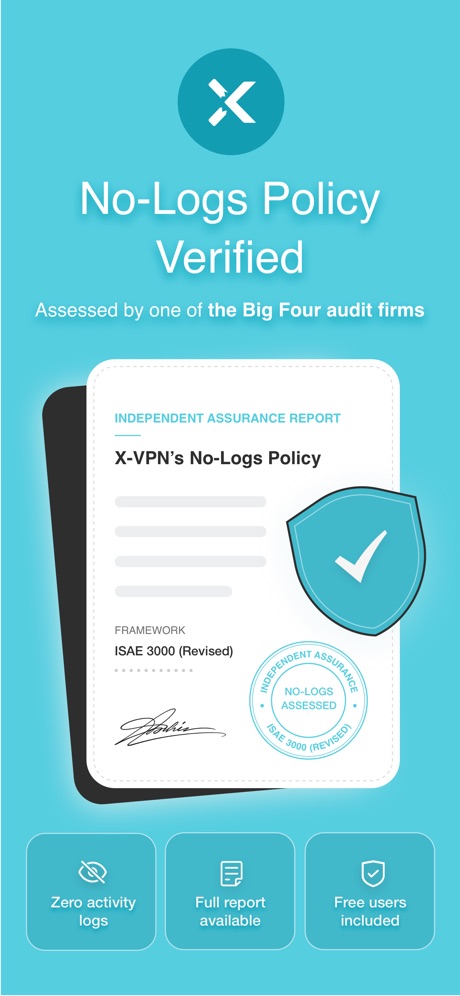
“No-Logs Policy Verified”

“We protect what matters most, your privacy and safety.”

“All AI Assistants in one app”

“SocialLite”

“SMART PRINTER APP”

“RESCUE”

“Quick access to your Google Forms”
Real headline examples, word for word.
The words on all 25 that carry any, as each app wrote them.
“#1 downloaded VPN app globally”
VPN - Super Unlimited Proxy · #15 · screenshot 5- RECLAIM
“Your Screen Time”
BePresent: Screen Time Control · #33 · screenshot 1 “Never take notes again”
When recording with (mic icon) Summary AISummary - AI Note Taker · #35 · screenshot 1“Read 3x Faster by Listening”
Speechify – Text to Speech PDF · #39 · screenshot 1“Trusted by 40 million people every day”
Grammarly: AI Keyboard & Voice · #40 · screenshot 1“No-Logs Policy Verified”
Assessed by one of the Big Four audit firmsX-VPN: VPN Fast & Secure · #41 · screenshot 1“We protect what matters most, your privacy and safety.”
Cloaked finds your exposure, removes it, and guards what matters - for you and your family.Cloaked: Protect your privacy · #42 · screenshot 1“All AI Assistants in one app”
Chatbot AI Assistant - Genie · #47 · screenshot 1“SocialLite”
Trusted by 1M+ peopleSocialLite-Block Reels&Shorts · #50 · screenshot 1“SMART PRINTER APP”
App Store App of the DaySmart Printer App℠ for HP · · #51 · screenshot 1“RESCUE”
Lost DataPhoto Recovery: Deleted Files · #54 · screenshot 3“Quick access to your Google Forms”
Forms for Google Docs · #55 · screenshot 1“#1 AI Chatbot”
Chatbot App: AI Assistant · #63 · screenshot 1“Leave your notebook at home”
Granola transcribes and takes notes while you focus on the conversationGranola - AI Meeting Notes · #65 · screenshot 1“Authenticator App”
“Best Authenticator App of 2025”Authenticator App · #70 · screenshot 3“#1 AI Chat”
Built on:AI Chat Assistant – ChatNow · #74 · screenshot 1“Go ahead. Forget your passwords.”
1Password: Password Manager · #81 · screenshot 1“Blocks the apps you keep opening.”
Opal: Screen Time Control · #85 · screenshot 2“Sync Across Devices”
ChatOn AI - Chat Bot Assistant · #89 · screenshot 6“#1 AI Assistant”
Loved by over 20 million usersDola AI: Smart Personal Helper · #90 · screenshot 1“Trusted by Many”
Hated by a fewVPN Windscribe: Fast & Secure · #95 · screenshot 5- IIElevenReader
“Listen to anything”
ElevenReader: Read Books Aloud · #96 · screenshot 1 “your simple day planner”
“ONE OF THE BEST PRODUCTIVITY TOOLS”Structured: Daily Planner Todo · #98 · screenshot 1- CLIMB
“the Digital Detox Leaderboard!”
BePresent: Screen Time Control · #33 · screenshot 5 “Ask AI Anything”
AI Chat Assistant – ChatNow · #74 · screenshot 2
Top ten Productivity apps that do it.
None of the top ten do. The highest app on the chart that does is VPN - Super Unlimited Proxy, at #15.
The same tactic in other categories.
| Category | Apps that do it | Screenshots | Top ten |
|---|---|---|---|
| Education | 34% 34 of 100 | 7% 37 of 555 | 4 of 10 |
| Graphics & Design | 33% 33 of 99 | 6% 35 of 564 | 3 of 10 |
| Health & Fitness | 28% 28 of 100 | 6% 35 of 574 | 2 of 10 |
| Reference | 26% 26 of 100 | 5% 28 of 566 | 3 of 10 |
| Productivity | 24% 24 of 99 | 5% 26 of 551 | 0 of 10 |
| Music | 20% 20 of 100 | 4% 22 of 550 | 2 of 10 |
| Utilities | 16% 16 of 100 | 3% 17 of 549 | 1 of 10 |
| Entertainment | 15% 15 of 100 | 4% 24 of 544 | 2 of 10 |
| Lifestyle | 15% 15 of 100 | 3% 15 of 556 | 1 of 10 |
| Social Networking | 15% 15 of 100 | 3% 16 of 554 | 0 of 10 |
| Finance | 14% 14 of 100 | 3% 15 of 581 | 1 of 10 |
| Photo & Video | 11% 11 of 100 | 2% 11 of 566 | 0 of 10 |
| Weather | 11% 11 of 100 | 2% 12 of 555 | 1 of 10 |
| Sports | 10% 10 of 100 | 2% 10 of 558 | 1 of 10 |
| Travel | 10% 10 of 100 | 2% 11 of 561 | 0 of 10 |
| News | 9% 9 of 98 | 2% 9 of 517 | 2 of 10 |
| Games | 8% 8 of 100 | 2% 9 of 567 | 0 of 10 |
| Navigation | 7% 7 of 99 | 1% 7 of 566 | 0 of 10 |
| Medical | 7% 7 of 100 | 2% 9 of 548 | 0 of 10 |
| Shopping | 7% 7 of 100 | 1% 7 of 562 | 1 of 10 |
| Business | 6% 6 of 100 | 1% 6 of 554 | 0 of 10 |
| Food & Drink | 6% 6 of 100 | 2% 9 of 540 | 1 of 10 |
| Developer Tools | 5% 5 of 100 | 1% 6 of 507 | 1 of 10 |
Related tactics.
Often on the same screenshot
- User or download count42% of these screenshots, against 5% of all Productivity screenshots
- Star rating shown38% of these screenshots, against 4% of all Productivity screenshots
- Ranking claim35% of these screenshots, against 3% of all Productivity screenshots
- No app screen at all31% of these screenshots, against 5% of all Productivity screenshots
- Uses a number31% of these screenshots, against 6% of all Productivity screenshots
- Headline in Title Case42% of these screenshots, against 19% of all Productivity screenshots
More in proof
Questions, answered from the chart.
How many top Productivity apps have App Store screenshots with an award or laurel?
Which Productivity apps have App Store screenshots with an award or laurel?
Should my Productivity app have App Store screenshots with an award or laurel?
See your own app against this.
Pagefully reads your screenshots the same way, and makes a custom product page for each search people type, from your real screens.
Preview your pages