Productivity app screenshots with quotation marks
Words set inside quotation marks. Quotation marks signal that the words are someone else’s, whether or not a source is named.
From the top 99 free Productivity apps on the US App Store, read on October 9, 2026. Screenshots are the developers’ own, shown from Apple’s servers with a link to each app.
The numbers
7 of the 551 Productivity screenshots read (1%) do this, across 6 of the top 99 apps (6%). 1 of the top ten do it (10%), against 5 of the other 89 (6%): the top ten do it about as often as the rest. Of the 23 categories read so far, Productivity is 7th for this. It is most common in Reference (19% of apps) and least common in Games (0%).
All 7 examples from the chart.
Every one of the Productivity app screenshots with quotation marks on the chart, the highest app first.

“Talk, type, or share your camera to explore ideas”

“Collaborate and share securely”

"The most awesome snack we've ever tried."
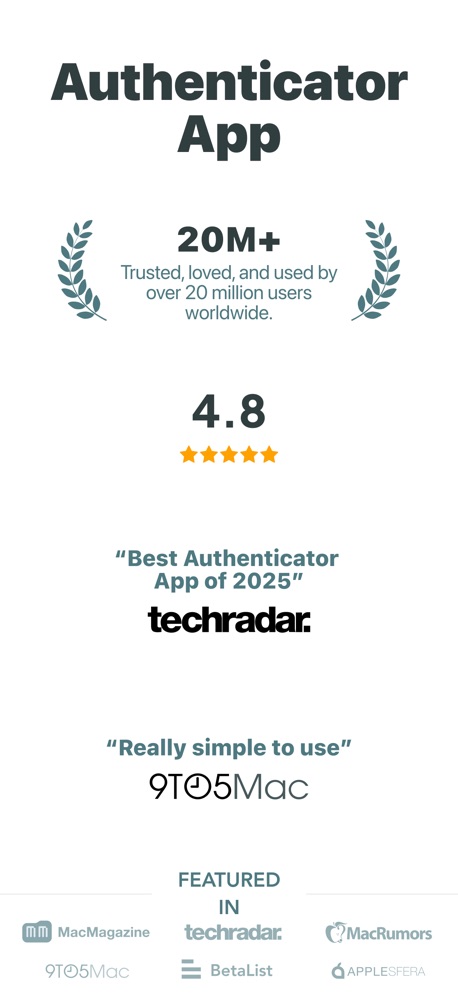
“Authenticator App”

“200K+ audiobooks”

“your simple day planner”

“Listen your way”
Real headline examples, word for word.
The words on all 7 that carry any, as each app wrote them.
“Talk, type, or share your camera to explore ideas”
“How often do I need to water this plant?”Google Gemini · #3 · screenshot 2“Collaborate and share securely”
“Dropbox has eliminated the need for email, collaboration between my clients and me is professional and consistent”Dropbox: Cloud Storage Backup · #28 · screenshot 4"The most awesome snack we've ever tried."
Chicago Tribune“The most awesome snack we've ever tried.”Double Good · #53 · screenshot 6“Authenticator App”
“Best Authenticator App of 2025”Authenticator App · #70 · screenshot 3- Read aloud
“200K+ audiobooks”
& ebooks“Gives me the feeeels”ElevenReader: Read Books Aloud · #96 · screenshot 3 “your simple day planner”
“ONE OF THE BEST PRODUCTIVITY TOOLS”Structured: Daily Planner Todo · #98 · screenshot 1“Listen your way”
ElevenReader: Read Books Aloud · #96 · screenshot 5
Top ten Productivity apps that do it.
- #3Google Gemini1 of its 6 screenshots
The same tactic in other categories.
| Category | Apps that do it | Screenshots | Top ten |
|---|---|---|---|
| Reference | 19% 19 of 100 | 5% 27 of 566 | 4 of 10 |
| Education | 11% 11 of 100 | 2% 11 of 555 | 1 of 10 |
| Lifestyle | 10% 10 of 100 | 2% 12 of 556 | 1 of 10 |
| Social Networking | 8% 8 of 100 | 1% 8 of 554 | 0 of 10 |
| Music | 7% 7 of 100 | 2% 10 of 550 | 0 of 10 |
| News | 6% 6 of 98 | 1% 7 of 517 | 1 of 10 |
| Productivity | 6% 6 of 99 | 1% 7 of 551 | 1 of 10 |
| Health & Fitness | 6% 6 of 100 | 1% 6 of 574 | 0 of 10 |
| Finance | 5% 5 of 100 | 1% 5 of 581 | 0 of 10 |
| Medical | 5% 5 of 100 | 1% 6 of 548 | 1 of 10 |
| Navigation | 4% 4 of 99 | 1% 4 of 566 | 0 of 10 |
| Business | 4% 4 of 100 | 1% 4 of 554 | 0 of 10 |
| Food & Drink | 4% 4 of 100 | 1% 4 of 540 | 0 of 10 |
| Shopping | 4% 4 of 100 | 1% 4 of 562 | 1 of 10 |
| Travel | 4% 4 of 100 | 1% 5 of 561 | 0 of 10 |
| Utilities | 4% 4 of 100 | 1% 4 of 549 | 0 of 10 |
| Weather | 4% 4 of 100 | 1% 4 of 555 | 2 of 10 |
| Graphics & Design | 3% 3 of 99 | 1% 3 of 564 | 0 of 10 |
| Entertainment | 3% 3 of 100 | 1% 3 of 544 | 0 of 10 |
| Photo & Video | 3% 3 of 100 | 1% 3 of 566 | 0 of 10 |
| Sports | 3% 3 of 100 | 1% 3 of 558 | 0 of 10 |
| Developer Tools | 2% 2 of 100 | 1% 3 of 507 | 0 of 10 |
| Games | 0% 0 of 100 | 0% 0 of 567 | 0 of 10 |
Related tactics.
Often on the same screenshot
- Says “I” or “my”57% of these screenshots, against 2% of all Productivity screenshots
- Press quote43% of these screenshots, against 1% of all Productivity screenshots
- User quote43% of these screenshots, against 1% of all Productivity screenshots
- Press logo43% of these screenshots, against 1% of all Productivity screenshots
- Ranking claim43% of these screenshots, against 3% of all Productivity screenshots
- Star rating shown43% of these screenshots, against 4% of all Productivity screenshots
More in proof
Questions, answered from the chart.
How many top Productivity apps have App Store screenshots with quotation marks?
Which Productivity apps have App Store screenshots with quotation marks?
Should my Productivity app have App Store screenshots with quotation marks?
See your own app against this.
Pagefully reads your screenshots the same way, and makes a custom product page for each search people type, from your real screens.
Preview your pages