Long Productivity app screenshot headlines
Nine words or more: a sentence, not a line. A sentence can say more than a line, and has to be set smaller to fit.
From the top 99 free Productivity apps on the US App Store, read on October 9, 2026. Screenshots are the developers’ own, shown from Apple’s servers with a link to each app.
The numbers
29 of the 551 Productivity screenshots read (5%) do this, across 16 of the top 99 apps (16%). 4 of the top ten do it (40%), against 12 of the other 89 (13%): the top ten do it more than the rest. Of the 23 categories read so far, Productivity is 12th for this. It is most common in Business (29% of apps) and least common in Games (5%).
12 examples from the chart.
12 of the 29 long Productivity app screenshot headlines, one from each app, the highest on the chart first.
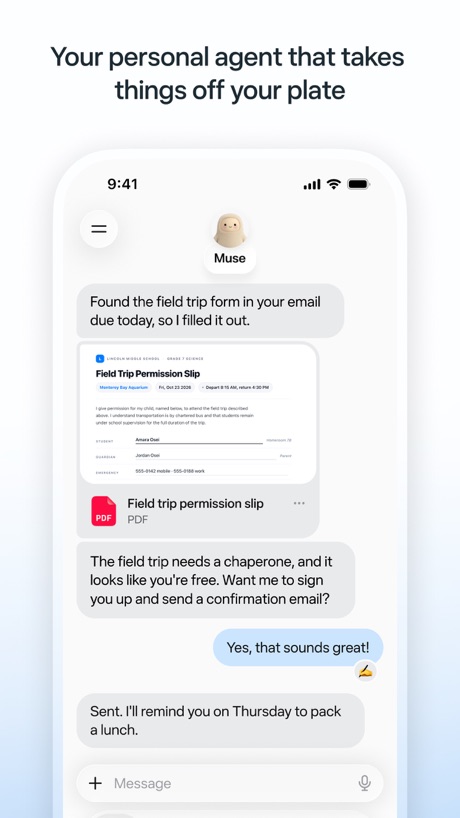
“Your personal agent that takes things off your plate”

“Talk, type, or share your camera to explore ideas”

“Single sign-on for your work or school accounts”

“Quickly summarize and draft documents on the go with Gemini in Docs”

“Your team of always-on agents that finish the work”
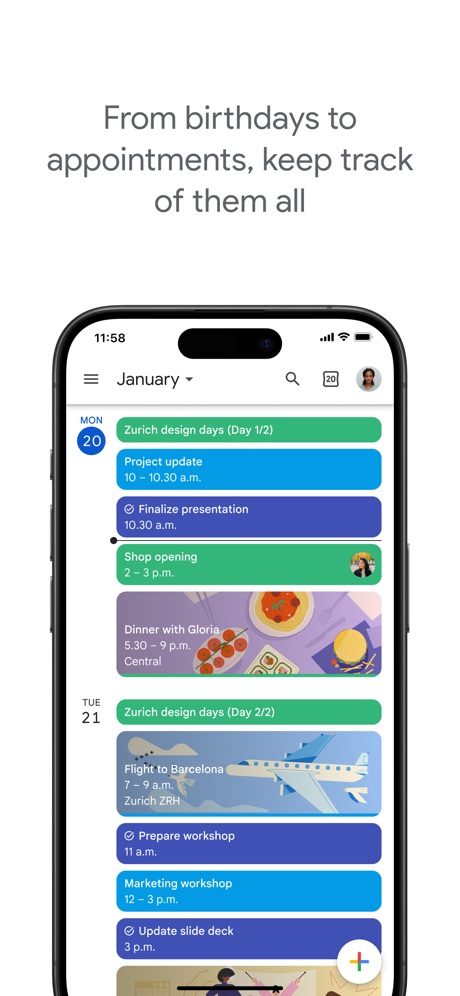
“From birthdays to appointments, keep track of them all”

“Create and review presentations, now also in dark mode”

“LIMIT INTERNET USE AT HOME AND ON THE GO”

“Create podcast-style overviews with your AI research assistant 🤖”

“We protect what matters most, your privacy and safety.”

“Simplify moving with all your to-dos in one place.”

“Click record in app to capture in-person conversations”
Real headline examples, word for word.
The words on 28 of the 29 that carry any, as each app wrote them.
“Your personal agent that takes things off your plate”
Muse from Meta · #1 · screenshot 1“Talk, type, or share your camera to explore ideas”
“How often do I need to water this plant?”Google Gemini · #3 · screenshot 2“Single sign-on for your work or school accounts”
Microsoft Authenticator · #6 · screenshot 5“Quickly summarize and draft documents on the go with Gemini in Docs”
Google Docs · #9 · screenshot 4“Your team of always-on agents that finish the work”
Grok Bot · #12 · screenshot 1“From birthdays to appointments, keep track of them all”
Google Calendar: Get Organized · #17 · screenshot 1“Create and review presentations, now also in dark mode”
Google Slides · #20 · screenshot 4“LIMIT INTERNET USE AT HOME AND ON THE GO”
Smart Home Manager · #24 · screenshot 3“Create podcast-style overviews with your AI research assistant 🤖”
The new app is hereGemini Notebook · #34 · screenshot 1“We protect what matters most, your privacy and safety.”
Cloaked finds your exposure, removes it, and guards what matters - for you and your family.Cloaked: Protect your privacy · #42 · screenshot 1“Simplify moving with all your to-dos in one place.”
FolioSpace Online Portal · #43 · screenshot 1“Click record in app to capture in-person conversations”
Otter Transcribe Voice Notes · #46 · screenshot 3“Manage your storage across Google Photos, Google Drive, Gmail, and more.”
Google One · #52 · screenshot 2“View live video of visitors to see who’s at the door or gate”
ButterflyMX · #57 · screenshot 3“Check upload status of your latest transfer from the lock screen with our Live Activity”
WeTransfer: Transfer Files · #62 · screenshot 2“Choose between calendar and list view for collection schedules.”
WasteConnect+ · #93 · screenshot 2“Get ideas for what your agent can take on”
Muse from Meta · #1 · screenshot 5“See your day, week and month at a glance”
Google Calendar: Get Organized · #17 · screenshot 5“STAY PROTECTED WITH BUILT-IN, 24/7 INTERNET SECURITY”
Smart Home Manager · #24 · screenshot 5“Create & join audio discussions to learn on the go 🚆”
Gemini Notebook · #34 · screenshot 4“Securely pay your rent, bills, and/ or dues online from anywhere.”
FolioSpace Online Portal · #43 · screenshot 2“Become a member anytime to get even more storage.”
Google One · #52 · screenshot 3“Create your own door and gate access PIN and customize other access settings”
ButterflyMX · #57 · screenshot 4“Get quick answers to your sorting questions with WasteWise.”
WasteConnect+ · #93 · screenshot 3“Customize your calendar with dark mode and color coding”
Google Calendar: Get Organized · #17 · screenshot 6“CHECK YOUR INTERNET SPEED IN LESS THAN A MINUTE”
Smart Home Manager · #24 · screenshot 6“Send sources to Gemini Notebook from anywhere on your device 📱”
Gemini Notebook · #34 · screenshot 6“Get extra member benefits like access to Gemini Pro and more.”
Benefits may vary and are not guaranteedGoogle One · #52 · screenshot 4
Top ten Productivity apps that do it.
- #1Muse from Meta2 of its 6 screenshots
- #3Google Gemini1 of its 6 screenshots
- #6Microsoft Authenticator1 of its 6 screenshots
- #9Google Docs1 of its 4 screenshots
The same tactic in other categories.
| Category | Apps that do it | Screenshots | Top ten |
|---|---|---|---|
| Business | 29% 29 of 100 | 10% 53 of 554 | 5 of 10 |
| Navigation | 28% 28 of 99 | 8% 45 of 566 | 3 of 10 |
| Finance | 27% 27 of 100 | 9% 55 of 581 | 3 of 10 |
| Lifestyle | 26% 26 of 100 | 8% 46 of 556 | 5 of 10 |
| Medical | 26% 26 of 100 | 9% 48 of 548 | 6 of 10 |
| Travel | 23% 23 of 100 | 8% 46 of 561 | 3 of 10 |
| Shopping | 21% 21 of 100 | 7% 41 of 562 | 3 of 10 |
| Health & Fitness | 19% 19 of 100 | 4% 25 of 574 | 1 of 10 |
| Education | 17% 17 of 100 | 5% 29 of 555 | 1 of 10 |
| Food & Drink | 17% 17 of 100 | 6% 32 of 540 | 4 of 10 |
| Sports | 17% 17 of 100 | 5% 28 of 558 | 0 of 10 |
| Productivity | 16% 16 of 99 | 5% 29 of 551 | 4 of 10 |
| Social Networking | 16% 16 of 100 | 5% 28 of 554 | 1 of 10 |
| News | 15% 15 of 98 | 4% 21 of 517 | 1 of 10 |
| Music | 13% 13 of 100 | 3% 18 of 550 | 1 of 10 |
| Developer Tools | 12% 12 of 100 | 3% 13 of 507 | 2 of 10 |
| Entertainment | 12% 12 of 100 | 4% 21 of 544 | 2 of 10 |
| Reference | 11% 11 of 100 | 3% 16 of 566 | 1 of 10 |
| Photo & Video | 10% 10 of 100 | 2% 13 of 566 | 1 of 10 |
| Graphics & Design | 8% 8 of 99 | 2% 9 of 564 | 2 of 10 |
| Utilities | 8% 8 of 100 | 3% 14 of 549 | 1 of 10 |
| Weather | 7% 7 of 100 | 4% 21 of 555 | 2 of 10 |
| Games | 5% 5 of 100 | 1% 5 of 567 | 0 of 10 |
Related tactics.
Often on the same screenshot
- Says “you” or “your”59% of these screenshots, against 30% of all Productivity screenshots
- Tells you to do something72% of these screenshots, against 54% of all Productivity screenshots
- Leads with a feature79% of these screenshots, against 63% of all Productivity screenshots
- Solid background48% of these screenshots, against 34% of all Productivity screenshots
- Screen fills the picture86% of these screenshots, against 76% of all Productivity screenshots
- Green14% of these screenshots, against 4% of all Productivity screenshots
More in words
- Has a headline99%
- Tells you to do something93%
- Headline under five words79%
- Says “you” or “your”78%
- Has a subline38%
- Headline in Title Case32%
- Uses a number24%
- Headline on one line22%
- Names the app19%
- Says “I” or “my”10%
- No words at all9%
- Headline in capitals8%
- Has a kicker6%
- Names another app5%
- Exclaims2%
- Uses an emoji1%
Questions, answered from the chart.
How many top Productivity apps have long App Store screenshot headlines?
Which Productivity apps have long App Store screenshot headlines?
Should my Productivity app have long App Store screenshot headlines?
See your own app against this.
Pagefully reads your screenshots the same way, and makes a custom product page for each search people type, from your real screens.
Preview your pages