Productivity app screenshots with a solid background
One flat colour behind everything. A flat colour leaves the words and the screen as the only things to look at.
From the top 99 free Productivity apps on the US App Store, read on October 9, 2026. Screenshots are the developers’ own, shown from Apple’s servers with a link to each app.
The numbers
189 of the 551 Productivity screenshots read (34%) do this, across 43 of the top 99 apps (43%). 5 of the top ten do it (50%), against 38 of the other 89 (43%): the top ten do it about as often as the rest. Of the 23 categories read so far, Productivity is 12th for this. It is most common in Food & Drink (68% of apps) and least common in Games (20%).
12 examples from the chart.
12 of the 189 Productivity app screenshots with a solid background, one from each app, the highest on the chart first.

“Generate and edit videos with Gemini Omni”

“Get the best of Gmail on iPhone”
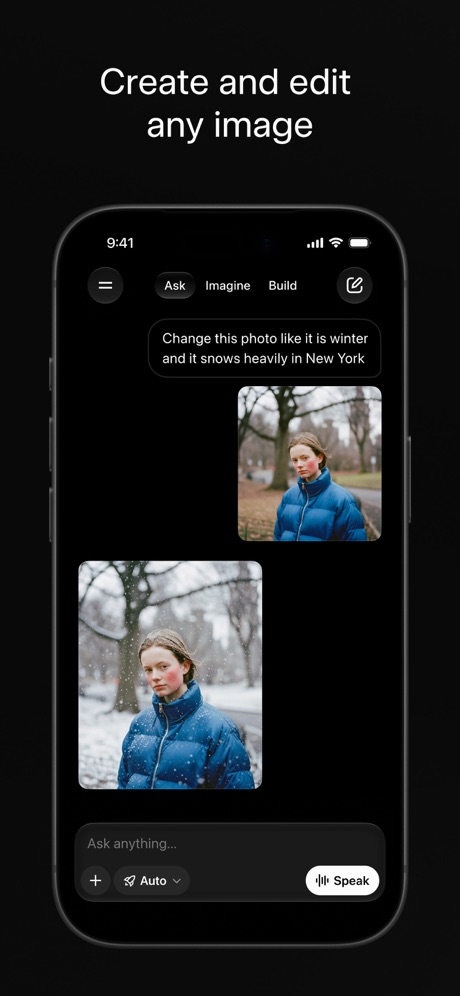
“Create and edit any image”

“Create anywhere, anytime - even offline”
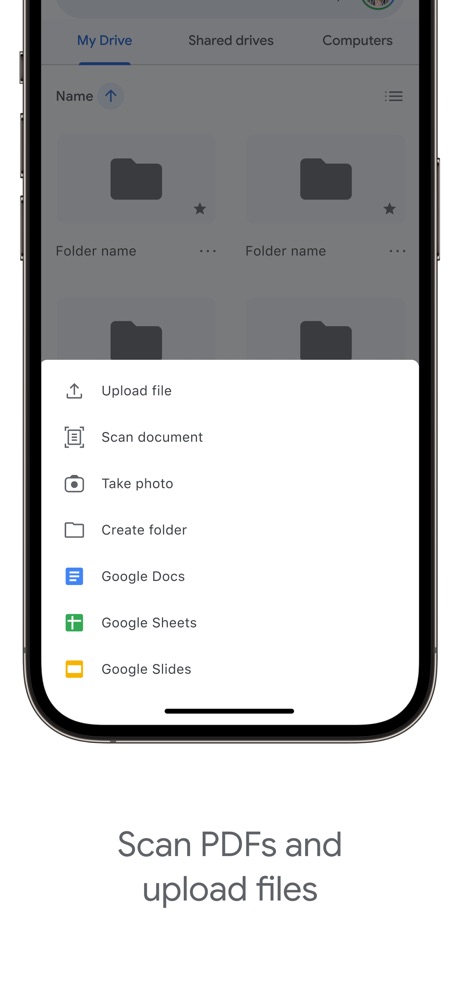
“Scan PDFs and upload files”

“Work together in real time”
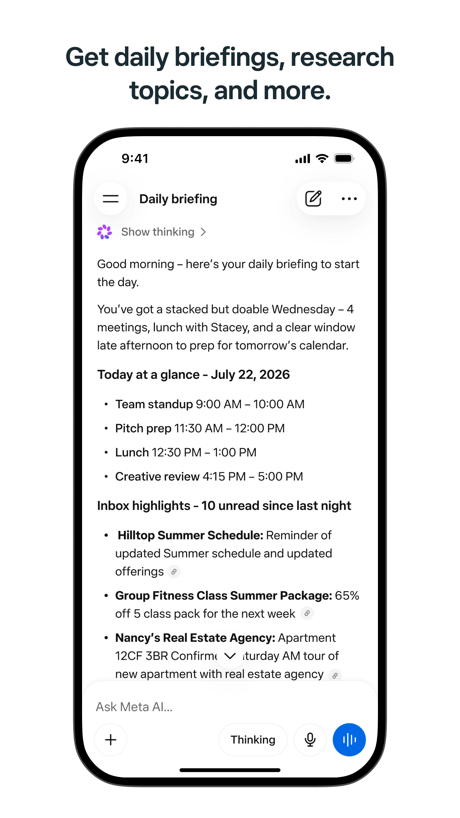
“Get daily briefings, research topics, and more.”
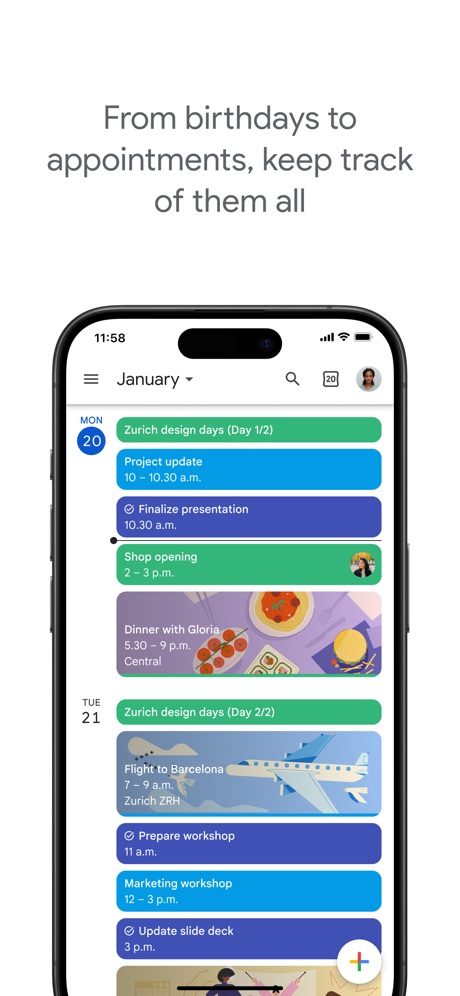
“From birthdays to appointments, keep track of them all”

“Present to anyone, from any device”

“Designed to simplify your life”

“Easily check calls, messages and voicemail”

“Scan to pair a device”
What these screenshots say, word for word.
The words on 40 of the 187 that carry any, as each app wrote them.
“Generate and edit videos with Gemini Omni”
Google Gemini · #3 · screenshot 1“Get the best of Gmail on iPhone”
Gmail - Email by Google · #5 · screenshot 1“Create and edit any image”
Grok AI · #8 · screenshot 1“Create anywhere, anytime - even offline”
Google Docs · #9 · screenshot 1“Scan PDFs and upload files”
Google Drive · #10 · screenshot 2“Work together in real time”
Google Sheets · #13 · screenshot 1“Get daily briefings, research topics, and more.”
Meta AI · #16 · screenshot 1“From birthdays to appointments, keep track of them all”
Google Calendar: Get Organized · #17 · screenshot 1“Present to anyone, from any device”
Google Slides · #20 · screenshot 1“Designed to simplify your life”
Yahoo Mail: Your Email & Inbox · #21 · screenshot 1“Easily check calls, messages and voicemail”
Google Voice · #29 · screenshot 1“Scan to pair a device”
PingID · #30 · screenshot 3“A simpler way to stay secure”
ID.me Authenticator · #32 · screenshot 1“Create podcast-style overviews with your AI research assistant 🤖”
The new app is hereGemini Notebook · #34 · screenshot 1- customize your
“Home Screen”
Widgetsmith · #38 · screenshot 1 “One Tap Go Anonymous”
X-VPN: VPN Fast & Secure · #41 · screenshot 2“Then Cloaked cleans it up, for you.”
Removal requests filed, followed up, and verified by us. You never lift a finger.Cloaked: Protect your privacy · #42 · screenshot 3“No computer required”
iPhone directly makes ringtonesRingtones Maker - the ring app · #44 · screenshot 1“1024GB of Available Storage Space”
TeraBox: 1TB Cloud & AI Space · #45 · screenshot 1“Your life, beautifully organized.”
Notion: Notes, Tasks, AI · #48 · screenshot 1“SocialLite”
Trusted by 1M+ peopleSocialLite-Block Reels&Shorts · #50 · screenshot 1“SMART PRINTER APP”
App Store App of the DaySmart Printer App℠ for HP · · #51 · screenshot 1“Back up the important things on your phone.”
Google One · #52 · screenshot 1“Join and create Fundraisers”
Double Good · #53 · screenshot 2“RECOVER Deleted Photos”
Photo Recovery: Deleted Files · #54 · screenshot 1“Dictation without the mistakes”
Wispr Flow: AI Voice Keyboard · #58 · screenshot 1“Upload, sign, send & done.”
Docusign - Upload & Sign Docs · #59 · screenshot 1“Choose Your Country”
Surfshark VPN: Fast & Secure · #60 · screenshot 1“Send and receive files right from your phone”
WeTransfer: Transfer Files · #62 · screenshot 1“Your Smart AI Assistant”
Chatbot App: AI Assistant · #63 · screenshot 2“Leave your notebook at home”
Granola transcribes and takes notes while you focus on the conversationGranola - AI Meeting Notes · #65 · screenshot 1“Shared Calendar App”
TimeTree: Shared Calendar · #69 · screenshot 1“Get Your Authentication Codes”
Authenticator App · #70 · screenshot 1“Capture ideas at a moments notice”
Google Keep - Notes and lists · #71 · screenshot 1“Smart Web Search”
AI Chat Assistant – ChatNow · #74 · screenshot 6“Word”
Read, Edit, and ShareOffice Word: Edit Document · #78 · screenshot 1“Quickly capture tasks anywhere”
Google Tasks: Get Things Done · #80 · screenshot 1“Search & browse SharePoint”
Microsoft SharePoint · #84 · screenshot 1“Quick and easy bill pay”
My Optimum · #86 · screenshot 1“SCAN ANYTHING TO PDF”
Mobile Scanner App - Scan PDF · #92 · screenshot 1
Top ten Productivity apps that do it.
- #3Google Gemini6 of its 6 screenshots
- #5Gmail - Email by Google5 of its 6 screenshots
- #8Grok AI1 of its 5 screenshots
- #9Google Docs4 of its 4 screenshots
- #10Google Drive4 of its 5 screenshots
The same tactic in other categories.
| Category | Apps that do it | Screenshots | Top ten |
|---|---|---|---|
| Food & Drink | 68% 68 of 100 | 48% 257 of 540 | 9 of 10 |
| Medical | 68% 68 of 100 | 48% 265 of 548 | 4 of 10 |
| Education | 65% 65 of 100 | 40% 221 of 555 | 8 of 10 |
| Shopping | 63% 63 of 100 | 47% 264 of 562 | 8 of 10 |
| Finance | 60% 60 of 100 | 41% 240 of 581 | 7 of 10 |
| Business | 58% 58 of 100 | 37% 207 of 554 | 4 of 10 |
| Developer Tools | 58% 58 of 100 | 36% 183 of 507 | 7 of 10 |
| Travel | 58% 58 of 100 | 38% 211 of 561 | 5 of 10 |
| Photo & Video | 57% 57 of 100 | 42% 235 of 566 | 8 of 10 |
| Navigation | 57% 56 of 99 | 36% 206 of 566 | 7 of 10 |
| News | 54% 53 of 98 | 39% 202 of 517 | 7 of 10 |
| Productivity | 43% 43 of 99 | 34% 189 of 551 | 5 of 10 |
| Lifestyle | 43% 43 of 100 | 29% 160 of 556 | 5 of 10 |
| Utilities | 43% 43 of 100 | 25% 135 of 549 | 5 of 10 |
| Social Networking | 42% 42 of 100 | 30% 167 of 554 | 6 of 10 |
| Reference | 39% 39 of 100 | 27% 152 of 566 | 4 of 10 |
| Health & Fitness | 38% 38 of 100 | 26% 148 of 574 | 4 of 10 |
| Music | 38% 38 of 100 | 27% 149 of 550 | 7 of 10 |
| Graphics & Design | 37% 37 of 99 | 23% 129 of 564 | 4 of 10 |
| Sports | 32% 32 of 100 | 17% 96 of 558 | 3 of 10 |
| Weather | 30% 30 of 100 | 14% 75 of 555 | 6 of 10 |
| Entertainment | 25% 25 of 100 | 13% 73 of 544 | 2 of 10 |
| Games | 20% 20 of 100 | 12% 69 of 567 | 2 of 10 |
Related tactics.
Often on the same screenshot
- Black, white or grey66% of these screenshots, against 41% of all Productivity screenshots
- Light78% of these screenshots, against 67% of all Productivity screenshots
- Leads with a feature69% of these screenshots, against 63% of all Productivity screenshots
- Phone cut off at the foot28% of these screenshots, against 22% of all Productivity screenshots
- Low contrast words24% of these screenshots, against 19% of all Productivity screenshots
- Plain tone90% of these screenshots, against 86% of all Productivity screenshots
More in look
- Light85%
- Gradient background65%
- Background is the icon’s colour60%
- Black, white or grey60%
- A word in a different colour47%
- Blue47%
- Low contrast words40%
- High contrast words36%
- Dark33%
- Photo background20%
- Orange19%
- Pattern or texture16%
- Teal16%
- Rounded headline type11%
- Green9%
- Serif headline8%
- Purple6%
- Red6%
- Yellow4%
- Pink3%
- The app itself is the background2%
Questions, answered from the chart.
How many top Productivity apps have App Store screenshots with a solid background?
Which Productivity apps have App Store screenshots with a solid background?
Should my Productivity app have App Store screenshots with a solid background?
See your own app against this.
Pagefully reads your screenshots the same way, and makes a custom product page for each search people type, from your real screens.
Preview your pages