Black, white or grey Productivity app screenshots
No strong colour: black, white or grey.
From the top 99 free Productivity apps on the US App Store, read on October 9, 2026. Screenshots are the developers’ own, shown from Apple’s servers with a link to each app.
The numbers
225 of the 551 Productivity screenshots read (41%) do this, across 59 of the top 99 apps (60%). 9 of the top ten do it (90%), against 50 of the other 89 (56%): the top ten do it more than the rest. Of the 23 categories read so far, Productivity is 3rd for this. It is most common in Developer Tools (68% of apps) and least common in Games (15%).
12 examples from the chart.
12 of the 225 black, white or grey Productivity app screenshots, one from each app, the highest on the chart first.
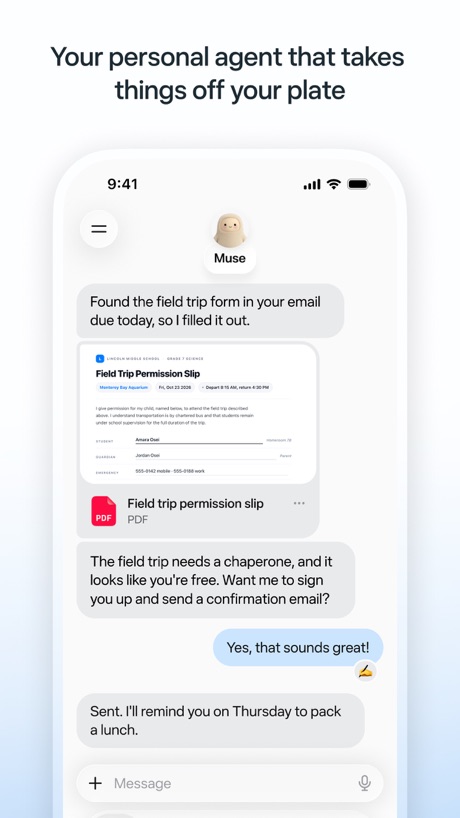
“Your personal agent that takes things off your plate”

“Create new worlds”

“Generate and edit videos with Gemini Omni”
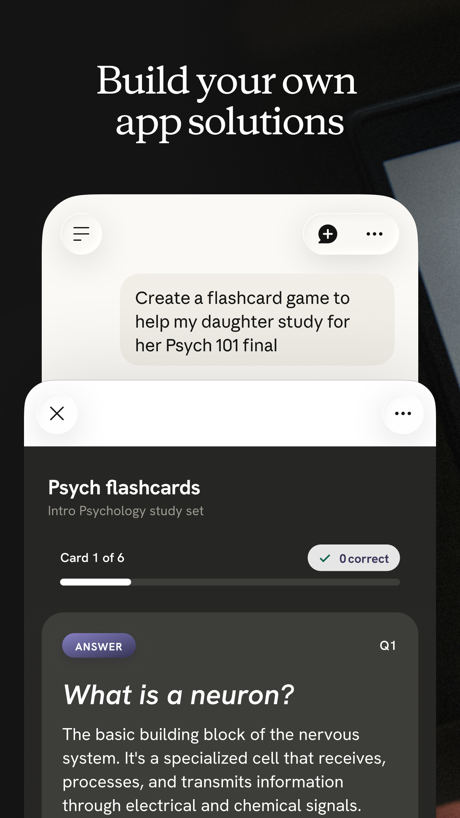
“Build your own app solutions”

“Get the best of Gmail on iPhone”

“Finished files, not just suggestions”
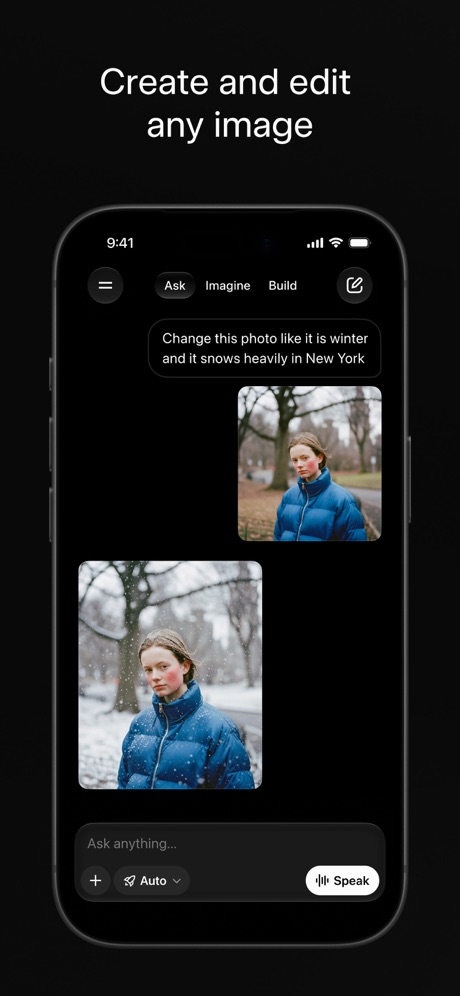
“Create and edit any image”

“Create anywhere, anytime - even offline”

“Store and access your content from anywhere”

“Recap extra-long email threads”

“Your team of always-on agents that finish the work”

“Work together in real time”
What these screenshots say, word for word.
The words on 40 of the 215 that carry any, as each app wrote them.
“Your personal agent that takes things off your plate”
Muse from Meta · #1 · screenshot 1“Create new worlds”
ChatGPT · #2 · screenshot 1“Generate and edit videos with Gemini Omni”
Google Gemini · #3 · screenshot 1“Build your own app solutions”
Claude by Anthropic · #4 · screenshot 4“Get the best of Gmail on iPhone”
Gmail - Email by Google · #5 · screenshot 1“Finished files, not just suggestions”
Microsoft Copilot · #7 · screenshot 3“Create and edit any image”
Grok AI · #8 · screenshot 1“Create anywhere, anytime - even offline”
Google Docs · #9 · screenshot 1“Store and access your content from anywhere”
Google Drive · #10 · screenshot 1“Recap extra-long email threads”
Microsoft Outlook · #11 · screenshot 3“Your team of always-on agents that finish the work”
Grok Bot · #12 · screenshot 1“Work together in real time”
Google Sheets · #13 · screenshot 1“Generate a draft with Copilot”
Microsoft Word · #14 · screenshot 2“Get daily briefings, research topics, and more.”
Meta AI · #16 · screenshot 1“Quickly create and schedule events”
Google Calendar: Get Organized · #17 · screenshot 2“Present to anyone, from any device”
Google Slides · #20 · screenshot 1“Designed to simplify your life”
Yahoo Mail: Your Email & Inbox · #21 · screenshot 1“SCAN”
with your PhoneCamScanner - PDF Scanner App · #25 · screenshot 1“Rehearse with Presenter Coach”
Microsoft PowerPoint · #27 · screenshot 4- Dropbox
“Save and organize your files securely”
Dropbox: Cloud Storage Backup · #28 · screenshot 1 “Easily check calls, messages and voicemail”
Google Voice · #29 · screenshot 1“Manage multiple accounts”
PingID · #30 · screenshot 1“Find answers to anything”
Perplexity - AI Search & Chat · #31 · screenshot 2“A simpler way to stay secure”
ID.me Authenticator · #32 · screenshot 1- NEVER
“Doomscroll Again”
With RemindersBePresent: Screen Time Control · #33 · screenshot 3 “Create podcast-style overviews with your AI research assistant 🤖”
The new app is hereGemini Notebook · #34 · screenshot 1“Then Cloaked cleans it up, for you.”
Removal requests filed, followed up, and verified by us. You never lift a finger.Cloaked: Protect your privacy · #42 · screenshot 3“No computer required”
iPhone directly makes ringtonesRingtones Maker - the ring app · #44 · screenshot 1“Your AI Meeting Assistant”
Otter Transcribe Voice Notes · #46 · screenshot 1“All AI Assistants in one app”
Chatbot AI Assistant - Genie · #47 · screenshot 1“Your life, beautifully organized.”
Notion: Notes, Tasks, AI · #48 · screenshot 1“SocialLite”
Trusted by 1M+ peopleSocialLite-Block Reels&Shorts · #50 · screenshot 1“Back up the important things on your phone.”
Google One · #52 · screenshot 1“Join and create Fundraisers”
Double Good · #53 · screenshot 2“REMOVE Duplicates Fast”
Photo Recovery: Deleted Files · #54 · screenshot 2“Dictation without the mistakes”
Wispr Flow: AI Voice Keyboard · #58 · screenshot 1“Upload, sign, send & done.”
Docusign - Upload & Sign Docs · #59 · screenshot 1“Stay Safe & Private”
Surfshark VPN: Fast & Secure · #60 · screenshot 5“Check Charging Info”
Charge Win: Win Rewards · #61 · screenshot 2“Send and receive files right from your phone”
WeTransfer: Transfer Files · #62 · screenshot 1
Top ten Productivity apps that do it.
- #1Muse from Meta2 of its 6 screenshots
- #2ChatGPT1 of its 6 screenshots
- #3Google Gemini6 of its 6 screenshots
- #4Claude by Anthropic3 of its 6 screenshots
- #5Gmail - Email by Google6 of its 6 screenshots
- #7Microsoft Copilot1 of its 6 screenshots
- #8Grok AI5 of its 5 screenshots
- #9Google Docs4 of its 4 screenshots
- #10Google Drive5 of its 5 screenshots
The same tactic in other categories.
| Category | Apps that do it | Screenshots | Top ten |
|---|---|---|---|
| Developer Tools | 68% 68 of 100 | 54% 275 of 507 | 9 of 10 |
| News | 60% 59 of 98 | 41% 212 of 517 | 7 of 10 |
| Productivity | 60% 59 of 99 | 41% 225 of 551 | 9 of 10 |
| Photo & Video | 59% 59 of 100 | 27% 152 of 566 | 8 of 10 |
| Graphics & Design | 56% 55 of 99 | 23% 131 of 564 | 7 of 10 |
| Health & Fitness | 53% 53 of 100 | 31% 179 of 574 | 5 of 10 |
| Lifestyle | 52% 52 of 100 | 30% 166 of 556 | 6 of 10 |
| Shopping | 50% 50 of 100 | 27% 152 of 562 | 4 of 10 |
| Navigation | 47% 47 of 99 | 25% 141 of 566 | 5 of 10 |
| Entertainment | 46% 46 of 100 | 22% 118 of 544 | 5 of 10 |
| Medical | 46% 46 of 100 | 27% 146 of 548 | 3 of 10 |
| Music | 46% 46 of 100 | 27% 146 of 550 | 3 of 10 |
| Travel | 46% 46 of 100 | 29% 164 of 561 | 7 of 10 |
| Weather | 46% 46 of 100 | 23% 128 of 555 | 5 of 10 |
| Finance | 45% 45 of 100 | 25% 146 of 581 | 4 of 10 |
| Utilities | 45% 45 of 100 | 28% 152 of 549 | 5 of 10 |
| Business | 44% 44 of 100 | 27% 151 of 554 | 1 of 10 |
| Social Networking | 44% 44 of 100 | 29% 158 of 554 | 5 of 10 |
| Reference | 41% 41 of 100 | 21% 121 of 566 | 5 of 10 |
| Sports | 40% 40 of 100 | 25% 138 of 558 | 3 of 10 |
| Food & Drink | 31% 31 of 100 | 17% 90 of 540 | 4 of 10 |
| Education | 30% 30 of 100 | 16% 87 of 555 | 4 of 10 |
| Games | 15% 15 of 100 | 8% 48 of 567 | 2 of 10 |
Related tactics.
Often on the same screenshot
- Solid background55% of these screenshots, against 34% of all Productivity screenshots
- High contrast words26% of these screenshots, against 20% of all Productivity screenshots
- Leads with a feature69% of these screenshots, against 63% of all Productivity screenshots
- Light72% of these screenshots, against 67% of all Productivity screenshots
- Dark20% of these screenshots, against 16% of all Productivity screenshots
- Tells you to do something57% of these screenshots, against 54% of all Productivity screenshots
More in look
- Light85%
- Gradient background65%
- Background is the icon’s colour60%
- A word in a different colour47%
- Blue47%
- Solid background43%
- Low contrast words40%
- High contrast words36%
- Dark33%
- Photo background20%
- Orange19%
- Pattern or texture16%
- Teal16%
- Rounded headline type11%
- Green9%
- Serif headline8%
- Purple6%
- Red6%
- Yellow4%
- Pink3%
- The app itself is the background2%
Questions, answered from the chart.
How many top Productivity apps have black, white or grey App Store screenshots?
Which Productivity apps have black, white or grey App Store screenshots?
Should my Productivity app have black, white or grey App Store screenshots?
See your own app against this.
Pagefully reads your screenshots the same way, and makes a custom product page for each search people type, from your real screens.
Preview your pages