Productivity app screenshots with low-contrast text
The headline sits close to its background in brightness. Words close to their background in brightness are harder to read, most of all at small sizes.
From the top 99 free Productivity apps on the US App Store, read on October 9, 2026. Screenshots are the developers’ own, shown from Apple’s servers with a link to each app.
The numbers
106 of the 551 Productivity screenshots read (19%) do this, across 40 of the top 99 apps (40%). 4 of the top ten do it (40%), against 36 of the other 89 (40%): the top ten do it about as often as the rest. Of the 23 categories read so far, Productivity is 7th for this. It is most common in Education (45% of apps) and least common in Games (16%).
12 examples from the chart.
12 of the 106 Productivity app screenshots with low-contrast text, one from each app, the highest on the chart first.

“Sort your mail”

“Use Authenticator to sign in”

“Create anywhere, anytime - even offline”

“Store and access your content from anywhere”

“Everyday email and calendar”

“Work with many at once”
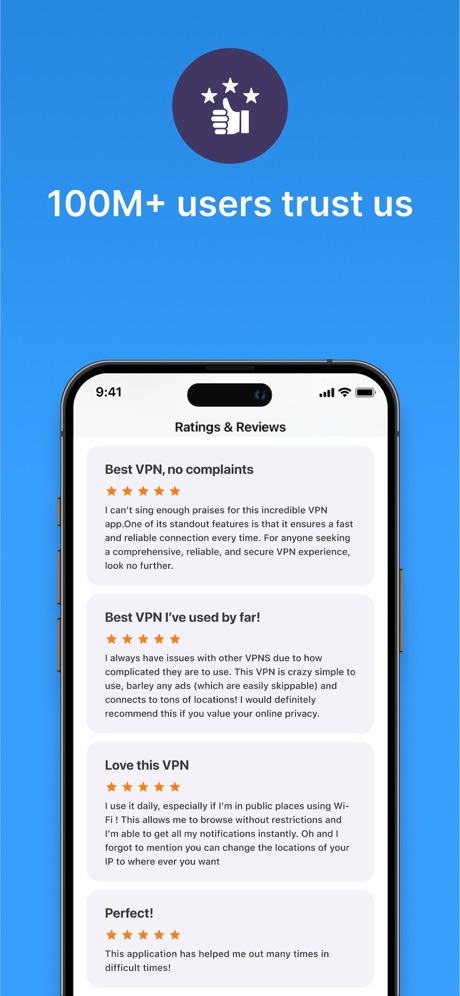
“100M+ users trust us”
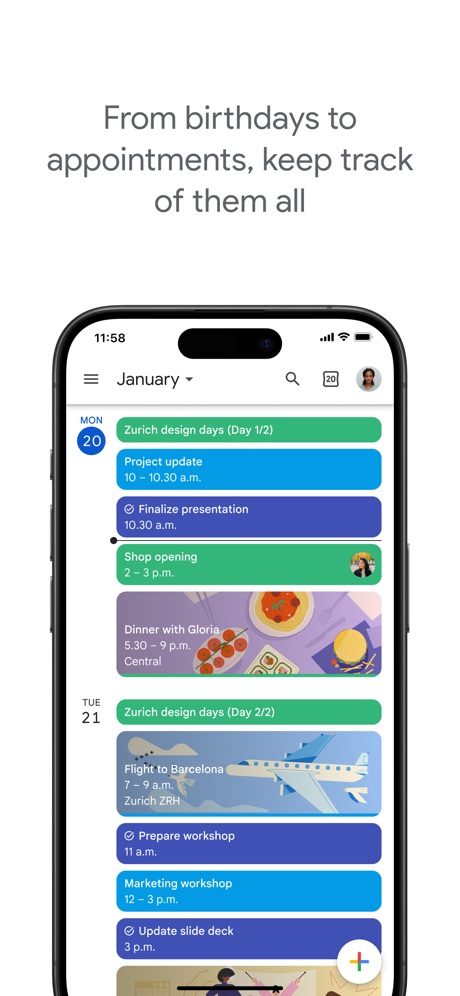
“From birthdays to appointments, keep track of them all”

“Collaborate in real-time”

“Get set up in minutes”

“A new home for photos”

“Present & share your stories”
What these screenshots say, word for word.
The words on 40 of the 106 that carry any, as each app wrote them.
“Sort your mail”
with a tabbed inboxGmail - Email by Google · #5 · screenshot 2“Use Authenticator to sign in”
Microsoft Authenticator · #6 · screenshot 3“Create anywhere, anytime - even offline”
Google Docs · #9 · screenshot 1“Store and access your content from anywhere”
Google Drive · #10 · screenshot 1“Everyday email and calendar”
Microsoft Outlook · #11 · screenshot 1“Work with many at once”
Grok Bot · #12 · screenshot 2“100M+ users trust us”
VPN - Super Unlimited Proxy · #15 · screenshot 6“From birthdays to appointments, keep track of them all”
Google Calendar: Get Organized · #17 · screenshot 1“Collaborate in real-time”
Microsoft Excel · #19 · screenshot 6“Get set up in minutes”
HP · #22 · screenshot 2“A new home for photos”
Microsoft OneDrive · #23 · screenshot 1“Present & share your stories”
Microsoft PowerPoint · #27 · screenshot 2“Easily check calls, messages and voicemail”
Google Voice · #29 · screenshot 1“Think deeper, discover more”
DeepSeek - AI Assistant · #36 · screenshot 3“No-Logs Policy Verified”
Assessed by one of the Big Four audit firmsX-VPN: VPN Fast & Secure · #41 · screenshot 1“Simplify moving with all your to-dos in one place.”
FolioSpace Online Portal · #43 · screenshot 1“Popular ringtones”
Easily download top ringtonesRingtones Maker - the ring app · #44 · screenshot 2“Print Docs Photos”
Smart Printer App℠ for HP · · #51 · screenshot 2“Back up the important things on your phone.”
Google One · #52 · screenshot 1“View and climb The Leaderboard”
Double Good · #53 · screenshot 5“CLEAN”
Inbox & Delete SpamsPhoto Recovery: Deleted Files · #54 · screenshot 6“View Schedule By Week”
Workcloud Shift · #56 · screenshot 2“View live video of visitors to see who’s at the door or gate”
ButterflyMX · #57 · screenshot 3“Unlock VPN”
Unlimited Browsing with high-speedSurfshark VPN: Fast & Secure · #60 · screenshot 4“Leave your notebook at home”
Granola transcribes and takes notes while you focus on the conversationGranola - AI Meeting Notes · #65 · screenshot 1“Confidently remember and organize your ideas”
Microsoft OneNote · #67 · screenshot 1“Deep Search Know More”
OneSearch: DeepSearch Finder · #68 · screenshot 1“Hands free note taking”
Google Keep - Notes and lists · #71 · screenshot 4“Snap & Solve”
Find the volume of the coneAI Chat Assistant – ChatNow · #74 · screenshot 4“Fantastic File Transfer App”
Friends around you are using itSHAREit: Transfer, Share Files · #75 · screenshot 1“Word”
Read, Edit, and ShareOffice Word: Edit Document · #78 · screenshot 1“Quickly capture tasks anywhere”
Google Tasks: Get Things Done · #80 · screenshot 1“Protect your privacy just one-touch”
VPN - FREE VPN Fast Ⓡ · #82 · screenshot 1“Your content”
Microsoft SharePoint · #84 · screenshot 4“Optimize Your Speed”
My Optimum · #86 · screenshot 4“Enjoy Safe Internet Access”
Turbo VPN Private Browser · #88 · screenshot 1“Made for real life”
Support for everyday questions and bigger moments.Dola AI: Smart Personal Helper · #90 · screenshot 2“Build the habit”
Create routines that make focus part of your dayBrick - Ditch Distractions · #91 · screenshot 3“Delivery Built By Drivers”
You work hard enough, so we’ve made finding local opportunities and extra income easy.FRAYT Driver (next) · #97 · screenshot 1“Chat”
Spaces: Follow Businesses · #99 · screenshot 5
Top ten Productivity apps that do it.
- #5Gmail - Email by Google1 of its 6 screenshots
- #6Microsoft Authenticator4 of its 6 screenshots
- #9Google Docs2 of its 4 screenshots
- #10Google Drive4 of its 5 screenshots
The same tactic in other categories.
| Category | Apps that do it | Screenshots | Top ten |
|---|---|---|---|
| Education | 45% 45 of 100 | 18% 102 of 555 | 6 of 10 |
| Social Networking | 45% 45 of 100 | 21% 117 of 554 | 7 of 10 |
| Health & Fitness | 44% 44 of 100 | 18% 102 of 574 | 2 of 10 |
| Utilities | 42% 42 of 100 | 17% 92 of 549 | 3 of 10 |
| Medical | 41% 41 of 100 | 24% 129 of 548 | 5 of 10 |
| Travel | 41% 41 of 100 | 17% 93 of 561 | 3 of 10 |
| Productivity | 40% 40 of 99 | 19% 106 of 551 | 4 of 10 |
| Photo & Video | 38% 38 of 100 | 18% 101 of 566 | 3 of 10 |
| Business | 37% 37 of 100 | 21% 114 of 554 | 6 of 10 |
| Lifestyle | 37% 37 of 100 | 18% 102 of 556 | 3 of 10 |
| Music | 36% 36 of 100 | 12% 67 of 550 | 5 of 10 |
| Shopping | 36% 36 of 100 | 15% 86 of 562 | 3 of 10 |
| Food & Drink | 33% 33 of 100 | 13% 71 of 540 | 5 of 10 |
| Entertainment | 32% 32 of 100 | 12% 65 of 544 | 2 of 10 |
| Finance | 31% 31 of 100 | 12% 67 of 581 | 4 of 10 |
| Reference | 30% 30 of 100 | 13% 71 of 566 | 3 of 10 |
| Developer Tools | 29% 29 of 100 | 13% 64 of 507 | 3 of 10 |
| Graphics & Design | 27% 27 of 99 | 11% 64 of 564 | 1 of 10 |
| Navigation | 27% 27 of 99 | 13% 74 of 566 | 3 of 10 |
| News | 26% 25 of 98 | 11% 57 of 517 | 3 of 10 |
| Sports | 20% 20 of 100 | 8% 47 of 558 | 3 of 10 |
| Weather | 20% 20 of 100 | 7% 41 of 555 | 3 of 10 |
| Games | 16% 16 of 100 | 6% 33 of 567 | 3 of 10 |
Related tactics.
Often on the same screenshot
- Light83% of these screenshots, against 67% of all Productivity screenshots
- Headline on one line21% of these screenshots, against 8% of all Productivity screenshots
- Headline too small to read31% of these screenshots, against 19% of all Productivity screenshots
- Background is the icon’s colour55% of these screenshots, against 45% of all Productivity screenshots
- Solid background43% of these screenshots, against 34% of all Productivity screenshots
- Whole phone shown67% of these screenshots, against 59% of all Productivity screenshots
More in look
- Light85%
- Gradient background65%
- Background is the icon’s colour60%
- Black, white or grey60%
- A word in a different colour47%
- Blue47%
- Solid background43%
- High contrast words36%
- Dark33%
- Photo background20%
- Orange19%
- Pattern or texture16%
- Teal16%
- Rounded headline type11%
- Green9%
- Serif headline8%
- Purple6%
- Red6%
- Yellow4%
- Pink3%
- The app itself is the background2%
Questions, answered from the chart.
How many top Productivity apps have App Store screenshots with low-contrast text?
Which Productivity apps have App Store screenshots with low-contrast text?
Should my Productivity app have App Store screenshots with low-contrast text?
See your own app against this.
Pagefully reads your screenshots the same way, and makes a custom product page for each search people type, from your real screens.
Preview your pages