Education app screenshots with low-contrast text
The headline sits close to its background in brightness. Words close to their background in brightness are harder to read, most of all at small sizes.
From the top 100 free Education apps on the US App Store, read on October 9, 2026. Screenshots are the developers’ own, shown from Apple’s servers with a link to each app.
The numbers
102 of the 555 Education screenshots read (18%) do this, across 45 of the top 100 apps (45%). 6 of the top ten do it (60%), against 39 of the other 90 (43%): the top ten do it more than the rest. Of the 23 categories read so far, Education is 1st for this. It is most common in Education (45% of apps) and least common in Games (16%).
12 examples from the chart.
12 of the 102 Education app screenshots with low-contrast text, one from each app, the highest on the chart first.
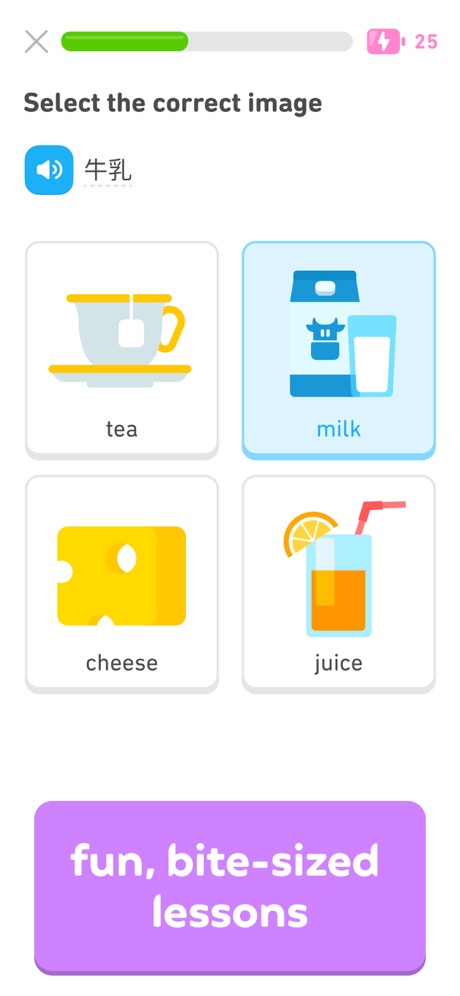
“fun, bite-sized lessons”
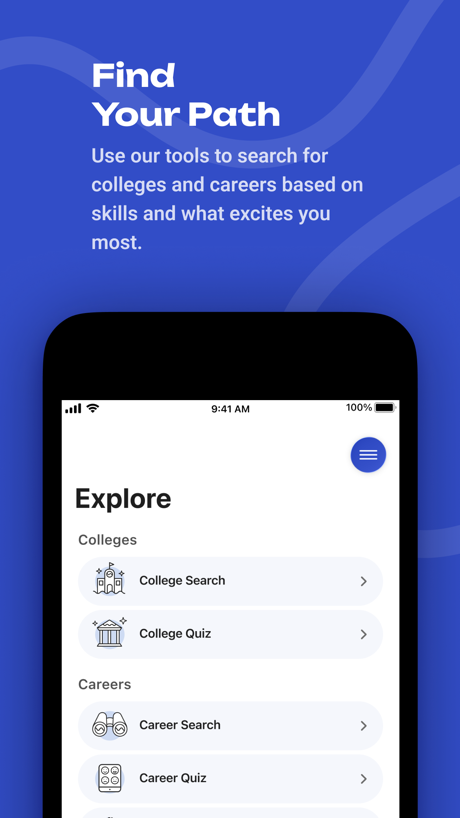
“Find Your Path”

“Stay connected with teachers”

“Access all of your favorited courses and groups!”

“In-Depth Courses”

“Learn anything with Flashcards”
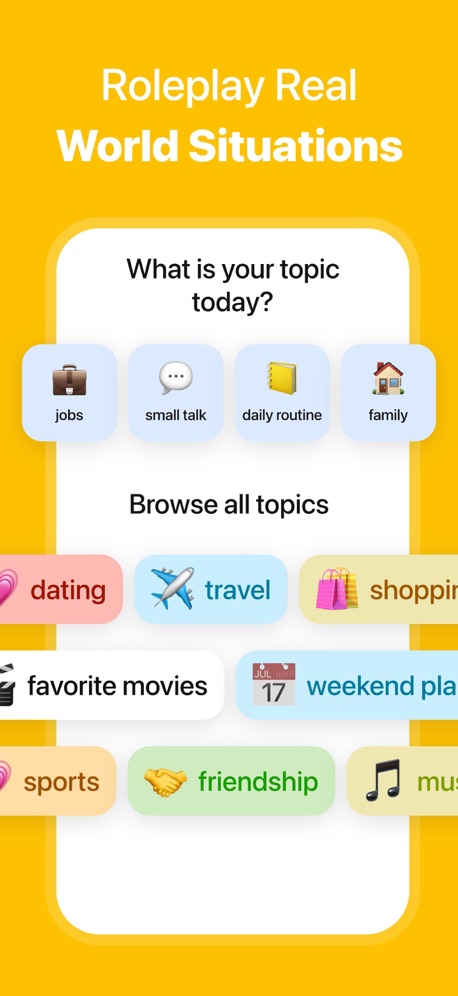
“Roleplay Real World Situations”

“Master grammar and vocab”

“Your future is mobile”

“Improve Communication & Confidence”

“Scan your Clever badge”

“EXPAND YOUR VOCABULARY”
What these screenshots say, word for word.
The words on 40 of the 102 that carry any, as each app wrote them.
“fun, bite-sized lessons”
Duolingo: Learn Languages · #1 · screenshot 2“Find Your Path”
Use our tools to search for colleges and careers based on skills and what excites you most.BigFuture School · #2 · screenshot 2“Stay connected with teachers”
ParentSquare · #5 · screenshot 3“Access all of your favorited courses and groups!”
Canvas by Instructure · #7 · screenshot 1“In-Depth Courses”
Imprint: Visual Micro Learning · #8 · screenshot 3“Learn anything with Flashcards”
Quizlet: More than Flashcards · #9 · screenshot 1“Roleplay Real World Situations”
LangLearn: AI English Tutor · #20 · screenshot 5“Master grammar and vocab”
Lingvano - Learn Sign Language · #23 · screenshot 4“Your future is mobile”
Common App · #25 · screenshot 1“Improve Communication & Confidence”
“Delete the “Apology Language” That Lowers Your Authority”Micro Learning - SmartyMe · #26 · screenshot 2“Scan your Clever badge”
Clever · #28 · screenshot 1“EXPAND YOUR VOCABULARY”
Elevate - Brain Training Games · #29 · screenshot 3“Learn 10,000+ words”
Vocabulary - Learn words daily · #32 · screenshot 2- One-Tap Auto
“Smart AI Note Taker”
Solvely - AI Study Tools · #33 · screenshot 6 “Easy to follow video lessons”
ASL Bloom - Sign Language · #36 · screenshot 3“Выбирайте свою тему”
Тёмная тема уже в приложении. Бережёт глаза и экономит батареюГосуслуги Моя школа · #39 · screenshot 3“Parents get instant updates and see their child’s feed in real time”
Procare: Childcare App · #42 · screenshot 1“Practice 20,000+ skills”
Math, language arts, science, social studies, and SpanishIXL - Math, English, & More · #44 · screenshot 2“Play 35+ bite-sized brain games”
Impulse - Brain Training · #46 · screenshot 3“Books That Read to Them”
Read-To-Me and audiobooks bring stories to life with fun narration and sound effects.Epic - Kids' Books & Reading · #47 · screenshot 6“Participate in discussions in the Activity Feed”
Brightspace Pulse · #50 · screenshot 5“Start speaking right away”
Babbel - Language Learning · #52 · screenshot 2“Create Community with Voiceroom”
HelloTalk - Language Learning · #53 · screenshot 5“Stay connected to your school”
“This app is really great! My coaches told me to download it in the fall and didn't think it would be very useful, but it's really nice to not have to ask people all of the details and be able to have a sense of independence.”StudentSquare App · #54 · screenshot 5“Find the method that makes sense to you”
Photomath · #56 · screenshot 2“Lessons, Videos, Games, & More!”
Learn to Read - Reading.com · #57 · screenshot 4“Navigate your way through college”
Navigate360 Student · #58 · screenshot 1“From the classroom to the cafeteria, pay online anytime”
MSB Parent, USA · #59 · screenshot 2“Track your progress”
Khan Academy · #60 · screenshot 3“Track & share your progress”
Simply Draw: Learn to Draw · #61 · screenshot 4“Keep your apps, files and notes in one place”
ClassLink LaunchPad · #63 · screenshot 2“Learn on your way to work ... during your workout ... or while doing this dishes”
Pimsleur | Language Learning · #65 · screenshot 3“Up to 5 family members”
Simply Piano: Learn Piano Fast · #69 · screenshot 5“8 CDL topics covering over 500 questions”
CDL Prep · #74 · screenshot 3“Step By Step Drawing”
Coloring Games for Kids 2-6! · #75 · screenshot 2“280+”
FUN & SAFE GAMESPBS KIDS Games · #77 · screenshot 3“Raise a Happy, Healthy Eater”
Solid Starts: Baby First Foods · #79 · screenshot 2“Speak in real conversations”
Language Learning: Pingo AI · #80 · screenshot 2“Create, view, and edit notes seamlessly”
Knowt: AI Flashcards & Notes · #83 · screenshot 4“Pass Your 2026 Permit Test”
DMV: Practice Test before Exam · #86 · screenshot 1
Top ten Education apps that do it.
- #1Duolingo: Learn Languages1 of its 6 screenshots
- #2BigFuture School2 of its 6 screenshots
- #5ParentSquare3 of its 6 screenshots
- #7Canvas by Instructure6 of its 6 screenshots
- #8Imprint: Visual Micro Learning3 of its 6 screenshots
- #9Quizlet: More than Flashcards1 of its 6 screenshots
The same tactic in other categories.
| Category | Apps that do it | Screenshots | Top ten |
|---|---|---|---|
| Education | 45% 45 of 100 | 18% 102 of 555 | 6 of 10 |
| Social Networking | 45% 45 of 100 | 21% 117 of 554 | 7 of 10 |
| Health & Fitness | 44% 44 of 100 | 18% 102 of 574 | 2 of 10 |
| Utilities | 42% 42 of 100 | 17% 92 of 549 | 3 of 10 |
| Medical | 41% 41 of 100 | 24% 129 of 548 | 5 of 10 |
| Travel | 41% 41 of 100 | 17% 93 of 561 | 3 of 10 |
| Productivity | 40% 40 of 99 | 19% 106 of 551 | 4 of 10 |
| Photo & Video | 38% 38 of 100 | 18% 101 of 566 | 3 of 10 |
| Business | 37% 37 of 100 | 21% 114 of 554 | 6 of 10 |
| Lifestyle | 37% 37 of 100 | 18% 102 of 556 | 3 of 10 |
| Music | 36% 36 of 100 | 12% 67 of 550 | 5 of 10 |
| Shopping | 36% 36 of 100 | 15% 86 of 562 | 3 of 10 |
| Food & Drink | 33% 33 of 100 | 13% 71 of 540 | 5 of 10 |
| Entertainment | 32% 32 of 100 | 12% 65 of 544 | 2 of 10 |
| Finance | 31% 31 of 100 | 12% 67 of 581 | 4 of 10 |
| Reference | 30% 30 of 100 | 13% 71 of 566 | 3 of 10 |
| Developer Tools | 29% 29 of 100 | 13% 64 of 507 | 3 of 10 |
| Graphics & Design | 27% 27 of 99 | 11% 64 of 564 | 1 of 10 |
| Navigation | 27% 27 of 99 | 13% 74 of 566 | 3 of 10 |
| News | 26% 25 of 98 | 11% 57 of 517 | 3 of 10 |
| Sports | 20% 20 of 100 | 8% 47 of 558 | 3 of 10 |
| Weather | 20% 20 of 100 | 7% 41 of 555 | 3 of 10 |
| Games | 16% 16 of 100 | 6% 33 of 567 | 3 of 10 |
Related tactics.
Often on the same screenshot
- Leads with a feature68% of these screenshots, against 50% of all Education screenshots
- Plain tone88% of these screenshots, against 72% of all Education screenshots
- Words at the top95% of these screenshots, against 80% of all Education screenshots
- Has a headline100% of these screenshots, against 86% of all Education screenshots
- States a benefit52% of these screenshots, against 39% of all Education screenshots
- Tells you to do something62% of these screenshots, against 49% of all Education screenshots
More in look
- Light86%
- Background is the icon’s colour79%
- Solid background65%
- Blue62%
- Gradient background62%
- A word in a different colour56%
- High contrast words39%
- Orange34%
- Rounded headline type32%
- Black, white or grey30%
- Dark29%
- Green28%
- Teal22%
- The app itself is the background22%
- Pattern or texture21%
- Pink20%
- Purple19%
- Photo background15%
- Red14%
- Serif headline8%
- Yellow3%
- Condensed or display type1%
Questions, answered from the chart.
How many top Education apps have App Store screenshots with low-contrast text?
Which Education apps have App Store screenshots with low-contrast text?
Should my Education app have App Store screenshots with low-contrast text?
See your own app against this.
Pagefully reads your screenshots the same way, and makes a custom product page for each search people type, from your real screens.
Preview your pages