How to fill in the App Store keyword field
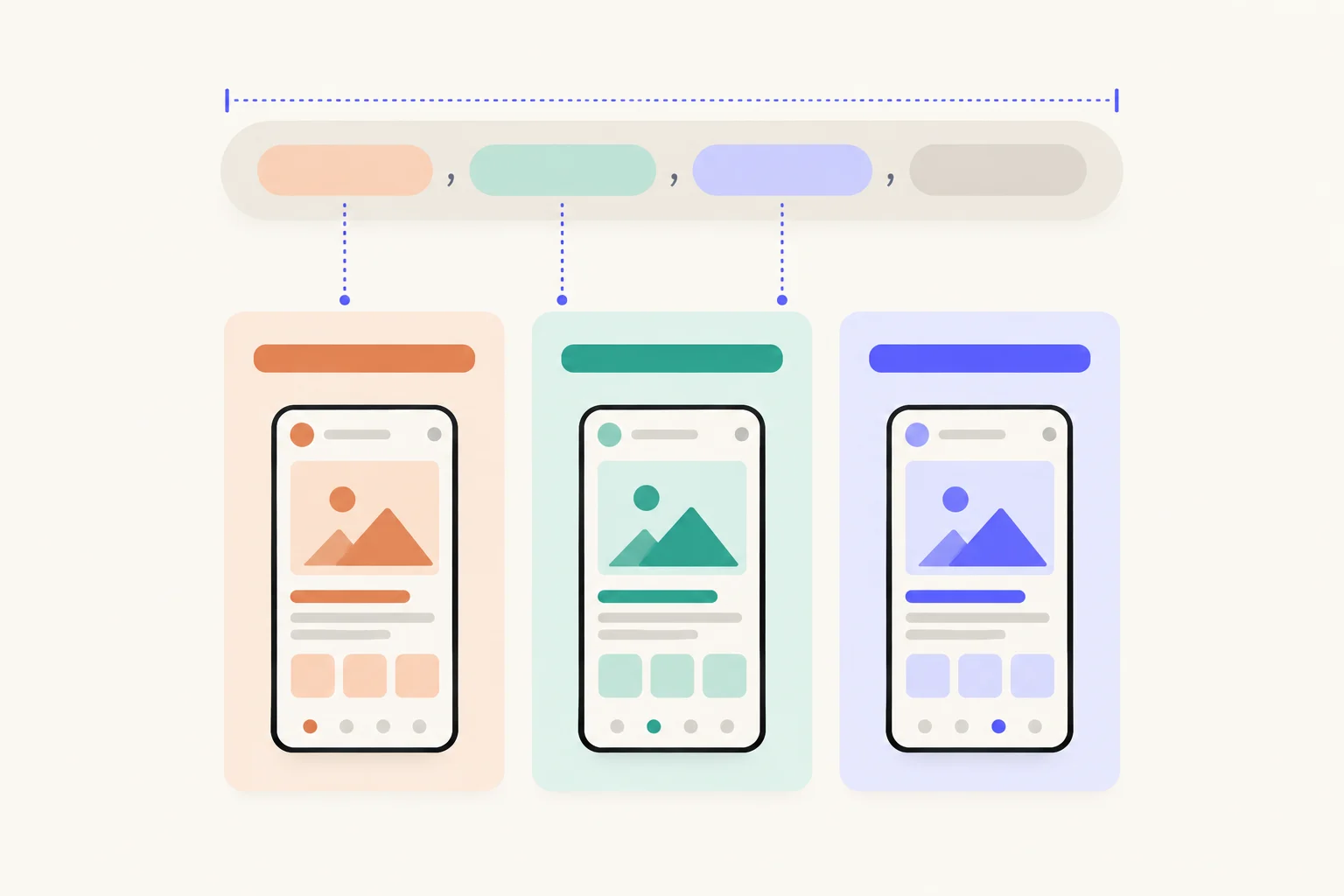
The keyword field is a list of up to 100 bytes per language that tells App Store search what your app is about, beside your name, subtitle and category. Separate terms with commas and no spaces, never repeat a word that is already in your name, subtitle or category, and leave out plurals, filler words and other apps’ names. It also sets the limit on your custom product pages: a page can only be assigned keywords that are in this field.
| Length | Up to 100 bytes per localization |
|---|---|
| Each keyword | Longer than two characters |
| Separator | Commas, no spaces after them |
| Required | Yes, and it can be localized |
| Already searchable | Your app name and company name |
| Not allowed | Names of other apps or companies, irrelevant or protected terms |
What is the keyword field?
It is part of your app version’s metadata in App Store Connect: one or more keywords that describe your app, up to 100 bytes, required, and set separately for each language.2
Apple’s own description is plain: keywords help determine where your app appears in search results, so choose them based on the words people may use to find an app like yours, and be specific about your features.1
How does App Store search use it?
As one of four places it reads for text. Apple says search results are based on many factors, including text relevance, meaning matches for your app’s title, subtitle, keywords and primary category, and user behaviour, such as downloads, ratings and reviews.1 Your primary and optional secondary category are indexed too.1
Apple names those inputs and not how much each one weighs, so treat any claim that one field counts double with suspicion. What Apple does say is that two things you might expect to count do not. Promotional text does not affect ranking and should not be used for keywords.1 And your name and company name are searchable already, so repeating them in the field spends bytes for nothing.2
| Field | Limit | Read by search? |
|---|---|---|
| App name | 30 characters | Yes, as your title |
| Subtitle | 30 characters | Yes |
| Keyword field | 100 bytes | Yes |
| Primary and secondary category | Chosen from Apple’s list | Yes |
| Company name | Your developer name | Yes, your app is searchable by it |
| Promotional text | 170 characters | No, Apple says it does not affect ranking |
How to write the two visible fields is in the app name and subtitle guide.
How do you format it?
Commas between terms, no spaces after the commas. Spaces inside a phrase are fine: Apple’s example is Property,House,Real Estate.1 Each keyword has to be longer than two characters.2
The limit is 100 bytes in App Store Connect’s reference and 100 characters on Apple’s marketing pages.21 For plain English letters those are the same. In a language whose characters take more than one byte each, fewer characters fit, so check the count in App Store Connect rather than in your editor.
What should you leave out?
Anything that repeats, and anything Apple forbids. These are Apple’s two lists, word for word in substance.13
| Leave out | Why, in Apple’s terms |
|---|---|
| Words already in your name, subtitle or category | Do not repeat them; your name and company name are searchable already |
| Plurals of words you already have | Considered duplicates, such as “climbs” and “climb” |
| Generic terms such as “app” or “game” | Too broad for your app or category |
| Filler words such as “the” and “to” | Add no value |
| Special characters such as # or @ | Carry no extra weight unless part of your brand |
| Competing app names, trademarks, celebrity names | Not allowed |
| Terms not relevant to the app, or offensive ones | Not allowed |
Apple adds that improper keywords are a common reason for rejection.3 Guideline 2.3.7 asks you to assign keywords that accurately describe your app, not to pack metadata with trademarked terms, popular app names or pricing, and says Apple may modify inappropriate keywords at any time.4
How do you choose the words?
Start from what people would type to find what your app does, then spend the bytes on the terms nothing else covers. Apple notes the trade-off itself: popular terms such as “jobs” or “social”, and trending or seasonal ones, can drive a lot of traffic but are highly competitive, especially for a newer or smaller app; less common terms bring less traffic and less competition.1
- Write down the jobs your app does, in your users’ words.Your reviews and support email are the best source: the words people use to describe what they wanted.
- Cross out every word already in your name, subtitle or category.They are read already. Apple asks you not to repeat them.
- Reduce each term to single words where you can.Drop plurals of words you keep, filler words and generic words like “app”.
- Remove anything that names another app, company or trademark.It is not allowed in the field, whatever the search volume.
- Fill the field to the limit, commas and no spaces.Check the byte count for each language in App Store Connect.
- Group the words by what the searcher wants.Each group that wants a different first screenshot is a candidate custom product page. That is the next section.
Why does it matter for custom product pages?
Because it is the only pool a page can draw from. Since July 2025 you can assign keywords to a custom product page so that people who search them see that page instead of your default one, and those keywords must come from your latest approved app version.5 The pool is the keyword field of that version, so a word that is not in it cannot be given to a page. Apple also asks that each keyword combination be unique to one page.5
So the field is doing two jobs at once: telling search what your app is for, and setting the menu of searches you can answer with their own page. When you choose the words, think of the groups as well as the words. A sleep app with “white noise”, “baby” and “lullaby” in its field can have a page for parents; one without them cannot, until a version with them is approved. How assignment works step by step is in custom product pages in App Store search.
When can you change it?
With a new version. The keyword field sits in each version’s metadata, beside the description and What’s New.2 Apple lets you change promotional text without a new submission and says nothing of the kind for keywords, so plan keyword changes with your releases.23 A custom product page’s keywords are different: you can assign them, or turn one off, at any time, and the page is searchable once it is approved and visible.5
The rest of what sits on the page, and what each part is called, is in the product page glossary. The full background on pages is the complete guide to custom product pages.
Sources
Questions people ask
How long can App Store keywords be?
Should I put spaces after the commas?
Should I repeat words from my app name in the keywords?
Can I use a competitor’s name as a keyword?
Does promotional text help search ranking?
See your first page.
Look up your app. In about a minute you see three pages planned for it and one designed on your own screenshots, before you sign up.