Graphics & Design app screenshots with an angled phone
The device is tilted or in perspective. A tilted device adds depth to the picture.
From the top 99 free Graphics & Design apps on the US App Store, read on October 9, 2026. Screenshots are the developers’ own, shown from Apple’s servers with a link to each app.
The numbers
24 of the 564 Graphics & Design screenshots read (4%) do this, across 17 of the top 99 apps (17%). 2 of the top ten do it (20%), against 15 of the other 89 (17%): the top ten do it about as often as the rest. Of the 23 categories read so far, Graphics & Design is 13th for this. It is most common in Food & Drink (30% of apps) and least common in Games (5%).
12 examples from the chart.
12 of the 24 Graphics & Design app screenshots with an angled phone, one from each app, the highest on the chart first.

“Use a camera”


“Customize Your Lock & Homescreen”

“Customize Your Lock & Homescreen”

“Choose A Charging Theme”

“DIY Photo Wallpaper”

“Convert multiple formats to PDF”
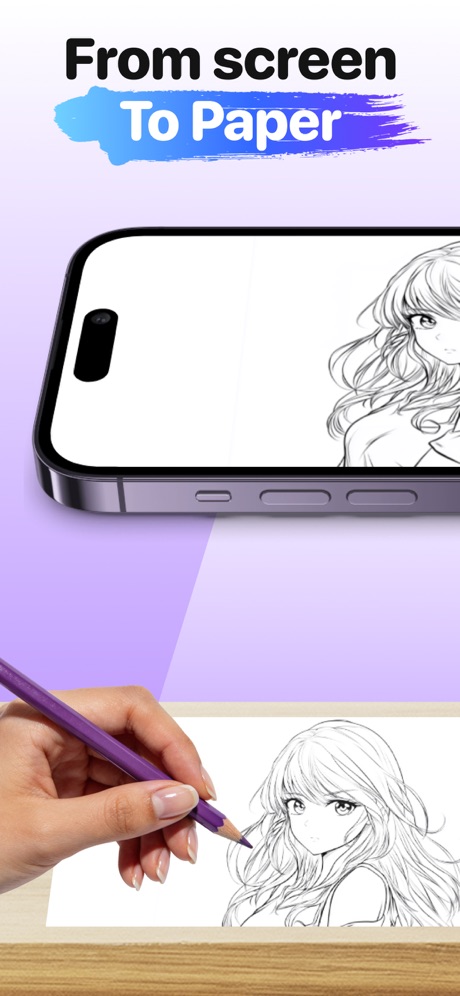
“From screen To Paper”
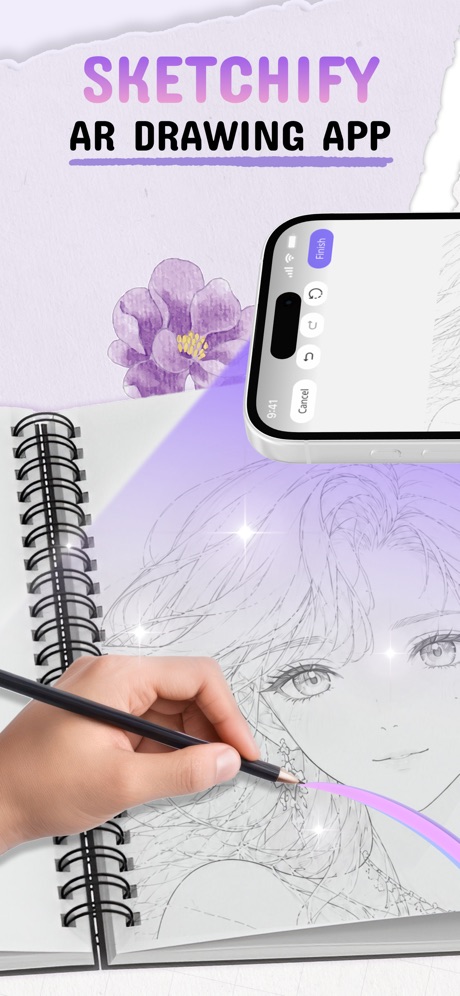
“SKETCHIFY”

“Discover New Theme Styles”

“PERSONALIZE LOCK & HOME SCREEN”
What these screenshots say, word for word.
The words on all 20 that carry any, as each app wrote them.
“Use a camera”
to drawAR Drawing: Sketch & Paint · #6 · screenshot 1“OS 26 Liquid Glass”
iScreen - Widgets & Wallpaper · #11 · screenshot 6“Customize Your Lock & Homescreen”
20000+ Widgets & IconsThemeKit: Widget & Icon Themes · #33 · screenshot 1“Customize Your Lock & Homescreen”
Themelia: Theme & Widget · #36 · screenshot 1“Choose A Charging Theme”
Emoji Battery Charging · #38 · screenshot 5“DIY Photo Wallpaper”
Walliz – DIY Wallpaper Collage · #39 · screenshot 1“Convert multiple formats to PDF”
Lexy PDF Viewer-Maker,Builder · #45 · screenshot 4“From screen To Paper”
ARtie Lab: AR Drawing & Sketch · #47 · screenshot 2“SKETCHIFY”
AR DRAWING APPAR Drawing App - Sketchify · #49 · screenshot 1“Discover New Theme Styles”
ThemeMate DIY Themes & Widgets · #51 · screenshot 2“PERSONALIZE LOCK & HOME SCREEN”
ThemeX: App Icons & My Widgets · #54 · screenshot 1“Aesthetic themes for iPhone”
WidgetClub:Widget, Theme, Icon · #63 · screenshot 1“• Anime drawing • Learn how to draw • Trace & Sketch • 500+ Templates”
AR Drawing Sketch AI - ArtEasy · #72 · screenshot 2“AR Makes Drawing Easy”
Drawsy: AR Draw for Sketching · #76 · screenshot 2“Draw with Your Camera”
AR Projector Tracing & Drawing · #79 · screenshot 3- Trending
“From ideas to images, effortlessly. AI Art App”
PixAI - AI Anime Art Generator · #86 · screenshot 1 “7000+ Themes”
ThemeKit: Widget & Icon Themes · #33 · screenshot 2“TRACE ANYTHING”
NO SKILLS NEEDEDAR Drawing App - Sketchify · #49 · screenshot 2“WIDGETS, ICONS, WALLPAPERS”
ThemeX: App Icons & My Widgets · #54 · screenshot 2“Learn drawing”
IN 21 DAYSAR Drawing Sketch AI - ArtEasy · #72 · screenshot 3
Top ten Graphics & Design apps that do it.
- #6AR Drawing: Sketch & Paint1 of its 6 screenshots
- #8Themify - Widget & Icon Themes1 of its 6 screenshots
The same tactic in other categories.
| Category | Apps that do it | Screenshots | Top ten |
|---|---|---|---|
| Food & Drink | 30% 30 of 100 | 10% 54 of 540 | 1 of 10 |
| Music | 26% 26 of 100 | 6% 33 of 550 | 0 of 10 |
| Finance | 24% 24 of 100 | 5% 30 of 581 | 1 of 10 |
| Social Networking | 23% 23 of 100 | 7% 41 of 554 | 2 of 10 |
| Business | 21% 21 of 100 | 5% 29 of 554 | 1 of 10 |
| Travel | 21% 21 of 100 | 5% 29 of 561 | 2 of 10 |
| Medical | 20% 20 of 100 | 6% 31 of 548 | 4 of 10 |
| Sports | 20% 20 of 100 | 5% 28 of 558 | 2 of 10 |
| Navigation | 19% 19 of 99 | 5% 28 of 566 | 1 of 10 |
| Entertainment | 19% 19 of 100 | 6% 30 of 544 | 0 of 10 |
| Utilities | 19% 19 of 100 | 5% 27 of 549 | 2 of 10 |
| Shopping | 18% 18 of 100 | 5% 29 of 562 | 3 of 10 |
| Graphics & Design | 17% 17 of 99 | 4% 24 of 564 | 2 of 10 |
| Lifestyle | 16% 16 of 100 | 4% 21 of 556 | 0 of 10 |
| Reference | 14% 14 of 100 | 3% 19 of 566 | 2 of 10 |
| News | 13% 13 of 98 | 3% 18 of 517 | 1 of 10 |
| Education | 13% 13 of 100 | 4% 21 of 555 | 2 of 10 |
| Productivity | 11% 11 of 99 | 3% 18 of 551 | 1 of 10 |
| Health & Fitness | 11% 11 of 100 | 3% 15 of 574 | 0 of 10 |
| Weather | 11% 11 of 100 | 4% 22 of 555 | 2 of 10 |
| Developer Tools | 9% 9 of 100 | 2% 10 of 507 | 1 of 10 |
| Photo & Video | 6% 6 of 100 | 1% 7 of 566 | 0 of 10 |
| Games | 5% 5 of 100 | 1% 6 of 567 | 0 of 10 |
Related tactics.
Often on the same screenshot
- Light79% of these screenshots, against 48% of all Graphics & Design screenshots
- Purple33% of these screenshots, against 7% of all Graphics & Design screenshots
- Illustration or mascot75% of these screenshots, against 50% of all Graphics & Design screenshots
- Background is the icon’s colour50% of these screenshots, against 26% of all Graphics & Design screenshots
- Gradient background83% of these screenshots, against 60% of all Graphics & Design screenshots
- Pink29% of these screenshots, against 8% of all Graphics & Design screenshots
More in layout
- Screen fills the picture99%
- Phone drawn96%
- Whole phone shown94%
- Words at the top94%
- A photograph86%
- Illustration or mascot77%
- Arrows or callouts70%
- Headline readable at thumbnail size69%
- A person in the picture65%
- Two or more screens55%
- Phone cut off at the foot47%
- Zoomed detail of the UI47%
- Headline too small to read40%
- No phone, bare screen38%
- App icon shown37%
- A hand holds the phone29%
- No app screen at all19%
- Phone cut off at the head13%
- Screen is small11%
- Words aligned left11%
- Watch, iPad or Mac beside it7%
- Words at the bottom5%
- Words over the screen3%
Questions, answered from the chart.
How many top Graphics & Design apps have App Store screenshots with an angled phone?
Which Graphics & Design apps have App Store screenshots with an angled phone?
Should my Graphics & Design app have App Store screenshots with an angled phone?
See your own app against this.
Pagefully reads your screenshots the same way, and makes a custom product page for each search people type, from your real screens.
Preview your pages