Green Navigation app screenshots
Green is the main colour.
From the top 99 free Navigation apps on the US App Store, read on October 9, 2026. Screenshots are the developers’ own, shown from Apple’s servers with a link to each app.
The numbers
75 of the 566 Navigation screenshots read (13%) do this, across 22 of the top 99 apps (22%). 5 of the top ten do it (50%), against 17 of the other 89 (19%): the top ten do it more than the rest. Of the 23 categories read so far, Navigation is 4th for this. It is most common in Games (32% of apps) and least common in News (7%).
12 examples from the chart.
12 of the 75 green Navigation app screenshots, one from each app, the highest on the chart first.

“Never miss a turn”

“Discover all of our offerings”

“Find the fastest trip”


“Turn Your City Into Your Next Mission”
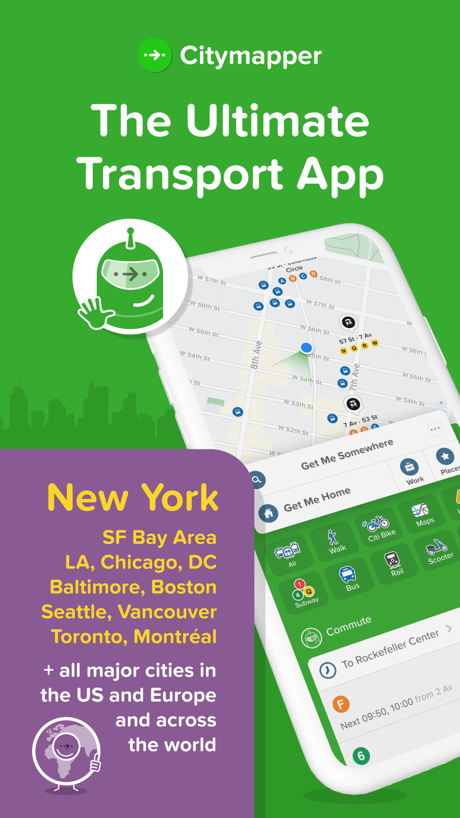
“The Ultimate Transport App”

“BUILD FOR THE TRAIL”

“Check live arrival times”


“Adventure Confidently”

“Offline Maps”
What these screenshots say, word for word.
The words on 40 of the 59 that carry any, as each app wrote them.
“Never miss a turn”
Google Maps · #1 · screenshot 1“Discover all of our offerings”
ParkMobile: Park. Pay. Go. · #4 · screenshot 2“Find the fastest trip”
Transit • Subway & Bus Times · #5 · screenshot 4“Turn Your City Into Your Next Mission”
Game Maps IRL · #7 · screenshot 6“The Ultimate Transport App”
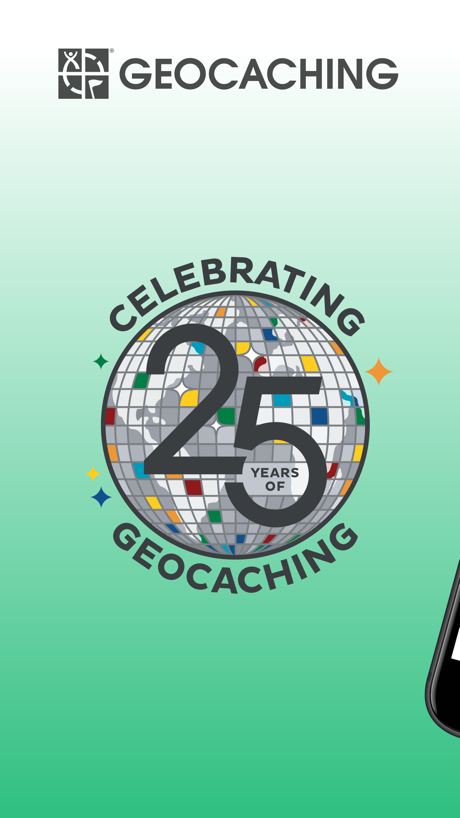
Citymapper: All Live Transit · #18 · screenshot 1“Millions of geocaches are hidden worldwide”
Geocaching® · #35 · screenshot 2“BUILD FOR THE TRAIL”
Elevation Profiles, GPX TracksOrganic Maps・Offline Maps, GPS · #37 · screenshot 2“Check live arrival times”
MBTA Go — Official · #39 · screenshot 2“Adventure Confidently”
Navigate and stay found with your exact location on the map.Gaia GPS: Mobile Trail Maps · #55 · screenshot 1“Offline Maps”
Largest collection of trail, topo, survey, & utility mapsAvenza Maps: Offline Mapping · #56 · screenshot 1“Get Any Country's Details”
Locator: My Family & Friend · #58 · screenshot 1“GO! Sacramento Airport Park & Ride”
Passio GO · #61 · screenshot 1“Choose the best route”
TfL Go: Plan, Pay, Travel · #66 · screenshot 1“SAVE AT LEAST A DIME, EVERY TIME”
Save 10¢ or more per gallon* with every fill-upDINOPAY - Sinclair Oil · #72 · screenshot 1“Real-time voiced corner callouts as you drive”
Rods — Corner & Road Alerts · #74 · screenshot 2“Be mindful of your loved one's movements”
Number tracker: Phone Location · #78 · screenshot 2“Turn-by-Turn Navigation”
هدهد: خرائط الخليج الأدق · #87 · screenshot 2“Navigate confidently with high-detail 3D and topographic maps anywhere, anytime”
Offline RouteMap 3D · #94 · screenshot 4“Compass Mode without Internet”
Qibla Finder 100% اتجاه القبلة · #97 · screenshot 3“HUD MODE”
Safe driving without looking downSpeedometer: MPH Tracker · #99 · screenshot 2“Available Nationwide”
ParkMobile: Park. Pay. Go. · #4 · screenshot 3- Apple
“Apps of the Year”
5 years in a rowCitymapper: All Live Transit · #18 · screenshot 2 “See details and recent activity for each geocache”
Geocaching® · #35 · screenshot 3“EXPLORE ROUTES”
Hiking & Cycling Routes From OpenStreetMapOrganic Maps・Offline Maps, GPS · #37 · screenshot 5“Maps for Every Adventure”
Designed for hiking, overlanding, backpacking, and more.Gaia GPS: Mobile Trail Maps · #55 · screenshot 6“Navigate with confidence”
Avenza Maps: Offline Mapping · #56 · screenshot 2“Get Instant Alert When Leave Area”
Locator: My Family & Friend · #58 · screenshot 2- Download games to earn rewards
“HIGH SCORES. BIG DISCOUNTS.”
DINOPAY - Sinclair Oil · #72 · screenshot 2 “Check the real time location of your loved one”
Number tracker: Phone Location · #78 · screenshot 3“Plan and Draw Custom Routes”
هدهد: خرائط الخليج الأدق · #87 · screenshot 3“Exploring a new city or hiking in nature”
Offline RouteMap 3D · #94 · screenshot 6“Find Qibla Now on Apple Watch”
Qibla Finder 100% اتجاه القبلة · #97 · screenshot 4“ROUTE RECORD”
Completely record your travel itinerary and display your current trip data in real timeSpeedometer: MPH Tracker · #99 · screenshot 6“Parking at your convenience”
ParkMobile: Park. Pay. Go. · #4 · screenshot 4“28 min 32 min 37 min 39 min 0 min”
Citymapper: All Live Transit · #18 · screenshot 3“Keep Track of Your Logged Finds”
Geocaching® · #35 · screenshot 4“Mark assets during field data collection”
Avenza Maps: Offline Mapping · #56 · screenshot 3“Share Your Location With Friends”
Locator: My Family & Friend · #58 · screenshot 3“Save 10¢ per gallon when you refer a friend”
See app for detailsDINOPAY - Sinclair Oil · #72 · screenshot 3“View the history of past movements of your members”
Number tracker: Phone Location · #78 · screenshot 4
Top ten Navigation apps that do it.
- #1Google Maps1 of its 6 screenshots
- #4ParkMobile: Park. Pay. Go.5 of its 6 screenshots
- #5Transit • Subway & Bus Times1 of its 6 screenshots
- #6earnify5 of its 6 screenshots
- #7Game Maps IRL1 of its 6 screenshots
The same tactic in other categories.
| Category | Apps that do it | Screenshots | Top ten |
|---|---|---|---|
| Games | 32% 32 of 100 | 14% 82 of 567 | 2 of 10 |
| Weather | 30% 30 of 100 | 7% 38 of 555 | 3 of 10 |
| Education | 28% 28 of 100 | 11% 63 of 555 | 3 of 10 |
| Navigation | 22% 22 of 99 | 13% 75 of 566 | 5 of 10 |
| Reference | 22% 22 of 100 | 10% 59 of 566 | 2 of 10 |
| Finance | 20% 20 of 100 | 14% 83 of 581 | 2 of 10 |
| Sports | 20% 20 of 100 | 11% 59 of 558 | 3 of 10 |
| Food & Drink | 18% 18 of 100 | 10% 56 of 540 | 1 of 10 |
| Health & Fitness | 17% 17 of 100 | 10% 56 of 574 | 2 of 10 |
| Social Networking | 17% 17 of 100 | 6% 34 of 554 | 4 of 10 |
| Business | 15% 15 of 100 | 9% 49 of 554 | 1 of 10 |
| Shopping | 15% 15 of 100 | 6% 31 of 562 | 0 of 10 |
| Travel | 14% 14 of 100 | 6% 36 of 561 | 1 of 10 |
| Graphics & Design | 13% 13 of 99 | 5% 26 of 564 | 2 of 10 |
| Lifestyle | 12% 12 of 100 | 4% 23 of 556 | 0 of 10 |
| Photo & Video | 12% 12 of 100 | 5% 26 of 566 | 0 of 10 |
| Utilities | 12% 12 of 100 | 6% 33 of 549 | 0 of 10 |
| Entertainment | 10% 10 of 100 | 5% 25 of 544 | 1 of 10 |
| Medical | 10% 10 of 100 | 3% 17 of 548 | 2 of 10 |
| Music | 10% 10 of 100 | 4% 20 of 550 | 0 of 10 |
| Productivity | 9% 9 of 99 | 4% 22 of 551 | 1 of 10 |
| Developer Tools | 9% 9 of 100 | 5% 24 of 507 | 2 of 10 |
| News | 7% 7 of 98 | 2% 12 of 517 | 2 of 10 |
Related tactics.
Often on the same screenshot
- Background is the icon’s colour64% of these screenshots, against 40% of all Navigation screenshots
- No words at all21% of these screenshots, against 8% of all Navigation screenshots
- The app itself is the background11% of these screenshots, against 3% of all Navigation screenshots
- Phone at an angle12% of these screenshots, against 5% of all Navigation screenshots
- Headline in Title Case28% of these screenshots, against 22% of all Navigation screenshots
- Zoomed detail of the UI11% of these screenshots, against 5% of all Navigation screenshots
More in look
- Light65%
- Solid background57%
- Background is the icon’s colour53%
- Gradient background52%
- High contrast words51%
- Blue48%
- Dark48%
- Black, white or grey47%
- A word in a different colour40%
- Photo background30%
- Low contrast words27%
- Pattern or texture25%
- Teal22%
- Rounded headline type21%
- Orange20%
- Red11%
- Condensed or display type8%
- The app itself is the background6%
- Yellow6%
- Pink3%
- Purple2%
Questions, answered from the chart.
How many top Navigation apps have green App Store screenshots?
Which Navigation apps have green App Store screenshots?
Should my Navigation app have green App Store screenshots?
See your own app against this.
Pagefully reads your screenshots the same way, and makes a custom product page for each search people type, from your real screens.
Preview your pages