Navigation app screenshots with rounded type
A rounded, friendly typeface. Rounded letterforms read as soft and informal.
From the top 99 free Navigation apps on the US App Store, read on October 9, 2026. Screenshots are the developers’ own, shown from Apple’s servers with a link to each app.
The numbers
44 of the 566 Navigation screenshots read (8%) do this, across 21 of the top 99 apps (21%). 3 of the top ten do it (30%), against 18 of the other 89 (20%): the top ten do it more than the rest. Of the 23 categories read so far, Navigation is 8th for this. It is most common in Games (66% of apps) and least common in News (7%).
12 examples from the chart.
12 of the 44 Navigation app screenshots with rounded type, one from each app, the highest on the chart first.

“Get real-time road alerts from drivers ahead”
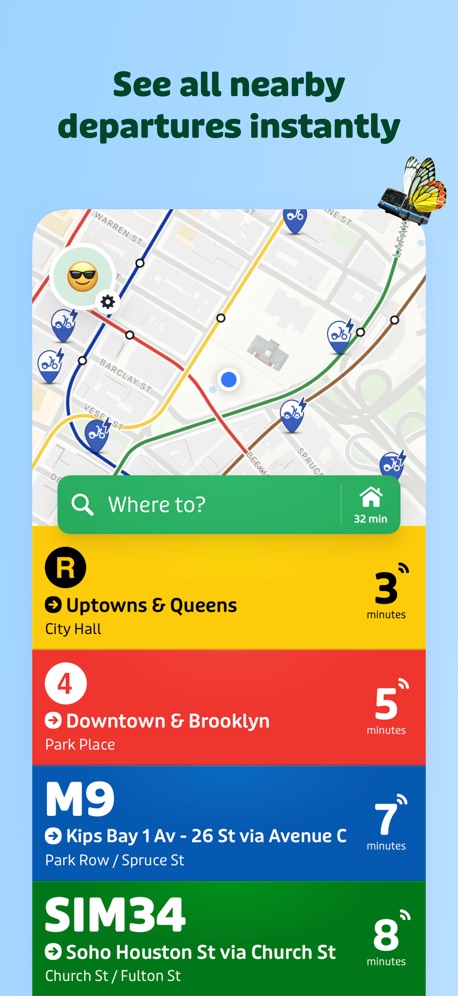
“See all nearby departures instantly”

“Save more with in-app offers”

“Convenient entry and exit”

“Pay right from the app;”
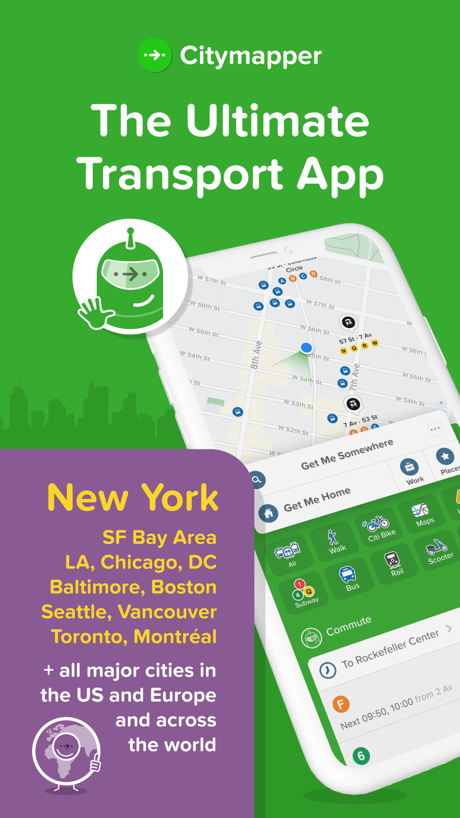
“The Ultimate Transport App”

“MapQuest is back”

“A fun and affordable way to get around.”

“Use at Over 2,300 Truck Stops Nationwide”

“Your ride is just a click away”

“Learn from hunters in every state.”
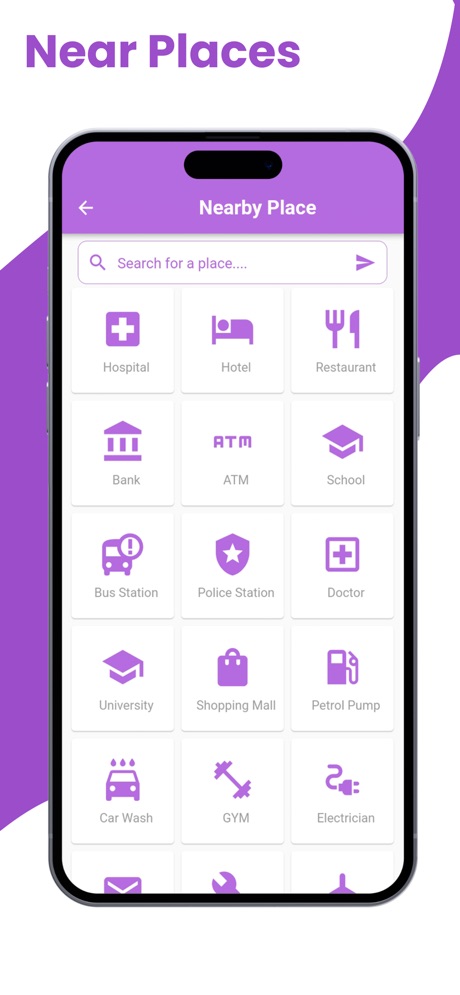
“Near Places”
What these screenshots say, word for word.
The words on 40 of the 44 that carry any, as each app wrote them.
“Get real-time road alerts from drivers ahead”
Waze Navigation & Live Traffic · #3 · screenshot 2“See all nearby departures instantly”
Transit • Subway & Bus Times · #5 · screenshot 1“Save more with in-app offers”
Shell: Fuel, Charge & More · #8 · screenshot 2“Convenient entry and exit”
ParkWhiz - #1 Parking App · #12 · screenshot 4“Pay right from the app;”
select your pump, your payment, & your savingsExxon Mobil Rewards+ · #17 · screenshot 4“The Ultimate Transport App”
Citymapper: All Live Transit · #18 · screenshot 1“MapQuest is back”
“Your quest begins here!”MapQuest GPS Navigation & Maps · #30 · screenshot 1“A fun and affordable way to get around.”
lyft · citi bike.Citi Bike · #34 · screenshot 1“Use at Over 2,300 Truck Stops Nationwide”
Mudflap · #41 · screenshot 5“Your ride is just a click away”
TripShot · #48 · screenshot 1“Learn from hunters in every state.”
GOHUNT: Research & Maps · #50 · screenshot 2“Near Places”
Live Satellite View & GPS Maps · #53 · screenshot 6“Automatically Track Your Drives”
Wheelz - Social Drive Tracker · #62 · screenshot 1“Find free parking”
SpotAngels Parking & Gas · #63 · screenshot 1“Navigate and Filter”
Through stream classes or points of interest.TroutRoutes: Fly Fishing App · #68 · screenshot 6“Interactive railway map”
Japan Travel - Smart Transit · #69 · screenshot 1“Thousands of bikes. All around Chicago.”
Divvy Bikes · #70 · screenshot 2“Know every corner”
Co-driver app trusted by 55,000+ drivers in 150+ countriesRods — Corner & Road Alerts · #74 · screenshot 1“Send realtime alerts with PackRide”
Cardo Ride - Motorcycle App · #84 · screenshot 5“Trip Planning For Your Truck”
Hammer: Truck GPS & Maps · #91 · screenshot 3“Drive easier with highly detailed road markings”
Yandex Navi – navigation, maps · #98 · screenshot 2“Stay informed with speed camera & police alerts”
Waze Navigation & Live Traffic · #3 · screenshot 3“Track your ride”
Transit • Subway & Bus Times · #5 · screenshot 2“See fuel prices and offers at nearby stations or availability of EV chargers”
Shell: Fuel, Charge & More · #8 · screenshot 5- Apple
“Apps of the Year”
5 years in a rowCitymapper: All Live Transit · #18 · screenshot 2 “No Contracts. No Credit Checks. No hassle.”
Mudflap · #41 · screenshot 6“Plan your trip with ease”
TripShot · #48 · screenshot 2“Navigate anywhere, even without signal.”
GOHUNT: Research & Maps · #50 · screenshot 5“Get street cleaning notifications”
SpotAngels Parking & Gas · #63 · screenshot 3“Japan Rail Pass optimized routes”
Japan Travel - Smart Transit · #69 · screenshot 2“Unlock a bike and get going.”
Divvy Bikes · #70 · screenshot 4“Real-time voiced corner callouts as you drive”
Rods — Corner & Road Alerts · #74 · screenshot 2“Speed limit and camera pointed right at your route”
Yandex Navi – navigation, maps · #98 · screenshot 3“Find fuel or charge up along the way”
Waze Navigation & Live Traffic · #3 · screenshot 5“Up-to-date disruption info”
Transit • Subway & Bus Times · #5 · screenshot 3“Get off now”
Citymapper: All Live Transit · #18 · screenshot 5“Track vehicle location with True-Time®”
TripShot · #48 · screenshot 4“Always locate your car”
SpotAngels Parking & Gas · #63 · screenshot 4“Speed bumps, cameras, surface changes & more, all called out”
Rods — Corner & Road Alerts · #74 · screenshot 3“Find the fastest trip”
Transit • Subway & Bus Times · #5 · screenshot 4
Top ten Navigation apps that do it.
- #3Waze Navigation & Live Traffic3 of its 6 screenshots
- #5Transit • Subway & Bus Times5 of its 6 screenshots
- #8Shell: Fuel, Charge & More2 of its 6 screenshots
The same tactic in other categories.
| Category | Apps that do it | Screenshots | Top ten |
|---|---|---|---|
| Games | 66% 66 of 100 | 41% 232 of 567 | 8 of 10 |
| Graphics & Design | 32% 32 of 99 | 18% 101 of 564 | 2 of 10 |
| Education | 32% 32 of 100 | 17% 97 of 555 | 3 of 10 |
| Social Networking | 30% 30 of 100 | 13% 73 of 554 | 3 of 10 |
| Food & Drink | 26% 26 of 100 | 14% 74 of 540 | 2 of 10 |
| Photo & Video | 25% 25 of 100 | 8% 44 of 566 | 2 of 10 |
| Lifestyle | 23% 23 of 100 | 8% 45 of 556 | 0 of 10 |
| Navigation | 21% 21 of 99 | 8% 44 of 566 | 3 of 10 |
| Music | 19% 19 of 100 | 9% 47 of 550 | 1 of 10 |
| Travel | 19% 19 of 100 | 8% 43 of 561 | 0 of 10 |
| Health & Fitness | 18% 18 of 100 | 7% 41 of 574 | 1 of 10 |
| Shopping | 18% 18 of 100 | 6% 31 of 562 | 2 of 10 |
| Entertainment | 16% 16 of 100 | 4% 23 of 544 | 1 of 10 |
| Developer Tools | 15% 15 of 100 | 7% 33 of 507 | 1 of 10 |
| Medical | 15% 15 of 100 | 5% 26 of 548 | 0 of 10 |
| Finance | 14% 14 of 100 | 5% 28 of 581 | 2 of 10 |
| Utilities | 14% 14 of 100 | 5% 26 of 549 | 0 of 10 |
| Weather | 14% 14 of 100 | 6% 33 of 555 | 3 of 10 |
| Reference | 12% 12 of 100 | 5% 31 of 566 | 0 of 10 |
| Productivity | 11% 11 of 99 | 4% 20 of 551 | 0 of 10 |
| Sports | 9% 9 of 100 | 3% 15 of 558 | 1 of 10 |
| Business | 8% 8 of 100 | 2% 10 of 554 | 1 of 10 |
| News | 7% 7 of 98 | 3% 13 of 517 | 2 of 10 |
Related tactics.
Often on the same screenshot
- Gradient background48% of these screenshots, against 33% of all Navigation screenshots
- Plain tone93% of these screenshots, against 80% of all Navigation screenshots
- Screen fills the picture89% of these screenshots, against 79% of all Navigation screenshots
- Words at the top93% of these screenshots, against 85% of all Navigation screenshots
- Has a headline100% of these screenshots, against 92% of all Navigation screenshots
- Solid background43% of these screenshots, against 36% of all Navigation screenshots
More in look
- Light65%
- Solid background57%
- Background is the icon’s colour53%
- Gradient background52%
- High contrast words51%
- Blue48%
- Dark48%
- Black, white or grey47%
- A word in a different colour40%
- Photo background30%
- Low contrast words27%
- Pattern or texture25%
- Green22%
- Teal22%
- Orange20%
- Red11%
- Condensed or display type8%
- The app itself is the background6%
- Yellow6%
- Pink3%
- Purple2%
Questions, answered from the chart.
How many top Navigation apps have App Store screenshots with rounded type?
Which Navigation apps have App Store screenshots with rounded type?
Should my Navigation app have App Store screenshots with rounded type?
See your own app against this.
Pagefully reads your screenshots the same way, and makes a custom product page for each search people type, from your real screens.
Preview your pages