How to automate custom product pages with the App Store Connect API
Yes. The App Store Connect API has had endpoints for custom product pages since version 1.7, and for assigning search keywords to them since 4.0 and 4.1. A script creates the page with a version and a first localization in one request, adds localizations, uploads screenshots and previews, sets promotional text, assigns keyword ids, then submits the version for review. It is a few hundred lines of code and worth it for many apps; for one app and a few pages, a tool is simpler.
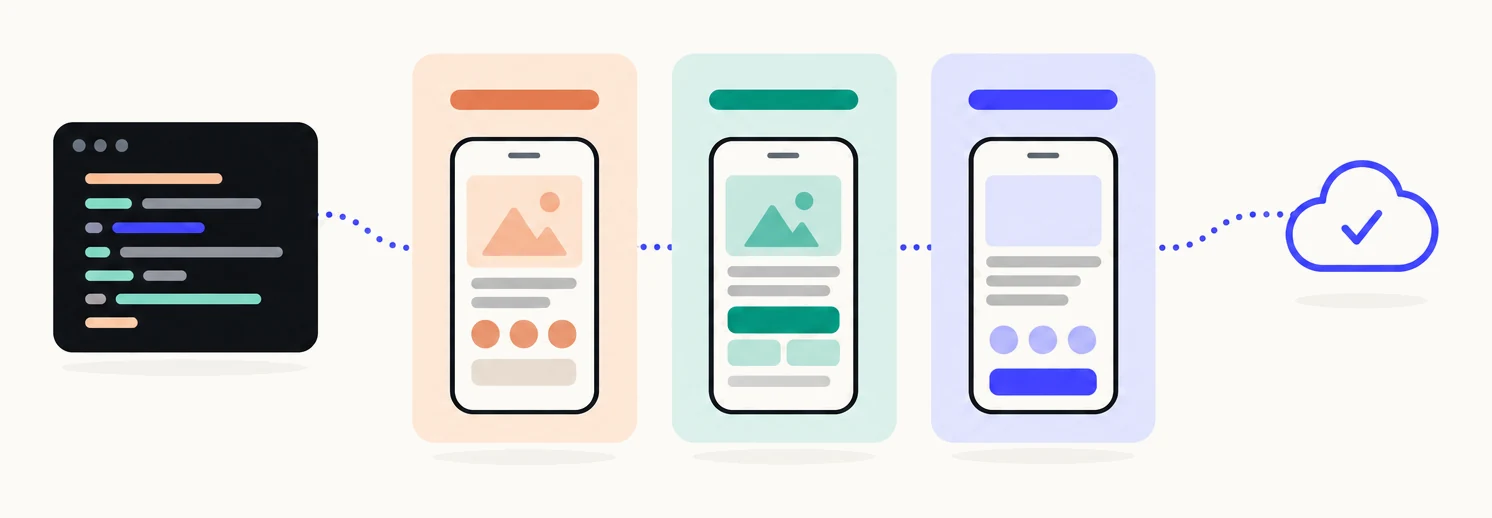
What do you need to know first?
Seven facts shape every script. The resources, the key, the token, and the rate limit.
| Page resources | appCustomProductPages, appCustomProductPageVersions, appCustomProductPageLocalizations (API 1.7)1 |
|---|---|
| Media resources | appScreenshotSets, appScreenshots, appPreviewSets, appPreviews. Deprecated in 4.5.1 in favour of appAssetLibraryImages, appAssetLibraryVideos and appAssetLibraryPlacements; still documented, no removal date given13 |
| Keyword resources | appKeywords, listed by GET /v1/apps/{id}/searchKeywords (API 4.0) and assigned through the localization’s searchKeywords relationship (API 4.1)6 |
| Review resources | reviewSubmissions and reviewSubmissionItems, with an item relationship named appCustomProductPageVersion8 |
| Key role | Account Holder, Admin, App Manager or Marketing for creating and submitting pages; Apple applies user roles to keys. App Manager is the usual choice15 |
| Token | A JWT signed with ES256, aud appstoreconnect-v1, at most 20 minutes from iat to exp, sent as a Bearer header10 |
| Rate limit | Per key, per rolling hour. Every response carries X-Rate-Limit: user-hour-lim:3500;user-hour-rem:500; in Apple’s example. Exceed it and you get 429 RATE_LIMIT_EXCEEDED9 |
| Pages per app | 7011 |
What are the endpoints?
Eight groups of calls cover the whole job. All are under https://api.appstoreconnect.apple.com and take JSON:API bodies.
| Step | Method and path | Notes |
|---|---|---|
| Create the page | POST /v1/appCustomProductPages | name and the app relationship are required. Apple’s example creates the version and first localization inline in an included array2 |
| List pages | GET /v1/apps/{id}/appCustomProductPages | Supports filter[visible] and include=appCustomProductPageVersions |
| Add a localization | POST /v1/appCustomProductPageLocalizations | locale required, promotionalText optional, relationship appCustomProductPageVersion3 |
| Set promotional text | PATCH /v1/appCustomProductPageLocalizations/{id} | promotionalText is the only writable attribute on update. 170 characters |
| Create a screenshot set | POST /v1/appScreenshotSets | screenshotDisplayType plus the appCustomProductPageLocalization relationship. Deprecated in 4.5.1; see the asset library4 |
| Reserve, upload, commit a screenshot | POST /v1/appScreenshots, PUT to each upload URL, PATCH /v1/appScreenshots/{id} | Reserve with fileName and fileSize; commit with uploaded true and the MD5 sourceFileChecksum5 |
| Order screenshots | PATCH /v1/appScreenshotSets/{id}/relationships/appScreenshots | Replaces the ordered list |
| App previews | POST /v1/appPreviewSets, POST /v1/appPreviews, same reserve, upload, commit | Attached to the localization the same way as screenshots |
| List the app’s keywords | GET /v1/apps/{id}/searchKeywords | filter[locale], filter[platform], limit up to 200. Returns appKeywords with an id and no attributes7 |
| Assign keywords | POST /v1/appCustomProductPageLocalizations/{id}/relationships/searchKeywords | Body is data: [{ type: "appKeywords", id }]. 204 on success. DELETE with the same body removes. There is no PATCH6 |
| Submit for review | POST /v1/reviewSubmissions, POST /v1/reviewSubmissionItems, PATCH /v1/reviewSubmissions/{id} | The item’s relationship is appCustomProductPageVersion. Set submitted true to send, canceled true to withdraw8 |
| Asset library (new) | POST /v1/appAssetLibraryImages, POST /v1/appAssetLibraryPlacements | Upload once, then place the image on a custom product page localization. The replacement for screenshot sets since 4.5.113 |
In what order do you call them?
Page, localizations, media, text, keywords, review. Each step needs an id from the one before, so record every id Apple returns before you move on.
- Create the page, with its version and first localization inline.One POST to /v1/appCustomProductPages with name, the app relationship, and an included array holding one appCustomProductPageVersions object and one appCustomProductPageLocalizations object with its locale. Apple’s own example does it this way, and a secondary source reports the server rejects a page without them. The response gives you the page id, the version id and the localization id.
- Add a localization for each further locale.POST /v1/appCustomProductPageLocalizations with locale and the appCustomProductPageVersion relationship. Read the version’s existing localizations first so a retry does not make duplicates.
- Create a screenshot set per display type, on each localization.POST /v1/appScreenshotSets with screenshotDisplayType (APP_IPHONE_67 is the 6.9 inch set; there is no APP_IPHONE_69 value) and the appCustomProductPageLocalization relationship.
- Reserve each screenshot.POST /v1/appScreenshots with fileName, fileSize and the appScreenshotSet relationship. The response holds uploadOperations: one or more PUT URLs, each with an offset, a length and request headers.
- Upload the parts to the returned URLs.Send the bytes from offset for length to each URL with the headers given. The URLs are unauthenticated and time-limited; no JWT. Parts can go concurrently and in any order.
- Commit with the checksum.PATCH /v1/appScreenshots/{id} with uploaded true and sourceFileChecksum, the MD5 of the whole file. Then poll GET /v1/appScreenshots/{id} until assetDeliveryState.state is COMPLETE. FAILED is terminal: delete and reserve again.
- Add app previews the same way.POST /v1/appPreviewSets on the localization, then reserve, upload and commit each video through /v1/appPreviews. Up to three per device size.
- Set the promotional text.PATCH /v1/appCustomProductPageLocalizations/{id} with promotionalText, 170 characters at most, per locale.
- Assign keywords.GET /v1/apps/{id}/searchKeywords with filter[locale] to read the ids, then POST them to /v1/appCustomProductPageLocalizations/{id}/relationships/searchKeywords as { type: "appKeywords", id }. Only keywords from the latest approved app version are eligible.
- Submit for review.POST /v1/reviewSubmissions for the app, POST /v1/reviewSubmissionItems with the appCustomProductPageVersion relationship, then PATCH the submission with submitted true. Poll the version’s state: WAITING_FOR_REVIEW, IN_REVIEW, then APPROVED or REJECTED.
Apple also documents a template shortcut: on the create call you can pass appStoreVersionTemplate or customProductPageTemplate to copy an existing version or page, which saves the media steps when pages share most of their screenshots.2
What can’t be changed after creation?
Two things: a localization’s locale, and anything on a version while it is under review. On update, a page accepts only name and visible, a version only deepLink, and a localization only promotionalText; locale is fixed once the localization exists, so a wrong locale means delete and recreate.1 While a version is under review you cannot modify its screenshots, previews, promotional text or keywords; withdrawing the submission makes the page editable again.11 An approved page can be edited and resubmitted without changing its URL, and the new version replaces the old one when approved.12
What are the gotchas?
Five things trip up most first scripts.
- Keyword ids are opaque. An appKeywords resource has an id and no attributes. Apple does not document whether the id is the keyword text or a generated value, so never build one: read the pool from the app’s searchKeywords list and pass those ids through unchanged.7
- Each page needs a unique set of keywords. Apple tells you to select a unique set per page so the most relevant page is shown; whether the API enforces this or only recommends it is not documented.11 The search guide covers how to split keywords across pages.
- 70 pages per app. Count existing pages before creating; a deleted page is gone for good and its link falls back to the default page.11
- Screenshot sizes must match the display type exactly. A 6.9 inch set takes 1320 x 2868, 1290 x 2796 or 1260 x 2736 portrait pixels, or their landscape forms, with no alpha channel. The full list is in the requirements guide. If the bytes received differ from the reserved fileSize, the commit fails.5
- Idempotency: record Apple’s ids before the next step. A page create that times out may have succeeded. List the app’s pages by name, the version’s localizations by locale, and the localization’s screenshot sets by display type before creating any of them, so a rerun picks up where it stopped instead of making a second copy.
Two more worth planning for: Apple allows one items-only submission under review per platform, so batch several pages as items in one submission rather than one submission each.12 And the screenshot set endpoints are now deprecated in favour of the asset library, which uploads an image once and places it on any localization; new scripts should read the migration page before choosing a path.14
What does the first call look like?
A signed token and one GET. This TypeScript uses the jose library for the ES256 signature and lists the app’s pages, printing the rate-limit header so you can see your budget.
import { SignJWT, importPKCS8 } from 'jose'

const key = await importPKCS8(process.env.ASC_PRIVATE_KEY!, 'ES256')
const token = await new SignJWT({ aud: 'appstoreconnect-v1' })
  .setProtectedHeader({ alg: 'ES256', kid: process.env.ASC_KEY_ID!, typ: 'JWT' })
  .setIssuer(process.env.ASC_ISSUER_ID!)
  .setIssuedAt()
  .setExpirationTime('19m')
  .sign(key)

const url = 'https://api.appstoreconnect.apple.com/v1/apps/APP_ID/appCustomProductPages'
const res = await fetch(`${url}?include=appCustomProductPageVersions`, {
  headers: { Authorization: `Bearer ${token}` },
})
if (!res.ok) throw new Error(`${res.status} ${await res.text()}`)
const { data } = await res.json()
console.log(res.headers.get('x-rate-limit'))
for (const page of data) console.log(page.id, page.attributes.name, page.attributes.visible)
Reuse the token across calls until it expires; Apple recommends it. Omit the scope claim for write calls, and keep the lifetime under 20 minutes.10
When is a tool simpler?
When you have one app, or no pipeline that produces screenshots. The API uploads what you give it; the work before that, choosing which pages to make and designing their screenshots in every size, is the larger part, and a script does none of it. The script is also yours to maintain each time Apple moves an endpoint, as it did with the asset library in 4.5.1.
If you have several apps and an engineer, the script pays for itself. The tools comparison sets the API beside the other three options, and the complete guide covers what a page is and what Apple reviews.
Sources
- 1Apple, App Store Connect API: custom product pages and localizations
- 2Apple, Create a custom product page
- 3Apple, Create a custom product page localization
- 4Apple, Create an app screenshot set
- 5Apple, Uploading assets to App Store Connect
- 6Apple, Add a search keyword to a custom product page localization
- 7Apple, List search keywords for an app
- 8Apple, Create a review submission item
- 9Apple, Identifying rate limits
- 10Apple, Generating tokens for API requests
- 11Apple, Configure multiple product page versions
- 12Apple, Submit a custom product page
- 13Apple, App Store Connect API 4.5.1 release notes
- 14Apple, Migrating to the App Asset Library
- 15Apple, Role permissions
Questions people ask
Which App Store Connect API version added custom product pages?
Can I submit a custom product page without a new app version?
Does fastlane support custom product pages?
Can one script change a page that is live?
What role does the API key need?
See your first page.
Look up your app. In about a minute you see three pages planned for it and one designed on your own screenshots, before you sign up.